Square Fit Photo: PicFitter
Download on App Store

This page is not an official page of the app or its developer, but an independent editorial publication created for informational and commentary purposes. Unless expressly stated otherwise, neither the app nor its developer is affiliated with, endorsed by, sponsored by, authorized by, or otherwise officially connected with MWM, Apple, Google Play, the app publisher, or the app's developer, and nothing on this page implies that the app was developed using MWM's services. Any trademarks, logos, screenshots, and other content remain the property of their respective owners.

Logo of Square Fit Photo: PicFitter
Download on App Store

Square Fit Photo: PicFitter

Stop letting social media crop your vision. Transform any shot into a clean, professional-looking post with aesthetic frames and easy batch editing designed for your curated grid.

Key Figures

Downloads

1M+

User Rating

4.7/5

Total Ratings

20K+

Publisher

Codepaint Inc.

Category

Photo & Video

Locales

2

Latest Version

5.2.31

Size

160.6 MB

First Released

Apr 13, 2015
Features

Design a Feed That Stands Out

Effortlessly adapt your photos and videos to any platform's requirements while maintaining your unique artistic style and preserving every pixel of your composition.

Never Crop Again

Preserve every detail of your shots. Convert horizontal or vertical photos into perfect 1:1 or 4:5 ratios without losing the top of your head or the bottom of your frame.

Minimalist Aesthetic

Elevate your visual brand with professional white frames, custom color borders, or soft blur backgrounds for a clean, editorial look that matches your personal style.

The following screenshots and description are sourced directly from the app's official store listing and are the property of the app developer.

App Store

Screenshots
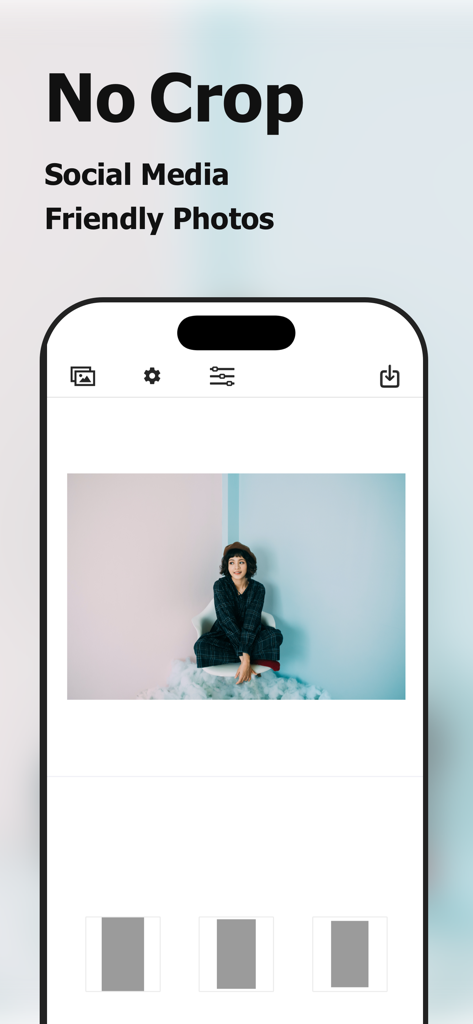
Square Fit Photo: PicFitter - Square Fit Photo app interface for creating social media friendly photos without cropping
Square Fit Photo app interface for creating social media friendly photos without cropping

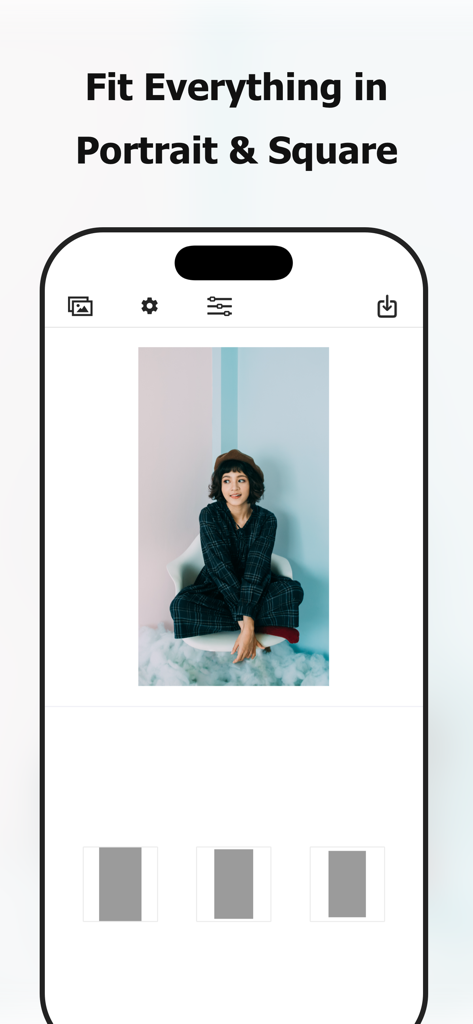
Square Fit Photo: PicFitter - Screenshot of PicFitter app showing a vertical photo formatted for square social media posts
Screenshot of PicFitter app showing a vertical photo formatted for square social media posts

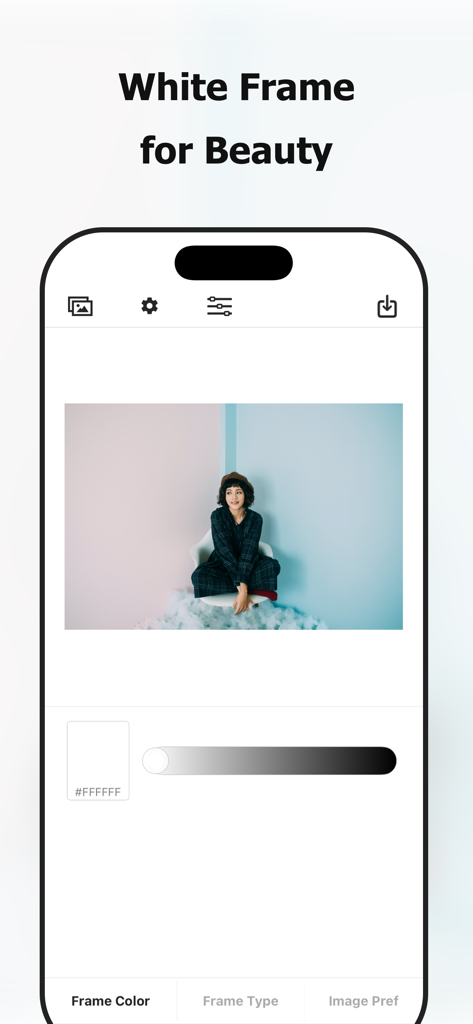
Square Fit Photo: PicFitter - Mobile app interface of PicFitter showing the white frame editing feature with a portrait photo
Mobile app interface of PicFitter showing the white frame editing feature with a portrait photo

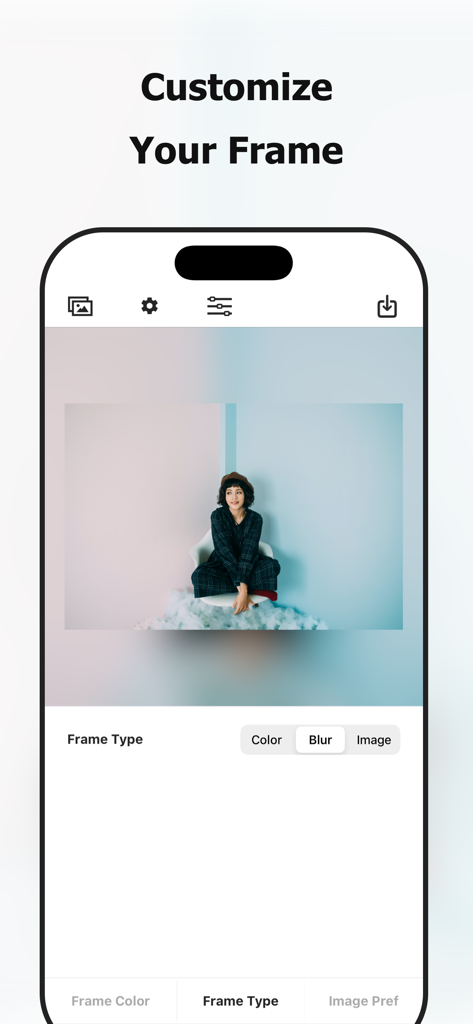
Square Fit Photo: PicFitter - PicFitter app screenshot showing how to customize a photo frame with a blur effect
PicFitter app screenshot showing how to customize a photo frame with a blur effect

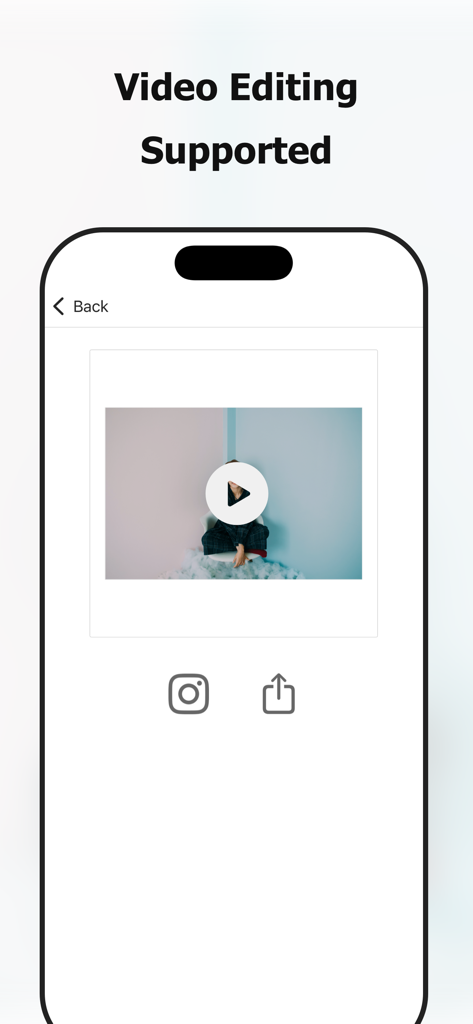
Square Fit Photo: PicFitter - PicFitter app interface showing a video being edited into a square format with white borders for social media

PicFitter app interface showing a video being edited into a square format with white borders for social media

Description

PicFitter quickly converts rectangular photos into square (1:1) or portrait (4:5) canvases that look great for posting on social media such as Instagram. Select media, choose a layout, and share—editing takes seconds. [Who Will Love this Photo Editing App] - Looking for a photo editing app to edit pictures for posting on social media - Want the entire rectangular photo to appear - Want to create a white space that makes the photo look clean - Want to add a white frame - Want to change frame colors - Like simple, easy photo editor apps - Want to prepare photos and videos - Want to enhance their gallery with their own style - Want to quickly create professional-looking posts - Also want to convert videos to a square size [Photo Examples] - Horizontal photos - Vertical screenshots - Photo taken with DSLR camera - Fashion snap - Hairdressing model - Nail - Sports - Animal - Cooking - Scenery - Painting - Artwork - Digital works - Leaflet of events - Flyer of events - Film announcements - Magazine content - Manga works - Product introduction - Property introduction - Local government announcements - Submission of works by artists - Activity of idols - Daily life of a creator [Supported Edits] - Vertical portrait edit (4:5 ratio) - Square edit - White frame edit - Black frame edit, other color frame edit - Blurring of the frame *for image edit only [How to Use] Just 3 Steps! Easily edit photos perfect for social-media posts. - Select a video or an image from photo library (camera roll) - Choose your favorite layout - Save the edited image to photo library (camera roll), share on social media [Paid version] In our app, we offer a paid version with the following plans: - $2.99 / month - $17.99 / year - $49.99 / one-time purchase (lifetime) You can hide ads and perform batch processing on multiple images, making the app more comfortable to use than the free version. * The prices may vary by country, region and time of year. * Subscriptions renew automatically (cancel anytime in Settings) [Notes on paid version (subscription)] - If the automatic renewal is not canceled more than 24 hours before the end of the period, the contract period will be renewed automatically. - Automatic renewal will be charged from 24 hours before the end of the period until the end of the period. - You will be charged via your Apple ID account. - Cancellations for the current month (or year) are not accepted. - Cancellation cannot be performed by any method other than the following. [Confirmation and cancellation of paid version contract (subscription)] You can check and cancel the subscription from device's settings.app -> Apple ID -> Subscriptions -> PicFitter. * If automatic billing is not registered, Subscriptions menu is not displayed. [Notes on paid version (one-time purchase)] - You will be charged via your Apple ID account. - Cancellations are not accepted. [Terms of Use (EULA)] https://www.codepaint.app/terms/picfitter [Privacy Policy] https://www.codepaint.app/privacy-policy [Disclaimer & Trademarks] PicFitter is an independent tool and is not sponsored, endorsed, or affiliated with any company.

Download

Download on App Store

This page is not an official page of the app or its developer, but an independent editorial publication created for informational and commentary purposes. Unless expressly stated otherwise, neither the app nor its developer is affiliated with, endorsed by, sponsored by, authorized by, or otherwise officially connected with MWM, Apple, Google Play, the app publisher, or the app's developer, and nothing on this page implies that the app was developed using MWM's services. Any trademarks, logos, screenshots, and other content remain the property of their respective owners.








