
This page is not an official page of the app or its developer, but an independent editorial publication created for informational and commentary purposes. Unless expressly stated otherwise, neither the app nor its developer is affiliated with, endorsed by, sponsored by, authorized by, or otherwise officially connected with MWM, Apple, Google Play, the app publisher, or the app's developer, and nothing on this page implies that the app was developed using MWM's services. Any trademarks, logos, screenshots, and other content remain the property of their respective owners.


SSSTik: Save Video & Repost
Join 4M+ creators and curators saving their favorite content in original quality. Download in two taps, build custom playlists, and watch your videos offline—anytime, anywhere.
Downloads
4M+User Rating
Total Ratings
79K+Publisher
Category
Social NetworkingLocales
9Latest Version
1.3.39Size
121.6 MBFirst Released
Jun 4, 2022Create Without Limits
The ultimate toolkit to save, organize, and repost the best of short-form video in seconds.
Lossless HD Quality
Download content in stunning original resolution. Perfect for high-quality reposts on Reels or Shorts that look professional.
Video-to-MP3 Magic
Extract trending sounds instantly. Build your personal audio library or save viral tracks for offline listening anywhere.
Frequently Asked Questions
Everything you need to know about SSSTik: Save Video & Repost
How does SSSTik help users download videos?
SSSTik is a TT downloader that allows users to save or repost videos. The process involves copying the video link from the original app and then opening the SSSTik app.
What quality are videos saved in by the SSSTik app?
The SSSTik app saves videos in their original HD quality. Users have the option to download videos in high definition or extract just the audio.
Can SSSTik save videos as audio files?
Yes, SSSTik can save videos as MP3 audio files. This feature enables users to extract only the sound from a video.
Does SSSTik support creating video playlists?
Yes, SSSTik supports creating playlists. Users can organize their favorite videos into personalized collections directly within the app.
Can users watch downloaded videos offline with SSSTik?
Yes, SSSTik allows users to watch downloaded videos offline. This means that videos remain accessible even without an active internet connection.
Does the SSSTik app display advertisements?
No, the SSSTik app does not display advertisements. The application provides an ad-free user experience.
How do I share a video using the SSSTik app?
To share a video using SSSTik, first ensure it is downloaded. Then, tap the 'Share' button within the app to send it via email, instant messengers, or other platforms.
Can SSSTik help analyze video performance?
Yes, SSSTik allows users to review analytics. This includes monitoring performance metrics such as plays, likes, and comments for downloaded videos.
What is the process for downloading a video with SSSTik?
The process for downloading a video with SSSTik involves two main steps: copying the video link from the original app and then opening SSSTik. The app automatically detects the link.
Does SSSTik support downloading multiple media types?
Yes, SSSTik supports downloading multiple media types, including videos, audio, and slides. Users can select various items for download simultaneously.
The following screenshots and description are sourced directly from the app's official store listing and are the property of the app developer.
App Store
Screenshots
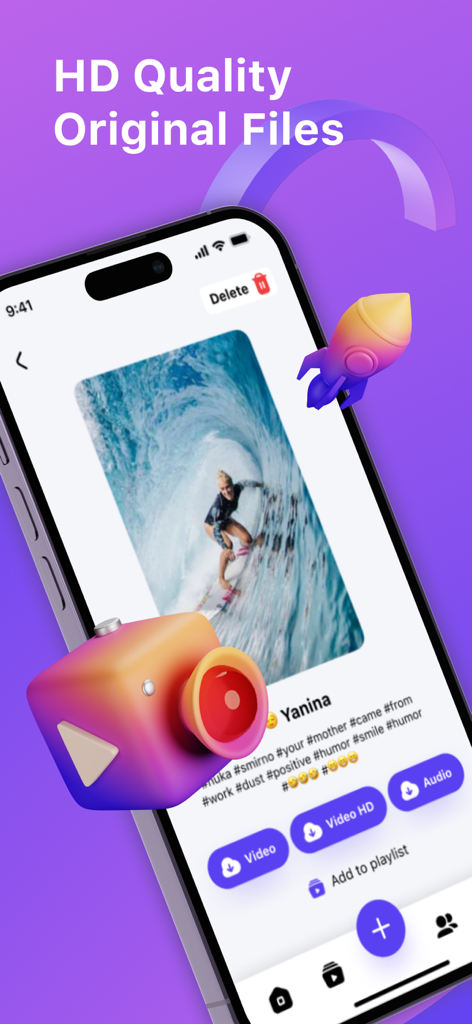
SSSTik app screenshot showing HD video download options and a surfing video preview
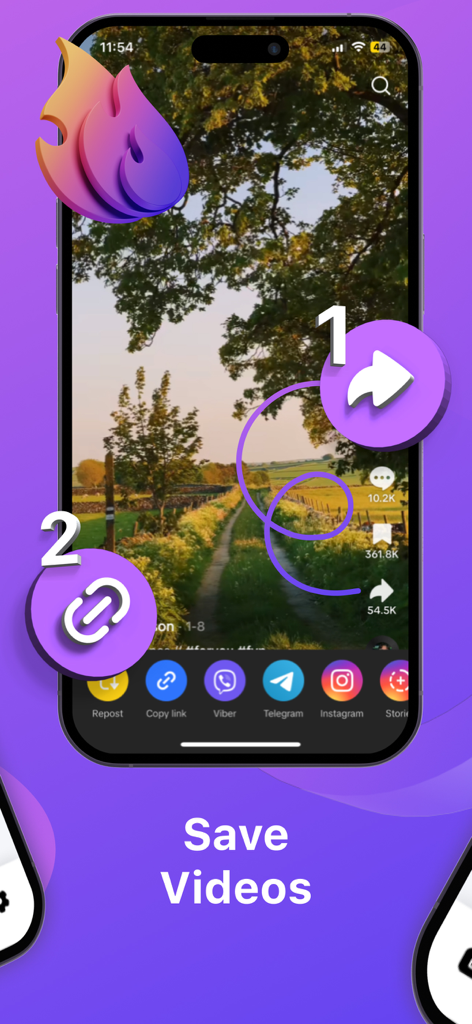
A mobile screen showing a two-step process to save videos by tapping the share icon and then the copy link button.

Mobile app interface of SSSTik showing the feature to create and organize video playlists in custom folders.

SSSTik app screenshot with share with friends text and social media like icons
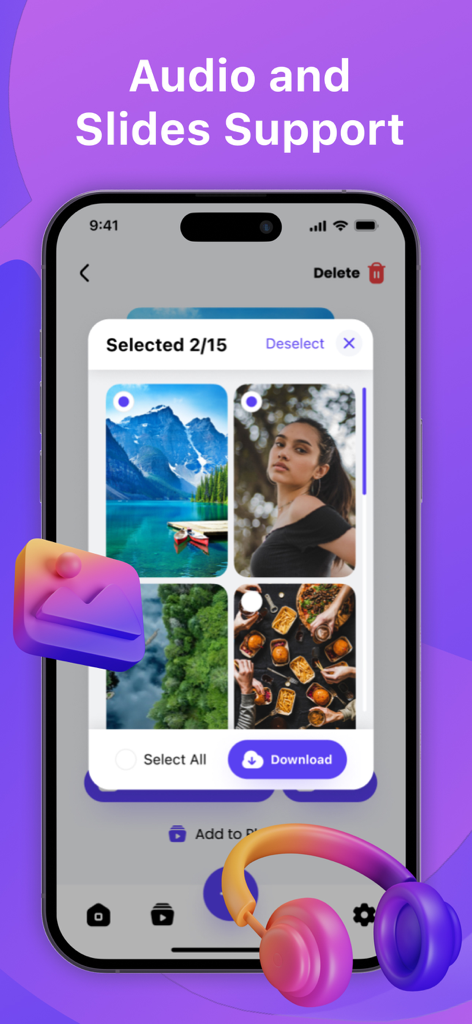
SSSTik mobile app interface showing the selection and download process for photo slides and audio content

A 3D megaphone and hashtag on a purple background with the text No Ads.
Description
Download
More Like This
Apps with similar features and user experience

إدارة الملفات (حمّل)
Waraqat Group

Tik Saver Pro Video Downloader
SPEKTRUM EPPS, TOV

Float: Video Saver
Floatfly Technology Limited

TKTK Followers & Video Manager
Yauheni Hramiashkevich

PinSaver: Save Pin Video
Arif Ahmed

Tweeload - Twitter Video Saver
Aculix Technologies LLP

UC Browser
UCWEB SINGAPORE PTE. LTD.

Video Downloader HD ~ Vidow
Ashish Paneliya

Video Saver & Player / iCap
Koichiro Umemiya
This page is not an official page of the app or its developer, but an independent editorial publication created for informational and commentary purposes. Unless expressly stated otherwise, neither the app nor its developer is affiliated with, endorsed by, sponsored by, authorized by, or otherwise officially connected with MWM, Apple, Google Play, the app publisher, or the app's developer, and nothing on this page implies that the app was developed using MWM's services. Any trademarks, logos, screenshots, and other content remain the property of their respective owners.