
This page is not an official page of the app or its developer, but an independent editorial publication created for informational and commentary purposes. Unless expressly stated otherwise, neither the app nor its developer is affiliated with, endorsed by, sponsored by, authorized by, or otherwise officially connected with MWM, Apple, Google Play, the app publisher, or the app's developer, and nothing on this page implies that the app was developed using MWM's services. Any trademarks, logos, screenshots, and other content remain the property of their respective owners.


Video Saver & Player / iCap
Download videos, block ads, and enjoy background playback without the premium price tag. Your private, all-in-one hub for seamless multi-tasking and offline entertainment.
Downloads
963K+User Rating
Total Ratings
13K+Publisher
Category
Photo & VideoLocales
3Latest Version
7.4Size
55.6 MBFirst Released
Feb 2, 2021Your Ultimate Mobile Video Command Center
Break free from subscription limits and intrusive ads. Take full control of your video library with professional-grade playback, offline viewing, and secure file management built for the power user.
Seamless Offline & Background Play
Skip the 'Premium' fees. Download videos to watch during your commute or flight, and keep the audio running in the background while you multitask across other apps.
Ad-Free Browser & Smart Detection
Browse any site with a built-in ad blocker. Our intelligent browser automatically detects video sources, allowing you to save content without the clutter or annoying interruptions.
Frequently Asked Questions
Everything you need to know about Video Saver & Player / iCap
Can I watch videos offline with Video Saver & Player / iCap?
Yes, Video Saver & Player / iCap allows you to save videos from your Files app or camera roll for offline playback.
What playback options does Video Saver & Player / iCap offer?
Video Saver & Player / iCap offers various playback options, including repeating a single video, repeating multiple videos, or stopping playback at the video's end.
Does Video Saver & Player / iCap support picture-in-picture playback?
Yes, Video Saver & Player / iCap supports picture-in-picture playback. You can enable this feature in the app's settings.
How does Video Saver & Player / iCap manage saved videos?
Video Saver & Player / iCap organizes saved videos by folders within the app. Users can view and copy these videos in the Files app.
Does Video Saver & Player / iCap's in-app browser include an ad blocker?
Yes, the in-app browser within Video Saver & Player / iCap features an integrated ad blocker. This can be enabled or disabled in settings.
Can I change the video playback speed in Video Saver & Player / iCap?
Yes, Video Saver & Player / iCap allows users to change video playback speed. Options include double speed, half speed, and other adjustments.
Does Video Saver & Player / iCap support Dark Mode?
Yes, Video Saver & Player / iCap supports Dark Mode. Users can choose between system, dark, or light appearance modes in the settings.
Can I protect my videos with a passcode in Video Saver & Player / iCap?
Yes, Video Saver & Player / iCap provides a passcode setting feature. Users can set and use a passcode to protect their content within the app.
Does Video Saver & Player / iCap allow background video playback?
Yes, Video Saver & Player / iCap supports background playback for videos. This feature allows audio to continue playing when the app is not in the foreground.
How can I save videos from my camera roll to Video Saver & Player / iCap?
Video Saver & Player / iCap allows you to save videos directly from your camera roll into the app. These videos are then available for offline playback.
The following screenshots and description are sourced directly from the app's official store listing and are the property of the app developer.
App Store
Screenshots
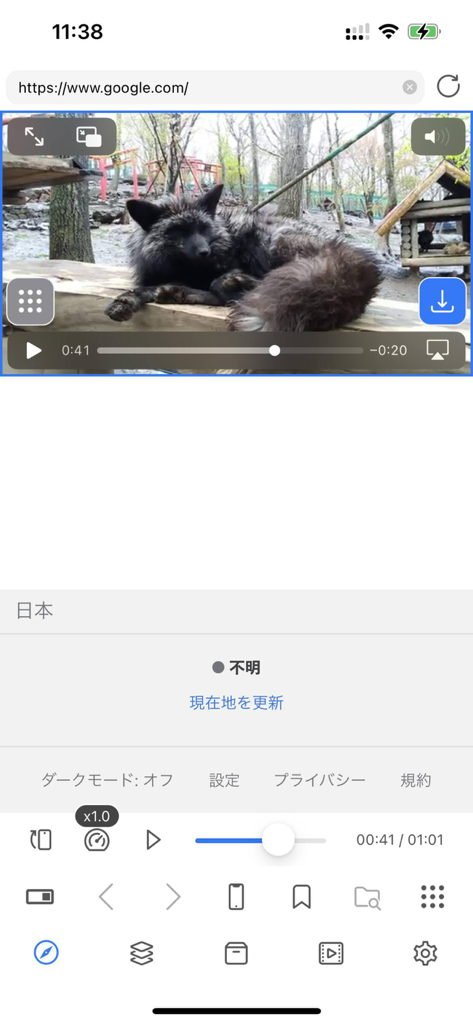
Interface of iCap video saver and player app showing a video in a browser with download options

Splash screen of the iCap Video Saver and Player app with a central play button icon.
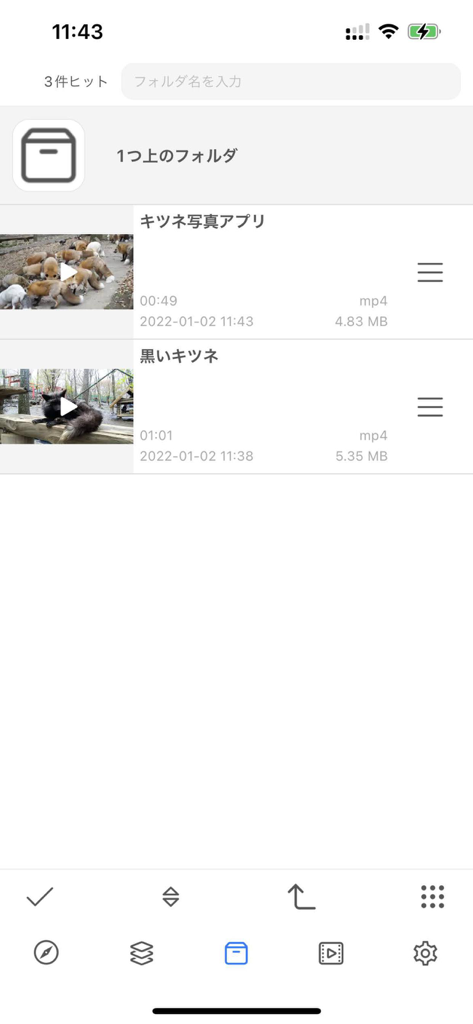
Interface of the iCap app showing a list of saved mp4 videos with file sizes, durations, and folder organization.
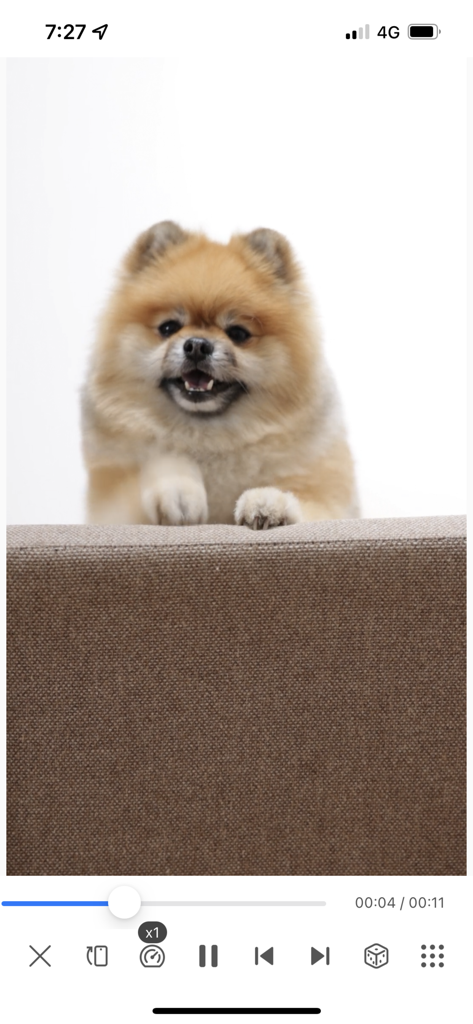
iCap video player interface showing a video of a fluffy Pomeranian dog with playback controls
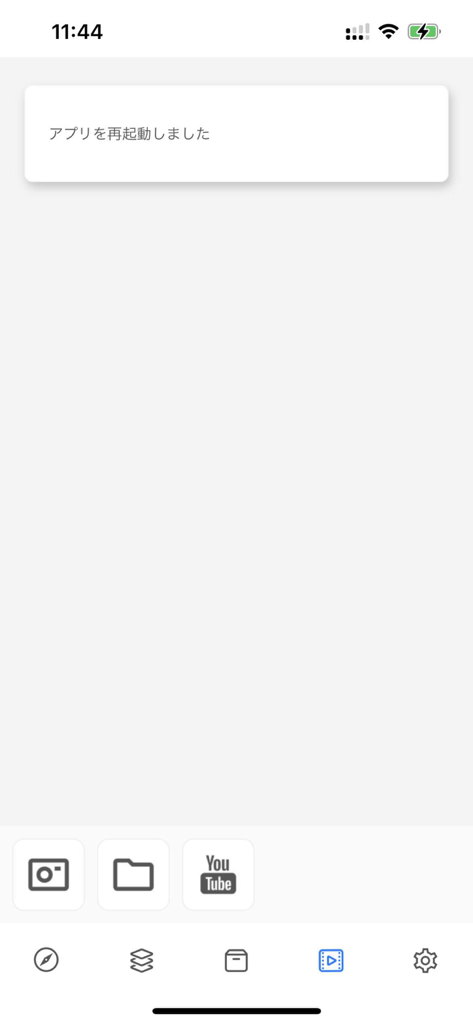
Main interface of the iCap Video Saver and Player app showing navigation icons and shortcut buttons
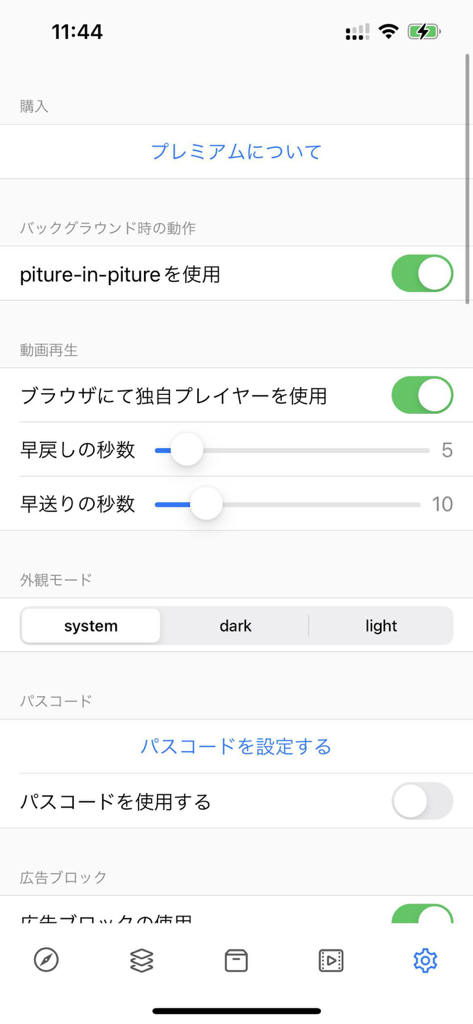
Settings menu of the iCap app showing options for picture in picture, video playback speed, appearance modes, and passcode security.
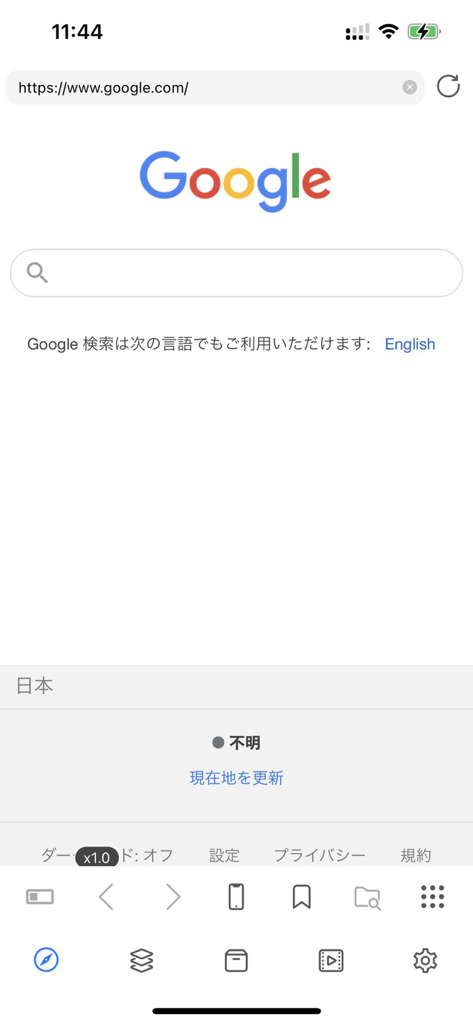
Screenshot of the iCap app built-in browser displaying the Google search page and a media management toolbar.
Description
Download
More Like This
Apps with similar features and user experience

SSSTik: Save Video & Repost
SSSTik

إدارة الملفات (حمّل)
Waraqat Group

Tik Saver Pro Video Downloader
SPEKTRUM EPPS, TOV

Float: Video Saver
Floatfly Technology Limited

TKTK Followers & Video Manager
Yauheni Hramiashkevich

PinSaver: Save Pin Video
Arif Ahmed

Tweeload - Twitter Video Saver
Aculix Technologies LLP

UC Browser
UCWEB SINGAPORE PTE. LTD.

Video Downloader HD ~ Vidow
Ashish Paneliya
This page is not an official page of the app or its developer, but an independent editorial publication created for informational and commentary purposes. Unless expressly stated otherwise, neither the app nor its developer is affiliated with, endorsed by, sponsored by, authorized by, or otherwise officially connected with MWM, Apple, Google Play, the app publisher, or the app's developer, and nothing on this page implies that the app was developed using MWM's services. Any trademarks, logos, screenshots, and other content remain the property of their respective owners.