SSTP Connect

SSTP Connect

Download on App Store
Logo of SSTP Connect

SSTP Connect: The Native VPN Client for Professionals

Experience secure SSTP and SoftEther connections with a bloat-free, privacy-first client. No ads, no tracking—just native performance and advanced authentication for your IT infrastructure.

Publisher

Domosekai Limited

Category

Utilities

Downloads

126K+

User Rating

5.0/5

Total Ratings

0

Locales

2

Built for Precision

Discover the interface used by 126K+ users.
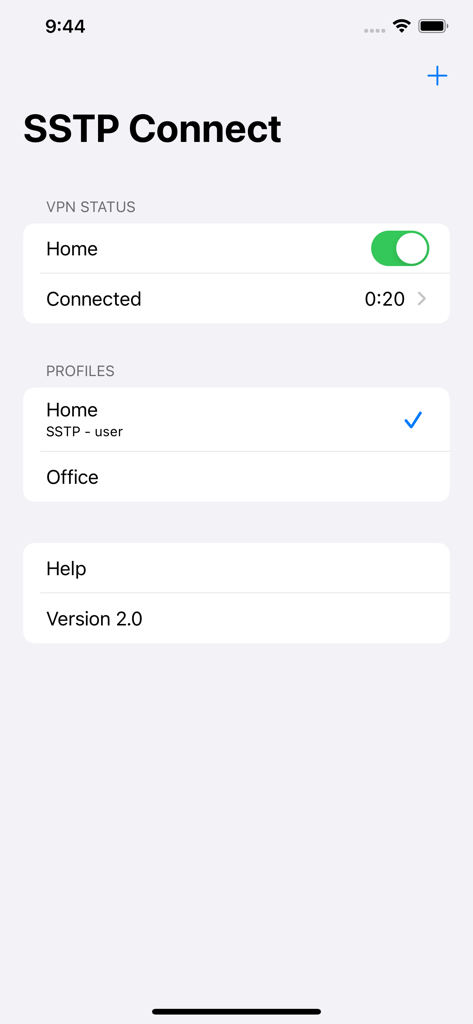
SSTP Connect app interface showing connected VPN status and profiles list.

SSTP Connect app interface showing connected VPN status and profiles list.

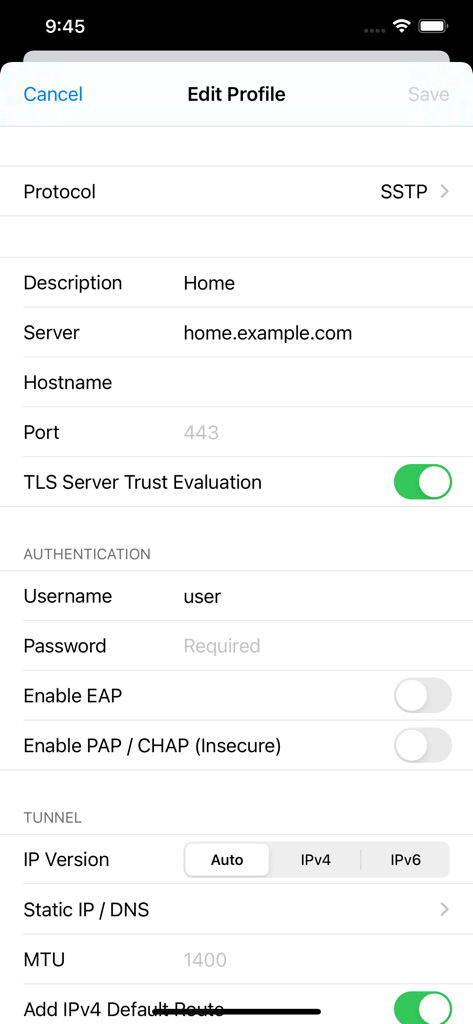
Screenshot of the Edit Profile screen in SSTP Connect app showing VPN configuration options

Screenshot of the Edit Profile screen in SSTP Connect app showing VPN configuration options

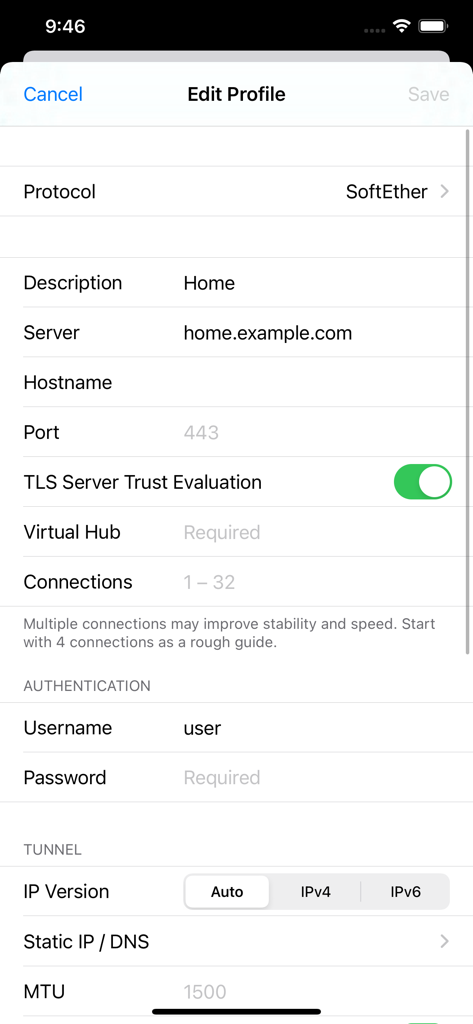
Edit Profile screen in SSTP Connect app for SoftEther VPN configuration

Edit Profile screen in SSTP Connect app for SoftEther VPN configuration

Enterprise-Grade Connectivity, Native Performance

The tools that make this app stand out, trusted by 126K+ users.

🛡️

Privacy-First Architecture

Zero tracking, no analytics, and no logs. Your credentials stay secure in the iOS Keychain, ensuring your data never leaves your control.

⚙️

Full Protocol Mastery

Seamlessly connect to SSTP, SoftEther, and Azure P2S servers with industry-standard support for certificate-based authentication and TEAP.

🚀

Native iOS Efficiency

Built on native libraries for maximum speed and stability. Manage your tunnels directly from system settings with zero third-party bloatware.

About the app

Everything you need to know about SSTP Connect.

Description

SSTP Connect is a VPN client that supports these protocols: - SSTP (MS-SSTP) - SoftEther VPN This is only a VPN client. No VPN service is included. You need to specify the server you are connecting to. • Native Only iOS native libraries are used in the core function, including the TLS stack. No OpenSSL. Connections are saved natively so that you can start a connection from the system settings. • Simple VPN clients ought to be small and simple. No ads, analytics or other 3rd-party SDK are included. • Privacy No data is collected from you. Connection log only exists in the memory and is never saved to the device. • Complete Support all password and certificate-based authentications available in Windows 11. Support authenticating by password and certificate at the same time with TEAP (EAP chaining). Protocol details below. • Security Passwords and certificates are stored in the iOS keychain. SSTP Connect never saves them locally for convenience. • IPv6 Ready Support both IPv6 connections and stateless IPv6 configuration in the VPN tunnels. (DHCPv6 not supported) • More than TCP Support NAT traversal (NAT-T) and UDP acceleration just like the official SoftEther client. • Easy Import and Export Not only from SSTP Connect, reading connection settings from SoftEther Client Manager is also a piece of cake. • Routing Accept static routes pushed from the server or add your own entries. SSTP Authentication Methods - PEAP - EAP-TTLS - TEAP (EAP chaining) - EAP-TLS - EAP-MSCHAPv2 - MSCHAPv2 - CHAP - PAP SoftEther Authentication Methods - Password - RADIUS / NT Domain Password - Certificate - Anonymous Supported Server Platforms • Microsoft Windows Server 2008 and later • Microsoft Azure P2S VPN • MikroTik RouterOS* • SoftEther VPN Server • VPN Azure * Servers configured without certificates are not supported. SSTP Connect is a third-party implementation based on Microsoft Open Specifications and SoftEther VPN source code. We do not have any affiliation with either Microsoft Corporation or SoftEther Corporation.

Latest Version

3.9.10

Size

17.0 MB

First Released

Jan 19, 2021

Deploy Your Professional VPN Client

Join 126K+ power users and IT professionals. Experience the most secure, native, and privacy-focused SSTP and SoftEther client for iOS with zero analytics and zero tracking.

Download on App Store

App information, icons, screenshots, and descriptions displayed on this page are sourced from the Apple App Store and are the property of their respective developers. Download estimates and rankings are based on MWM's proprietary models and may not reflect actual figures. This page is provided for informational and analytical purposes only.

Believe this page infringes your intellectual property? File a dispute