Stashcook: Recipe Keeper Pro

Stashcook: Recipe Keeper Pro


Download on App StoreDownload on Google Play
Logo of Stashcook: Recipe Keeper Pro
Stashcook: Your Personal Digital Cookbook & Hassle-Free Meal Planner

Save recipes from any website, organize your weekly meals, and simplify grocery trips with smart, aisle-by-aisle shopping lists. No more clutter, just delicious cooking.

Publisher

Stashbox Ltd

Category

Food & Drink

Downloads

201K+

User Rating

4.7/5

Total Ratings

1000

Locales

1

Your Virtual Cookbook

Discover the interface used by 201K+ users.
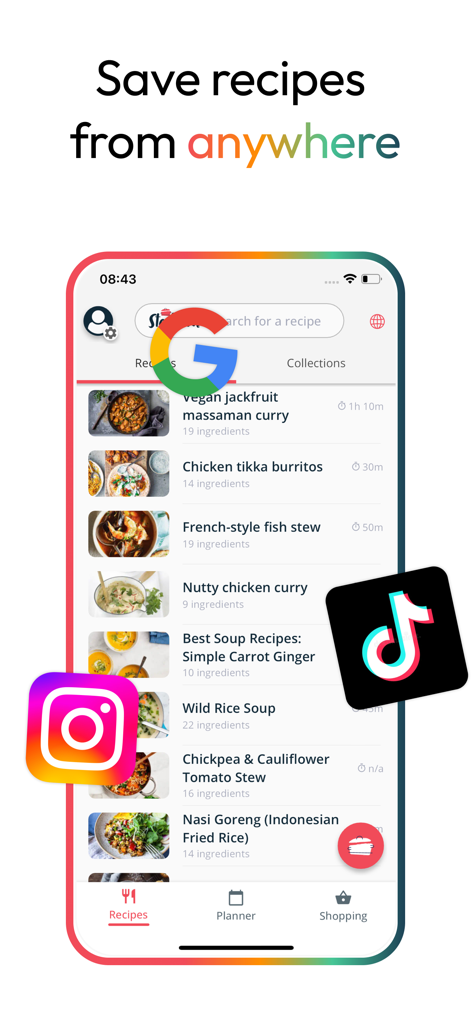
Stashcook app interface showing a list of saved recipes with Google TikTok and Instagram icons illustrating the ability to save content from any platform.

Stashcook app interface showing a list of saved recipes with Google TikTok and Instagram icons illustrating the ability to save content from any platform.

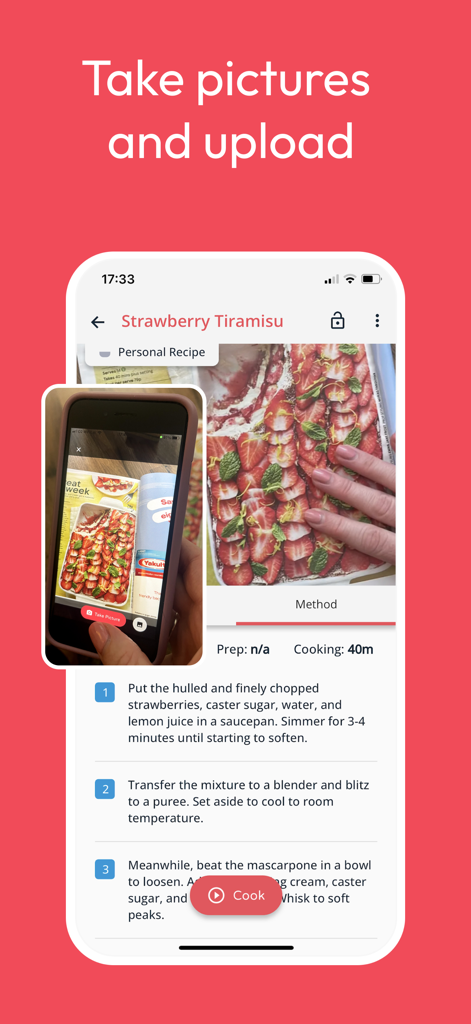
Screenshot of Stashcook app showing a user taking a photo of a physical recipe book to save it digitally as Strawberry Tiramisu

Screenshot of Stashcook app showing a user taking a photo of a physical recipe book to save it digitally as Strawberry Tiramisu

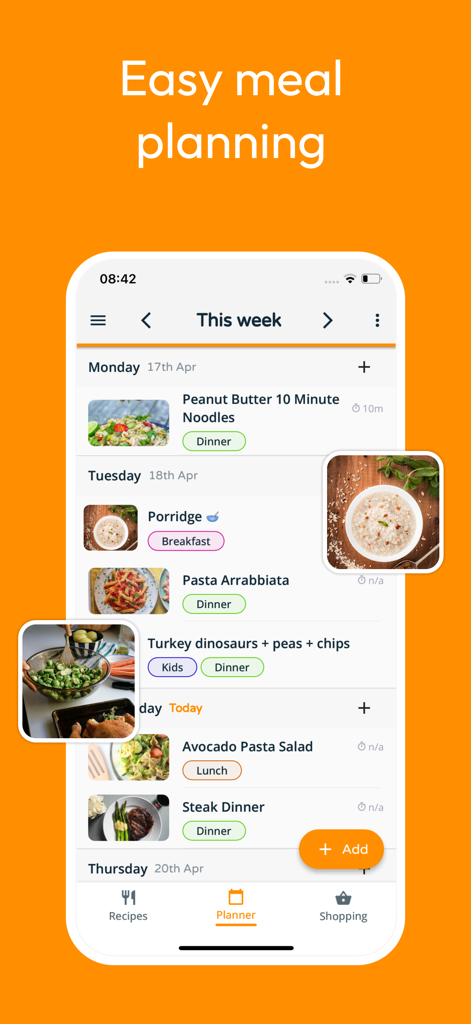
Weekly meal planning interface in the Stashcook app showing scheduled recipes for the week

Weekly meal planning interface in the Stashcook app showing scheduled recipes for the week

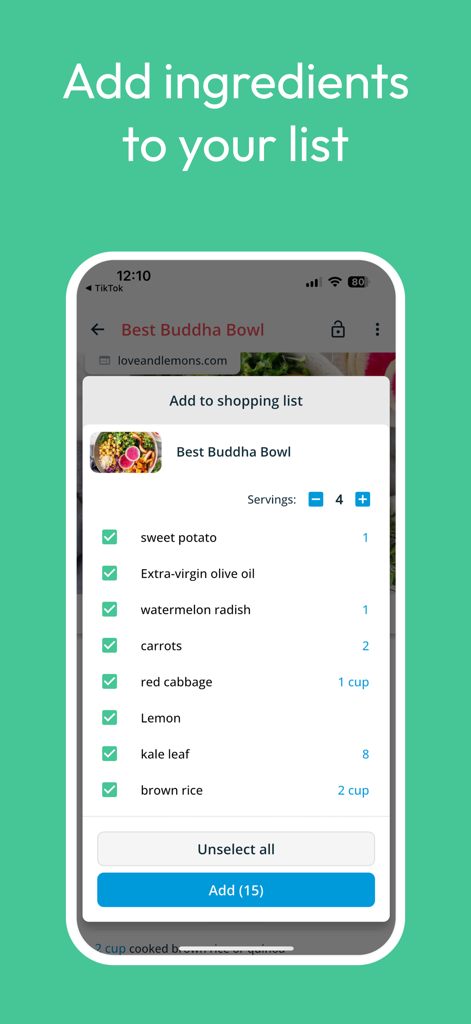
Stashcook mobile app interface for adding ingredients from a recipe to a shopping list.

Stashcook mobile app interface for adding ingredients from a recipe to a shopping list.

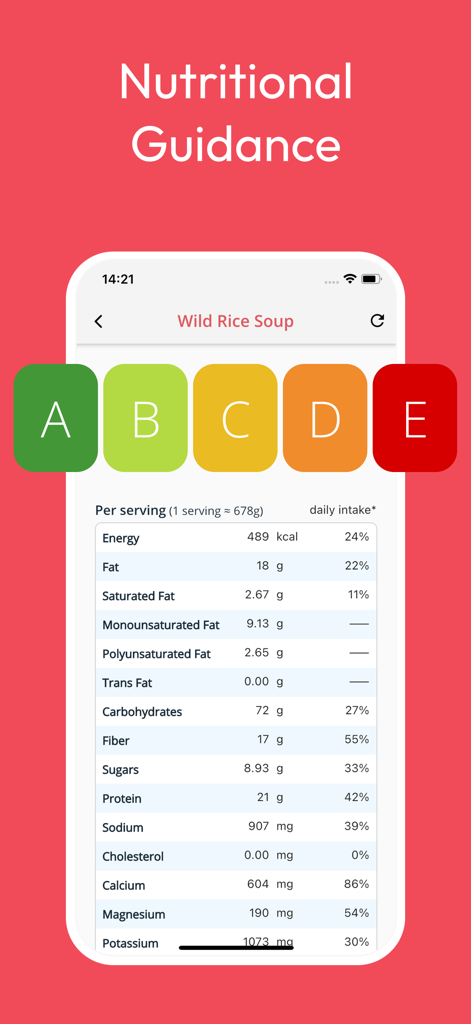
Detailed nutritional guidance and nutrition facts for a soup recipe in the Stashcook app.

Detailed nutritional guidance and nutrition facts for a soup recipe in the Stashcook app.

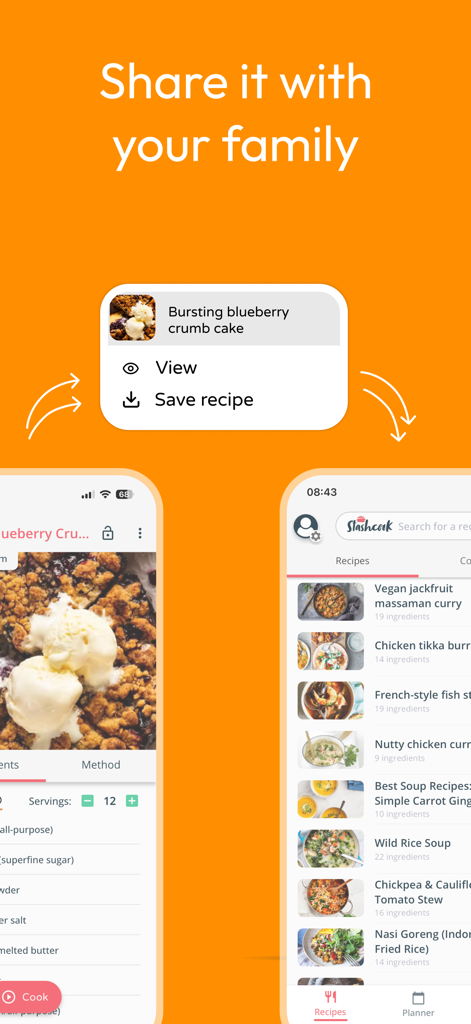
Stashcook mobile app interface displaying a recipe sharing prompt and a curated list of saved recipes like soups and curries.

Stashcook mobile app interface displaying a recipe sharing prompt and a curated list of saved recipes like soups and curries.

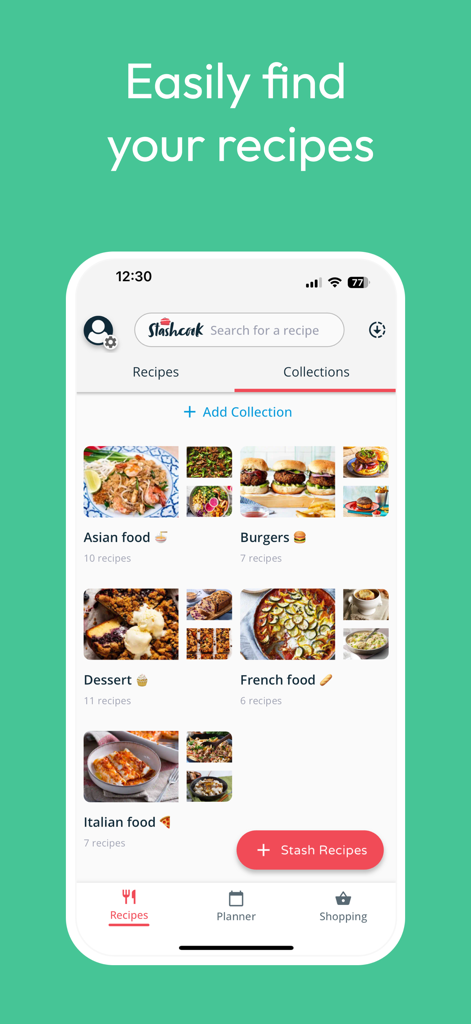
Stashcook app screen displaying organized recipe collections including Asian food, Burgers, and Desserts with high quality food images.

Stashcook app screen displaying organized recipe collections including Asian food, Burgers, and Desserts with high quality food images.

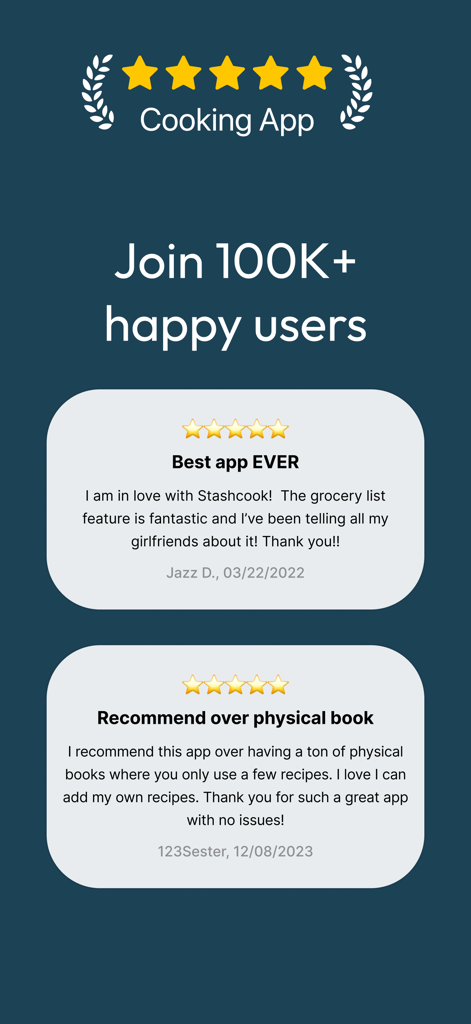
Stashcook app user reviews and ratings display with testimonials from 100k happy users

Stashcook app user reviews and ratings display with testimonials from 100k happy users

Everything You Need to Master Mealtime

The tools that make this app stand out, trusted by 201K+ users.

Save from Any Website

One-tap 'Stash' removes ads and clutter from any blog or site, giving you a clean, distraction-free cooking experience instantly.

🛒

Aisle-Sorted Grocery Lists

Add ingredients from your recipes and watch them auto-group by supermarket aisle for the most efficient, time-saving shopping trip ever.

📅

Stress-Free Weekly Planning

Map out your week in seconds to avoid decision fatigue and cut down on food waste. Know exactly what is for dinner, every single day.

About the app

Everything you need to know about Stashcook: Recipe Keeper Pro.

Description

Keep your recipes organized. Use the meal planner to create weekly meal plans. Create shopping lists with ease and cook from your own recipe book. Have you ever lost a great recipe? Stashcook to the rescue. Stashcook is your personal recipe keeper and virtual cookbook. Never again will you lose a delicious recipe. ~ Save recipes from ANYWHERE! Use the stash button to save recipes from any website on the internet. This includes BBC Good Food, Pinterest, Food Network, and Epicurious, to name but a few. ~ Meal planning What's on the menu today? Check your weekly meal planner. Prepare meal plans and organize your week. Rearrange based on what you fancy that day. Add notes to ensure you remember to use those leftovers or your plans to eat out. Stashcook can also help save money and decrease food waste by reducing your weekly shopping list to only what you need. ~ Shopping list Simplify shopping with the most simple grocery list available. First, add all the ingredients from any of your recipes. Then, manually add any other items you need and let Stashcook organize them by supermarket aisle. Never again will you forget the milk! ~ Organize recipes into collections Use collections to group recipes. Need a quick dinner option? Just look in the "10-minute dinners" collection you made. ~ Cook Stashcook aims to make following a recipe easier. It has been created with simplicity in mind and removes the annoying clutter found on recipe sites. ~ Free - No Limits Stash as many recipes as you like. Prepare meal plans every week without restrictions. No charges and no membership is required. You may purchase an auto-renewing subscription for Premium features through an In-App Purchase. • Auto-renewable subscription (1-month duration) • Your subscription will be charged to your iTunes account at confirmation of purchase and will automatically renew (at the duration selected) unless auto-renew is turned off at least 24 hours before the end of the current period. • Current subscription may not be cancelled during the active subscription period; however, you can manage your subscription and/or turn off auto-renewal by visiting your iTunes Account Settings after purchase • Privacy policy: https://stashcook.com/privacy-policy • Terms of use: https://stashcook.com/terms-and-conditions

Latest Version

1.2.195

Size

84.8 MB

First Released

Jul 7, 2020

Ready to take the stress out of "What's for dinner?"

Join over 200,000 efficiency-oriented cooks. Start stashing your favorite recipes, planning your week, and master your grocery runs—all in one place and completely for free.

Download on App StoreDownload on Google Play
FAQ

Frequently Asked Questions

Everything you need to know about Stashcook: Recipe Keeper Pro

What is Stashcook?

Stashcook is a meal planner and recipe keeper app. It helps users simplify meal planning, save recipes from any source, organize cooking life, and manage shopping lists.

Can Stashcook save recipes from any website or source?

Yes, Stashcook saves recipes from virtually any source, including TikTok, Instagram, Facebook, YouTube, Pinterest, AllRecipes, cookbooks, and handwritten notes.

Does Stashcook include a meal planning feature?

Yes, Stashcook includes a weekly meal planner. Users organize meals for breakfast, lunch, and dinner, duplicate previous plans, and add notes and track leftovers.

Can Stashcook generate a shopping list?

Yes, Stashcook generates an integrated shopping list. Users add all recipe ingredients with one click and manually add extra items, which the app organizes by aisle.

Does Stashcook support family sharing for meal planning?

Yes, Stashcook offers a Family Share feature. Users share their account with up to six family members, providing access to saved recipes, meal plans, and shopping lists.

What kind of nutritional information does Stashcook provide?

Stashcook provides nutritional analysis for calories, proteins, carbs, fats, sugars, and sodium. It helps organize meals for various dietary needs like keto or calorie counting.

Can I organize my recipes within the Stashcook app?

Yes, Stashcook allows users to organize recipes into collections. Users create a digital cookbook by grouping recipes by type, cuisine, or cooking style for easy access.

How does the Stashcook Cook Mode assist users?

The Stashcook Cook Mode provides a clean, clutter-free layout for recipes. It allows users to scale ingredients and lock the screen for a stress-free cooking experience.

Does Stashcook offer automatic serving size adjustment?

Yes, Stashcook offers automatic serving size adjustment for recipes. This feature helps users adapt recipe quantities to their specific needs.

What are the subscription options for Stashcook Premium features?

Stashcook Premium features are available through an auto-renewing subscription. Users choose between a 1-month or yearly duration for their subscription.

How do I manage my Stashcook subscription?

Users manage their Stashcook subscription and turn off auto-renewal by visiting their iTunes Account Settings after purchase. Auto-renew must be off 24 hours before the period ends.

Does Stashcook allow users to add their own photos of recipes?

Yes, Stashcook allows users to take pictures and upload them to create personal recipes. This feature supports saving recipes from physical sources like cookbooks or handwritten notes.

Where can I find the privacy policy for Stashcook?

The privacy policy for Stashcook is available on their website. Users can access it at the provided URL: https://stashcook.com/privacy-policy.

App information, icons, screenshots, and descriptions displayed on this page are sourced from the Apple App Store and are the property of their respective developers. Download estimates and rankings are based on MWM's proprietary models and may not reflect actual figures. This page is provided for informational and analytical purposes only.

Believe this page infringes your intellectual property? File a dispute