
This page is not an official page of the app or its developer, but an independent editorial publication created for informational and commentary purposes. Unless expressly stated otherwise, neither the app nor its developer is affiliated with, endorsed by, sponsored by, authorized by, or otherwise officially connected with MWM, Apple, Google Play, the app publisher, or the app's developer, and nothing on this page implies that the app was developed using MWM's services. Any trademarks, logos, screenshots, and other content remain the property of their respective owners.


Status Saver: Download Status
Ephemeral content? The app turns fleeting moments into your permanent collection. Own the stories you see.
Downloads
1M+User Rating
Total Ratings
56.1KPublisher
Category
UtilitiesLocales
9Latest Version
2.10Size
80.2 MBFirst Released
Sep 1, 2024Key Features for Enhanced WhatsApp Status Management
Evaluation of 'Status Saver: Download Status'
Local & Private Data Storage
It ensures all saved status data remains stored locally on the user's device, upholding privacy and control without requiring access to their WhatsApp account. This feature addresses significant user concerns about data security.
Effortless Status Saving
The app provides a straightforward mechanism to save both image and video statuses from WhatsApp and WA Business with a single click, eliminating the need to request content from contacts.
Integrated Video Splitter
This tool features a video splitter that enables users to easily segment longer videos into shorter, platform-optimized clips suitable for status updates or social media posts, saving time and eliminating the need for external editing apps.
Direct Reposting & Sharing
It allows users to quickly repost and share saved video and image statuses directly from the application to other platforms or contacts, enhancing content repurposing.
Batch Saving of Multiple Statuses
The app enables users to select and save multiple image and video statuses concurrently, significantly streamlining the content acquisition process.
Offline Media Playback & Viewing
It includes a built-in video player and photo gallery, allowing users to view and play their saved statuses offline without needing to leave the application or rely on external media players.
Frequently Asked Questions
Everything you need to know about Status Saver: Download Status
What is Status Saver: Download Status?
Status Saver: Download Status is an app that allows users to easily save WhatsApp and WhatsApp Business image and video statuses with one click. It also provides features for reposting, sharing, and offline viewing.
How does Status Saver: Download Status work?
The Status Saver app works by requiring users to scan a QR code to link their WhatsApp Web. After watching a desired status, users click a save button. The status is then stored in the app's Collection.
Can Status Saver: Download Status save videos?
Yes, Status Saver: Download Status can save video statuses. The app includes a built-in video player for offline playback and stores videos in the "Collection" tab.
Can Status Saver: Download Status save images?
Yes, Status Saver: Download Status can save image statuses. The app stores images in the "Collection" tab and includes a built-in gallery for offline viewing.
Is Status Saver: Download Status free to use?
No, the Status Saver app is not entirely free. It offers weekly, yearly, and lifetime subscription options for its features. Payment occurs upon purchase confirmation.
Does Status Saver: Download Status access my WhatsApp account?
No, Status Saver: Download Status does not access your WhatsApp account. All user data is stored locally on the device, providing privacy and control over your account.
What is the price of Status Saver: Download Status?
Status Saver: Download Status offers a weekly subscription for $9.99, a yearly subscription for $29.99, and a lifetime in-app purchase for $49.99.
Does Status Saver: Download Status include a video splitter?
Yes, the Status Saver app includes a Video Splitter feature. This allows users to split long videos into perfectly sized clips for status updates or social media posts without using multiple apps.
How do I manage my subscription for Status Saver: Download Status?
Users manage Status Saver: Download Status subscriptions and disable automatic renewal by going to their user account settings after purchasing.
Is Status Saver: Download Status affiliated with WhatsApp?
No, Status Saver: Download Status is not endorsed by or affiliated with WhatsApp Inc. The app's disclaimer states it is a separate entity.
The following screenshots and description are sourced directly from the app's official store listing and are the property of the app developer.
App Store
Screenshots
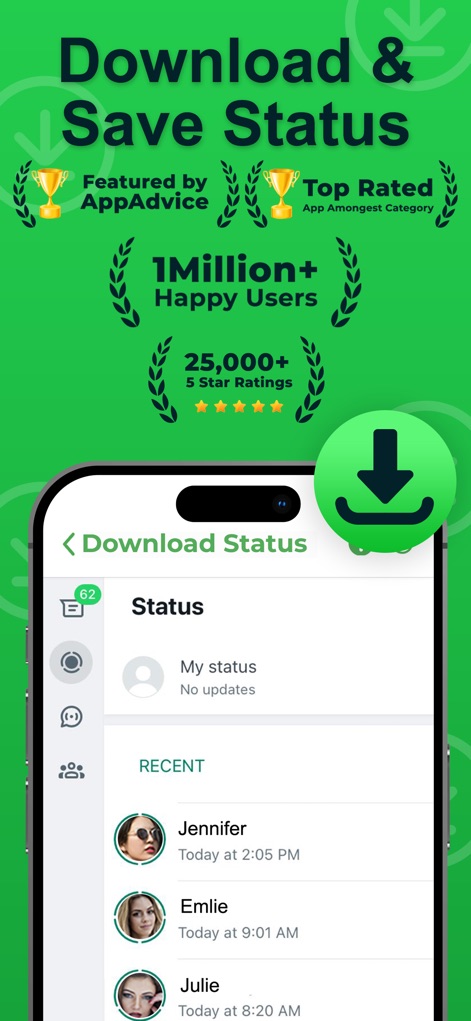
Discover the app's trusted reputation with over '1 Million+ Happy Users' and a clear interface displaying 'Recent' WhatsApp statuses for easy saving.
Effortless Status Saving

Witness the app's streamlined functionality, allowing users to save any status with a single tap on the 'Status Unduhan' button directly within the viewing screen, indicating simple interaction.
Instant Status Capture

Explore the dedicated 'Collection' section where all saved statuses are neatly categorized into 'Images' and 'Videos', offering a comprehensive local gallery for easy access.
Organized Status Collection
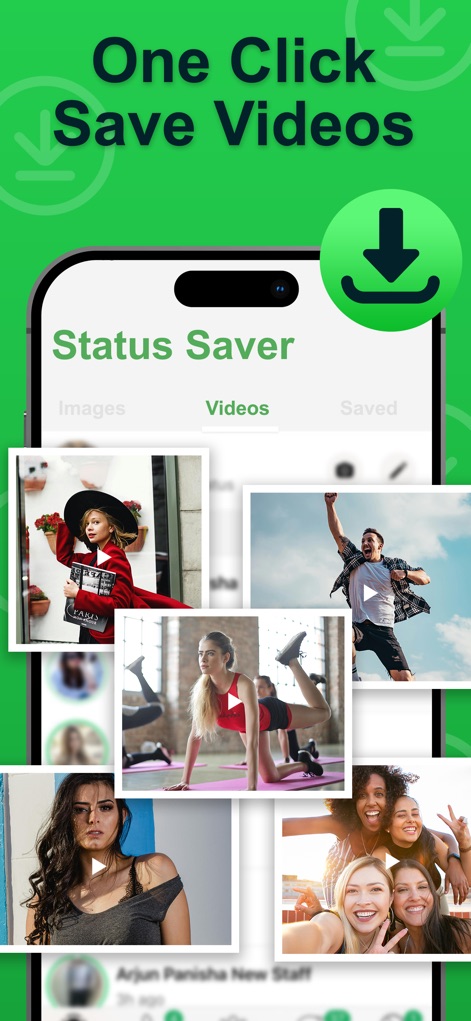
Observe the intuitive 'Videos' tab within the Status Saver, providing a quick view of all saved video content with clear play icons, ensuring easy offline playback.
Seamless Video Saving

Examine the 'Images' section of the app, showcasing a vibrant grid of all downloaded photos, offering users a private and easily accessible built-in gallery.
Effortless Image Storage
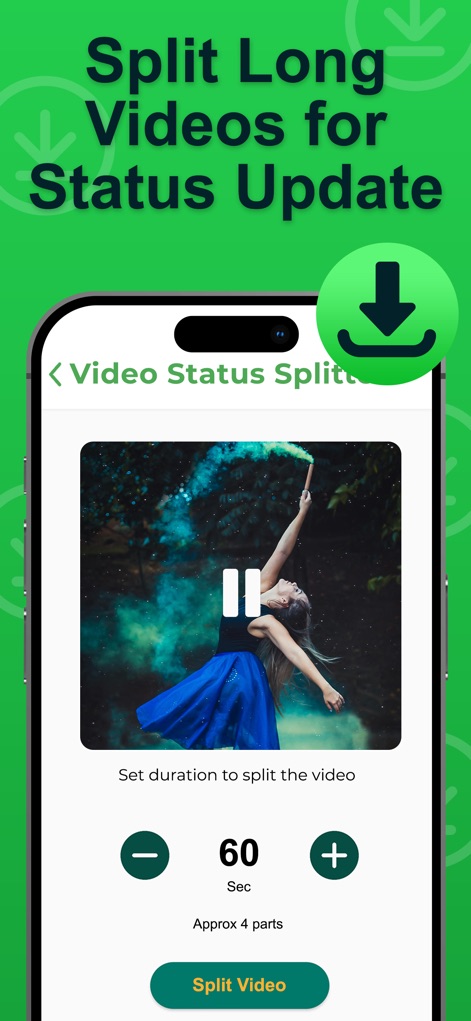
Uncover the innovative 'Video Status Splitter' feature, which allows precise duration adjustments for clips and a dedicated 'Split Video' button, simplifying long video sharing.
Smart Video Splitting
Description
Download
More Like This
Apps with similar features and user experience

Status Video Saver Reposter
Ketan Kathiriya

Status Saver and Save Story
Ahmed Bastam

Status Saver : Videos
Natalie Stirner

Status Saver: Photo & Video
Kubra Gurler

Status Saver - Videos Saver
NAITIK, RAMESHBHAI VIRANI

Story saver : Video saver
Erasoft

Status Download For Whatsapp +
Pramod Tapaniya
This page is not an official page of the app or its developer, but an independent editorial publication created for informational and commentary purposes. Unless expressly stated otherwise, neither the app nor its developer is affiliated with, endorsed by, sponsored by, authorized by, or otherwise officially connected with MWM, Apple, Google Play, the app publisher, or the app's developer, and nothing on this page implies that the app was developed using MWM's services. Any trademarks, logos, screenshots, and other content remain the property of their respective owners.