StickerMaker Keyboard*

StickerMaker Keyboard*


Download on App Store
Logo of StickerMaker Keyboard*

StickerMaker Keyboard*: Create Unique Stickers and Rule the Group Chat

Design custom emoji mashups and viral 'cursed' stickers that make your friends ask 'How did you do that?' Express yourself with exclusive creations sent directly from your keyboard to iMessage, WhatsApp, and TikTok.

Publisher

红燕 马

Category

Utilities

Downloads

59K+

User Rating

4.6/5

Total Ratings

1K+

Locales

1

Master the Mashup

Discover the interface used by 59K+ users.
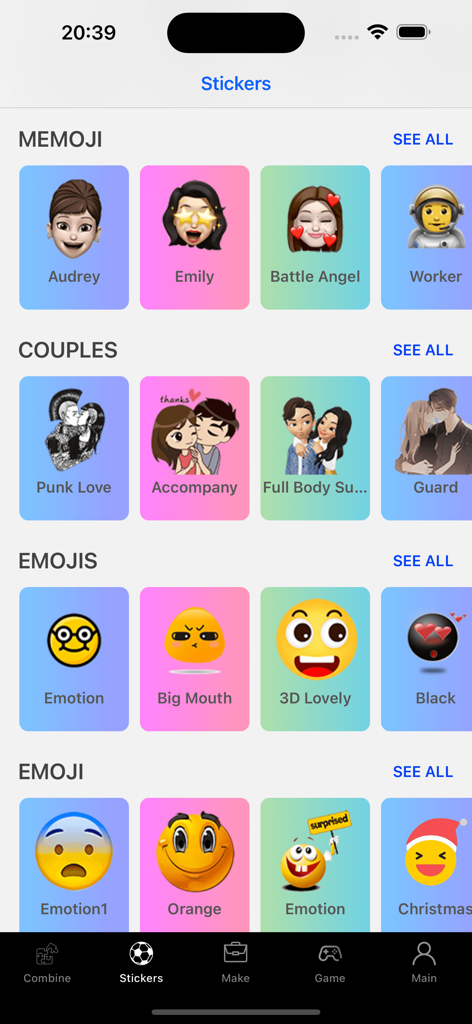
A library of custom stickers and emojis organized by categories in the StickerMaker Keyboard app

A library of custom stickers and emojis organized by categories in the StickerMaker Keyboard app

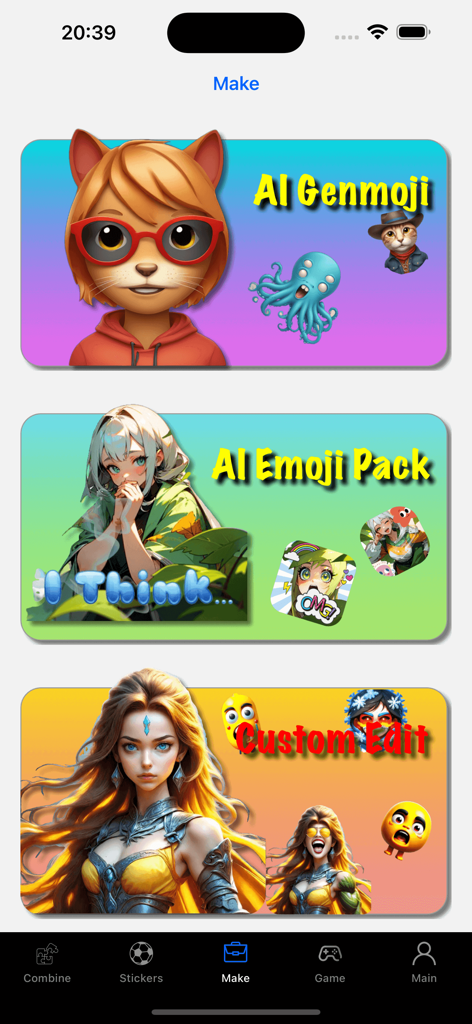
Interface of StickerMaker Keyboard showing AI Genmoji, AI Emoji Pack, and Custom Edit features.

Interface of StickerMaker Keyboard showing AI Genmoji, AI Emoji Pack, and Custom Edit features.

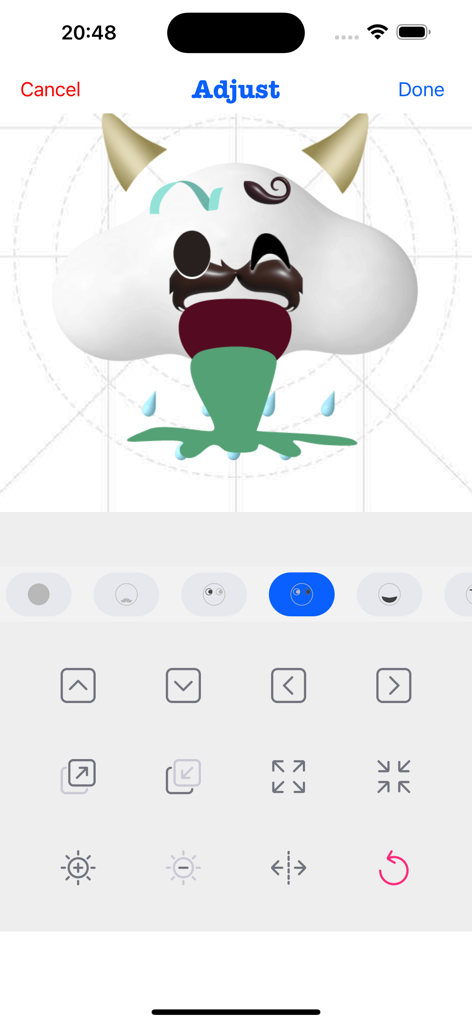
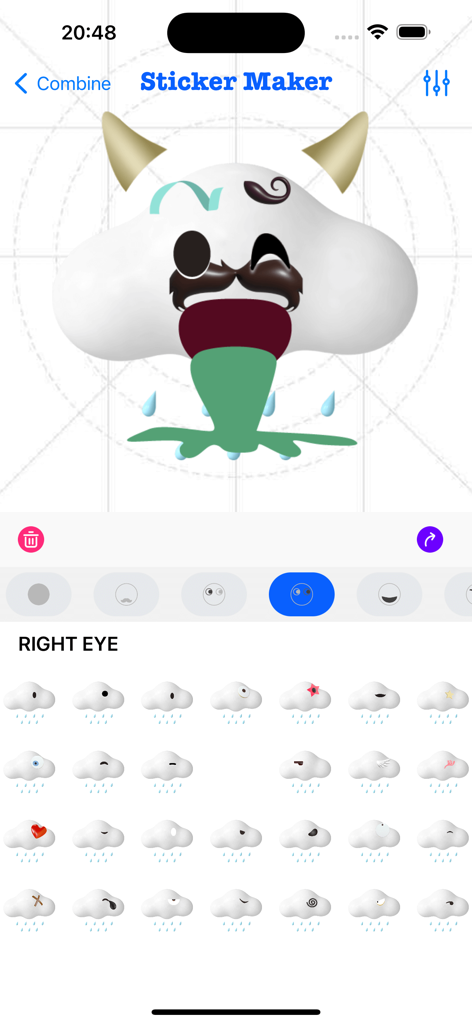
Interface of the StickerMaker Keyboard app showing a user adjusting a custom funny cloud emoji with horns and a mustache.

Interface of the StickerMaker Keyboard app showing a user adjusting a custom funny cloud emoji with horns and a mustache.

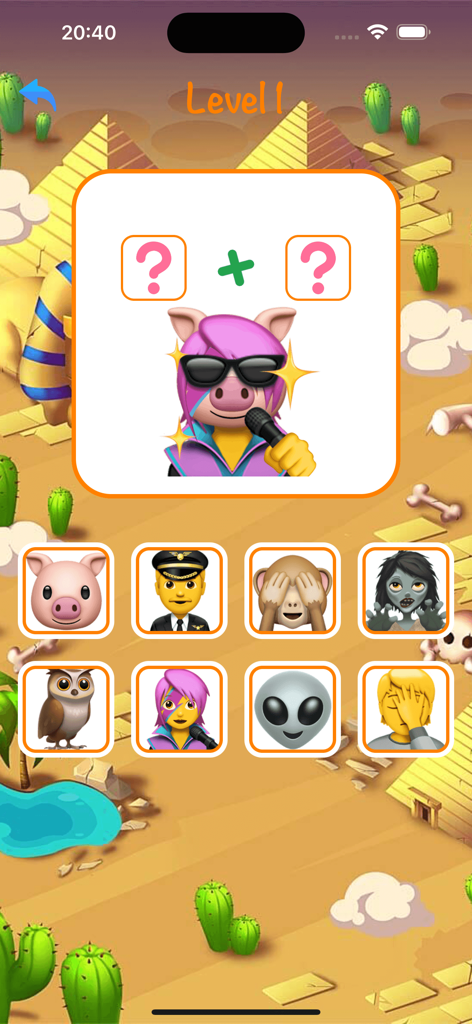
A mobile game level in the StickerMaker Keyboard app showing an emoji combination puzzle to create a singing pig sticker.

A mobile game level in the StickerMaker Keyboard app showing an emoji combination puzzle to create a singing pig sticker.

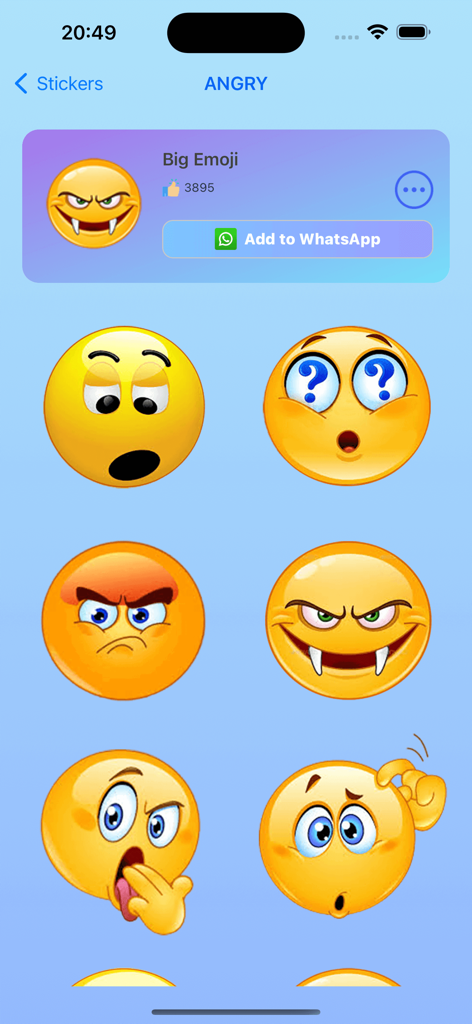
A gallery of custom angry and funny emoji stickers in the StickerMaker Keyboard app

A gallery of custom angry and funny emoji stickers in the StickerMaker Keyboard app

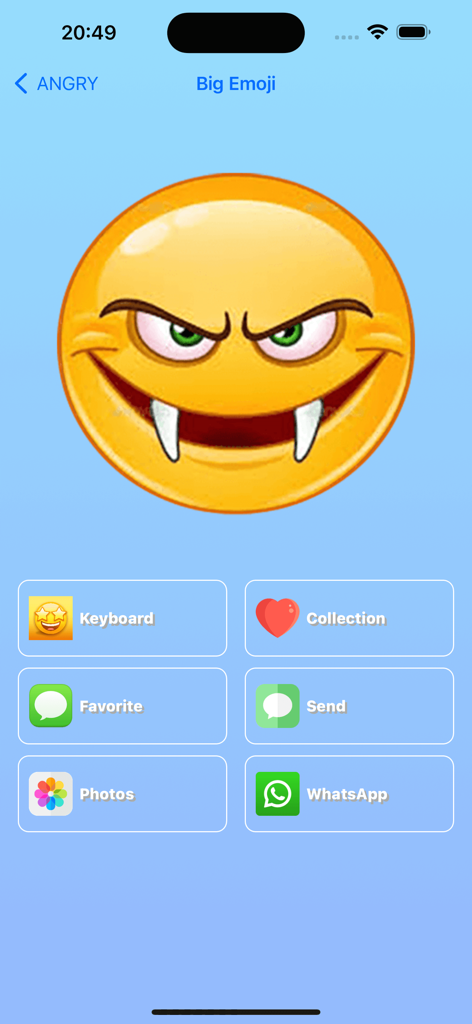
StickerMaker Keyboard app interface displaying a large custom angry vampire emoji with sharing options for WhatsApp and iMessage

StickerMaker Keyboard app interface displaying a large custom angry vampire emoji with sharing options for WhatsApp and iMessage

User interface of StickerMaker Keyboard showing a custom emoji sticker being created by combining different parts

User interface of StickerMaker Keyboard showing a custom emoji sticker being created by combining different parts

Elevate Your Chat Game

The tools that make this app stand out, trusted by 59K+ users.

🎨

Infinite Emoji Mashups

Combine your favorite expressions to create unique, 'cursed', or hilarious stickers that no one else has.

⌨️

Seamless Keyboard Access

Access and send your custom creations directly within iMessage, WhatsApp, and TikTok without switching apps.

Viral Emoji Text

Transform simple words into eye-catching emoji art to make your social bios and DMs stand out instantly.

About the app

Everything you need to know about StickerMaker Keyboard*.

Description

Create your own stickers and combine them as you like. - Explore countless emoji combinations and use them in your chats - Use your imagination to combine different expressions to make them more interesting - Drag, zoom, and rotate them with your finger to make your stickers unique - Easily export your stickers to our keyboard, when you are chatting with other people, open our keyboard and send your exclusive stickers, go spoof your friends - Open the keyboard, click on the sticker, successfully copy it to the clipboard, click in your chat input box and paste it in, then you can successfully send it to your chat partner - Impress your friends with the StickerMaker Keyboar and get pranked by you Emoji Text feature: - You can convert a simple text, such as "Hello", into emoji text. It is best to make the emojis quite different, so that you can get a string of text. You just need to click "Copy" and paste it in other social software to amaze your friends. Here's how to create stickers with StickerMaker Keyboard. 1. Select Create New Sticker 2. Select different emoji options and find the sticker component you want in the sticker list 3. Make the sticker look more funny by dragging your finger or zooming and rotating, or you can make subtle adjustments to it through the Adjust module 4. If you don't want to be so complicated, you can skip all the above steps and go directly to the random generation option to get a spoof sticker directly. Maybe you will get an unexpected surprise Here's how to use the StickerMaker Keyboard. 1. First you need to go to System Settings -> Keyboard -> Third Party Keyboard, add our StickerMaker Keyboard to your favorite keyboards 2. Open WhatsApp, TikTok, iMessage or other chat software 3. Switch the keyboard and select our StickerMaker Keyboard 4. Click on the already created sticker to copy it to the clipboard 5. Double-click or long-press the chat input box, paste your exclusive sticker on it and click send Go prank your friends! Learn more about StickerMaker Keyboard! - Privacy Policy: https://www.freeprivacypolicy.com/live/e8e14320-ca09-41cf-970e-35697d7d50e9 - Terms of Service: https://www.freeprivacypolicy.com/live/3d291d75-66f9-4419-833d-516258ccfadf - Contact me: mah40445@gmail.com, if you have any suggestions, you can give me feedback by email, please bring StickerMaker Keyboard in the subject of the email, I will carefully check your feedback and optimize our products, looking forward to your feedback mail

Latest Version

3.0.0

Size

95.1 MB

First Released

Jul 23, 2022

Ready to Win the Group Chat?

Join thousands of creators making the weirdest, funniest, and most exclusive stickers. Get StickerMaker Keyboard now and start pranking your friends on iMessage, TikTok, and WhatsApp.

Download on App Store

App information, icons, screenshots, and descriptions displayed on this page are sourced from the Apple App Store and are the property of their respective developers. Download estimates and rankings are based on MWM's proprietary models and may not reflect actual figures. This page is provided for informational and analytical purposes only.

Believe this page infringes your intellectual property? File a dispute