
This page is not an official page of the app or its developer, but an independent editorial publication created for informational and commentary purposes. Unless expressly stated otherwise, neither the app nor its developer is affiliated with, endorsed by, sponsored by, authorized by, or otherwise officially connected with MWM, Apple, Google Play, the app publisher, or the app's developer, and nothing on this page implies that the app was developed using MWM's services. Any trademarks, logos, screenshots, and other content remain the property of their respective owners.

StoreView: App Screenshot Tool
Transform your app visuals with professional 3D templates, effortless localization, and multi-device framing. Designed for indie developers who value the Apple aesthetic and high conversion rates.
Downloads
28K+User Rating
Total Ratings
100Publisher
Category
Developer ToolsLocales
1Latest Version
2.1.03Size
123.0 MBFirst Released
Sep 25, 2023Maximize Your App's Conversion Potential
Stop losing downloads to basic visuals. Create professional, high-converting App Store screenshots that stand out from the competition and drive growth.
Design Like a Pro, Instantly
Skip the design manual labor with ready-made templates inspired by top-tier companies. Achieve a premium Apple-standard aesthetic in minutes, not hours.
35+ Devices & 3D Models
Eliminate device fragmentation headaches. Effortlessly frame your app in the latest 3D models and Apple hardware, perfectly sized for every store requirement.
Frequently Asked Questions
Everything you need to know about StoreView: App Screenshot Tool
What is StoreView: App Screenshot Tool?
StoreView: App Screenshot Tool is an all-in-one application designed to create eye-catching app previews. It helps increase app downloads by transforming an app's visual appeal for the App Store.
Can I use StoreView across multiple devices with one subscription?
Yes, one StoreView subscription unlocks its full power across Mac, iPad, and iOS devices. Users can seamlessly export and continue projects between these devices.
Does StoreView offer pre-designed templates for app previews?
Yes, StoreView provides a collection of professionally designed, ready-made templates, including company-inspired options. Users can access and customize these templates with one click for instant results.
How does StoreView help with app screenshot localization?
StoreView simplifies localization, allowing users to localize screenshots manually or import translations directly from an XCStrings file. This feature supports reaching a global audience.
Can StoreView create 3D device mockups for app visuals?
Yes, StoreView generates stunning 3D device visuals, enabling users to showcase their app in realistic 3D environments. This captures attention and differentiates app screenshots.
What devices does StoreView support for app framing?
StoreView supports over 35 devices for app framing, including iPhones, iPads, Macs, and 3D models. It offers unparalleled framing options for pixel-perfect precision.
Does StoreView allow direct upload to App Store Connect?
Yes, StoreView enables direct upload of screenshots to App Store Connect. This streamlines the process of preparing and submitting app visuals for various markets.
How are payments handled for the StoreView Pro Plan subscription?
Payment for the StoreView Pro Plan is charged to the iTunes Account upon purchase confirmation. The subscription automatically renews unless auto-renew is turned off at least 24 hours before the current period ends.
Can I cancel my StoreView subscription during the active period?
No, cancellation of the current StoreView subscription is not allowed during its active period. Users can manage or turn off auto-renew in their Account settings anytime after purchase.
What kind of templates does StoreView offer to build layouts faster?
StoreView provides ready layouts to build app screenshots faster. These layouts offer pre-designed structures for incorporating text and device visuals.
Can I customize backgrounds in StoreView?
Yes, StoreView allows users to design with flair by creating custom gradients in a few clicks. It also offers a variety of dynamic backgrounds for unique touches to screenshots.
Can I preview how my app looks in the App Store using StoreView?
Yes, StoreView offers Store Previews, including both App Store Preview and Full Preview modes. This ensures the app’s presentation is flawless before going live.
What are the supported download sizes for screenshots in StoreView?
StoreView allows downloading screenshots in multiple sizes, including various inch/pixel dimensions for iPhone (e.g., 6.7 inch, 6.5 inch) and iPad, and supports different languages.
Does StoreView offer a free trial for its subscription?
StoreView states that any unused portion of a free trial period, if offered, will be forfeited when the user purchases a subscription to that publication, where applicable.
The following screenshots and description are sourced directly from the app's official store listing and are the property of the app developer.
App Store
Screenshots
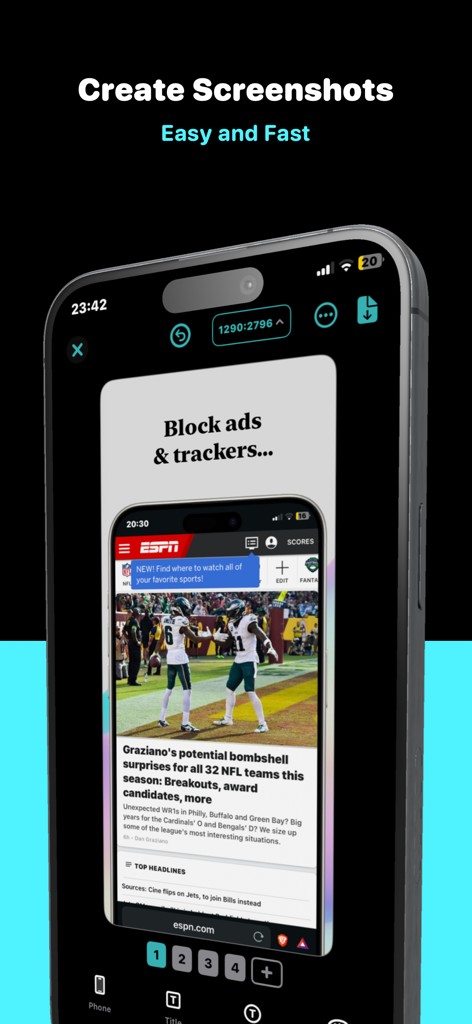
StoreView app interface showing a 3D iPhone frame for creating professional app store screenshots fast and easy.
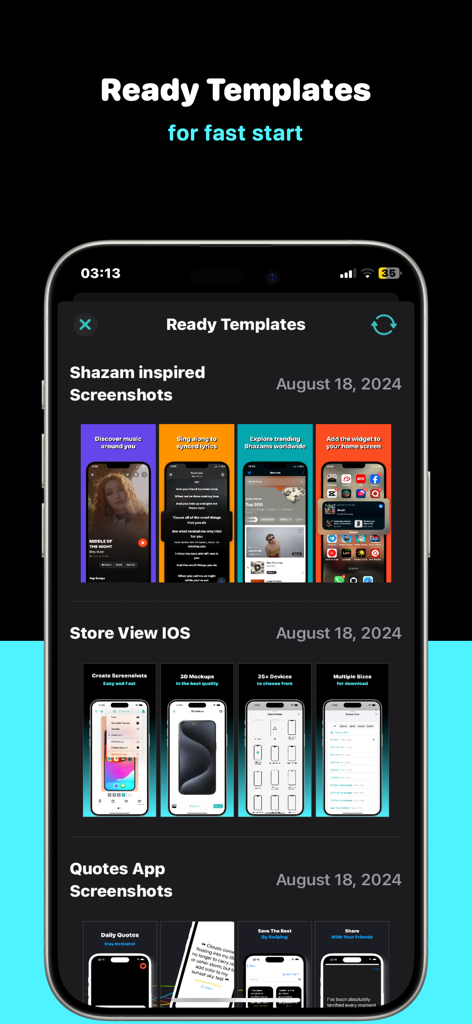
Interface of StoreView app showing a selection of ready-made screenshot templates for different app categories.
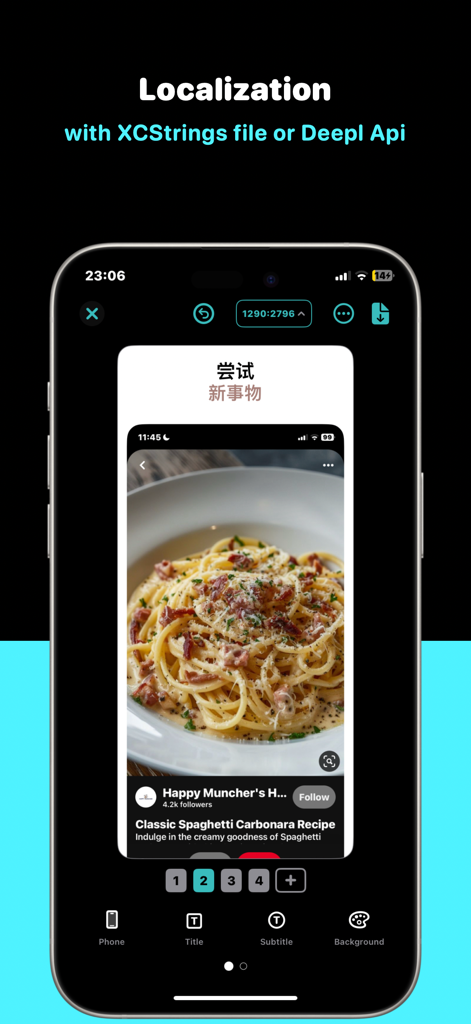
StoreView app interface showing screenshot localization using XCStrings and DeepL API
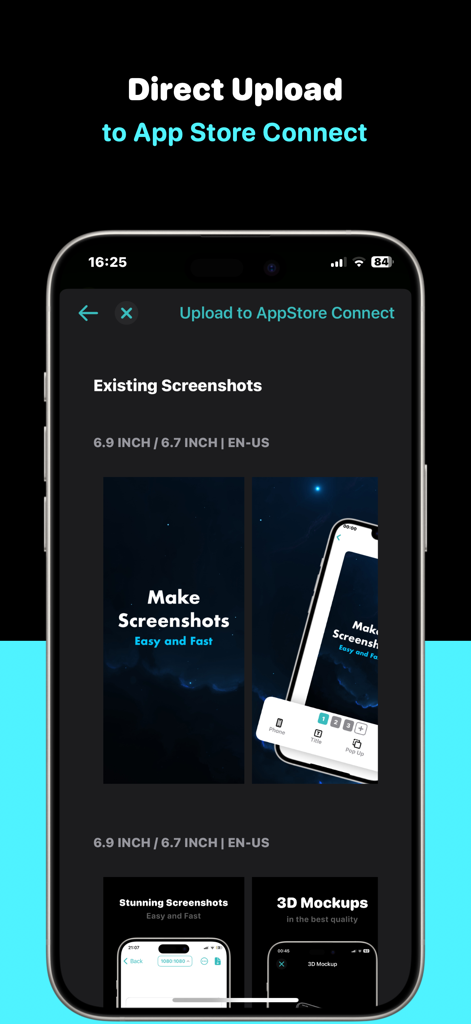
StoreView app interface showing direct upload of screenshots to App Store Connect
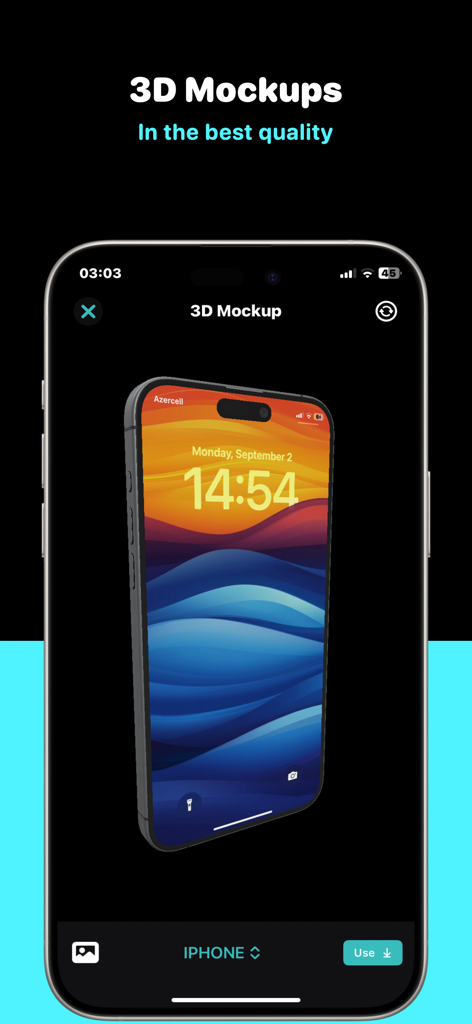
A 3D iPhone mockup being created in the StoreView app screenshot tool interface
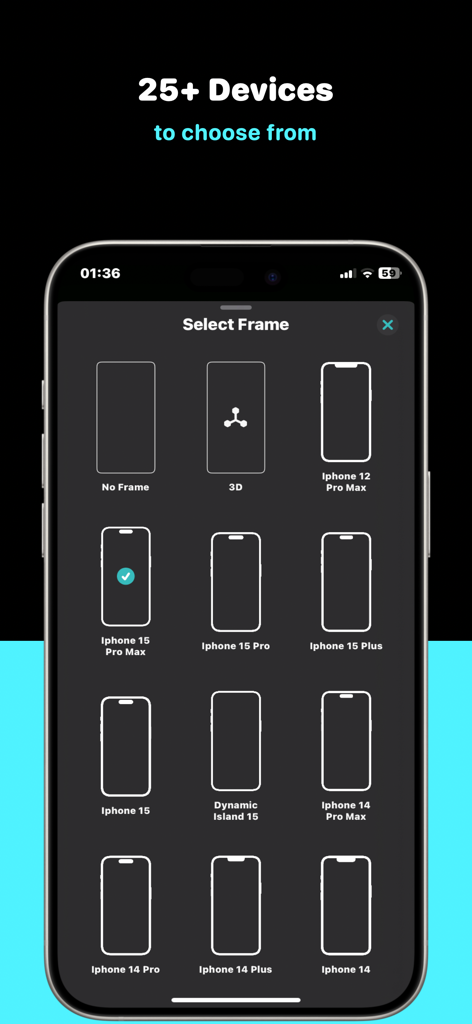
Interface showing multiple iPhone device frame options for app screenshots in StoreView
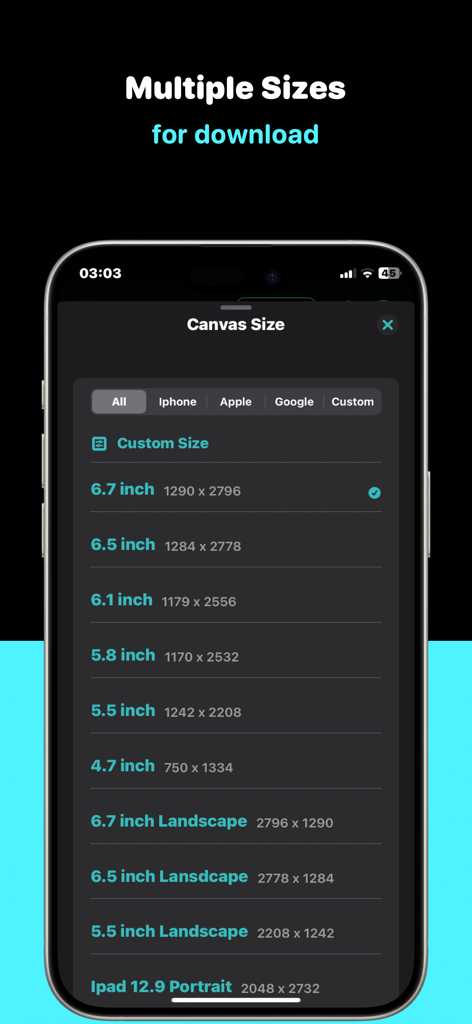
StoreView canvas size selection for multiple device screenshots
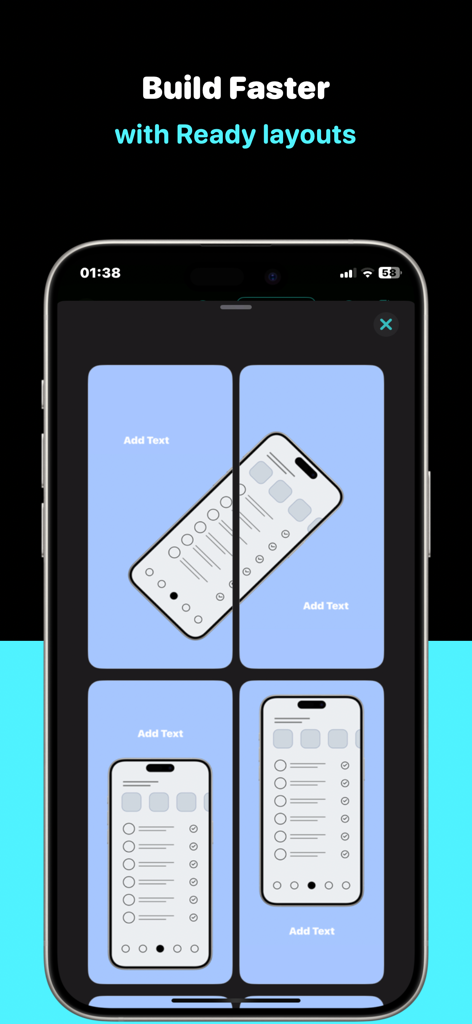
Interface showing ready made screenshot templates for app developers
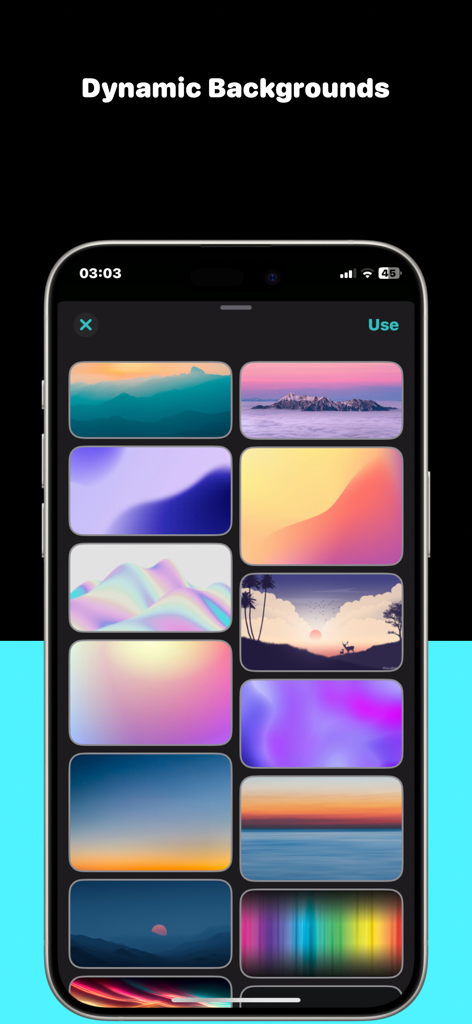
A collection of dynamic background templates for app screenshots displayed on an iPhone
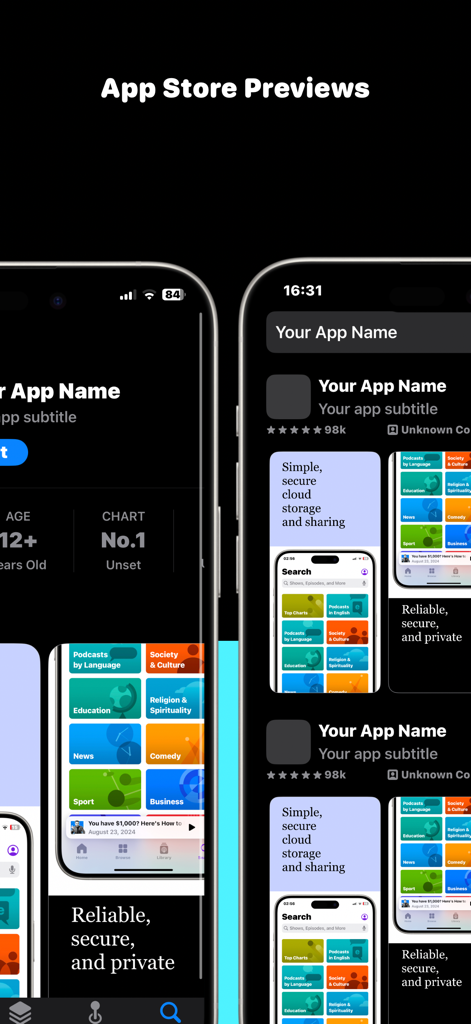
Mockup of app screenshots displayed in the App Store on iPhone devices
Description
Download
More Like This
Top-ranked apps in the same category

TestFlight
Apple Inc.

Replit: Vibe Code Apps
Replit, Inc

GitHub
GitHub

O-KAM Pro
Shenzhen VeePai IoT Intelligent Technology LLC

Apple Developer
Apple Inc.

Expo Go
650 Industries, Inc.

Scriptable
Simon Stovring

App Store Connect
Apple Inc.

Sekai: Create · Remix · Play
Versa AI, Inc.
This page is not an official page of the app or its developer, but an independent editorial publication created for informational and commentary purposes. Unless expressly stated otherwise, neither the app nor its developer is affiliated with, endorsed by, sponsored by, authorized by, or otherwise officially connected with MWM, Apple, Google Play, the app publisher, or the app's developer, and nothing on this page implies that the app was developed using MWM's services. Any trademarks, logos, screenshots, and other content remain the property of their respective owners.