
This page is not an official page of the app or its developer, but an independent editorial publication created for informational and commentary purposes. Unless expressly stated otherwise, neither the app nor its developer is affiliated with, endorsed by, sponsored by, authorized by, or otherwise officially connected with MWM, Apple, Google Play, the app publisher, or the app's developer, and nothing on this page implies that the app was developed using MWM's services. Any trademarks, logos, screenshots, and other content remain the property of their respective owners.


Sup-Anesok
Connect your device via USB to see deep into engines, pipes, and walls. Record high-quality footage and manage files effortlessly for your DIY and professional projects.
Downloads
202K+User Rating
Total Ratings
200Publisher
Category
UtilitiesLocales
9Latest Version
1.0.60Size
44.3 MBFirst Released
Jul 19, 2022Master Every Repair with Precision
Transform your iPhone or iPad into a professional-grade diagnostic monitor. Bridge the gap between your Anesok hardware and high-definition visuals to solve problems faster.
HD Real-Time Monitoring
View crystal-clear live feeds of engines, pipes, and crawlspaces. Leverage your Apple device's retina display to spot tiny cracks or clogs that standard screens miss.
Instant Media Capture
Record high-quality video and take photos of your findings. Build a digital record of your inspection to show parts stores, contractors, or for insurance documentation.
Frequently Asked Questions
Everything you need to know about Sup-Anesok
What is Sup-Anesok?
Sup-Anesok is management software designed for hardware devices. It facilitates connection and interaction with external hardware, managing their functions and content.
How does Sup-Anesok connect to hardware devices?
Sup-Anesok connects to hardware devices directly via a USB connection. The main interface displays a "Device not connected" message until a USB link is established.
What features does the Sup-Anesok app offer?
The Sup-Anesok app allows users to view photos and videos from a connected hardware device. It also enables copying files from the phone to the device.
Can Sup-Anesok manage photos and videos?
Yes, Sup-Anesok enables users to view photos and videos that are stored on the connected hardware device. The app includes prominent "Camera" and "File" options.
Can I transfer files from my phone to a device using Sup-Anesok?
Yes, Sup-Anesok allows users to copy files directly from their phone to the connected hardware device. This is a primary function for file management.
Does the Sup-Anesok app have a settings menu?
Yes, Sup-Anesok includes a settings menu, accessible via an icon on the main screen. This menu contains options for managing cache, language, and 'About' information.
What is the current version of the Sup-Anesok app?
The current version of the Sup-Anesok app displayed on the main interface is 1.0.34. This information is found at the bottom of the home screen.
The following screenshots and description are sourced directly from the app's official store listing and are the property of the app developer.
App Store
Screenshots
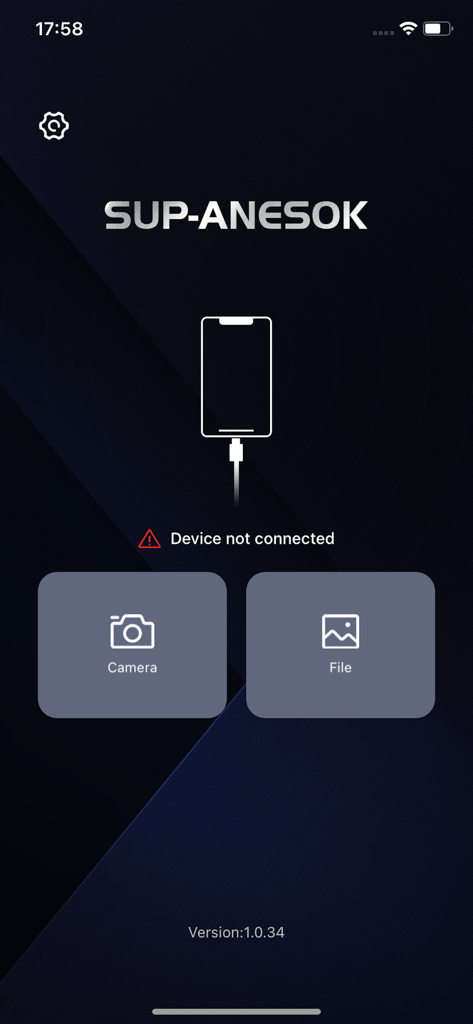
Sup-Anesok app home screen showing device connection status with camera and file management buttons
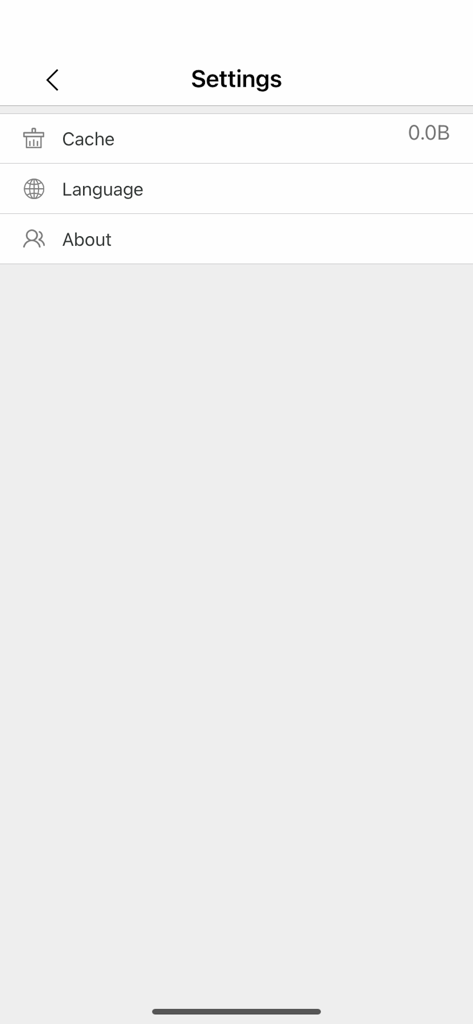
Settings screen of the Sup-Anesok application showing options for cache management, language selection, and about information.
Description
Download
More Like This
Apps with similar features and user experience

Skylight App
Glimpse LLC.

Remote Control for Samsung TV・
Red Paket sp. z o.o.

BARDI Smart Home
nadi digital indonesia, pt

LG TV Remote Control Smart TVs
Aleh Piashkou

UPPAbaby Home
Thorley Industries LLC

Calex Smart
Electro Cirkel Retail BV

Remote Control for TV Stick
Pol Nadal Serra

Firestick・Fire TV Remote Stick
Jonathan Reed

Bravia Controller - Sony TV
YONGXING JIN
This page is not an official page of the app or its developer, but an independent editorial publication created for informational and commentary purposes. Unless expressly stated otherwise, neither the app nor its developer is affiliated with, endorsed by, sponsored by, authorized by, or otherwise officially connected with MWM, Apple, Google Play, the app publisher, or the app's developer, and nothing on this page implies that the app was developed using MWM's services. Any trademarks, logos, screenshots, and other content remain the property of their respective owners.