
This page is not an official page of the app or its developer, but an independent editorial publication created for informational and commentary purposes. Unless expressly stated otherwise, neither the app nor its developer is affiliated with, endorsed by, sponsored by, authorized by, or otherwise officially connected with MWM, Apple, Google Play, the app publisher, or the app's developer, and nothing on this page implies that the app was developed using MWM's services. Any trademarks, logos, screenshots, and other content remain the property of their respective owners.


Superimpose V - Video Editor
Take your Reels and TikToks to the next level with desktop-grade object tracking, advanced masking, and seamless animation—all on your iPhone and iPad.
Downloads
14K+User Rating
Total Ratings
100Publisher
Category
Photo & VideoLocales
1Latest Version
3.3.0Size
237.8 MBFirst Released
Nov 21, 2022Elevate Your Content to Pro Standards
Go beyond basic filters with a desktop-grade video editor built for the mobility of Gen Z and Millennial creators.
Pro-Level Masking & Layers
Master complex compositions with multi-track editing, green screen effects, and precise masking for that hand-crafted aesthetic.
Smart Object Tracking
Save hours of manual editing by making text, effects, or overlays automatically follow any moving object in your footage.
Frequently Asked Questions
Everything you need to know about Superimpose V - Video Editor
What is SuperimposeV - Video Editor?
SuperimposeV is a powerful video editor offering advanced features like multi-track editing, customizable effects, and animation. It provides tools for precise editing, audio enhancement, and integrates with Superimpose X / AI for professional video creation.
Does SuperimposeV support multi-track editing?
Yes, SuperimposeV supports true multi-track editing. Users can edit videos, images, audio, and text on multiple tracks simultaneously, allowing for complex and layered video projects.
Can I animate text in SuperimposeV?
Yes, SuperimposeV allows users to animate text with elegant animations. The app provides tools to stack effects and animations, enabling dynamic and customized text presentations within videos.
What kind of effects does SuperimposeV offer?
SuperimposeV offers a large collection of effects including color, masking, blur, distort, edges/text, stylize, and transform. Users can stack these customizable effects for unique visual results.
Can SuperimposeV edit audio?
Yes, SuperimposeV provides advanced audio processing. Users can enhance audio with EQ, filters, and transitions, including a 10-band equalizer and various presets for precise sound control.
Does SuperimposeV include royalty-free assets?
Yes, SuperimposeV provides access to royalty-free photos, videos, music, and GIFs directly within the application. This feature simplifies content creation for users.
How does SuperimposeV handle video speed adjustments?
SuperimposeV allows users to adjust video speed for dynamic effects. It features dynamic video speed curves for precise control over motion, enhancing creative expression.
Can SuperimposeV integrate with other Superimpose apps?
Yes, SuperimposeV integrates with Superimpose X / AI for photo editing. This allows users to incorporate advanced photo edits seamlessly within their video projects.
What export formats does SuperimposeV support?
SuperimposeV supports exporting creations in various formats including video (e.g., 720p, 30fps, H.264), GIF, image sequences (JPEG), current frame (JPEG), and compressed project files.
Does SuperimposeV have a privacy policy?
Yes, SuperimposeV has a privacy policy. It is available for review on the official website at http://www.superimposeapp.com/privacy.html.
The following screenshots and description are sourced directly from the app's official store listing and are the property of the app developer.
App Store
Screenshots
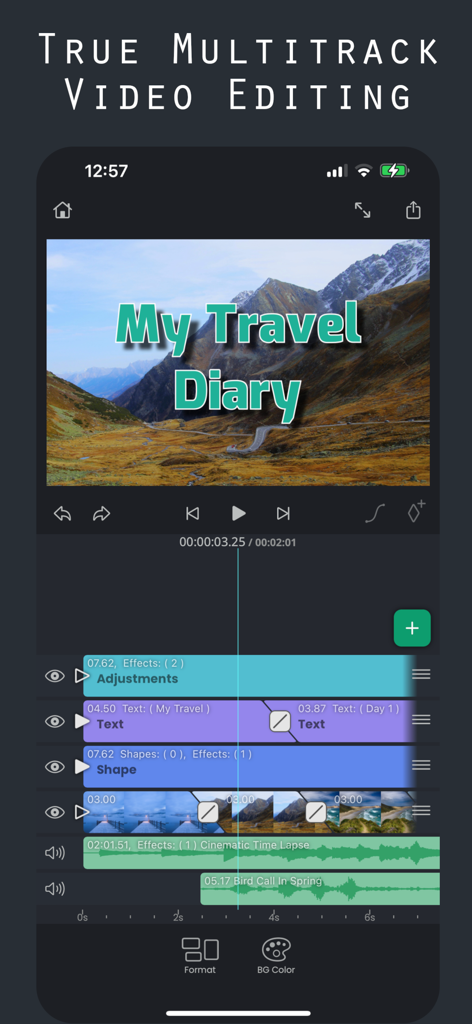
Superimpose V app interface showing multi-track video editing with layers for text, shapes, and audio on an iPhone.
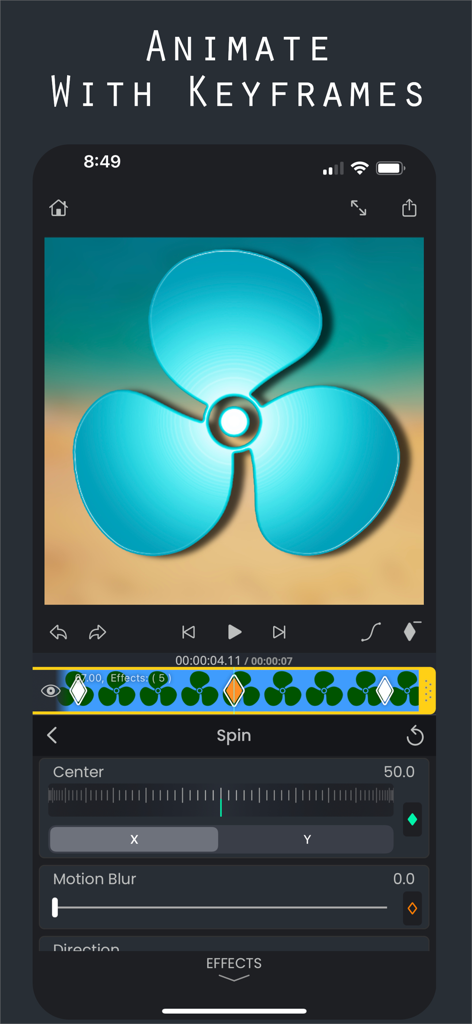
Interface of Superimpose V video editor showing keyframe animation with spin and motion blur effects
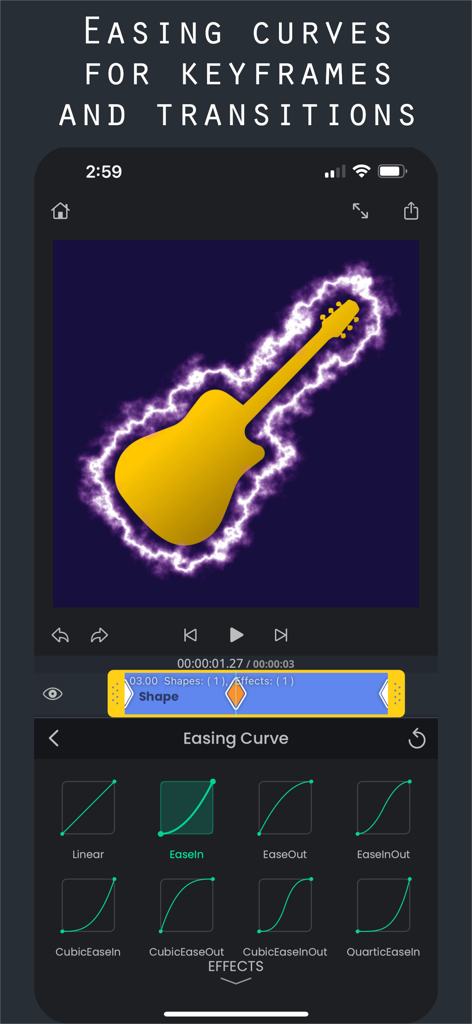
Superimpose V video editor interface showing different easing curve options for keyframe animations and transitions
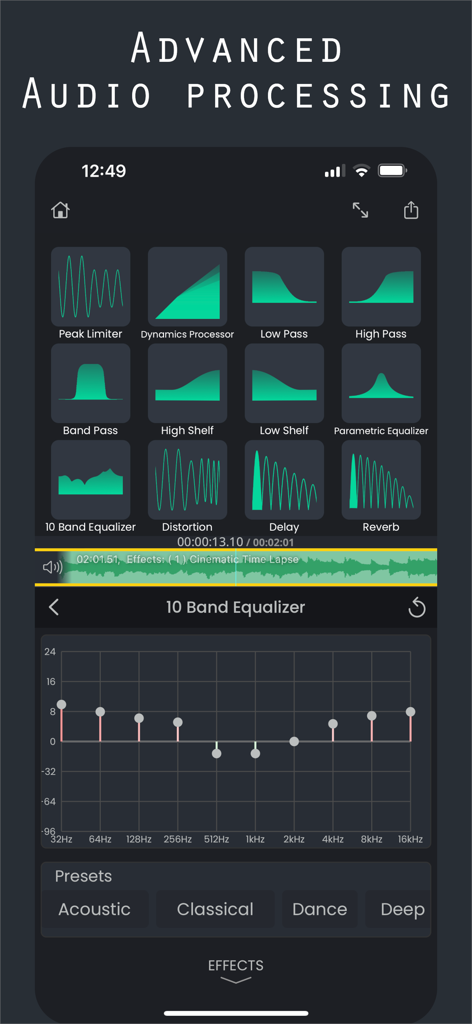
Advanced audio processing interface in Superimpose V showing a 10 band equalizer and various audio effects like reverb and distortion
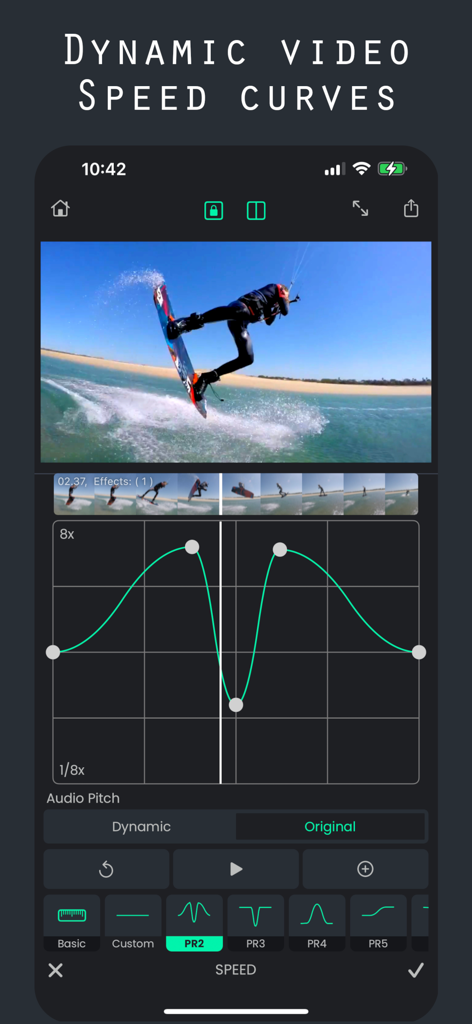
Dynamic video speed curves editing in Superimpose V
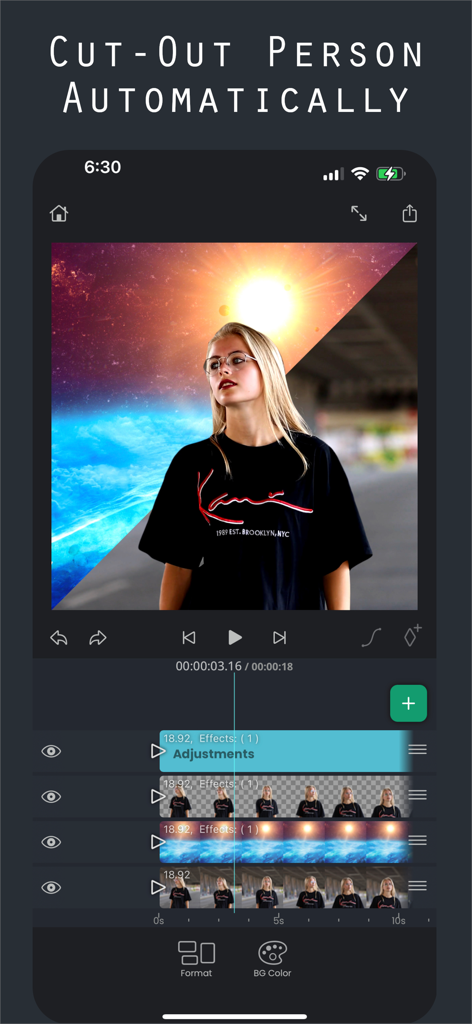
Superimpose V video editor app interface demonstrating the automatic person cutout feature on a multi track timeline
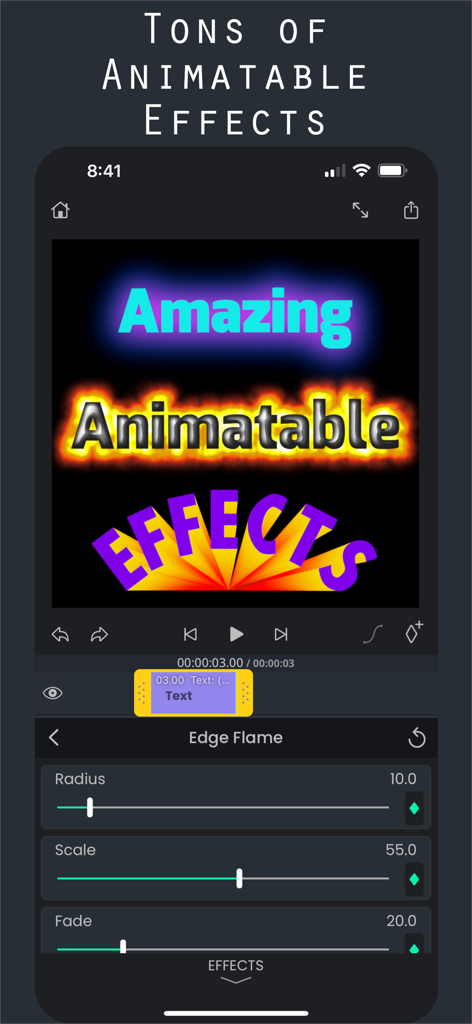
Superimpose V video editor interface showing animatable text effects and customization sliders.
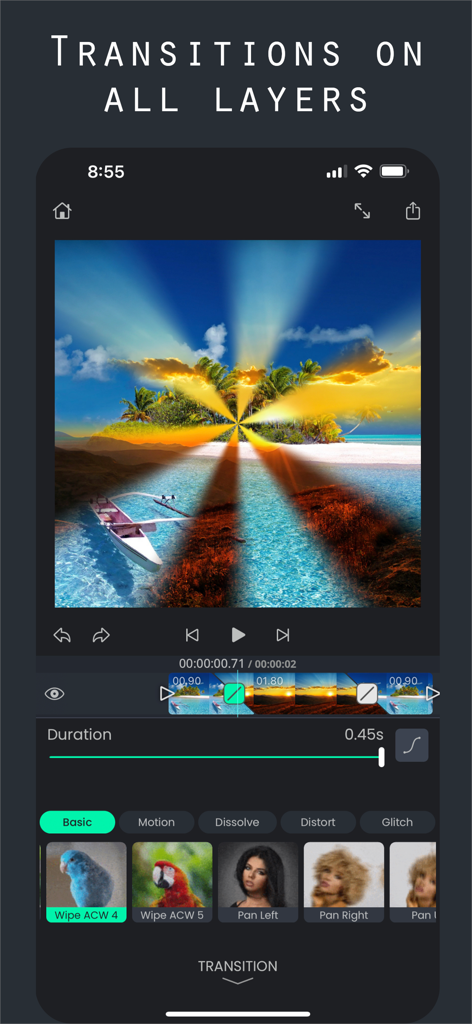
Superimpose V video editor interface showing transitions on multiple tracks.
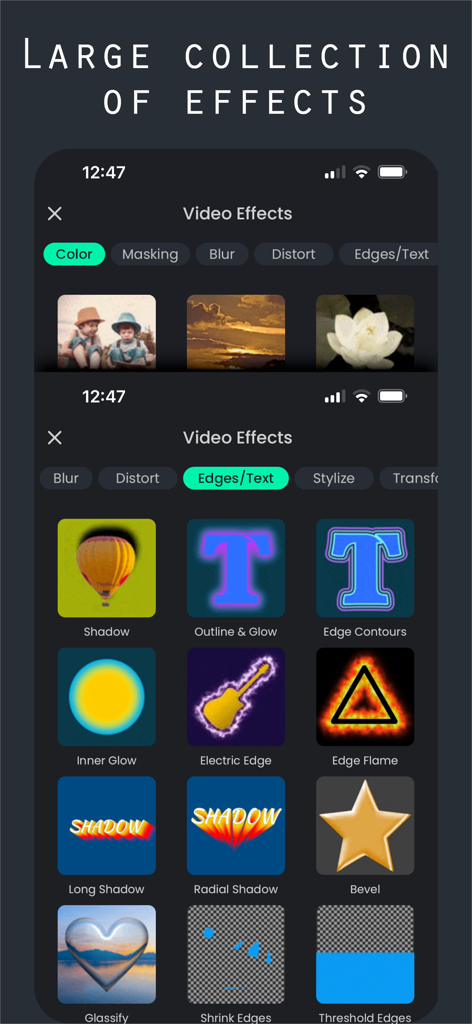
Interface showing a large collection of video effects in the Superimpose V app.
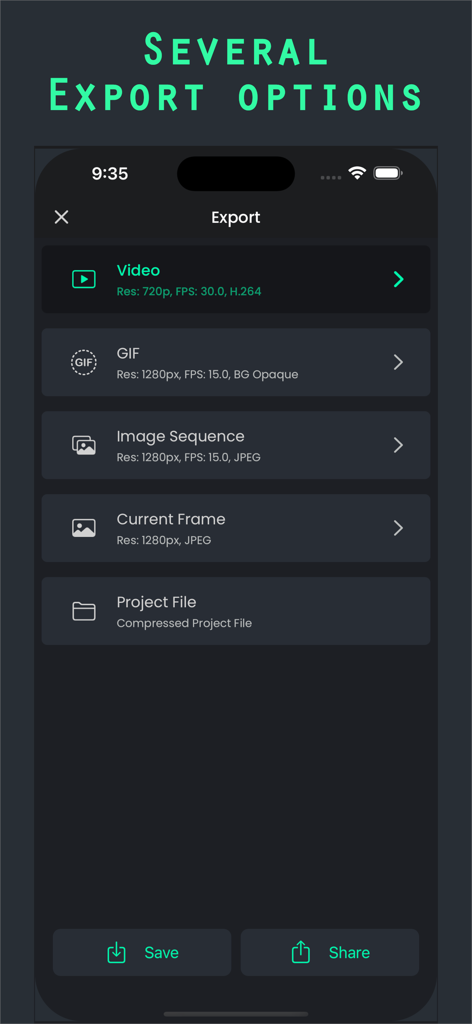
Export options in Superimpose V video editor including video and GIF formats
Description
Download
More Like This
Top-ranked apps in the same category

CapCut: Photo & Video Editor
BYTEDANCE PTE. LTD.

Instagram, Inc.

YouTube
Google LLC

Canva: AI Photo & Video Editor
Canva Pty Ltd

Snapchat
Snap, Inc.

快手
Beijing Kwai Technology Co., Ltd.

Edits: Video Editor
Instagram, Inc.

Meitu- AI Photo & Video Editor
Xiamen Meitu Technology Co., Ltd.

Google Photos: Backup & Edit
Google LLC
This page is not an official page of the app or its developer, but an independent editorial publication created for informational and commentary purposes. Unless expressly stated otherwise, neither the app nor its developer is affiliated with, endorsed by, sponsored by, authorized by, or otherwise officially connected with MWM, Apple, Google Play, the app publisher, or the app's developer, and nothing on this page implies that the app was developed using MWM's services. Any trademarks, logos, screenshots, and other content remain the property of their respective owners.