SW Maps
SW Maps
Download on App Store

This page is not an official page of the app or its developer, but an independent editorial publication created for informational and commentary purposes. Unless expressly stated otherwise, neither the app nor its developer is affiliated with, endorsed by, sponsored by, authorized by, or otherwise officially connected with MWM, Apple, Google Play, the app publisher, or the app's developer, and nothing on this page implies that the app was developed using MWM's services. Any trademarks, logos, screenshots, and other content remain the property of their respective owners.


Logo of SW Maps
Download on App Store

SW Maps

Empower your field work with a comprehensive mapping tool designed for professionals. Connect to external GNSS receivers, manage complex shapefiles, and collect high-accuracy geographic data effortlessly—all for free and with no ads.

Key Figures

Downloads

32K+

User Rating

3.8/5

Total Ratings

0

Publisher

Aviyaan Tech

Category

Productivity

Locales

1

Latest Version

1.2.4

Size

17.2 MB

First Released

Nov 17, 2022
Features

Professional Field Data Collection

A complete, high-precision GIS toolkit designed for surveyors, engineers, and researchers who need reliable data without the enterprise price tag.

Centimeter-Level Accuracy

Connect external GNSS/RTK receivers via Bluetooth to achieve professional-grade precision directly on your mobile device.

Reliable Offline Mapping

Work anywhere by caching base maps and importing custom mbtiles or KML overlays for full functionality in remote field locations.

The following screenshots and description are sourced directly from the app's official store listing and are the property of the app developer.

App Store

Screenshots
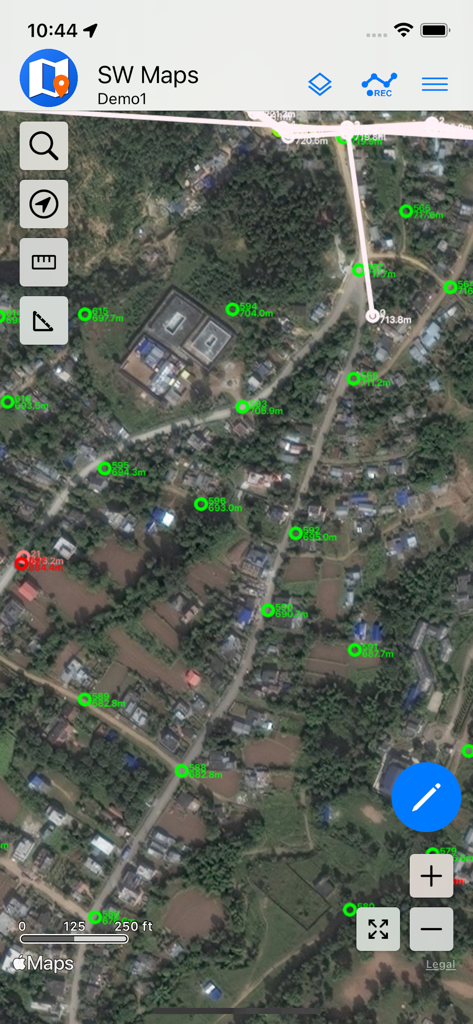
SW Maps - SW Maps interface displaying GIS survey points on a satellite background
SW Maps interface displaying GIS survey points on a satellite background

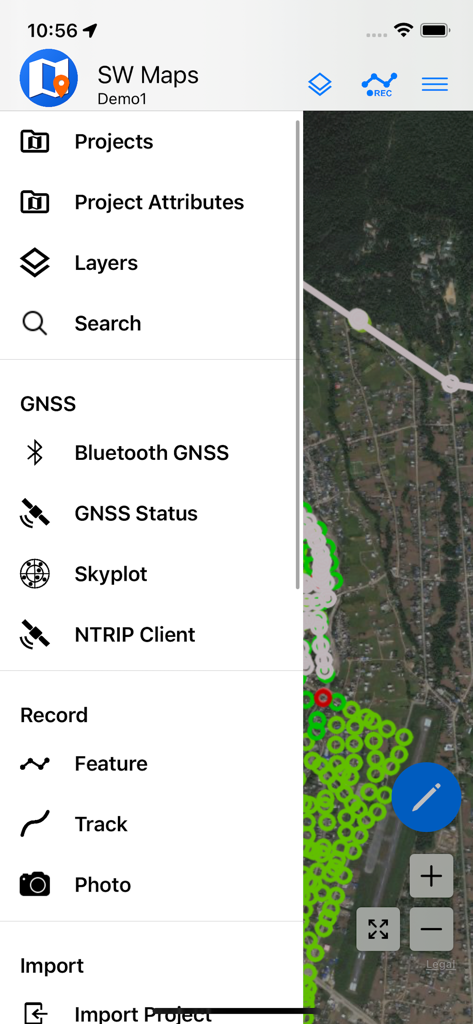
SW Maps - SW Maps mobile app menu showing GIS data collection and GNSS surveying options
SW Maps mobile app menu showing GIS data collection and GNSS surveying options

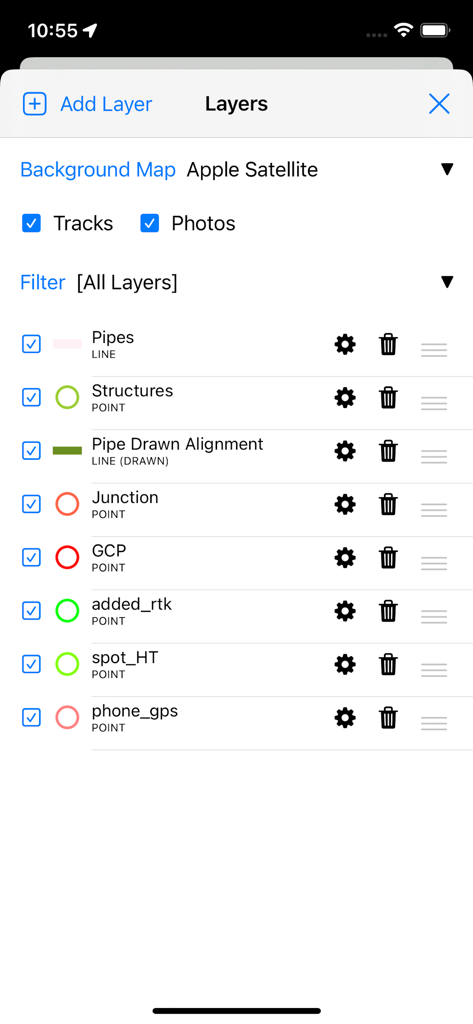
SW Maps - SW Maps app interface showing professional GIS data layer management for surveying and mapping
SW Maps app interface showing professional GIS data layer management for surveying and mapping

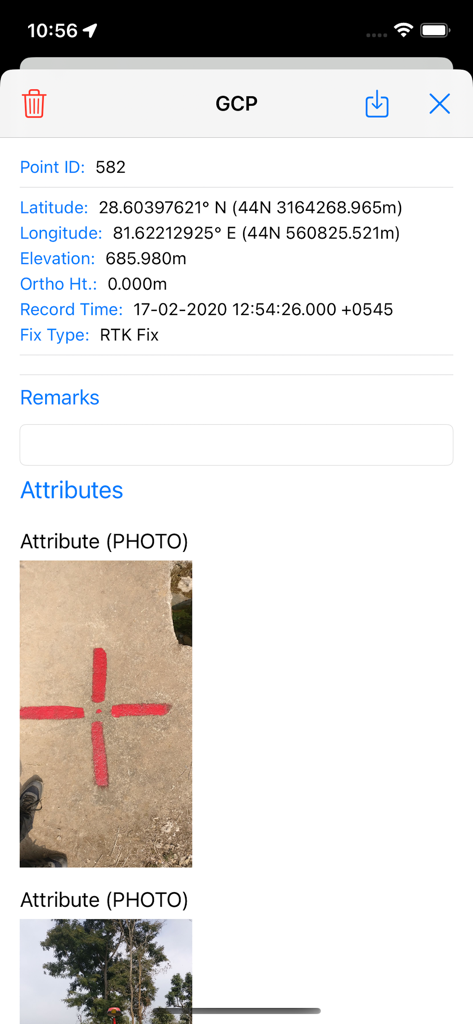
SW Maps - Detailed view of a ground control point in SW Maps showing coordinates and a photo of the physical survey marker
Detailed view of a ground control point in SW Maps showing coordinates and a photo of the physical survey marker

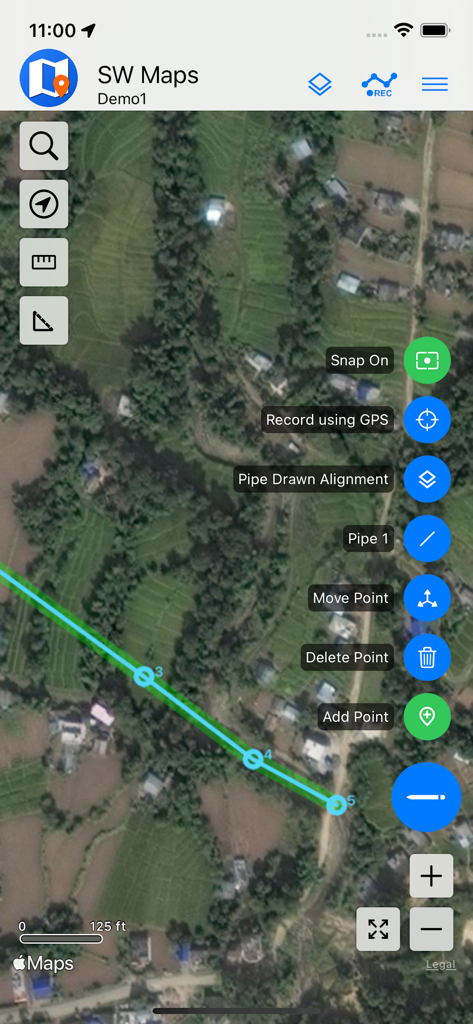
SW Maps - Mobile GIS mapping in SW Maps showing a pipe alignment on satellite imagery
Mobile GIS mapping in SW Maps showing a pipe alignment on satellite imagery

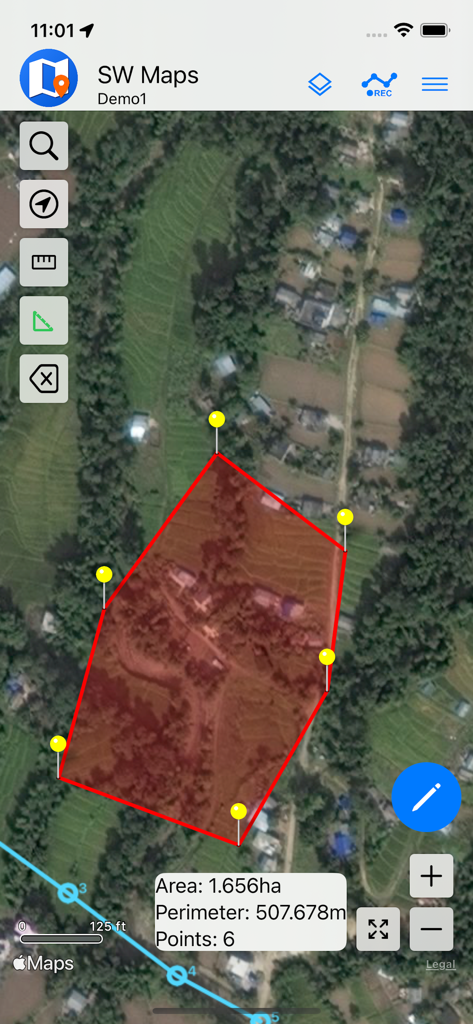
SW Maps - A satellite map view in the SW Maps app showing a red polygon with calculated area and perimeter for land surveying.
A satellite map view in the SW Maps app showing a red polygon with calculated area and perimeter for land surveying.

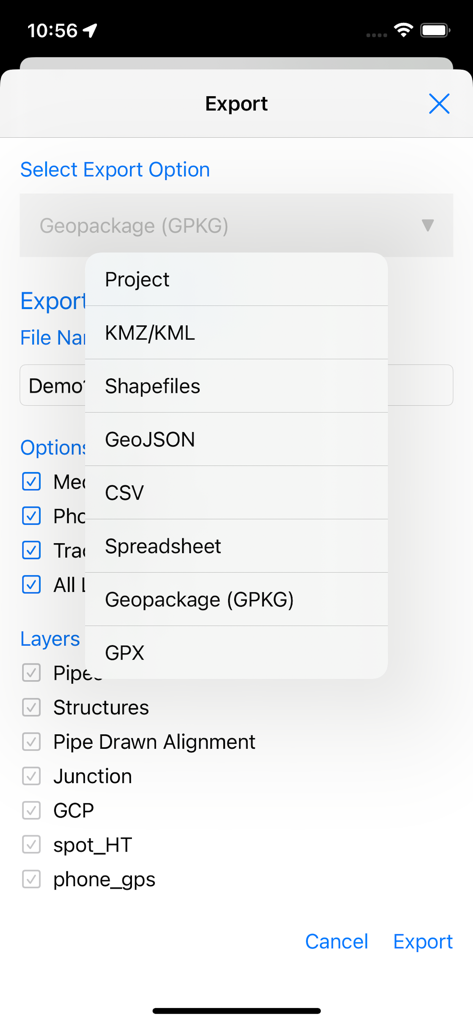
SW Maps - SW Maps export screen displaying a list of professional GIS file formats and layer selection options
SW Maps export screen displaying a list of professional GIS file formats and layer selection options

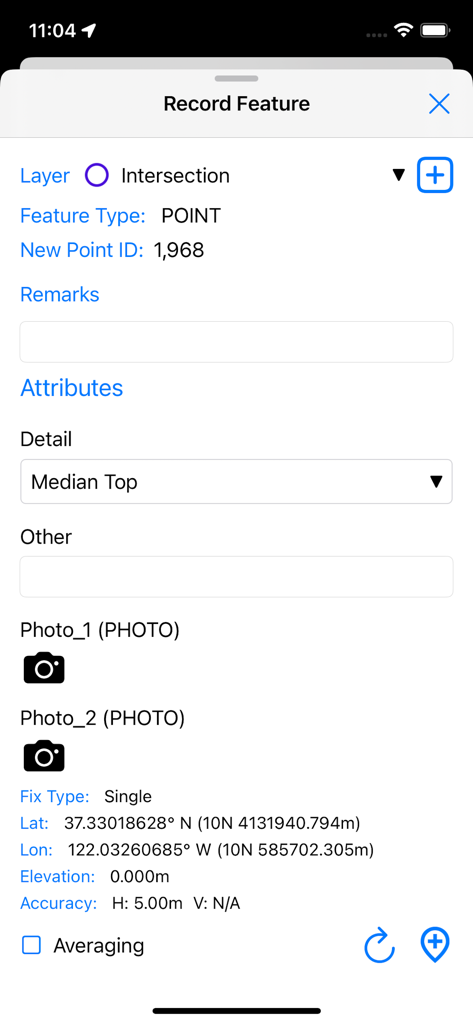
SW Maps - Interface for recording a new GIS point feature with GPS coordinates and custom attributes in SW Maps
Interface for recording a new GIS point feature with GPS coordinates and custom attributes in SW Maps

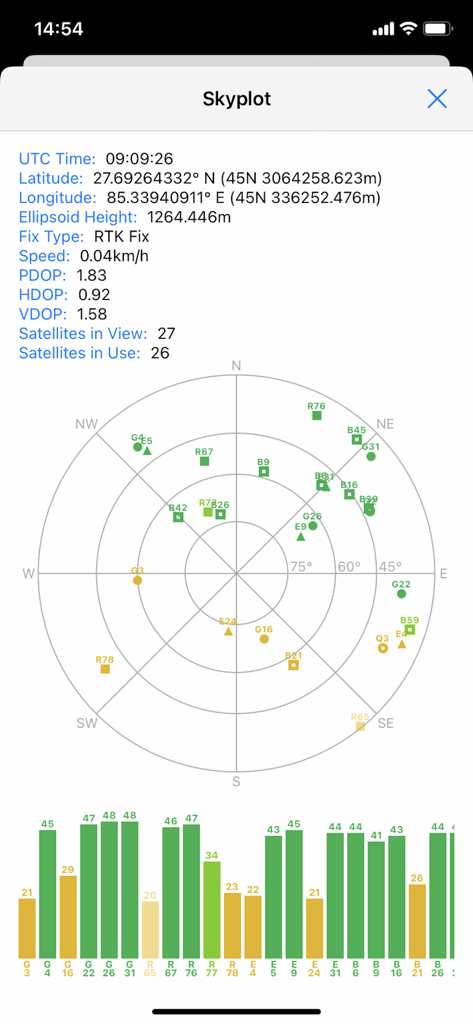
SW Maps - SW Maps skyplot screen displaying satellite positions and GNSS signal quality for professional mapping projects
SW Maps skyplot screen displaying satellite positions and GNSS signal quality for professional mapping projects

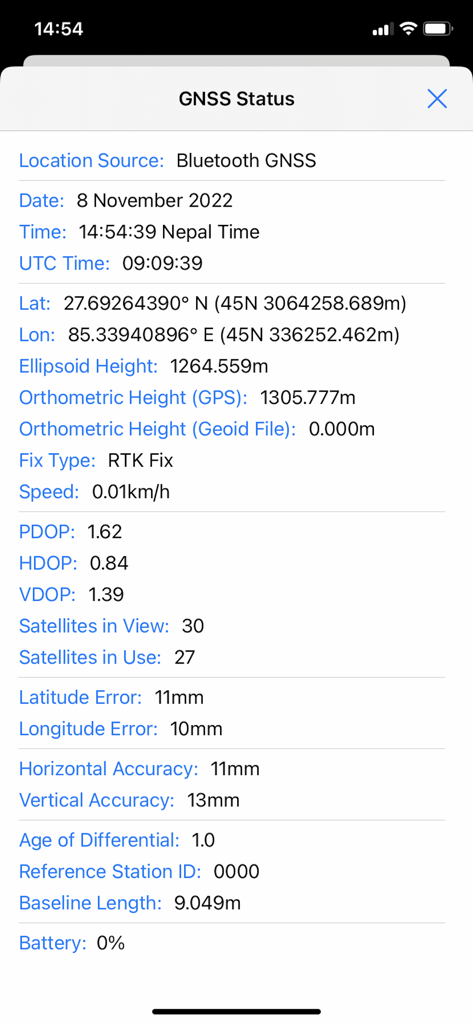
SW Maps - GNSS status screen in SW Maps showing high precision RTK fix and accuracy metrics

GNSS status screen in SW Maps showing high precision RTK fix and accuracy metrics

Description

SW Maps is a free GIS and mobile mapping app for collecting, presenting and sharing geographic information. Whether you are conducting a full scale GNSS survey with high precision instruments, need to collect large amount of location based data using nothing but your phone, or just need to view a few shapefiles with labels over a background map on the go, SW Maps has it all covered. Record points, lines, polygons and even photos and have them displayed over your choice of background map, and attach custom attribute data to any feature. Attribute types include text, numbers, an option from a predefined set of choices, photos, audio clips and videos. Conduct high accuracy GPS surveys using external RTK capable receivers over Bluetooth LE. Draw features on the map by adding markers, and measure distance and area. Reuse the layers and attributes of a previous project for another survey, or create templates and share them with other users. Share the collected data with other users as Geopackages, KMZ or shapefiles, or export them to your device storage. Also share and export recorded data as Spreadsheets or CSV files. All data is recorded and exported in the standard WGS84 Geographic coordinate system (EPSG:4326). Features -Online Base maps: Apple Maps or Open Street Map -Support for multiple mbtiles and KML overlays -Shapefile and Geopackage layers, with attribute categorized styling. View shapefiles in any coordinate system supported by the PROJ.4 library. -Add multiple online WMTS, TMS, XYZ or WMS layers and cache tiles for offline use. -Connect to external GPS receivers using Bluetooth for high accuracy surveying using RTK with built-in NTRIP client. Also record data from external receiver for post processing. -Define multiple number of feature layers, each with a set of custom attributes Feature Types: Point, Line, Polygon Attribute Types:Text, Numeric, Drop down Options, Photos, Audio, Video Save as Template for re-use or sharing -Record GPS tracks, with distance measurement -Label features based on attribute values. -Import feature layers from templates or existing projects. -Share or export collected data as KMZ (with embedded photographs) , shapefiles, GeoJSON, Geopackage (GPKG), XLS/ODS spreadsheets or csv files. -Share templates or projects with other users -Supports use of GTX geoid files. To use custom geoids, prepare a GTX file with offsets in meters from WGS84. This product is made in Nepal and is FREE (no Ads). If you find this useful, please let your friends know that you have used a product from Nepal. Spare sometime to visit this wonderful country and know the Nepali people.

Download

Download on App Store

This page is not an official page of the app or its developer, but an independent editorial publication created for informational and commentary purposes. Unless expressly stated otherwise, neither the app nor its developer is affiliated with, endorsed by, sponsored by, authorized by, or otherwise officially connected with MWM, Apple, Google Play, the app publisher, or the app's developer, and nothing on this page implies that the app was developed using MWM's services. Any trademarks, logos, screenshots, and other content remain the property of their respective owners.








