
This page is not an official page of the app or its developer, but an independent editorial publication created for informational and commentary purposes. Unless expressly stated otherwise, neither the app nor its developer is affiliated with, endorsed by, sponsored by, authorized by, or otherwise officially connected with MWM, Apple, Google Play, the app publisher, or the app's developer, and nothing on this page implies that the app was developed using MWM's services. Any trademarks, logos, screenshots, and other content remain the property of their respective owners.

Swifty Compiler: Swift IDE
Write, compile, and run Swift code effortlessly anywhere. Whether you're a student mastering algorithms or a pro prototyping on the go, turn your iPad and iPhone into a high-performance development environment.
Downloads
87K+User Rating
Total Ratings
0Publisher
Category
Developer ToolsLocales
1Latest Version
9.18Size
68.5 MBFirst Released
Dec 31, 2020Code Without Limits
Turn your mobile device into a professional workspace. From interview prep to rapid prototyping, Swifty Compiler empowers you to write and run Swift code wherever inspiration strikes.
Frictionless Development
Skip the heavy setup of Xcode. Go from idea to execution in seconds with a lightweight, high-performance compiler designed for speed.
Pro-Level Productivity
Master your workflow with iPad multitasking, keyboard shortcuts, and intelligent auto-completion that feels like a desktop experience.
Frequently Asked Questions
Everything you need to know about Swifty Compiler: Swift IDE
What is Swifty Compiler: Swift IDE?
Swifty Compiler is a dedicated tool for writing and executing Swift code anytime, anywhere. It serves as a personal playground for testing algorithms, prototyping ideas, and enhancing coding proficiency on the go.
Does Swifty Compiler provide free features?
Yes, Swifty Compiler offers free features including daily credits for code execution, importing Swift and Playground files, code snapshots, adjustable font size, auto-indentation, code completion, and dark/light mode support.
How do credits for code execution work in Swifty Compiler?
In Swifty Compiler, one credit allows for one code execution. Free users receive 10 credits daily, while premium users benefit from unlimited credits for code execution.
What are the premium features available in Swifty Compiler?
Premium features include unlimited credits, sharing as Swift files, saving to Files app, auto-save, unlimited undo/redo, code formatting, documentation, syntax correction, OCR, AST, multiple Swift versions, and custom snippets/keyboard buttons.
Can I import Swift files into Swifty Compiler?
Yes, Swifty Compiler allows users to import Swift files and open Playground files, including their associated Swift files. This import functionality is available as a free feature.
Does Swifty Compiler include code completion suggestions?
Yes, Swifty Compiler provides code completion suggestions, which is a free feature. This assists users in writing Swift code more efficiently by offering relevant code suggestions.
Does Swifty Compiler support multiple Swift versions?
Yes, Swifty Compiler supports multiple Swift versions, enabling users to switch between different versions. This is a premium feature, accessible from the editor settings.
Is code formatting available in Swifty Compiler?
Yes, code formatting is a premium feature in Swifty Compiler. It offers settings to adjust maximum blank lines, line length, indentation, and tab width for consistent code styling.
Can I create custom code snippets in Swifty Compiler?
Yes, creating and editing custom code snippets is a premium feature in Swifty Compiler. Users can define personalized snippets for quick insertion of frequently used code blocks.
What is OCR in Swifty Compiler?
OCR (Optical Character Recognition) is a premium feature in Swifty Compiler. It enables users to convert code from images into editable text directly within the application.
Does Swifty Compiler have a dark mode option?
Yes, Swifty Compiler supports both dark and light modes, allowing users to select their preferred visual theme for the interface. This feature is available for free.
How can I share code from Swifty Compiler?
Yes, users can share Swift files from Swifty Compiler. Sharing as a Swift file is a premium feature, while sharing Swift files, Playground files, or text directly to the app is a free feature.
The following screenshots and description are sourced directly from the app's official store listing and are the property of the app developer.
App Store
Screenshots
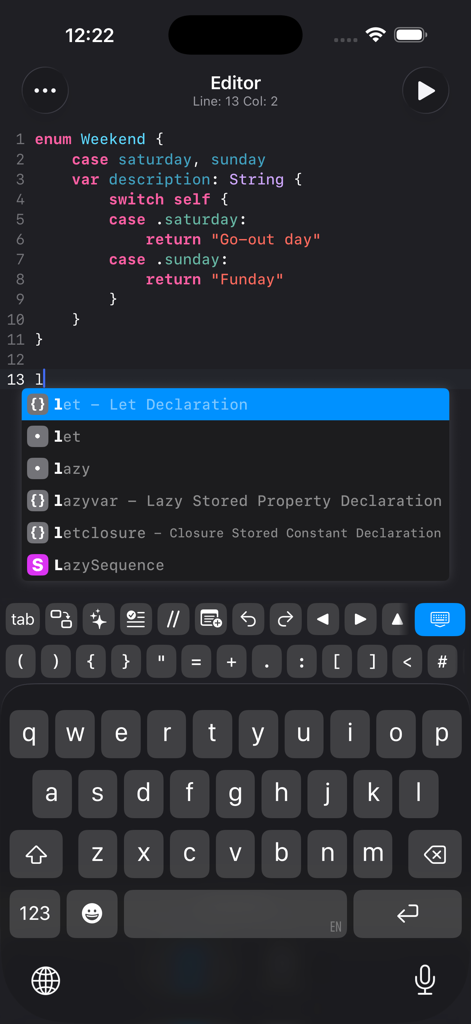
Mobile code editor showing Swift syntax highlighting and auto-completion suggestions in the Swifty Compiler app.
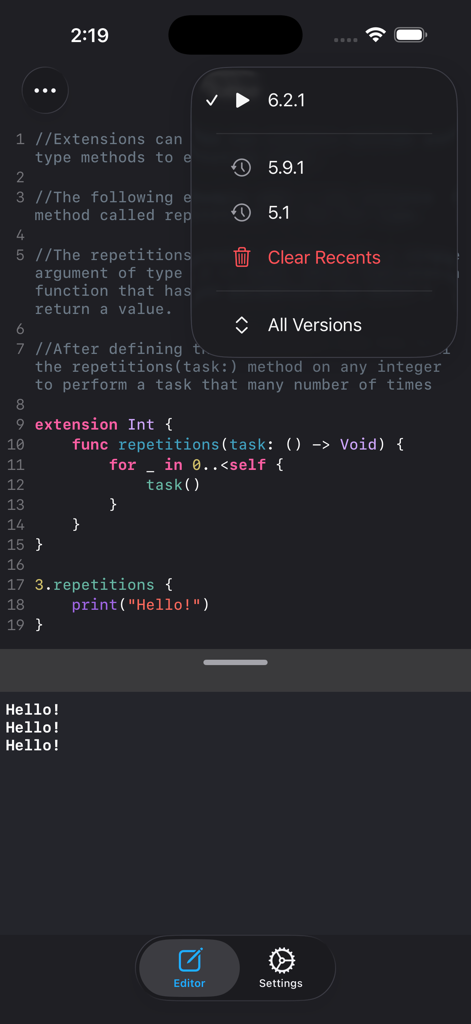
Swifty Compiler code editor with a Swift version selection menu and console output.
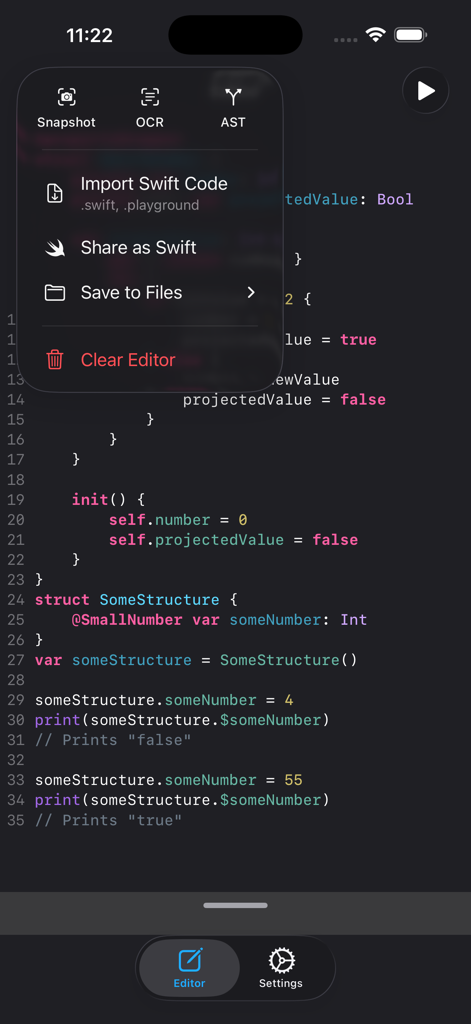
Interface of Swifty Compiler Swift IDE showing the code editor and a tools menu with OCR and AST options
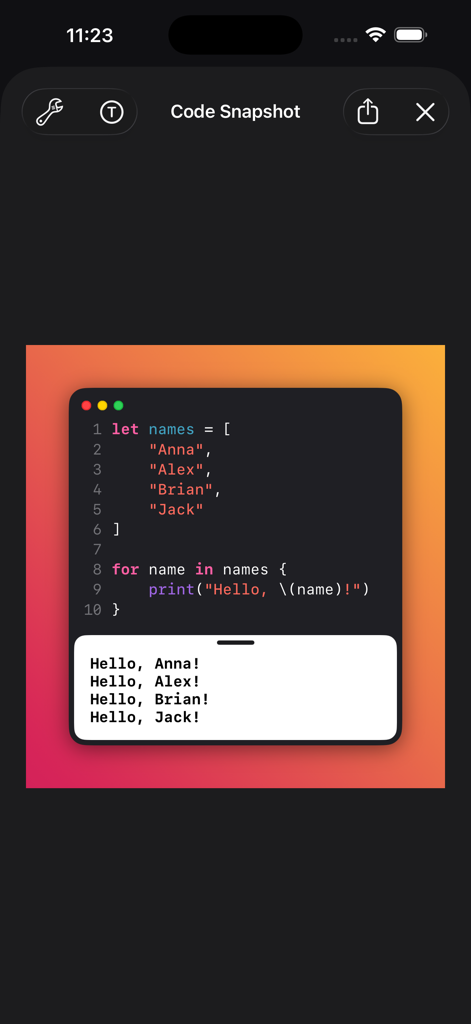
A stylized code snapshot from the Swifty Compiler app showing Swift code and its output over a vibrant gradient background.
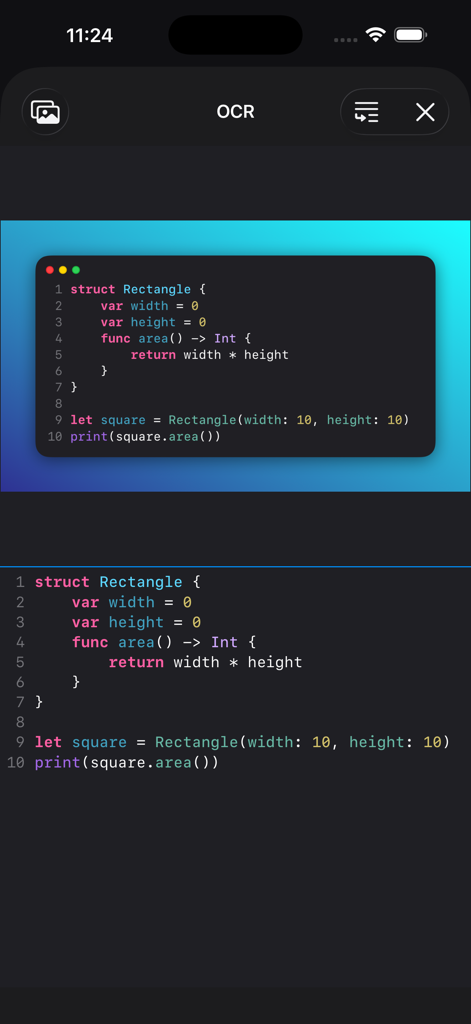
OCR feature in Swifty Compiler app converting a code snapshot image into editable Swift code
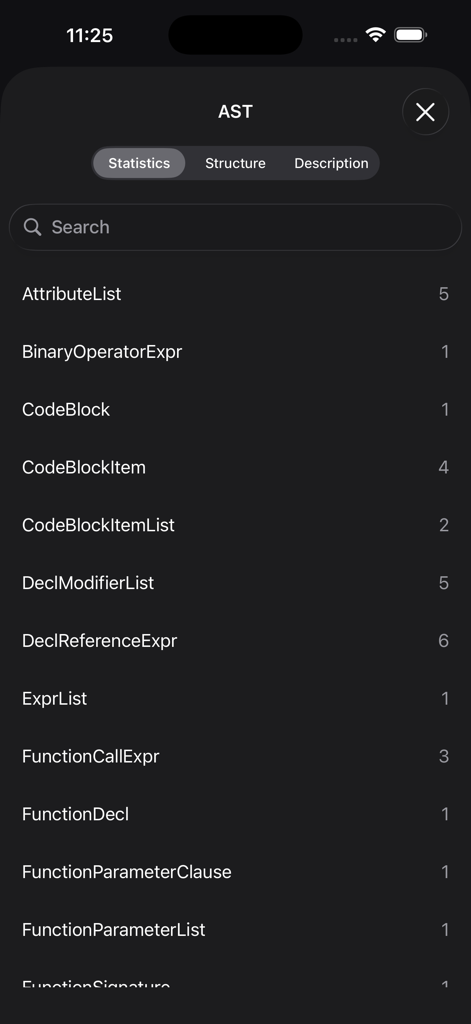
A mobile interface showing the Abstract Syntax Tree AST statistics in Swifty Compiler listing counts for various Swift code components
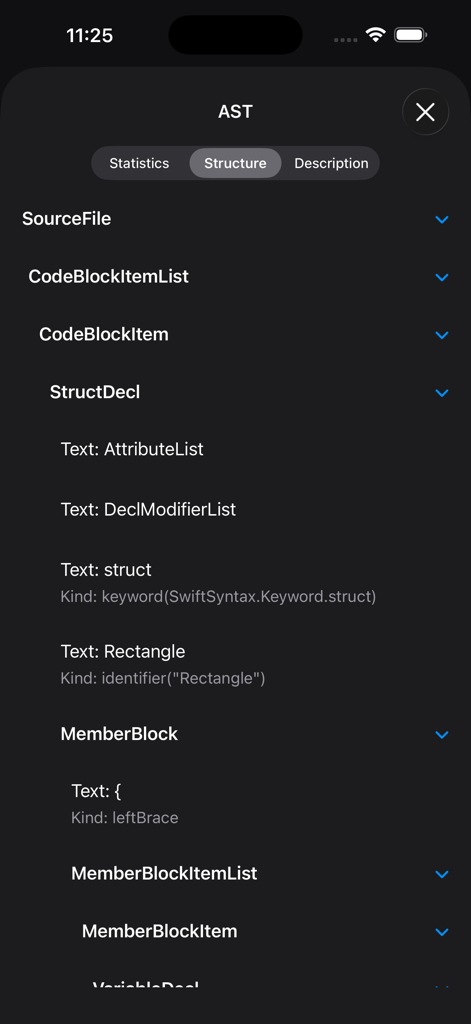
Abstract Syntax Tree structure view in the Swifty Compiler iOS app showing code hierarchy
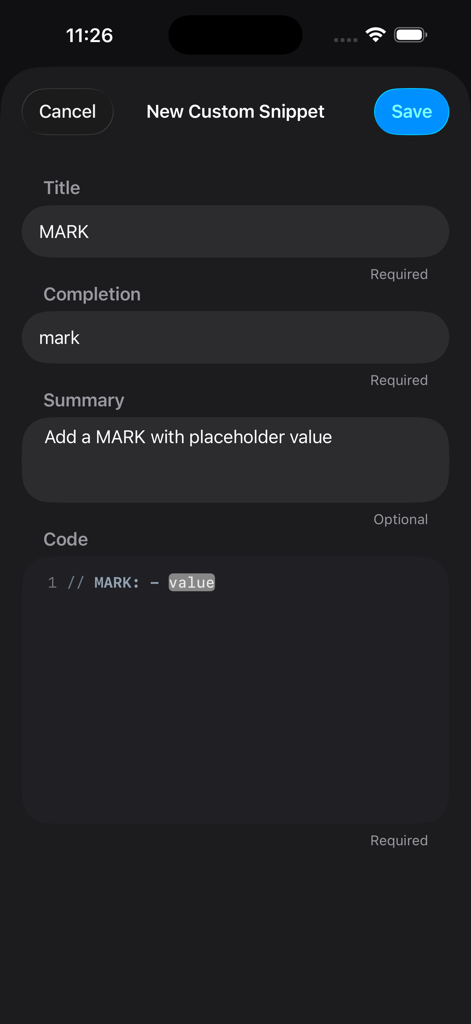
Screen for creating a new custom code snippet in the Swifty Compiler Swift IDE app
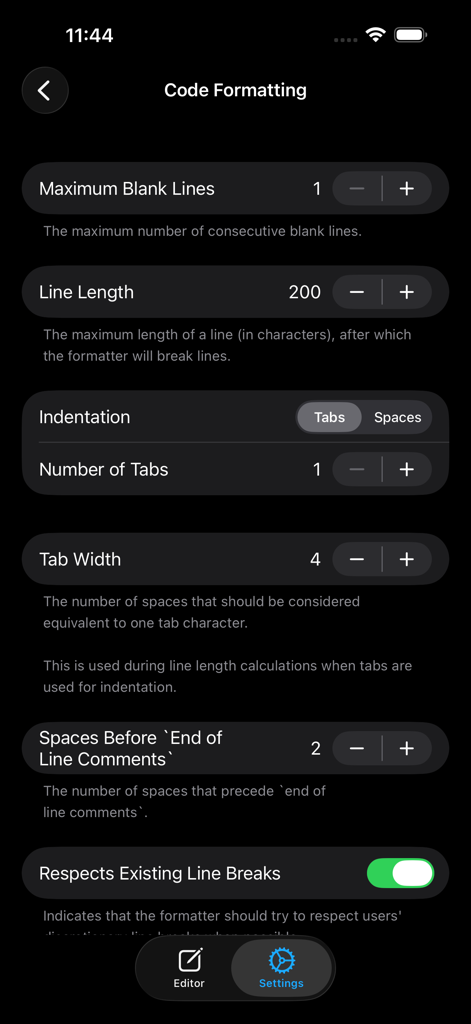
Swifty Compiler app interface displaying code formatting settings including indentation and line length configuration.
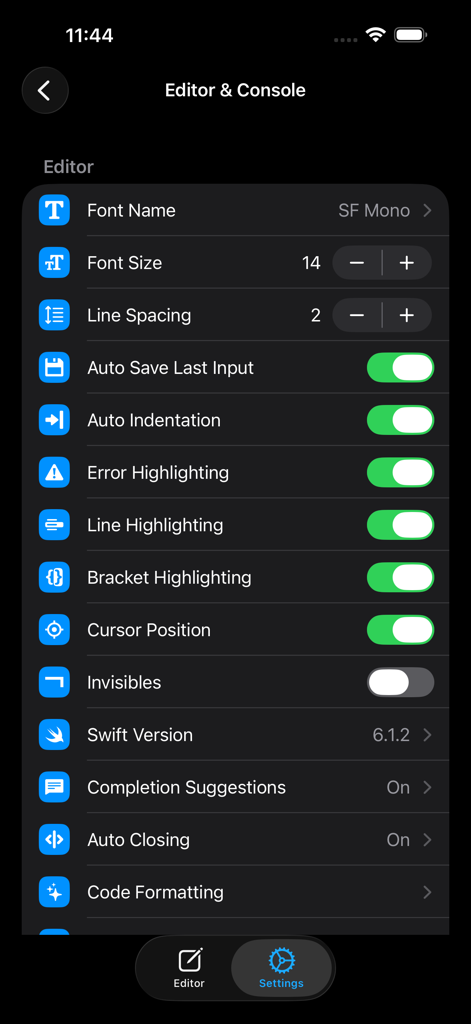
Swifty Compiler app settings interface displaying editor customization options including font size, line spacing, auto indentation, and error highlighting.
Description
Download
More Like This
Top-ranked apps in the same category

TestFlight
Apple Inc.

Replit: Vibe Code Apps
Replit, Inc

GitHub
GitHub

O-KAM Pro
Shenzhen VeePai IoT Intelligent Technology LLC

Apple Developer
Apple Inc.

Expo Go
650 Industries, Inc.

Scriptable
Simon Stovring

App Store Connect
Apple Inc.

Sekai: Create · Remix · Play
Versa AI, Inc.
This page is not an official page of the app or its developer, but an independent editorial publication created for informational and commentary purposes. Unless expressly stated otherwise, neither the app nor its developer is affiliated with, endorsed by, sponsored by, authorized by, or otherwise officially connected with MWM, Apple, Google Play, the app publisher, or the app's developer, and nothing on this page implies that the app was developed using MWM's services. Any trademarks, logos, screenshots, and other content remain the property of their respective owners.