
This page is not an official page of the app or its developer, but an independent editorial publication created for informational and commentary purposes. Unless expressly stated otherwise, neither the app nor its developer is affiliated with, endorsed by, sponsored by, authorized by, or otherwise officially connected with MWM, Apple, Google Play, the app publisher, or the app's developer, and nothing on this page implies that the app was developed using MWM's services. Any trademarks, logos, screenshots, and other content remain the property of their respective owners.

Switcher Pro
Command your broadcast with live scene previews, real-time audio mixing, and seamless Apple Watch integration. Take professional-grade control of your stream from your favorite devices with one simple, subscription-free purchase.
Downloads
100+User Rating
Total Ratings
0Publisher
Category
UtilitiesLocales
12Latest Version
2.12.1Size
8.4 MBFirst Released
Nov 10, 2025Master Your Stream with Total Precision
Transform your iOS devices into a professional-grade broadcast studio. Control OBS Studio with real-time feedback and hardware-level performance, without the subscription fatigue.
Visual Scene Switching
Eliminate broadcast errors with live preview thumbnails. See exactly what you are switching to before you go live, ensuring a flawless production every time.
Real-Time Audio Command
Manage your sound like a pro. Monitor levels and adjust the mixer directly from your device, so you can keep your audio crisp without ever alt-tabbing.
The following screenshots and description are sourced directly from the app's official store listing and are the property of the app developer.
App Store
Screenshots
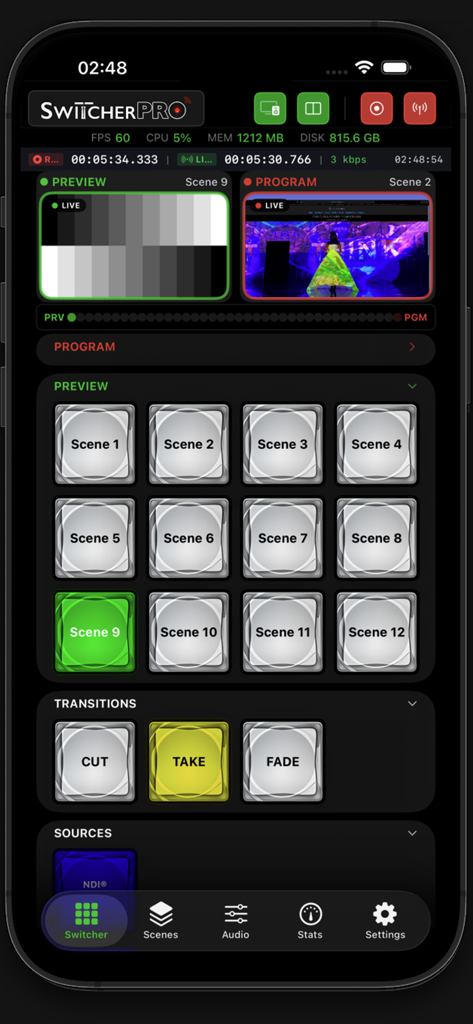
Switcher Pro mobile app interface showing OBS Studio scene switching with live previews and transition buttons.
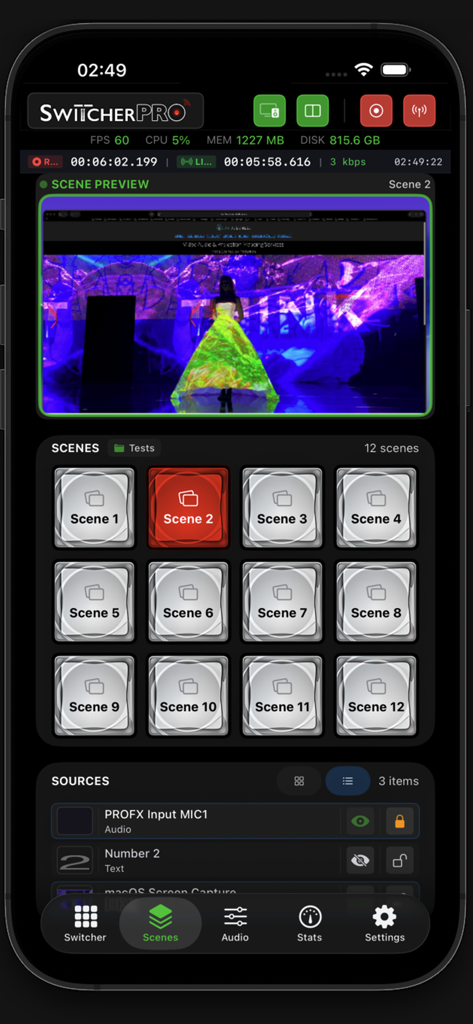
Switcher Pro interface showing a grid of scenes and a live preview for OBS Studio
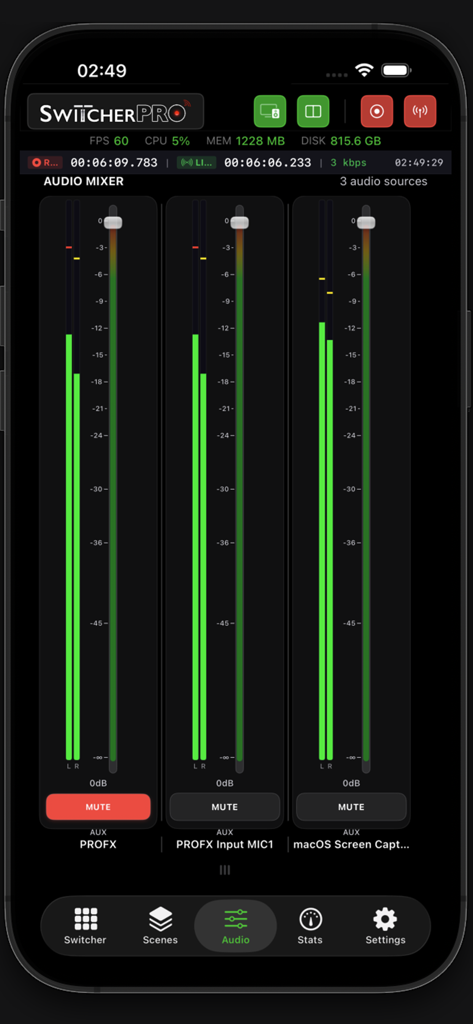
Switcher Pro app interface showing real-time audio mixer levels and controls for OBS Studio on an iPhone
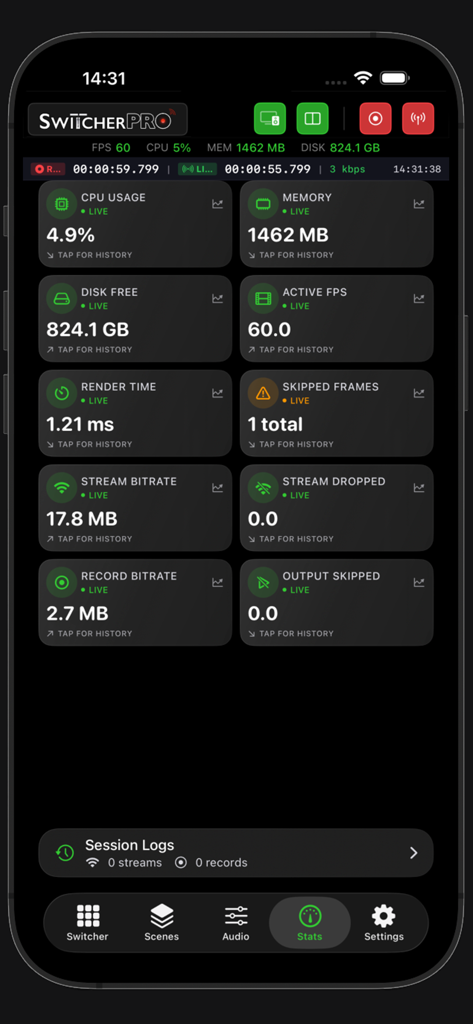
Switcher Pro mobile app interface showing real-time OBS Studio performance statistics including CPU usage, FPS, and stream bitrate.
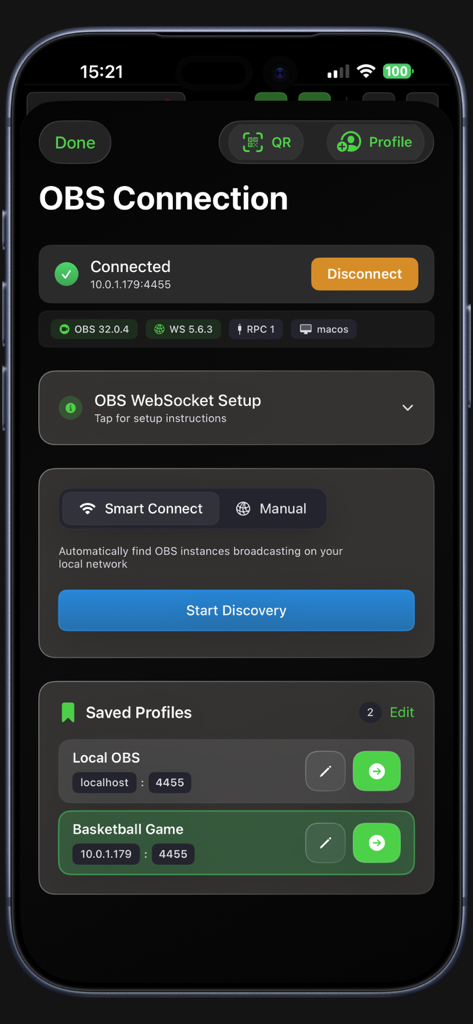
Switcher Pro app screen showing OBS connection status with smart connect and saved profiles
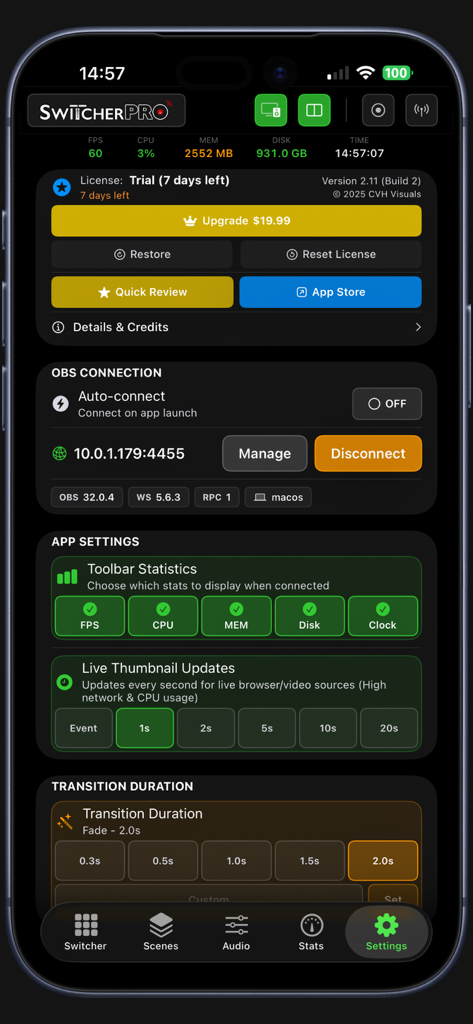
Switcher Pro settings screen showing OBS connection details and stream statistics configuration on iPhone
Description
Download
More Like This
Top-ranked apps in the same category

Google LLC

Google Chrome
Google LLC

中国移动(手机营业厅)
China Mobile Online Services Co., Ltd.

Google Authenticator
Google LLC

gov.br
Servicos e Informacoes do Brasil

Buddy VPN
Frederic Hennes Sprl

中国电信-全国统一官方服务平台
CHINA TELECOM Corporation Ltd.

Cleanup: Phone Storage Cleaner
DEEP FLOW SOFTWARE SERVICES - FZCO

Meu Social - Gás do Povo
Servicos e Informacoes do Brasil
This page is not an official page of the app or its developer, but an independent editorial publication created for informational and commentary purposes. Unless expressly stated otherwise, neither the app nor its developer is affiliated with, endorsed by, sponsored by, authorized by, or otherwise officially connected with MWM, Apple, Google Play, the app publisher, or the app's developer, and nothing on this page implies that the app was developed using MWM's services. Any trademarks, logos, screenshots, and other content remain the property of their respective owners.