
This page is not an official page of the app or its developer, but an independent editorial publication created for informational and commentary purposes. Unless expressly stated otherwise, neither the app nor its developer is affiliated with, endorsed by, sponsored by, authorized by, or otherwise officially connected with MWM, Apple, Google Play, the app publisher, or the app's developer, and nothing on this page implies that the app was developed using MWM's services. Any trademarks, logos, screenshots, and other content remain the property of their respective owners.


SYNLAB
Take control of your health with ease. Book specialist visits, manage family appointments, and access your medical reports instantly—all from the palm of your hand.
Downloads
316K+User Rating
Total Ratings
100Publisher
Category
MedicalLocales
2Latest Version
2.15.1Size
57.0 MBFirst Released
Jun 15, 2021Your Entire Health Journey, Simplified
Managing your family's medical appointments and records shouldn't be a second job. SYNLAB puts expert care and instant results right in your pocket.
Smart Scheduling
Book, reschedule, or cancel specialist visits and lab tests in seconds without ever picking up the phone.
Digital Results History
Access your medical reports and diagnostic images the moment they are ready. Track your health trends over time.
Frequently Asked Questions
Everything you need to know about SYNLAB
What can users do with the SYNLAB app?
The SYNLAB app allows users to book medical analysis, specialist visits, manage appointments, view medical reports digitally, and make online payments for services.
Can I book medical appointments using the SYNLAB app?
Yes, users can book medical tests, specialist examinations, and in-depth diagnostics at SYNLAB centers directly through the SYNLAB app.
How do I manage my existing appointments in the SYNLAB app?
The SYNLAB app allows users to view, move, or cancel their existing appointments efficiently.
Does the SYNLAB app provide access to medical reports?
Yes, the SYNLAB app enables users to view reports of medical tests and diagnostic imaging exams in digital format.
Can I pay for SYNLAB services online through the app?
Yes, the SYNLAB app offers the functionality to make online payments for services booked through the platform.
What types of tests can be booked on the SYNLAB app?
Users can book medical examinations, blood tests, and COVID tests directly through the SYNLAB app.
How do I make a new reservation in the SYNLAB app?
To make a new reservation in the SYNLAB app, navigate to the welcome screen and tap the "New reservation" button. Then select the type of service.
Does the SYNLAB app allow selection of specific medical services?
Yes, the SYNLAB app allows users to select specific medical services like Cardiology, Endocrinology, or Gastroenterology from a comprehensive list.
Can users choose a specific location or doctor for their medical exam in the SYNLAB app?
Yes, during the booking process, the SYNLAB app provides options to "Select location" and "Select doctor" for the medical exam.
The following screenshots and description are sourced directly from the app's official store listing and are the property of the app developer.
App Store
Screenshots
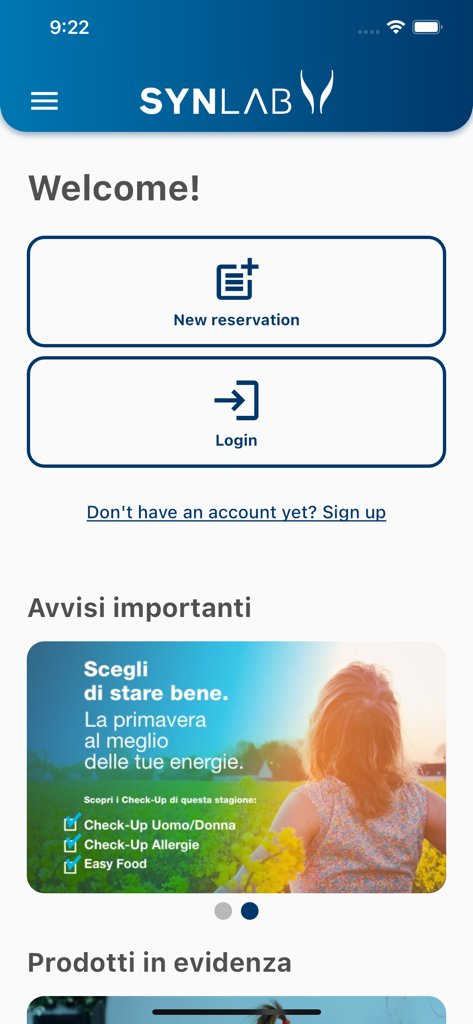
Home screen of the Synlab app with buttons for new reservation and login
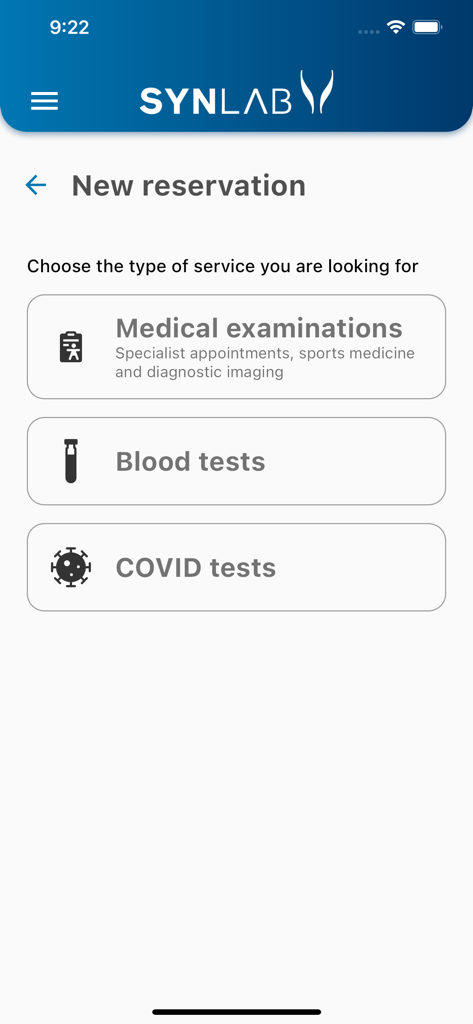
SYNLAB app interface showing options to book medical examinations blood tests or COVID tests
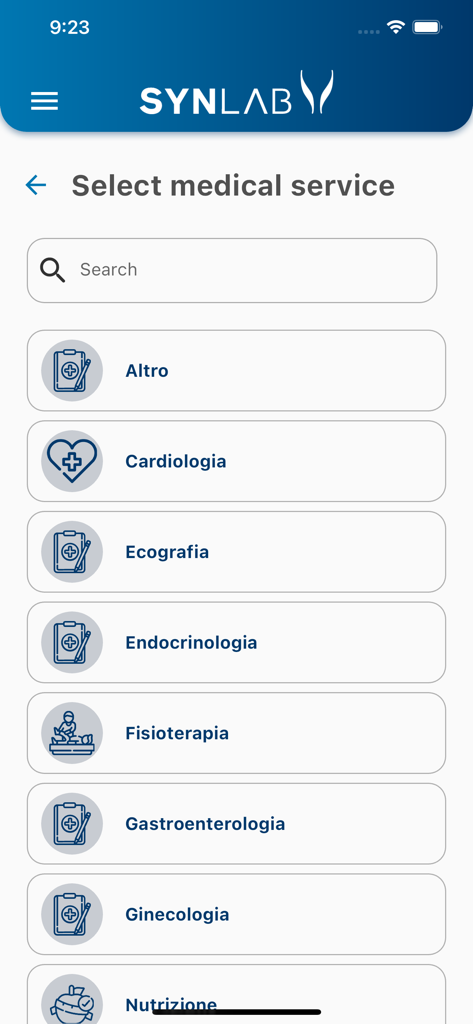
SYNLAB app screen showing a list of medical specialties to book appointments
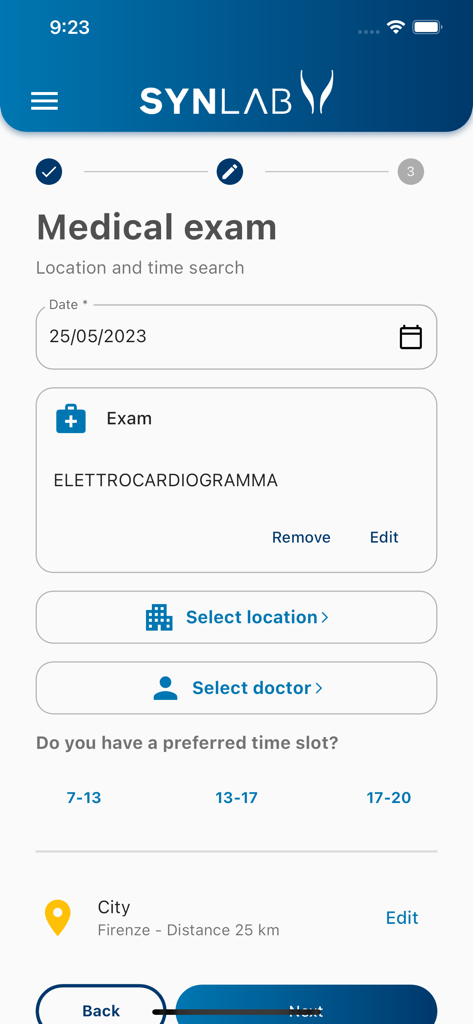
A screenshot of the SYNLAB mobile app showing the booking process for a medical exam.
Description
Download
More Like This
Apps with similar features and user experience

SimplePractice Client Portal
SimplePractice LLC

athenaPatient
athenahealth, Inc.

Kaiser Permanente
Kaiser Permanente

One Medical
One Medical Group, Inc.

Saudi German Health
Saudi German Hospital

NowServing by SeriousMD
LeapFroggr Inc.

Providence
PROVIDENCE HEALTH & SERVICES - WASHINGTON

Mediclinic - ميديكلينيك
MEDICLINIC MIDDLE EAST MANAGEMENT SERVICES FZ LLC

NMC - MyHealth
NMC HEALTHCARE LTD
This page is not an official page of the app or its developer, but an independent editorial publication created for informational and commentary purposes. Unless expressly stated otherwise, neither the app nor its developer is affiliated with, endorsed by, sponsored by, authorized by, or otherwise officially connected with MWM, Apple, Google Play, the app publisher, or the app's developer, and nothing on this page implies that the app was developed using MWM's services. Any trademarks, logos, screenshots, and other content remain the property of their respective owners.