
System Status: hw monitor


Gain total transparency into your device performance. Monitor CPU load, battery state, and network connectivity with high-precision diagnostics designed for those who demand peak efficiency.
Publisher
Category
UtilitiesDownloads
353K+User Rating
Total Ratings
9K+Locales
1Discover the interface used by 353K+ users.
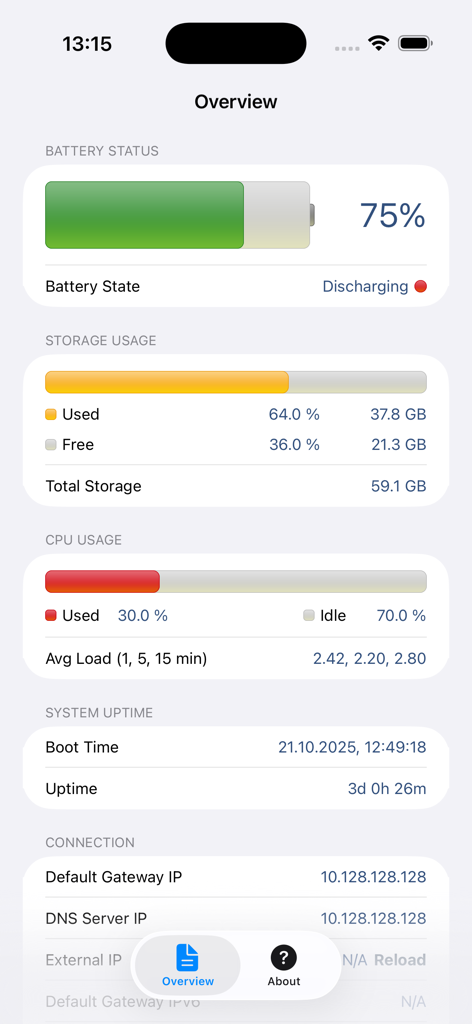
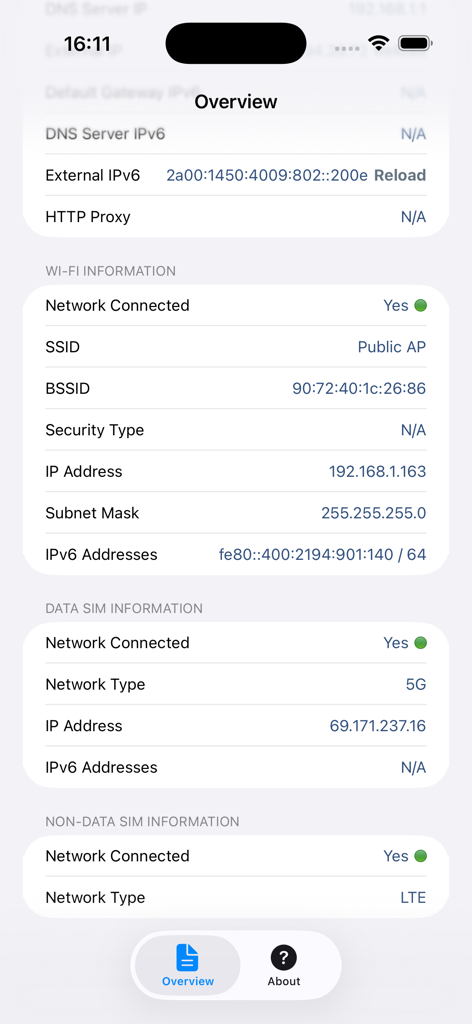
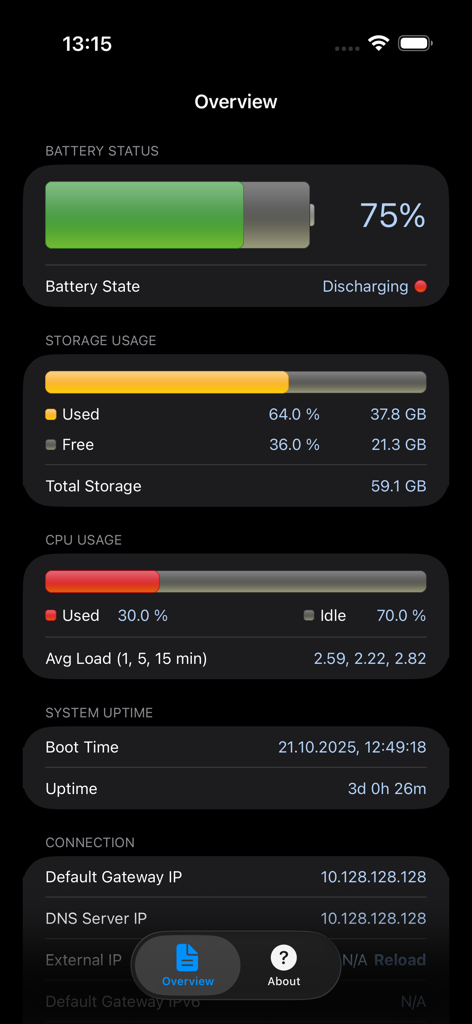
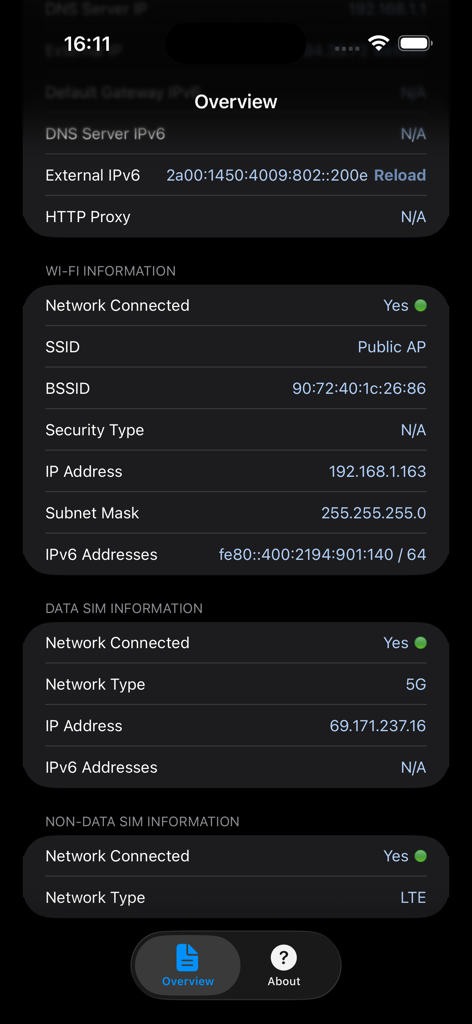
The tools that make this app stand out, trusted by 353K+ users.
Track precise load averages over 1, 5, and 15-minute intervals to identify background processes affecting your speed.
Instantly view internal and external IP addresses along with connection details for seamless remote work and troubleshooting.
Monitor charging cycles and disk capacity through a graphical interface to maximize your hardware longevity and efficiency.
Everything you need to know about System Status: hw monitor.
Description
Latest Version
7.0.1
Size
8.6 MB
First Released
Dec 19, 2010
Join over 353,000 tech enthusiasts and power users who demand full transparency. Get real-time diagnostics for your CPU, network, and battery today.
Everything you need to know about System Status: hw monitor
System Status: hw monitor is a lite version of System Status Pro. It provides essential monitoring of iPhone and iPad performance, displaying parameters such as battery level, disk usage, CPU load, and network connections.
Yes, System Status: hw monitor displays your device's battery level graphically. It also monitors the battery's state, indicating if it is discharging, charging, or fully charged.
System Status: hw monitor provides real-time CPU usage updates. It also displays the average CPU load calculated over the last 1, 5, and 15 minutes.
Yes, System Status: hw monitor monitors both used and free disk capacity. It displays these values as percentages and in gigabytes.
System Status: hw monitor provides cell and Wi-Fi network connection details. This includes IP addresses, network types like 5G or LTE, SSID, and BSSID.
Yes, System Status: hw monitor supports both light and dark themes. Users can switch between these display modes for a personalized viewing experience.
System Status: hw monitor displays the system boot time and the device's uptime. This allows users to track how long their device has been active since the last restart.
No, System Status: hw monitor is a "lite version" of the advanced monitoring tool, System Status Pro. It focuses on displaying basic device parameters.
Top-ranked apps in the same category

Google LLC

Google LLC

China Mobile Online Services Co., Ltd.

Google LLC

Servicos e Informacoes do Brasil

DEEP FLOW SOFTWARE SERVICES - FZCO

Servicos e Informacoes do Brasil

CHINA TELECOM Corporation Ltd.

Microsoft Corporation
App information, icons, screenshots, and descriptions displayed on this page are sourced from the Apple App Store and are the property of their respective developers. Download estimates and rankings are based on MWM's proprietary models and may not reflect actual figures. This page is provided for informational and analytical purposes only.
Believe this page infringes your intellectual property? File a dispute