
This page is not an official page of the app or its developer, but an independent editorial publication created for informational and commentary purposes. Unless expressly stated otherwise, neither the app nor its developer is affiliated with, endorsed by, sponsored by, authorized by, or otherwise officially connected with MWM, Apple, Google Play, the app publisher, or the app's developer, and nothing on this page implies that the app was developed using MWM's services. Any trademarks, logos, screenshots, and other content remain the property of their respective owners.

Tape Measure : AR Ruler Tool
Turn your iPhone into a professional-grade measuring kit. Get laser-accurate dimensions for furniture, rooms, and renovations in seconds using advanced AR and LiDAR technology.
Downloads
36K+User Rating
Total Ratings
400Publisher
Category
UtilitiesLocales
17Latest Version
1.3.0Size
60.9 MBFirst Released
Apr 15, 2025Professional Precision in Your Pocket
Leave the bulky toolbox behind. Tape Measure uses advanced AR technology and LiDAR to turn your iPhone into a high-precision measuring kit for any DIY or professional project.
Laser-Accurate AR Ruler
Get instant, precise measurements of any object or distance using your camera and LiDAR technology. Switch between Imperial and Metric units with a single tap.
Smart Room & Area Scanning
Effortlessly calculate square footage, wall heights, and floor dimensions. Ideal for planning home renovations, furniture layouts, or real estate listings.
Frequently Asked Questions
Everything you need to know about Tape Measure : AR Ruler Tool
What is TapeMeasure and how does it work?
TapeMeasure transforms your iPhone into an AR ruler app. It measures objects, distances, and rooms in seconds using augmented reality technology through your phone's camera.
How accurate is TapeMeasure for measurements?
TapeMeasure provides laser-like accuracy for measurements. It utilizes Apple’s ARKit and LiDAR technology on supported devices for enhanced precision.
Can TapeMeasure measure height?
Yes, TapeMeasure includes a Height Measurement feature. It instantly measures the height of people, furniture, or walls using your iPhone's camera.
Does TapeMeasure calculate room dimensions and area?
Yes, TapeMeasure features a Room Size Estimator. It scans and calculates the width, length, and area of any room through your phone's camera.
Can TapeMeasure be used offline?
Yes, TapeMeasure functions completely offline. All its features are available without an internet connection.
Does TapeMeasure support both imperial and metric units?
Yes, TapeMeasure supports both imperial and metric units. Users can easily switch between inches, feet, centimeters, or meters within the app.
What iOS versions and devices are compatible with TapeMeasure?
TapeMeasure works on all iPhones running iOS 14 or later. AR features require camera access, and LiDAR-supported devices offer enhanced accuracy.
Does the TapeMeasure app include a bubble level tool?
Yes, the TapeMeasure app includes a built-in Level Tool. It functions as a bubble level to check surfaces and angles digitally.
Can I save and share measurements made with TapeMeasure?
Yes, TapeMeasure allows users to save measurements as images or export them. This feature is useful for reference, work, or planning purposes.
Is TapeMeasure free to use or does it require a subscription?
TapeMeasure is free to try initially without signing up. Subscriptions auto-renew unless turned off 24 hours before the period ends, manageable in App Store settings.
What is TapeMeasure's Photo Measure Mode?
TapeMeasure's Photo Measure Mode allows users to capture photos and add dimensions directly onto them. This feature is useful for reference or sharing.
Where can I find the privacy policy for TapeMeasure?
The privacy policy for TapeMeasure is available at the provided link: https://sites.google.com/view/upluspace-measure-p-policy.
The following screenshots and description are sourced directly from the app's official store listing and are the property of the app developer.
App Store
Screenshots
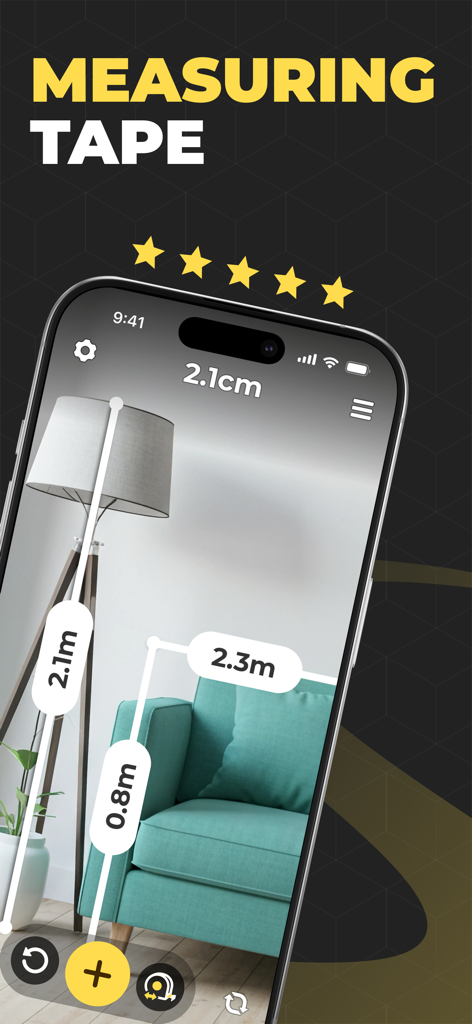
iPhone app using AR technology to measure the height of a floor lamp and dimensions of a teal sofa.
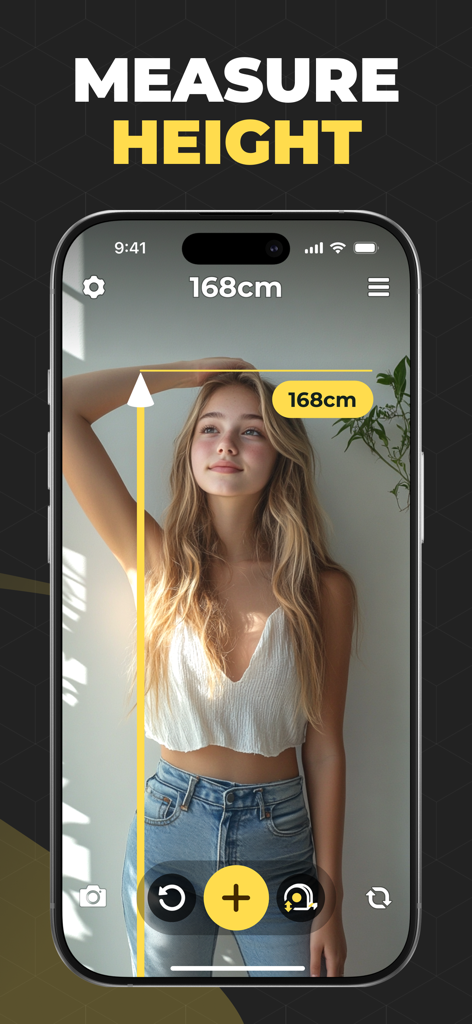
AR app measuring a young woman's height in centimeters
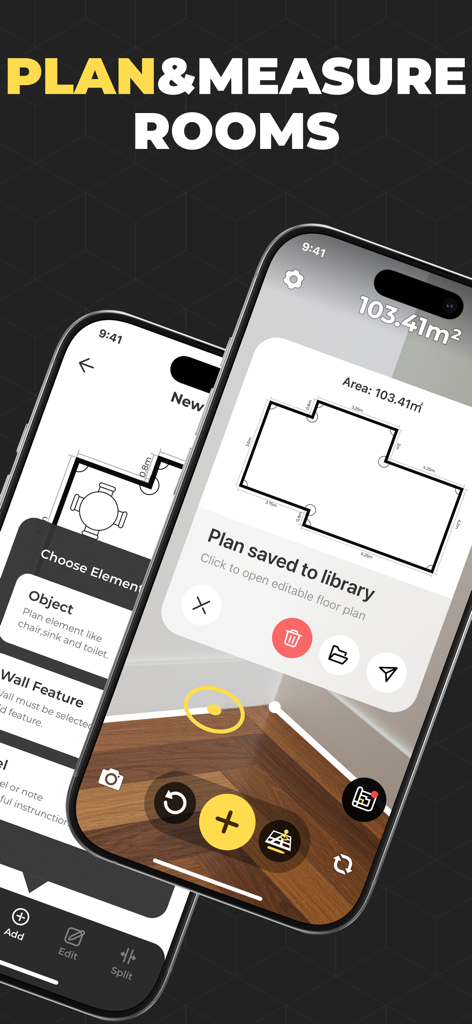
iPhone screen showing an AR measurement app creating a 2D floor plan with room area dimensions
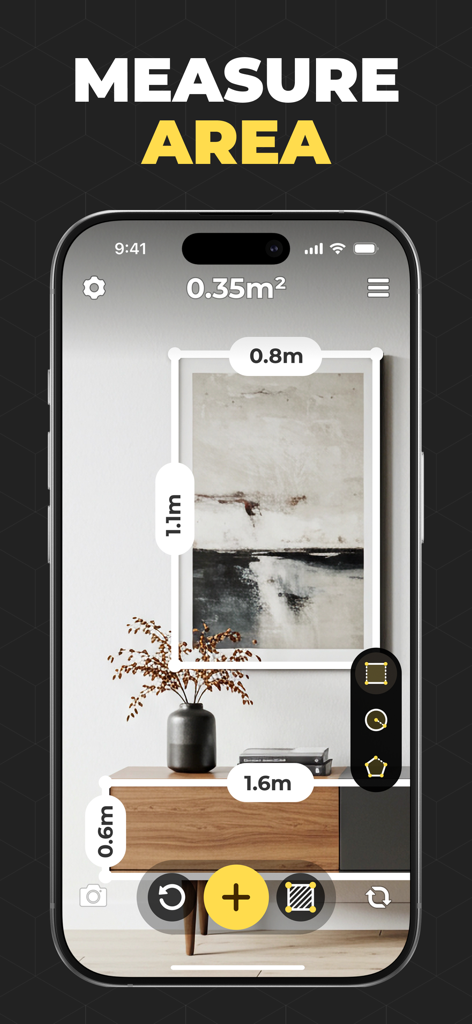
AR measurement app interface on iPhone calculating the area of a wall picture frame
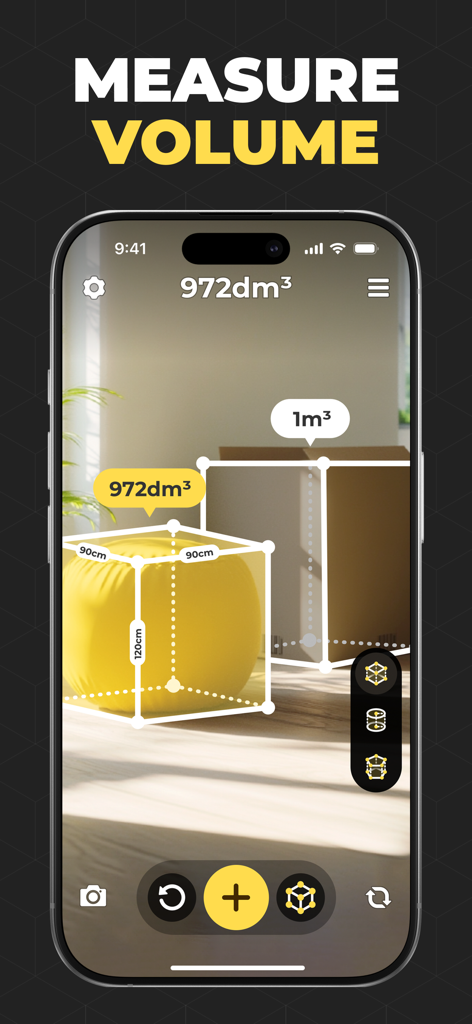
iPhone screen showing an augmented reality app measuring the volume of a beanbag and a cardboard box in a room
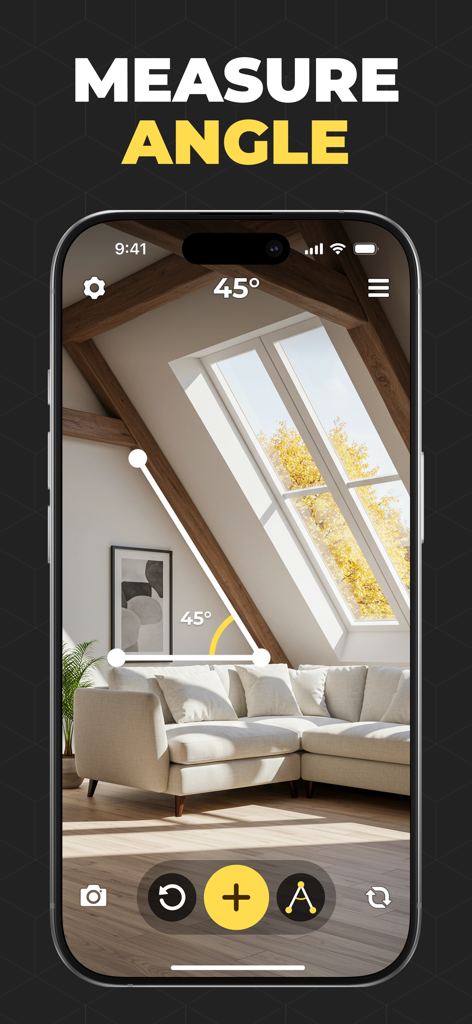
iPhone screen showing an augmented reality app measuring a forty-five degree angle of a wooden ceiling beam in a living room
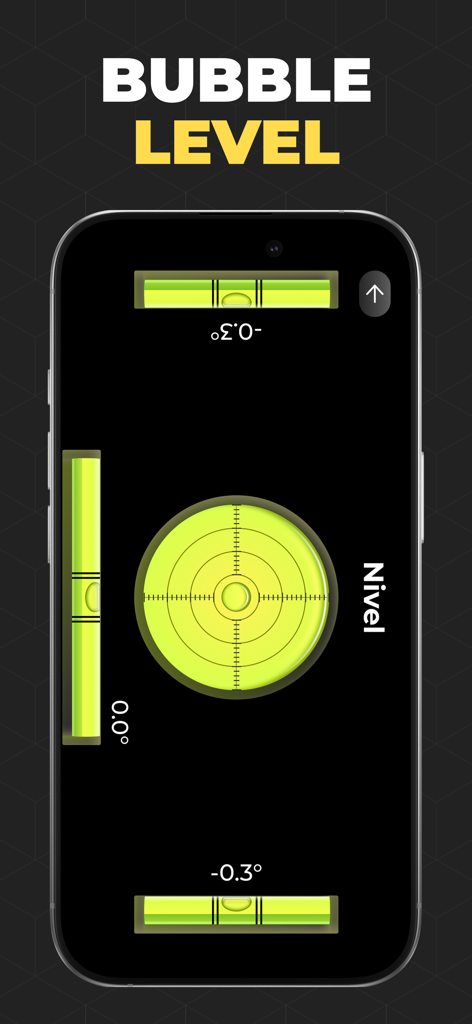
Smartphone screen displaying a digital bubble level tool for surface leveling.
Description
Download
More Like This
Apps with similar features and user experience

Pocket Bubble Level XXL
ExaMobile S.A.

Measuring Tape +ㅤ
Rocket Apps GmbH

CamToPlan - 3D Scanner & LiDAR
Tasmanic Editions

Tape Measure: AR Ruler
Veysel OTI

Home Planner - AI Room Design
Room Planner Ltd

Polycam 3D Scanner, LiDAR, 360
Polycam Inc.

Measuring Tape+ Measure AR app
MEASURE TECH SOCIEDAD LIMITADA

Tape Measure®
AI Photo Editor Lab SRL

Bubble Level for iPhone
Lemondo Apps LLC
This page is not an official page of the app or its developer, but an independent editorial publication created for informational and commentary purposes. Unless expressly stated otherwise, neither the app nor its developer is affiliated with, endorsed by, sponsored by, authorized by, or otherwise officially connected with MWM, Apple, Google Play, the app publisher, or the app's developer, and nothing on this page implies that the app was developed using MWM's services. Any trademarks, logos, screenshots, and other content remain the property of their respective owners.