TeFont

TeFont

Logo of TeFont

TeFont: Turn Your Handwriting into a Custom Font in Minutes

The all-in-one mobile studio to design, animate, and export professional .otf files directly from your iPad. Perfect for digital journaling, branding, and social media—no scanners, no PC, and zero subscriptions.

Publisher

Masahiro Tanaka

Category

Utilities

Downloads

0

User Rating

1.0/5

Total Ratings

0

Locales

1

Design Without Limits

Discover the interface used by 0 users.
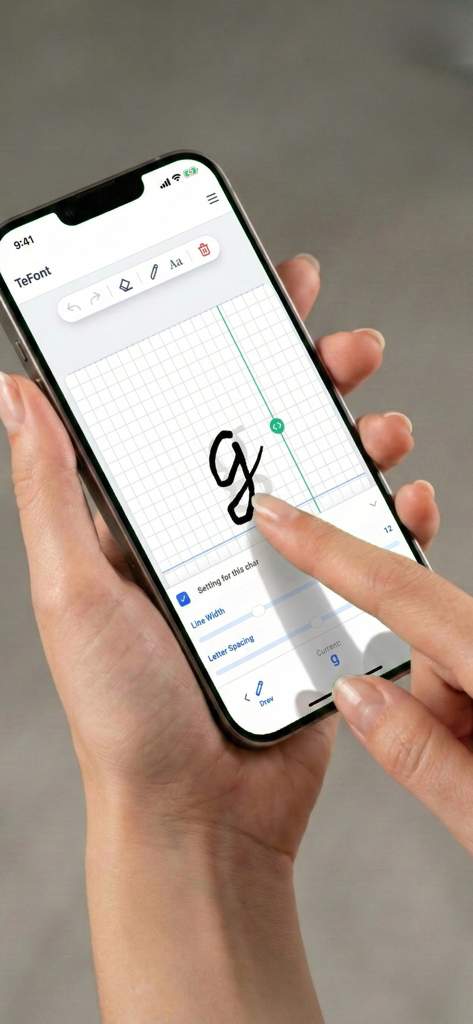
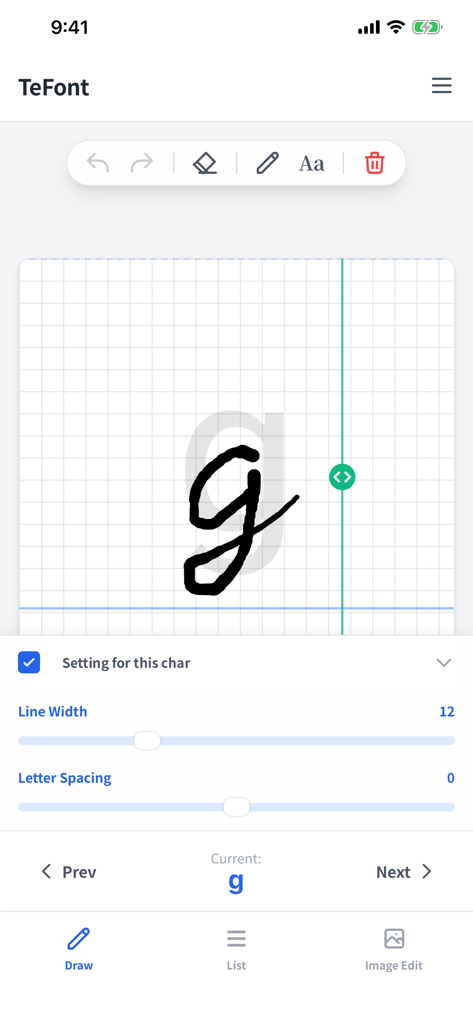
A user drawing the letter g on an iPhone screen using the TeFont app to create a custom handwriting font.

A user drawing the letter g on an iPhone screen using the TeFont app to create a custom handwriting font.

Interface of TeFont app showing the drawing of a handwritten lowercase g with line width and spacing settings

Interface of TeFont app showing the drawing of a handwritten lowercase g with line width and spacing settings

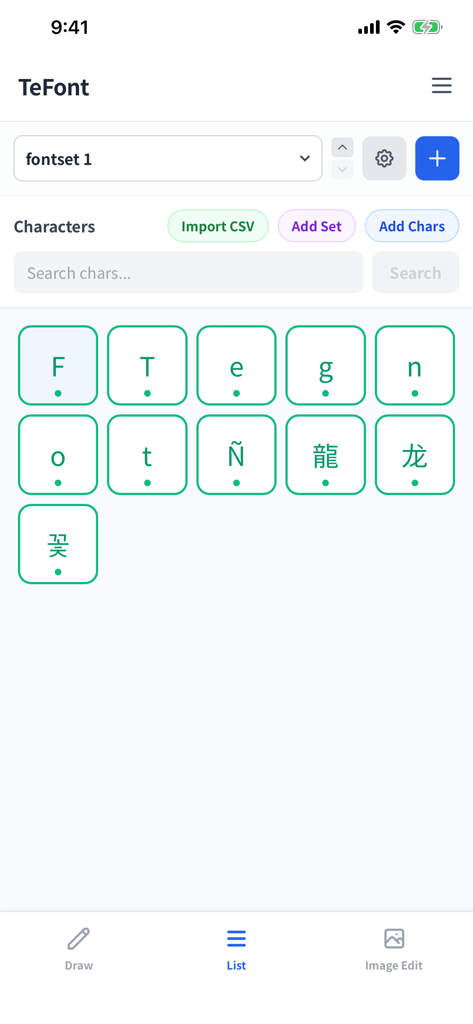
TeFont app interface showing a grid of characters for a custom handwriting font project

TeFont app interface showing a grid of characters for a custom handwriting font project

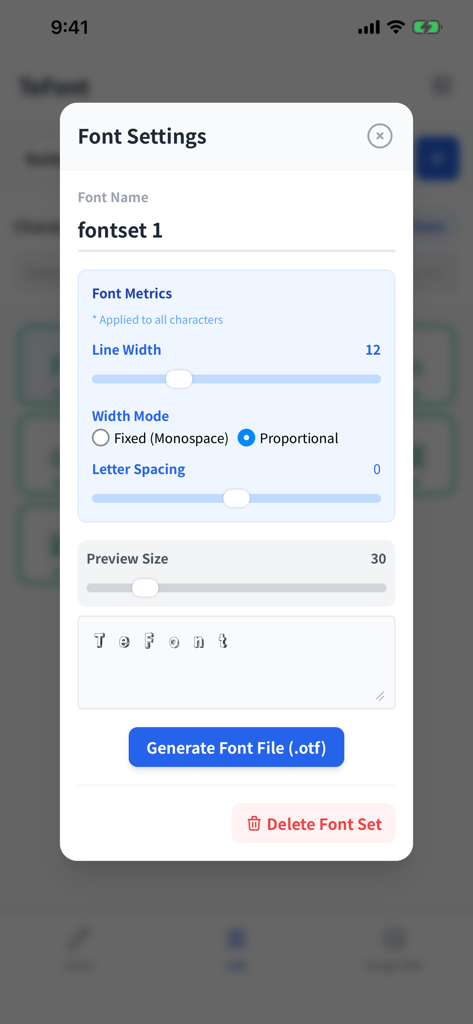
Font settings menu in the TeFont app for adjusting line width and exporting a custom otf font file.

Font settings menu in the TeFont app for adjusting line width and exporting a custom otf font file.

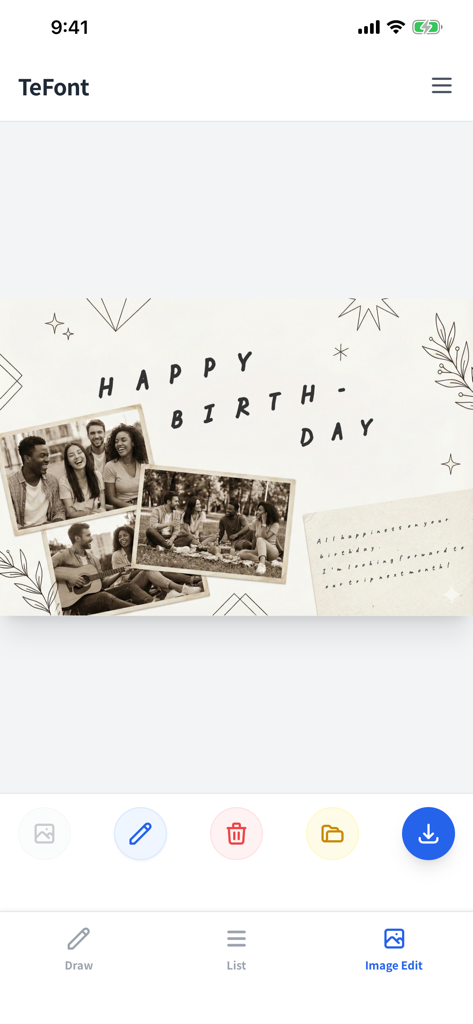
TeFont app interface showing a birthday card design created with custom handwriting and photos

TeFont app interface showing a birthday card design created with custom handwriting and photos

Craft Your Signature Aesthetic

The tools that make this app stand out, trusted by 0 users.

🖋️

Your Hand, Your Brand

Transform your unique handwriting into professional .otf font files instantly. No PC or bulky software required—just you and your Apple Pencil.

🎨

All-In-One Creative Studio

Design stunning social media posts and level up your digital planners. Use your custom fonts to edit photos and create a cohesive visual identity.

Animate Your Vibe

Turn your strokes into custom handwriting GIFs. Add a warm, human touch to your TikToks and Reels with motion that static text can't match.

About the app

Everything you need to know about TeFont.

Description

Complete on iPhone / iPad. Your personal Handwriting Font Creator & Design Tool. No paper, scanner, or PC software needed. Just write in the app to create your own original OpenType font file (.otf). Now featuring photo editing and animation creation tools—express yourself fully with just one app. [Features of TeFont] ■ All-in-One Mobile Studio Write, adjust, and export—everything happens on your iPhone or iPad. Use your created fonts instantly within the app for design work, or export them to your PC for use in Word, Illustrator, and more. ■ [NEW] Design Directly in the App Use your fonts to edit photos instantly. Google Fonts are also supported. Add handwritten messages to your memories and share them on social media without leaving the app. Perfect for creating greeting cards and digital notes. ■ [NEW] Bring Text to Life with Animation Export your handwriting strokes as an Animation GIF. Perfect for video materials or SNS stickers. Convey the warmth of handwriting through motion—something static images can't do. ■ Create Only What You Need No need to fill out thousands of character slots. Create a font with just the characters you need for a logo or a specific message. With support for multiple project saves, you can manage separate font sets for logos, diaries, and more. ■ Digital Expressiveness Supports Apple Pencil pressure sensitivity. Even on iPhone or with finger input, the "Velocity Sensitivity" feature mimics stroke weight based on drawing speed, allowing anyone to create expressive, fountain-pen-like text. [Key Functions] - Generate OpenType fonts (.otf) - Photo text editor (Typography on images) - Generate Handwriting Animation GIFs - Save and manage multiple font projects - Pressure sensitivity / Velocity-based stroke adjustment - Fine-tune weight and kerning (Individual character adjustment supported) - Traceable sample guides (Perfect for preserving a child's handwriting) - Multilingual support (English, Japanese, Chinese, Spanish, Korean) [Price] One-time purchase (No subscriptions or extra fees) Start expressing yourself with "TeFont" today.

Latest Version

2.0

Size

4.2 MB

First Released

Feb 2, 2026

Own Your Handwriting, Own Your Tools

Transform your signature style into a custom font and professional animations. No subscriptions, no hidden fees—just pure creative freedom on your iPhone and iPad.

App information, icons, screenshots, and descriptions displayed on this page are sourced from the Apple App Store and are the property of their respective developers. Download estimates and rankings are based on MWM's proprietary models and may not reflect actual figures. This page is provided for informational and analytical purposes only.

Believe this page infringes your intellectual property? File a dispute