
This page is not an official page of the app or its developer, but an independent editorial publication created for informational and commentary purposes. Unless expressly stated otherwise, neither the app nor its developer is affiliated with, endorsed by, sponsored by, authorized by, or otherwise officially connected with MWM, Apple, Google Play, the app publisher, or the app's developer, and nothing on this page implies that the app was developed using MWM's services. Any trademarks, logos, screenshots, and other content remain the property of their respective owners.


TesCam Studio
Synchronize all 6 camera angles, overlay real-time telemetry, and create stunning social media clips with interactive maps. Built for privacy, performance, and the ultimate Tesla power user.
Downloads
500User Rating
Total Ratings
0Publisher
Category
Photo & VideoLocales
1Latest Version
1.2Size
74.7 MBFirst Released
Jan 13, 2026Advanced Tools for the Data-Driven Driver
TesCam Studio bridges the gap between raw recordings and professional insights, offering the ultimate suite for Tesla analysis and high-tech content creation.
Synchronized Multi-Cam View
Monitor all 6 camera angles simultaneously with perfect frame-sync. Scrub through Front, Back, Pillar, and Repeater views in one unified interface.
Dynamic Telemetry Overlays
Visualize your drive with real-time data overlays. Show your exact speed, steering wheel rotation, pedal inputs, and FSD status directly on your footage.
Frequently Asked Questions
Everything you need to know about TesCam Studio
What is TesCam Studio?
TesCam Studio is an application designed for viewing, analyzing, and sharing Tesla dashcam footage. It transforms TeslaCam recordings into videos with real-time telemetry overlays and synchronized multi-camera playback.
Does TesCam Studio require a subscription or internet connection?
No, TesCam Studio does not require an account, subscription, or an internet connection for playback. All footage is processed and stored locally on your device.
What camera angles does TesCam Studio support for playback?
TesCam Studio supports synchronized playback of all six Tesla camera angles: Front, Back, Left & Right Pillar, and Left & Right Repeater. Users can view them simultaneously or in fullscreen.
Can I view my Tesla's telemetry data with TesCam Studio?
Yes, TesCam Studio displays real-time telemetry data. This includes speed, steering inputs, brake and accelerator pedal usage, gear position, turn signals, and Autopilot/FSD status indicators.
What video editing features does TesCam Studio offer?
TesCam Studio offers a professional video editor with seven multi-camera layouts, portrait/landscape modes, drag-and-drop telemetry overlays, minimap, timestamp, and watermark customization. Users can also save custom templates.
Can TesCam Studio manage Sentry Mode recordings?
Yes, TesCam Studio provides a Sentry Mode Recap feature. Users can quickly review Sentry events, filter by time or trigger reason, and browse recordings efficiently without opening individual clips.
Is it possible to combine multiple TeslaCam clips in TesCam Studio?
Yes, TesCam Studio allows users to merge adjacent clips into longer videos. This functionality is part of its smart clip management system, simplifying footage organization.
Does TesCam Studio support iCloud Drive for managing footage?
Yes, TesCam Studio includes full iCloud Drive support. Users can stream or download their TeslaCam footage directly from iCloud for seamless management.
What devices are compatible with TesCam Studio?
TesCam Studio is designed for iPhone, iPad, and Mac devices. It supports input from Tesla USB drives, iCloud folders, and videos saved to the Camera Roll.
Does TesCam Studio handle user data securely or locally?
TesCam Studio processes and stores all footage locally on your device. No account is required, and playback does not need an internet connection, ensuring your data remains private and secure.
The following screenshots and description are sourced directly from the app's official store listing and are the property of the app developer.
App Store
Screenshots
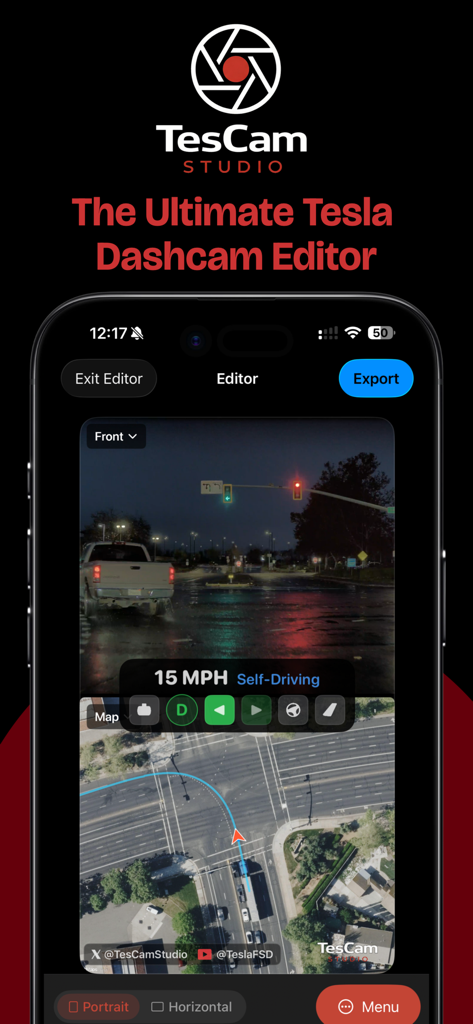
TesCam Studio app interface showing synchronized Tesla dashcam footage with speed telemetry and satellite map
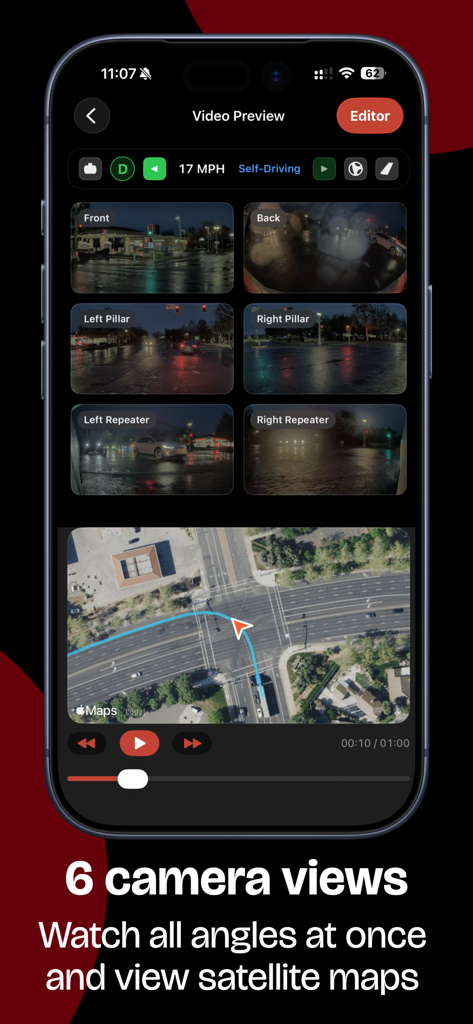
TesCam Studio app interface with six synchronized Tesla camera views and an interactive satellite map.
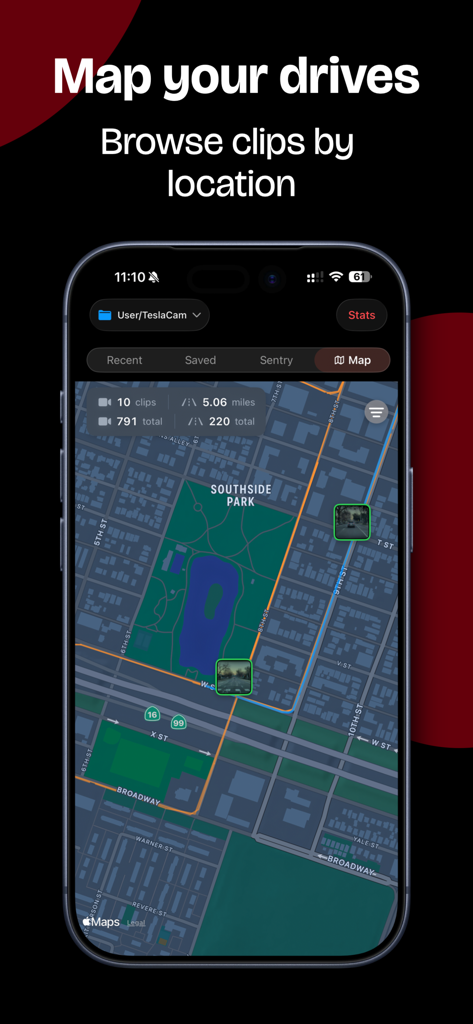
TesCam Studio app interface showing a map of a drive with pins representing dashcam clips at specific locations
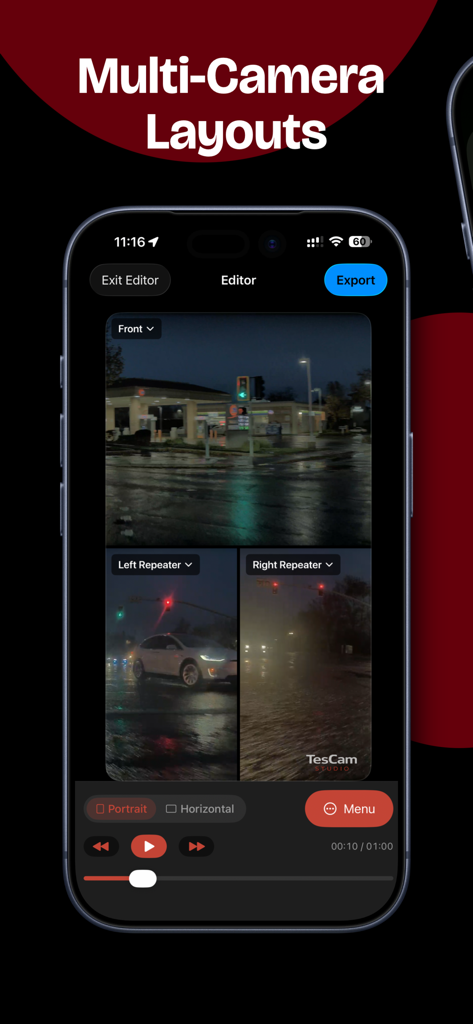
A mobile app interface showing a multi-camera video editor layout with synchronized Tesla dashcam feeds
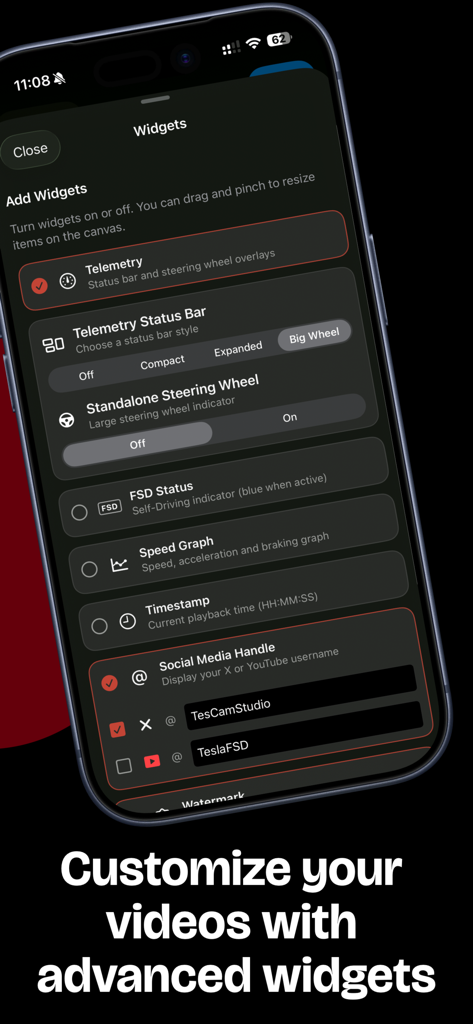
Interface of TesCam Studio showing various widget customization options for Tesla dashcam videos including telemetry and social media handles
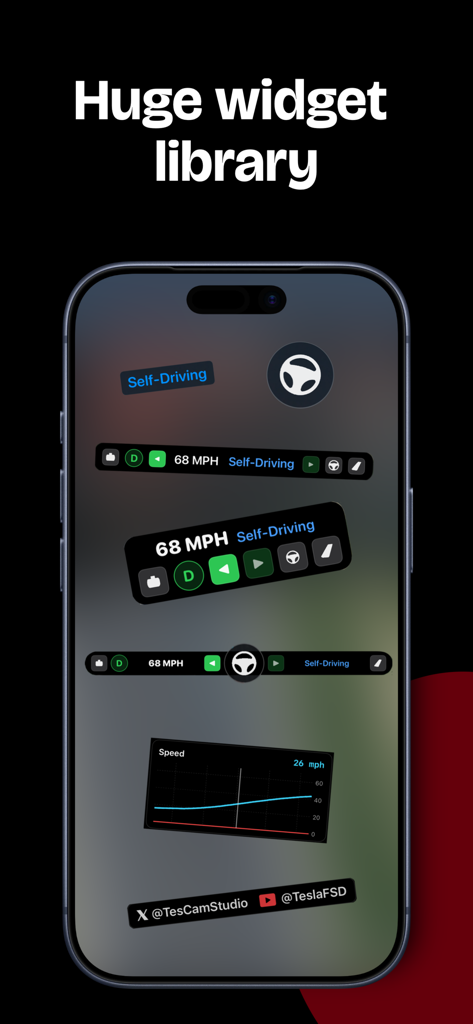
A library of customizable telemetry widgets for Tesla dashcam footage including speed displays, steering wheel icons, and driving mode indicators.
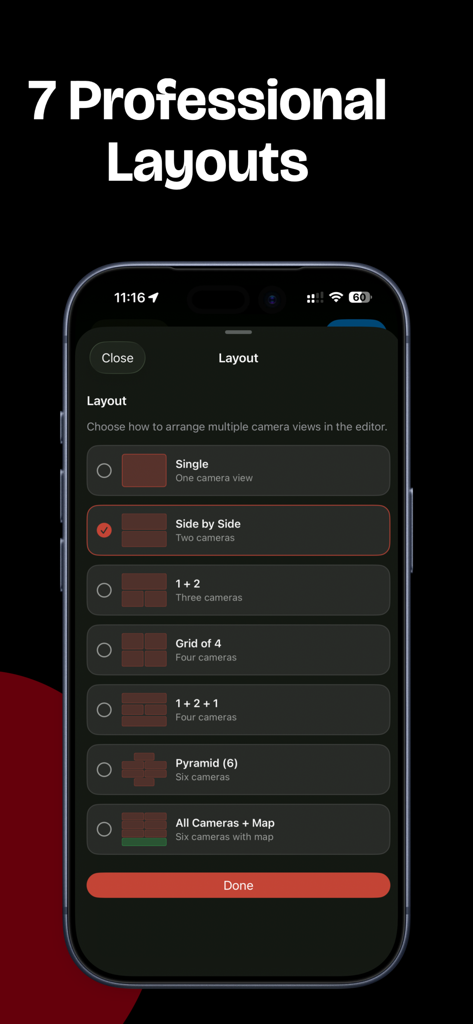
Layout selection screen in TesCam Studio showing multi-camera viewing options for Tesla dashcam footage.
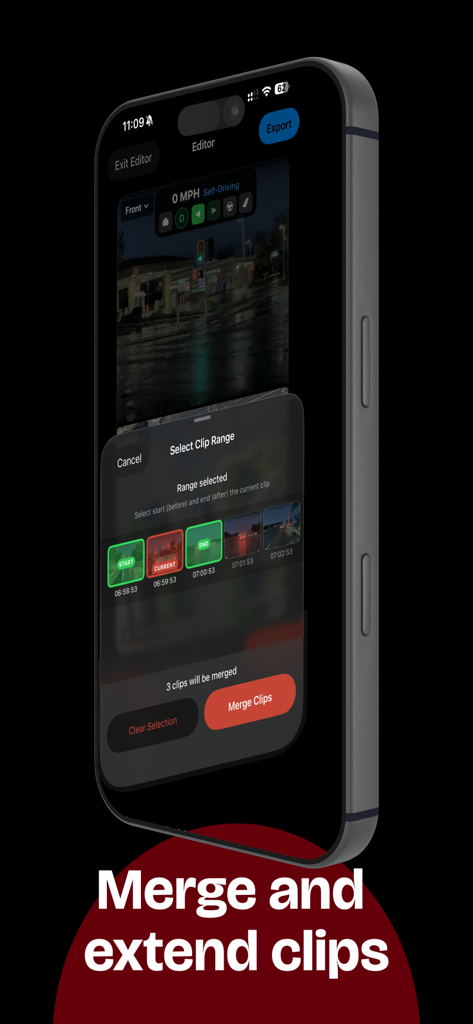
TesCam Studio mobile app interface for selecting and merging multiple Tesla dashcam clips
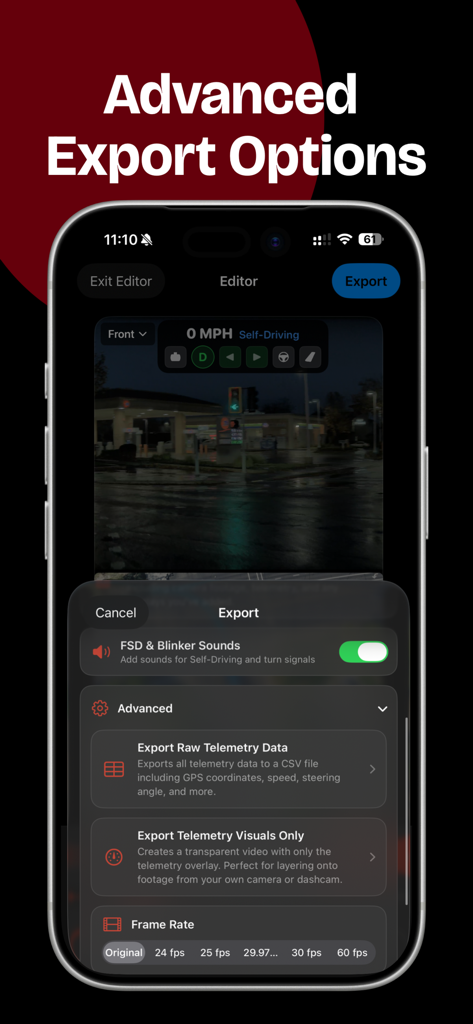
TesCam Studio app interface showing advanced export options for Tesla dashcam footage including raw telemetry data and frame rate settings
Description
Download
More Like This
Top-ranked apps in the same category

CapCut: Photo & Video Editor
BYTEDANCE PTE. LTD.

Instagram, Inc.

YouTube
Google LLC

Canva: AI Photo & Video Editor
Canva Pty Ltd

Snapchat
Snap, Inc.

快手
Beijing Kwai Technology Co., Ltd.

Edits: Video Editor
Instagram, Inc.

Meitu- AI Photo & Video Editor
Xiamen Meitu Technology Co., Ltd.

Google Photos: Backup & Edit
Google LLC
This page is not an official page of the app or its developer, but an independent editorial publication created for informational and commentary purposes. Unless expressly stated otherwise, neither the app nor its developer is affiliated with, endorsed by, sponsored by, authorized by, or otherwise officially connected with MWM, Apple, Google Play, the app publisher, or the app's developer, and nothing on this page implies that the app was developed using MWM's services. Any trademarks, logos, screenshots, and other content remain the property of their respective owners.