
This page is not an official page of the app or its developer, but an independent editorial publication created for informational and commentary purposes. Unless expressly stated otherwise, neither the app nor its developer is affiliated with, endorsed by, sponsored by, authorized by, or otherwise officially connected with MWM, Apple, Google Play, the app publisher, or the app's developer, and nothing on this page implies that the app was developed using MWM's services. Any trademarks, logos, screenshots, and other content remain the property of their respective owners.


The Tape Measure & 3D Scanner
Stop guessing. This app turns your phone into a spatial super-tool, eradicating measurement errors.
Downloads
5M+User Rating
Total Ratings
6.9KPublisher
Category
UtilitiesLocales
12Latest Version
2.9.6Size
122.1 MBFirst Released
Jul 3, 2021An in-depth evaluation of functionalities crucial for homeowners, designers, and real estate professionals.
Key Analytical Features of The Tape Measure & 3D Scanner
AR-Powered Object and Space Measurement
The app provides precise measurement of lengths, heights, and areas in real-time using augmented reality, transforming a smartphone into a virtual tape measure for various personal and professional projects.
3D Room Scanning and Model Generation (LiDAR)
It leverages LiDAR technology to scan rooms and generate detailed 3D models, offering advanced spatial analysis for design, renovation, and property assessment.
Automated Floor Plan Creation
This tool allows users to generate comprehensive floor plans, automatically calculating perimeter, square footage, and ceiling height, streamlining spatial planning.
Detailed Floor Plan Customization
It enables users to add specific architectural elements like doors and windows to their floor plans, enhancing realism and accuracy for planning and visualization.
Flexible Unit Switching (Imperial & Metric)
The app supports seamless switching between Imperial (ft, in) and Metric (m, cm) units, catering to diverse project requirements and international standards.
Measurement Storage and Sharing
It provides functionalities to store, organize, export, and share measurements and floor plans via various platforms, facilitating collaboration and record-keeping.
Frequently Asked Questions
Everything you need to know about The Tape Measure & 3D Scanner
How does "The Tape Measure & 3D Scanner" app work?
The Tape Measure & 3D Scanner (AR Ruler) turns your smartphone into a virtual measuring tape using augmented reality. It accurately measures length, height, and area of objects both horizontally and vertically.
What types of measurements can "The Tape Measure & 3D Scanner" perform?
The Tape Measure & 3D Scanner performs measurements including length, height, area of objects, perimeter, square footage, and ceiling height for floor plans.
Can "The Tape Measure & 3D Scanner" switch between measurement units?
Yes, "The Tape Measure & 3D Scanner" allows users to switch between Imperial (feet, inches) and Metric (meters, centimeters) units for all measurements.
Can users create floor plans with "The Tape Measure & 3D Scanner" app?
Yes, users can create detailed floor plans with Layout PRO using "The Tape Measure & 3D Scanner". This includes adding doors and windows, with automatic calculation of perimeter, square footage, and ceiling height.
Does "The Tape Measure & 3D Scanner" support LiDAR scanning for 3D models?
Yes, "The Tape Measure & 3D Scanner" includes LiDAR Scanning functionality. This feature allows users to scan a room and obtain a 3D model.
What additional tools are included in "The Tape Measure & 3D Scanner" app?
The Tape Measure & 3D Scanner app includes a Digital Ruler for measuring objects and distances, and a Level Tool that functions as a digital bubble level.
Which features require a subscription in "The Tape Measure & 3D Scanner"?
A subscription to "The Tape Measure & 3D Scanner" unlocks features such as Layout PRO floor plans, adding doors and windows, the Ruler, the Level Tool, and LiDAR scanning for 3D models.
Where can I find the privacy policy for "The Tape Measure & 3D Scanner" app?
The privacy policy for "The Tape Measure & 3D Scanner" app is available at the following URL: https://pp.roomplanner.site.
Can measurements taken with "The Tape Measure & 3D Scanner" be shared?
Yes, measurements from "The Tape Measure & 3D Scanner" can be exported or shared via email, social media, and messengers. Users can also take screenshots for quick sharing.
Does "The Tape Measure & 3D Scanner" allow users to store their measurements?
Yes, "The Tape Measure & 3D Scanner" allows users to store and organize their measurements directly within the application for future access.
The following screenshots and description are sourced directly from the app's official store listing and are the property of the app developer.
App Store
Screenshots
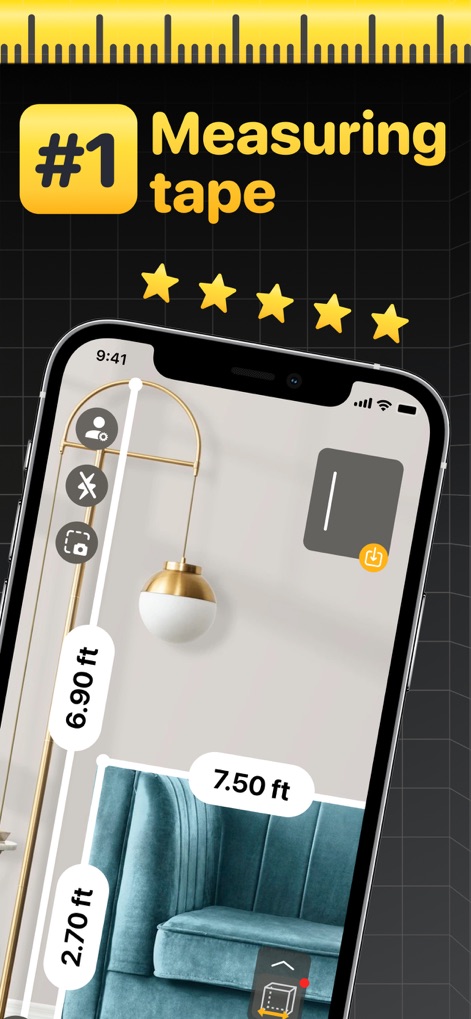
See how the app precisely measures object dimensions in real-time, displaying both horizontal and vertical distances like 6.90 ft and 7.50 ft.
AR Measurement Made Easy
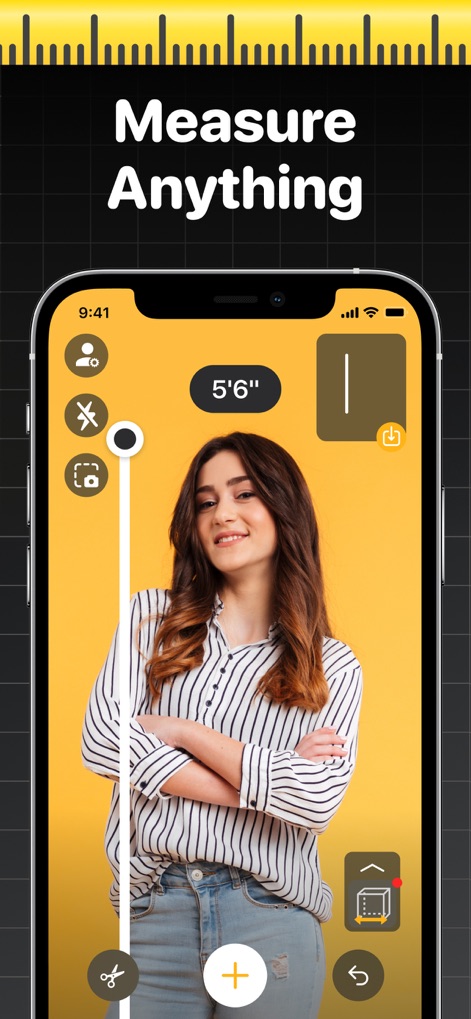
This tool allows users to measure various objects with ease, such as a person's height, clearly showing the measurement in feet and inches like 5'6".
Effortless Object Sizing
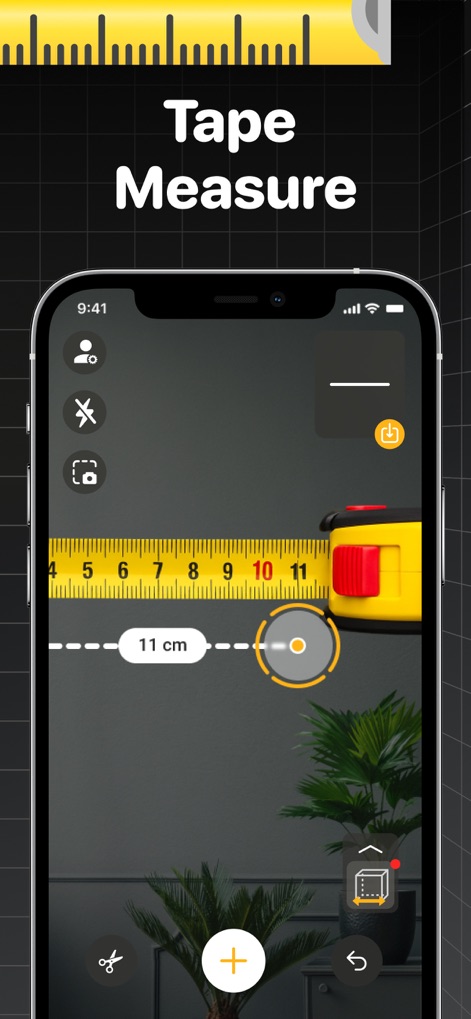
Observe the app's intuitive digital tape measure function, which provides precise measurements in centimeters (e.g., 11 cm) overlaid onto real-world objects.
Classic Ruler Integration
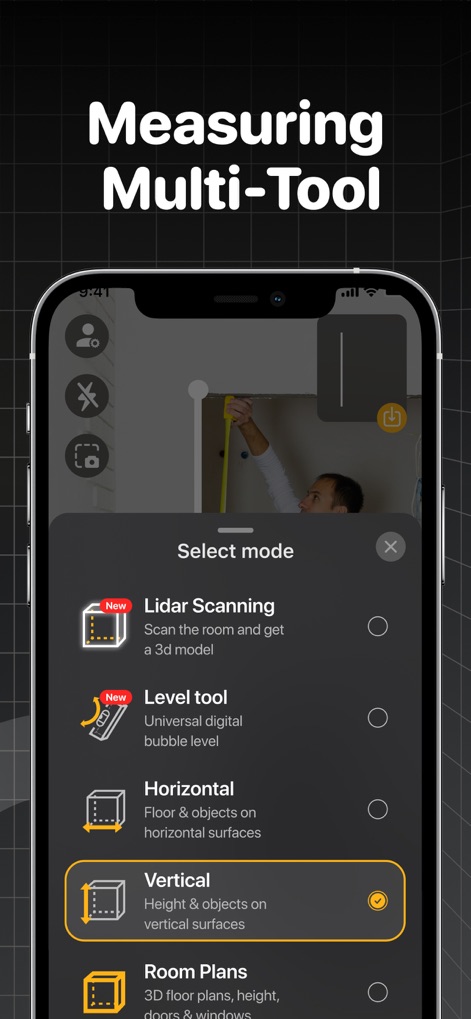
Explore the app's comprehensive selection menu, offering various measurement modes including Lidar Scanning for 3D models and precise Vertical measurements.
Versatile Measuring Modes

Discover how the app utilizes the device's camera for accurate measurements, highlighting distinct object dimensions such as 1.9 ft and 3.00 ft on a wall-mounted picture.
Camera-Powered Dimensions
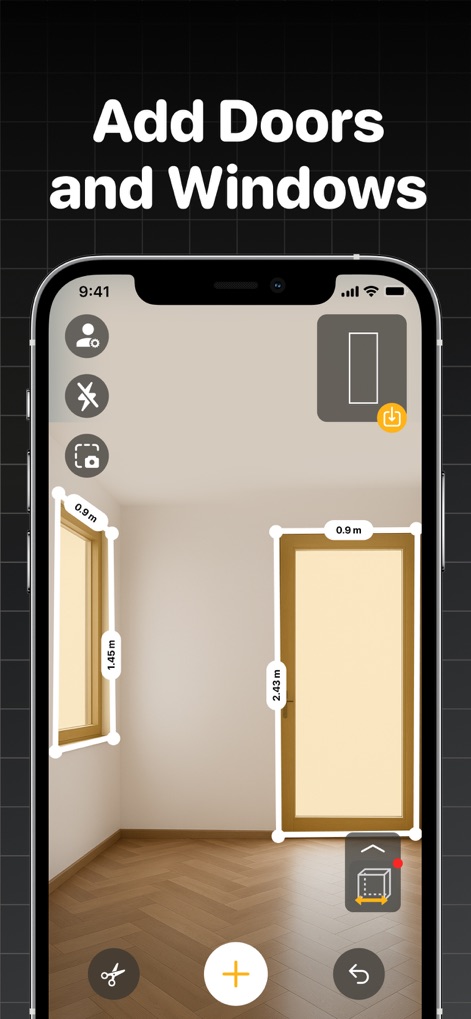
This tool enables users to augment floor plans by adding architectural features like doors and windows, complete with their precise metric dimensions (e.g., 0.9 m and 1.45 m).
Detailed Room Planning
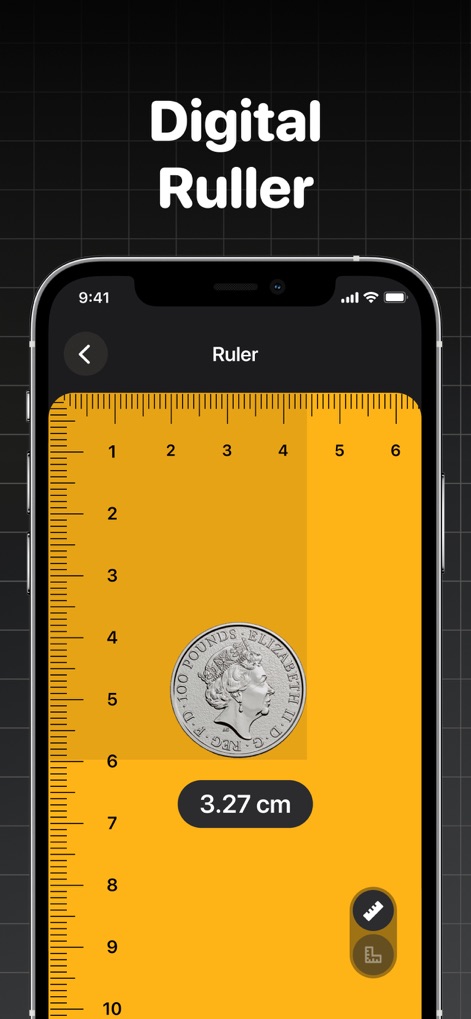
The app offers a convenient digital ruler for small-scale measurements, allowing users to precisely gauge items like a coin at 3.27 cm.
Pocket Digital Ruler
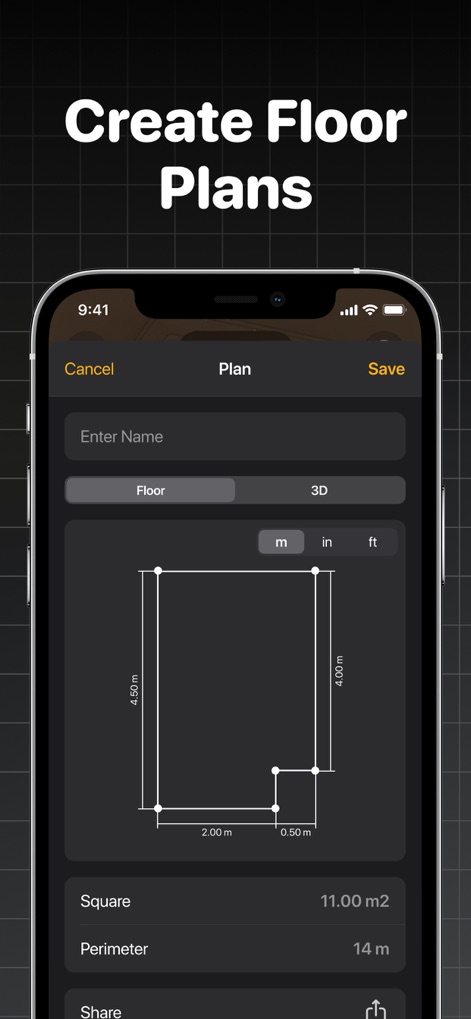
Users can effortlessly generate detailed floor plans, inputting dimensions in meters (e.g., 4.50 m by 4.00 m) and instantly viewing calculated square footage.
Floor Plan Generation
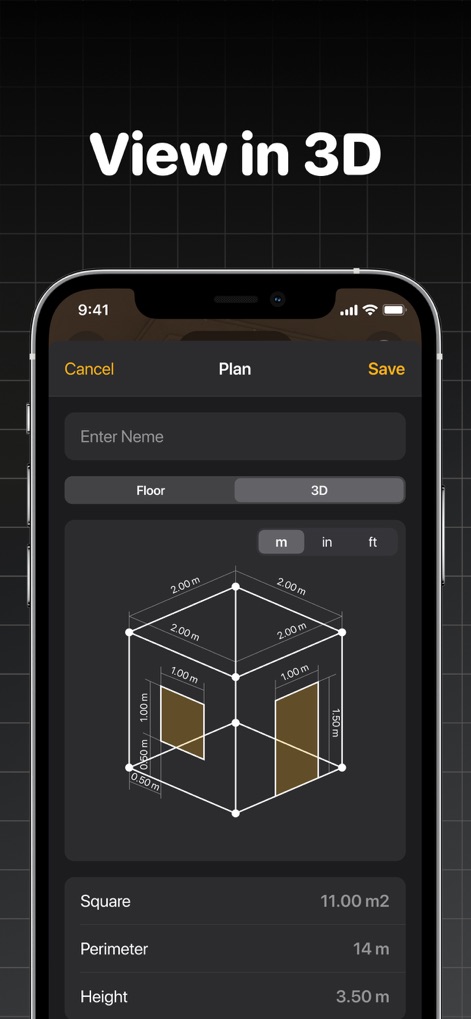
The app provides an immersive 3D visualization of created floor plans, showcasing room dimensions and features with precise measurements like 2.00 m lengths and 3.50 m heights.
Immersive 3D Visualization
Description
Download
More Like This
Apps with similar features and user experience

Pocket Bubble Level XXL
ExaMobile S.A.

Measuring Tape +ㅤ
Rocket Apps GmbH

CamToPlan - 3D Scanner & LiDAR
Tasmanic Editions

Tape Measure: AR Ruler
Veysel OTI

Home Planner - AI Room Design
Room Planner Ltd

Polycam 3D Scanner, LiDAR, 360
Polycam Inc.

Measuring Tape+ Measure AR app
MEASURE TECH SOCIEDAD LIMITADA

Tape Measure®
AI Photo Editor Lab SRL

Bubble Level for iPhone
Lemondo Apps LLC
This page is not an official page of the app or its developer, but an independent editorial publication created for informational and commentary purposes. Unless expressly stated otherwise, neither the app nor its developer is affiliated with, endorsed by, sponsored by, authorized by, or otherwise officially connected with MWM, Apple, Google Play, the app publisher, or the app's developer, and nothing on this page implies that the app was developed using MWM's services. Any trademarks, logos, screenshots, and other content remain the property of their respective owners.