
This page is not an official page of the app or its developer, but an independent editorial publication created for informational and commentary purposes. Unless expressly stated otherwise, neither the app nor its developer is affiliated with, endorsed by, sponsored by, authorized by, or otherwise officially connected with MWM, Apple, Google Play, the app publisher, or the app's developer, and nothing on this page implies that the app was developed using MWM's services. Any trademarks, logos, screenshots, and other content remain the property of their respective owners.


TIM – QQ办公简洁版
Cut the noise. This app offers direct access to productivity, leaving distractions behind.
Downloads
10M+User Rating
Total Ratings
40.9KPublisher
Category
BusinessLocales
2Latest Version
4.1.0Size
347.0 MBFirst Released
Mar 1, 2017An analytical overview of the app's core functionalities for professionals, educators, and students.
Key Features of TIM – QQ办公简洁版
Collaborative Document Editing
The app allows multiple users to co-author Word and Excel documents in real-time and provides various templates, significantly enhancing team collaboration and project efficiency.
QQ Integration & Multi-device Sync
The app provides seamless integration with existing QQ contacts and chat history, ensuring continuity across multiple devices for convenient communication.
Enhanced Account Security & Device Management
This tool features comprehensive account security upgrades, including more secure login methods and the ability to manage online devices, safeguarding user information and privacy.
Real-time Audio/Video Conferencing
It allows users to conduct real-time audio and video calls for individuals or groups, facilitating stress-free remote meetings and discussions essential for teamwork and distance learning.
Cloud File Storage & Management
The app enables users to easily save and store files from chats or local storage to a cloud drive, ensuring important documents are accessible anytime and anywhere for long-term retention.
Integrated To-Do List Management
This tool features the ability to create and manage to-do items anytime, anywhere, helping users stay organized and efficient with their work, study, and daily tasks.
Schedule & Event Management
It allows users to create and view schedules, ensuring important dates and appointments are tracked effectively, thus helping in time management.
Content Collection & Editing
The app provides functionality to collect and save text, images, and links, supporting secondary editing to help users organize and refine important information for various purposes.
Frequently Asked Questions
Everything you need to know about TIM – QQ办公简洁版
What is TIM – QQ办公简洁版?
TIM is an instant messaging application developed by Tencent, focused on efficient communication and multi-person collaboration. It features a clean interface and simple operations to enhance office, study, and daily life efficiency.
Does TIM sync with QQ friends and messages?
Yes, TIM supports direct QQ login. It synchronizes your QQ friends and chat messages across multiple devices, facilitating convenient communication.
Can I make group video calls with TIM?
Yes, TIM supports real-time voice and video conference calls for two or more participants, enabling smooth communication for remote meetings without pressure.
How does TIM – QQ办公简洁版 enhance account security?
TIM enhances account security by upgrading its capabilities. This includes supporting more secure login methods, enabling users to manage online devices, and providing a comprehensively improved reporting system.
Does TIM have a to-do list feature?
Yes, TIM includes a dedicated To-Do feature. Users can create and manage their to-do items anytime and anywhere, helping to organize daily tasks and schedules effectively.
Can TIM users collaborate on documents?
Yes, TIM integrates with Tencent Docs. This allows multiple users to simultaneously edit Word and Excel documents online and provides various templates for efficient team collaboration.
Does TIM – QQ办公简洁版 offer a dark mode?
Yes, TIM offers a dark mode interface for users. This feature provides an alternative visual theme, as depicted within the application's user interface.
How do I manage logged-in devices in TIM?
TIM allows users to manage their logged-in devices. From the account security settings, users can view active sessions and transfer files between devices.
Can I customize the font in TIM?
Yes, TIM provides customizable font settings. Users can select various font styles and adjust the font size to their preference, enhancing readability within the app.
What types of files can be saved to the cloud in TIM?
TIM enables users to easily save both chat-received files and local files directly to a cloud drive. This ensures long-term storage and convenient access at any time.
The following screenshots and description are sourced directly from the app's official store listing and are the property of the app developer.
App Store
Screenshots

Users can efficiently navigate their message conversations through the clear message list and utilize the integrated search bar for quick contact or chat retrieval.
Streamlined Messaging Hub
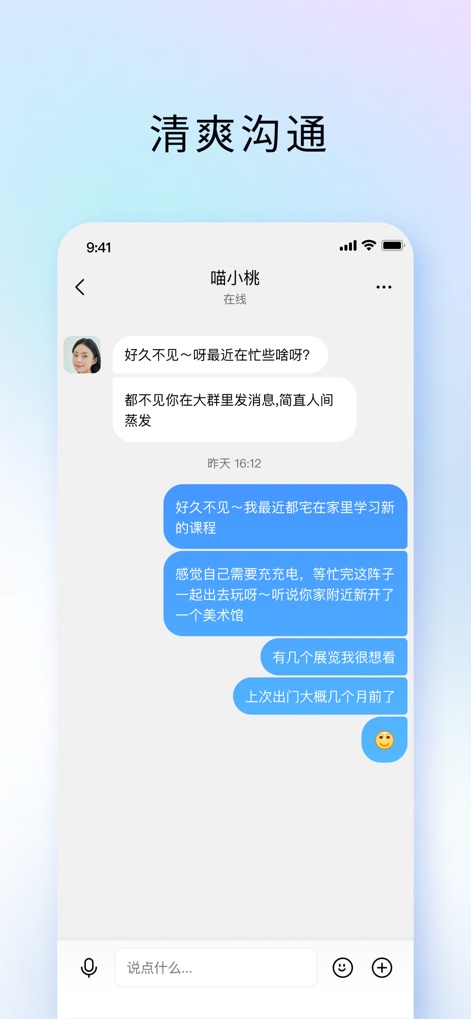
This tool provides a clean chat interface for direct messaging, featuring intuitive speech bubbles and quick access to the message input field and attachment options.
Clear Communication Flow
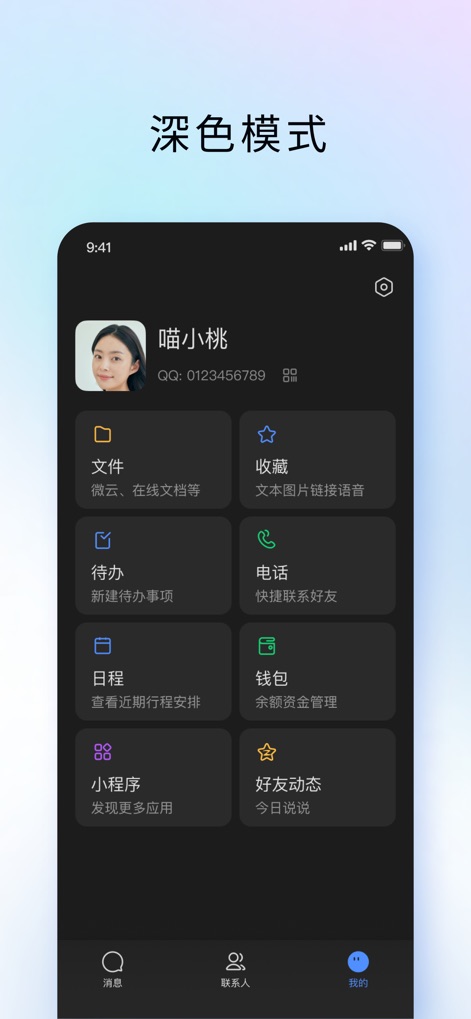
Observe the sleek Dark Mode interface, showcasing organized functional cards such as 'Files' for document management and 'To-Do' for efficient task tracking.
Enhanced Productivity Dashboard
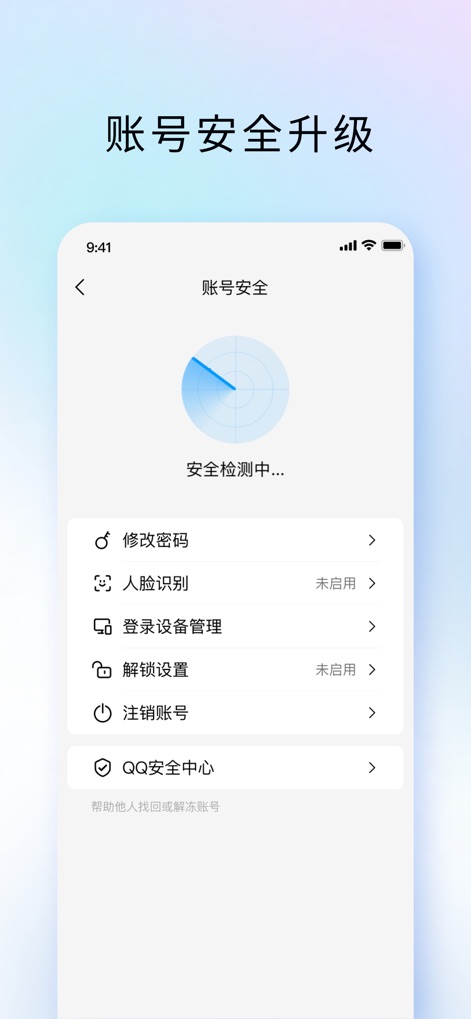
The app offers comprehensive account security settings, featuring a real-time security scan and detailed management of logged-in devices.
Robust Security Controls
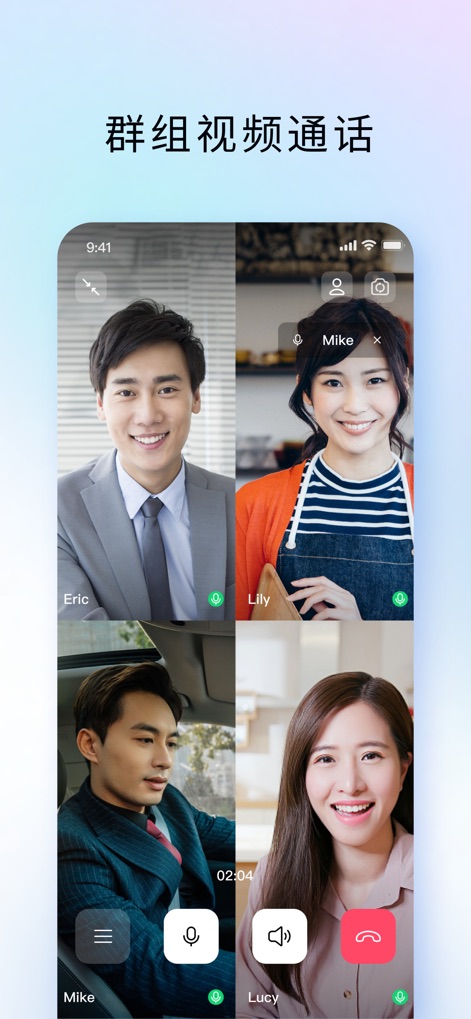
Experience crystal-clear multi-participant video calls, where users can effortlessly manage their microphone status and view multiple participants in a dynamic grid layout.
Seamless Group Conferencing

This feature enables effortless cross-device file transfer, allowing users to send files between their mobile and desktop clients and manage logged-in devices like Windows and iPad.
Cross-Platform File Sync
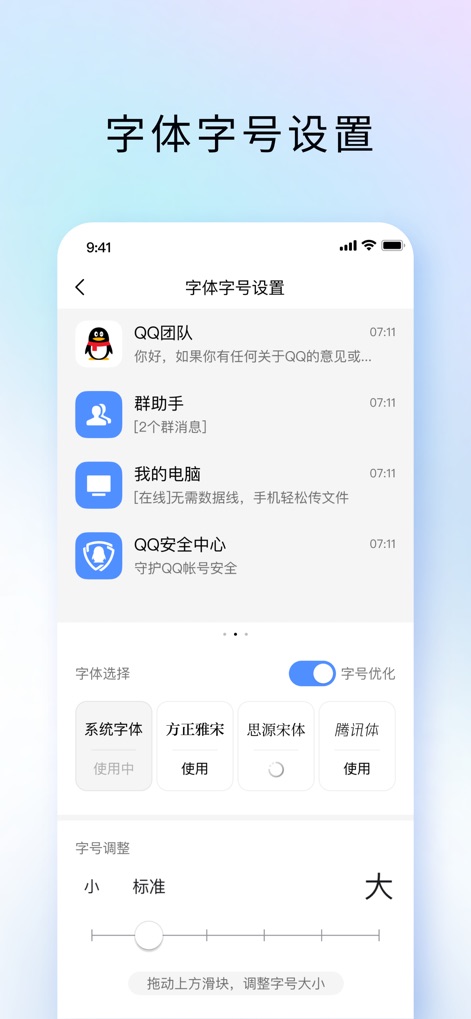
Users can customize their viewing experience with various font selections like 'System Font' and precisely adjust the text size using an intuitive slider control.
Personalized Text Display
Description
Download
More Like This
Apps with similar features and user experience

GoTo
GoTo Group, Inc.

Lark - Team Collaboration
LARK TECHNOLOGIES PTE. LTD.

RingCentral
RingCentral, Inc

MTS Link
VEBINAR TEKHNOLOGII, OOO

Pronto Team Communication
Hit Labs, Inc.

Zoho Cliq - Team Communication
Zoho Corporation

Microsoft Teams
Microsoft Corporation

Zoom Workplace
Zoom Communications, Inc.

Google Meet
Google LLC
This page is not an official page of the app or its developer, but an independent editorial publication created for informational and commentary purposes. Unless expressly stated otherwise, neither the app nor its developer is affiliated with, endorsed by, sponsored by, authorized by, or otherwise officially connected with MWM, Apple, Google Play, the app publisher, or the app's developer, and nothing on this page implies that the app was developed using MWM's services. Any trademarks, logos, screenshots, and other content remain the property of their respective owners.