Time Card Calculator App

Time Card Calculator App


Download on App Store
Logo of Time Card Calculator App

Time Card Calculator App: Accurate Work Hours and Overtime Tracker

Stop guessing your paycheck. Automatically calculate breaks, decimal hours, and California overtime rules to ensure you get paid every cent you have earned.

Download on App Store

Publisher

Maksym Ronshyn

Category

Utilities

Downloads

100

User Rating

1.0/5

Total Ratings

0

Locales

1

Accuracy at a Glance

Discover the interface used by 100 users.
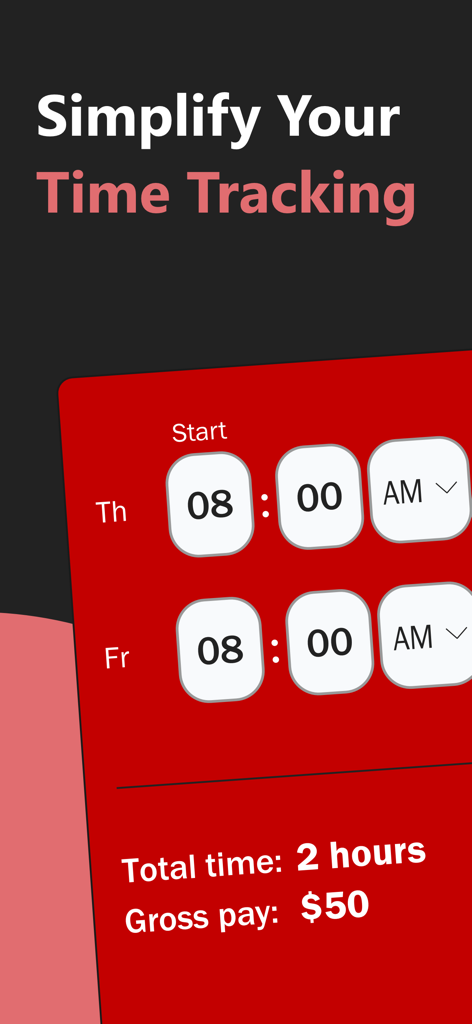
Interface of the Time Card Calculator app showing total work hours and gross pay calculation

Interface of the Time Card Calculator app showing total work hours and gross pay calculation

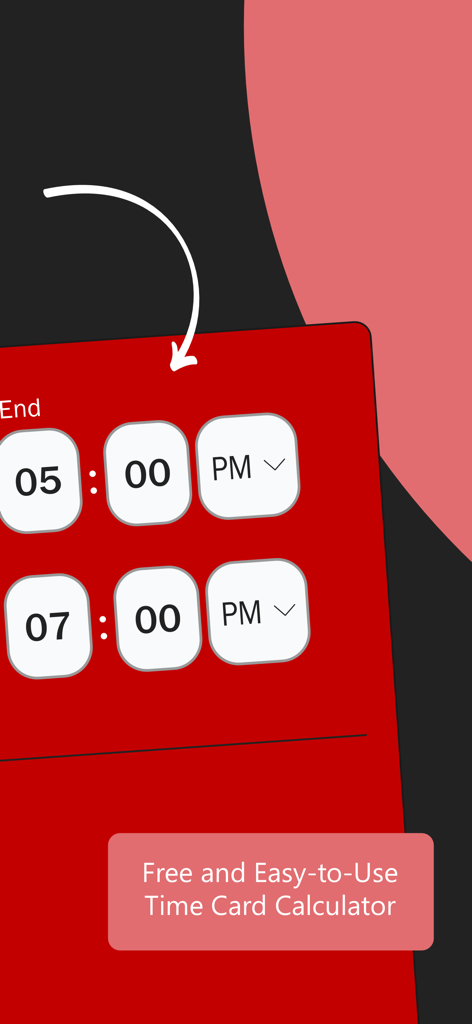
User interface of the Time Card Calculator app displaying shift start and end times

User interface of the Time Card Calculator app displaying shift start and end times

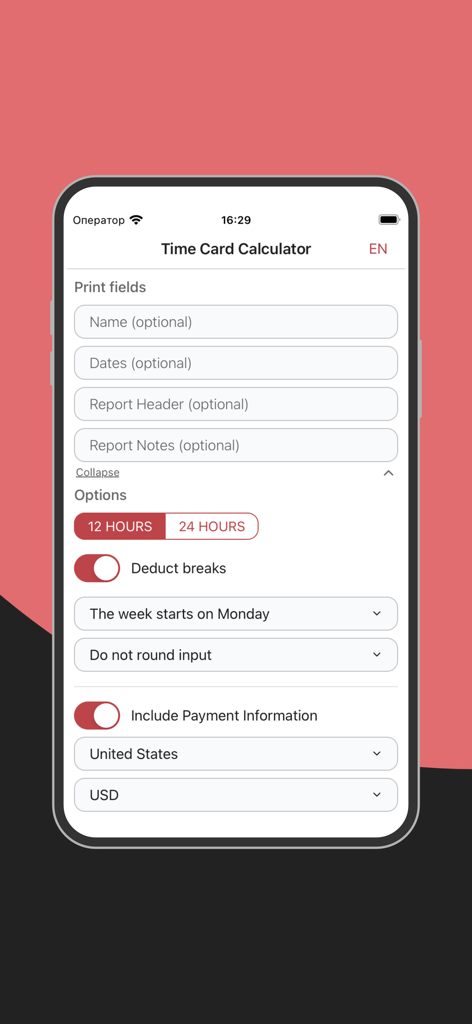
Interface of the Time Card Calculator app showing setup options for print fields, time format, and payment settings.

Interface of the Time Card Calculator app showing setup options for print fields, time format, and payment settings.

Master Your Paycheck with Precision

The tools that make this app stand out, trusted by 100 users.

⚖️

Automated Overtime Logic

Never miss out on extra pay. Our calculator handles complex daily, weekly, and California-specific overtime rules automatically.

🔢

Payroll-Ready Decimals

Instantly convert your hours into decimal format for seamless entry into ADP, Gusto, or any official payroll system.

📄

Professional Exports

Keep a digital paper trail. Generate and share PDF or Excel reports to resolve pay disputes or invoice clients with confidence.

About the app

Everything you need to know about Time Card Calculator App.

Description

Simplify your work hours and pay calculations with our Time Card Calculator. Accurately track your work hours, breaks, and overtime effortlessly. Our Time Card Calculator is the ultimate tool for managing your work hours and payroll. Whether you need to calculate time cards for biweekly periods, include lunch breaks, or handle military time, our free time card calculator does it all. This comprehensive app is designed for employees and employers who want to streamline their time tracking and payroll processes. Features: - Comprehensive Time Card Calculation: Easily calculate work hours, including regular and overtime hours, using our time card calculator. Whether you need a biweekly time card calculator or a calculator with lunch breaks, we've got you covered. - Break Management: Deduct breaks, including lunch and other breaks, from your total work hours. Perfect for those who need a time card calculator with lunch breaks. - Flexible Time Formats: Our calculator supports both 12-hour and 24-hour (military) time formats, making it versatile and user-friendly. - Decimal Calculations: Convert your work hours into decimal format for easy payroll processing. Our decimal time card calculator ensures accuracy in your calculations. - Customizable Options: Set your start day of the week, choose between rounding options (5 minutes, 15 minutes, 30 minutes, 1 hour), and select your currency for payment calculations. - Overtime Calculation: Calculate overtime based on daily or weekly hours, including options for California overtime rules. - Export and Print: Export your calculated time cards to Excel or PDF for easy sharing and printing. - Multi-Language Support: Available in multiple languages, making it accessible to users around the world. - Cross-Platform Availability: Use our time card calculator on iPhone. Why Choose Our Time Card Calculator? 1. Accurate and Reliable: Ensure your time calculations are precise, avoiding payroll errors. 2. User-Friendly Interface: Simple, intuitive design makes it easy to input your work hours and breaks. 3. Free to Use: Enjoy the benefits of a free time card calculator without any hidden costs. 4. Versatile: Suitable for employees, freelancers, and employers across various industries. 5. Time-Saving: Streamline your payroll process, saving time and reducing administrative overhead. How to Use: 1. Input Your Details: Enter your name, dates, and any report notes you want to include. 2. Set Your Preferences: Choose your time format (12-hour or 24-hour), set the start day of your work week, and select your rounding options. 3. Enter Your Hours: Input your start and end times, including any breaks or lunch periods. 4. Calculate: Let the app do the work. It will calculate your total hours, including regular and overtime, in both hours and decimal format. 5. Export Your Data: Save your calculations as an Excel or PDF file, or print them directly from the app. Whether you are tracking hours for hourly employees, need a biweekly time card calculator with lunch breaks, or are looking for a time card punch calculator, our app has all the tools you need to manage your work hours efficiently. Say goodbye to manual calculations and hello to accuracy and convenience. Download our Time Card Calculator today and take control of your work hours and payroll with ease!

Latest Version

1.0.14

Size

29.7 MB

First Released

Oct 10, 2024

Take Control of Your Work Hours and Your Pay

Join thousands of hourly professionals who trust our calculator for 100% accuracy. Download today to track breaks, calculate overtime, and export your reports in seconds.

Download on App Store
FAQ

Frequently Asked Questions

Everything you need to know about Time Card Calculator App

Is the Time Card Calculator App free to use?

Yes, the Time Card Calculator App is free to use. It provides comprehensive features for managing work hours and payroll without any hidden costs or subscriptions.

What time formats does the Time Card Calculator App support?

The Time Card Calculator App supports both 12-hour and 24-hour (military) time formats. Users can easily switch between these options within the app's settings.

Can the Time Card Calculator App deduct lunch breaks?

Yes, the Time Card Calculator App includes break management functionality. Users can enable the 'Deduct breaks' option in the app's settings to automatically subtract lunch and other break periods.

Does the Time Card Calculator App calculate overtime hours?

Yes, the Time Card Calculator App calculates overtime. It supports daily or weekly overtime rules, including specific regulations like California overtime, for accurate payroll processing.

How can I export my time card data from the Time Card Calculator App?

Users can export calculated time card data from the Time Card Calculator App. It supports exporting to Excel or PDF formats for easy sharing. Direct printing functionality is also available.

What rounding options are available in the Time Card Calculator App?

The Time Card Calculator App offers customizable rounding options. Users can choose to round input hours to 5 minutes, 15 minutes, 30 minutes, or 1 hour according to their payroll needs.

Can I track gross pay with the Time Card Calculator App?

Yes, the Time Card Calculator App tracks gross pay. It includes an option to enable payment information, allowing users to select their currency and view calculated gross earnings.

Is the Time Card Calculator App available on iPhone?

Yes, the Time Card Calculator App is available on iPhone. It provides cross-platform accessibility, ensuring users can manage their time tracking directly from their mobile device.

How do I set my preferences for calculations in the Time Card Calculator App?

To set preferences, access the options within the Time Card Calculator App. Here, users configure time format (12/24-hour), specify the start day of the week, and select rounding preferences.

Can the Time Card Calculator App convert hours to decimal format?

Yes, the Time Card Calculator App converts work hours into decimal format. This feature ensures accuracy and simplifies payroll processing for various accounting systems.

App information, icons, screenshots, and descriptions displayed on this page are sourced from the Apple App Store and are the property of their respective developers. Download estimates and rankings are based on MWM's proprietary models and may not reflect actual figures. This page is provided for informational and analytical purposes only.

Believe this page infringes your intellectual property? File a dispute