TinyPOS:Make & Print Bills
Download on App Store

This page is not an official page of the app or its developer, but an independent editorial publication created for informational and commentary purposes. Unless expressly stated otherwise, neither the app nor its developer is affiliated with, endorsed by, sponsored by, authorized by, or otherwise officially connected with MWM, Apple, Google Play, the app publisher, or the app's developer, and nothing on this page implies that the app was developed using MWM's services. Any trademarks, logos, screenshots, and other content remain the property of their respective owners.


Logo of TinyPOS:Make & Print Bills
Download on App Store

TinyPOS:Make & Print Bills

Turn your iPhone or iPad into a powerful, offline-ready POS system. Simplify accounting, manage inventory, and print bills in seconds—no internet or expensive hardware required.

Key Figures

Downloads

208K+

User Rating

4.8/5

Total Ratings

1K+

Publisher

志国 成

Category

Business

Locales

26

Latest Version

4.4.13

Size

8.3 MB

First Released

Nov 16, 2018
Features

Empower Your Business Anywhere

A streamlined Micro-POS designed for solopreneurs who need speed, offline reliability, and professional receipt printing without the enterprise price tag.

Rapid-Fire Sales Entry

Turn your device into a high-speed register with an interface as simple as a calculator, making checkout a breeze during your busiest rushes.

Bluetooth Printing & PDF Sharing

Connect to any standard Bluetooth thermal printer or share professional PDF receipts instantly via email or text to impress your customers.

The following screenshots and description are sourced directly from the app's official store listing and are the property of the app developer.

App Store

Screenshots
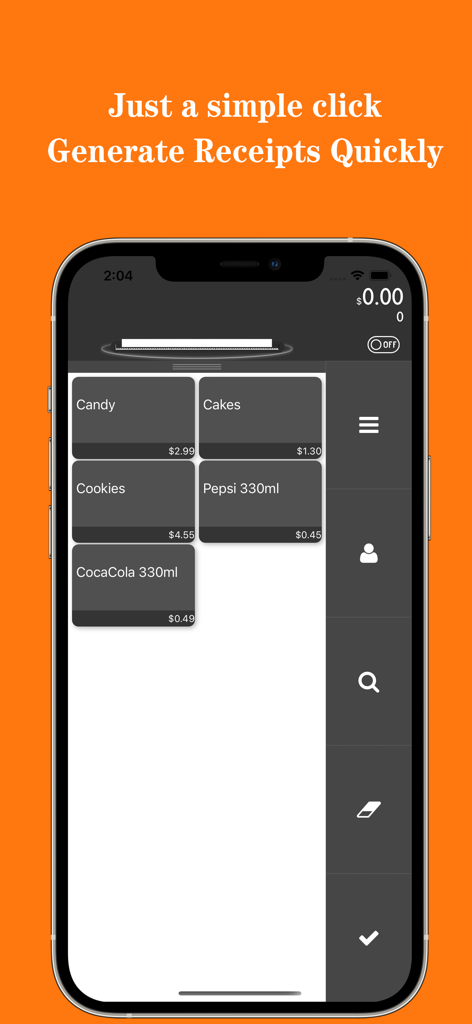
TinyPOS:Make & Print Bills - TinyPOS app interface showing a product selection grid for quick receipt generation
TinyPOS app interface showing a product selection grid for quick receipt generation

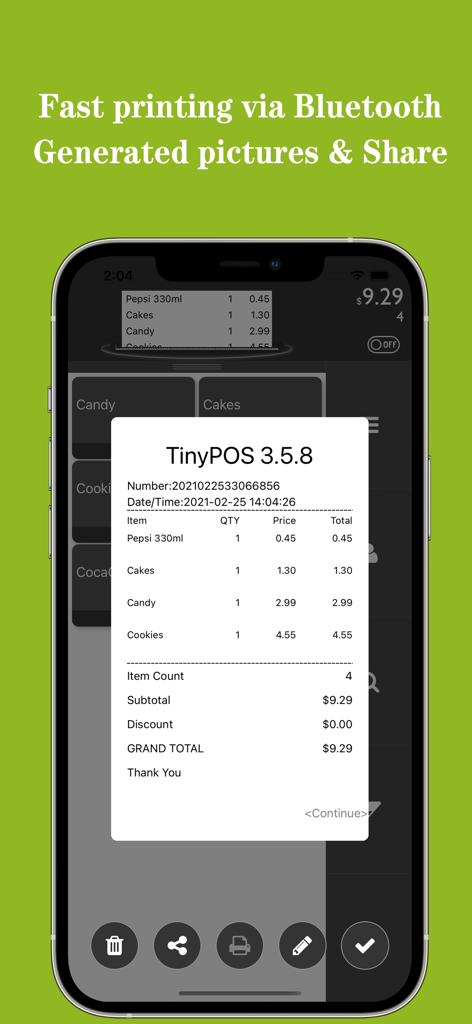
TinyPOS:Make & Print Bills - A mobile phone displaying a digital receipt from the TinyPOS app with sharing and printing options

A mobile phone displaying a digital receipt from the TinyPOS app with sharing and printing options
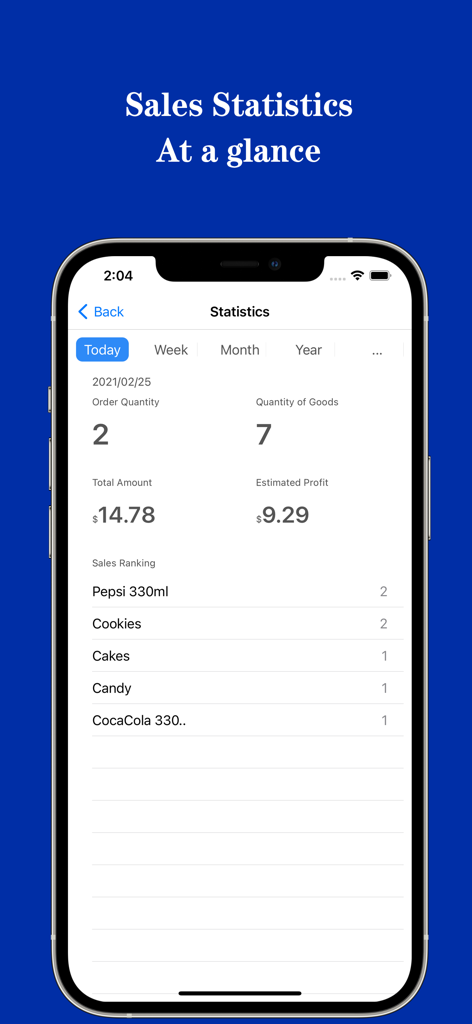
TinyPOS:Make & Print Bills - TinyPOS app screenshot showing daily sales statistics including total amount, profit, and top selling products
TinyPOS app screenshot showing daily sales statistics including total amount, profit, and top selling products

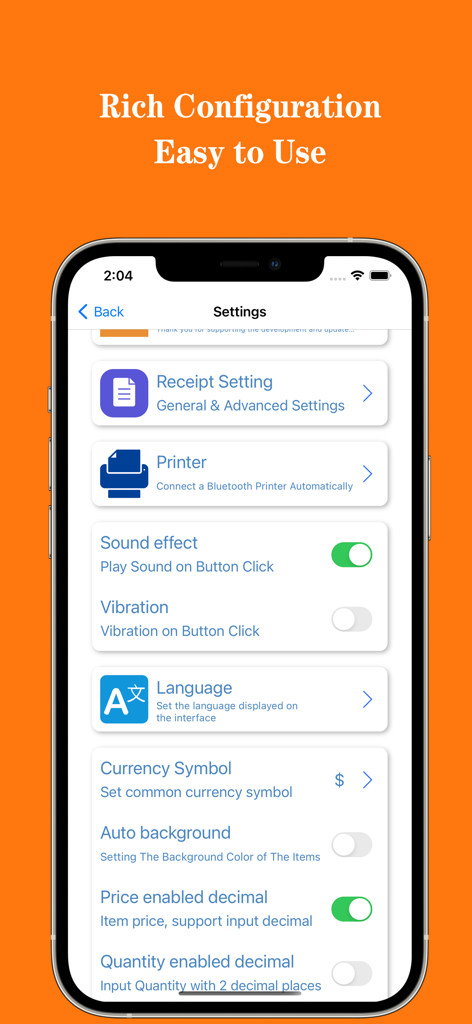
TinyPOS:Make & Print Bills - TinyPOS app settings screen for configuring receipts and bluetooth printers
TinyPOS app settings screen for configuring receipts and bluetooth printers

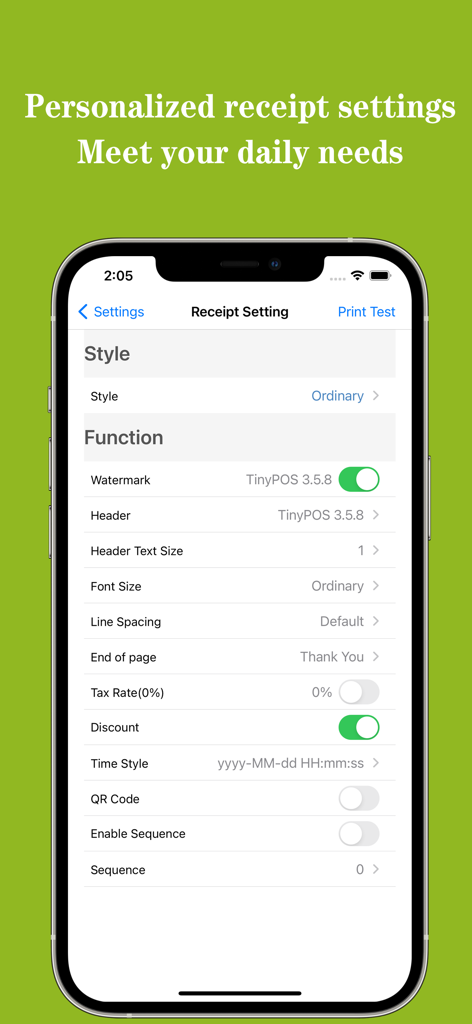
TinyPOS:Make & Print Bills - Personalized receipt settings menu in the TinyPOS app showing customization options for bill headers and footers.

Personalized receipt settings menu in the TinyPOS app showing customization options for bill headers and footers.

Description

TinyPOS is a powerful POS application for fast accounting, cash collection, and printing receipts (bills). You can easily use the TinyPOS to record sales information, check bills, and print receipts. It can help you save a lot of labor and time costs, while also allowing you to avoid additional hardware expenses. The TinyPOS is as simple as using a calculator. It only needs to click to record and manage. It is worth downloading and installing.TinyPOS can also print out your receipts (bills). If your printer supports the ESC/POS standard Bluetooth printing protocol, you can connect and use our APP. The TinyPOS has a friendly user interface, simple operation, and can be carried around without using the Internet, so there is no need to worry about data leakage. Make your business easier at your fingertips. Customer reviews: @Easy to use, clear content---Dege Kitchen @Not good at words I can only give a five-star praise! Communicate with the author and feedback a lot of questions. Hope to do better in the future. ! ---Lin Ze Xiangyang @The producer made the program very carefully, and has been improving it all the time! ---Chen Yanhan @The software is great, very practical, I have been looking for a long time---HUNIU The main function: ○Item information management, including name, price, discount, tax rate, product picture, sorting, classification, index, number, etc. ○Classification (grouping) information, you can quickly expand the classification by underscribing at the top of the product list on the main interface, and select products in a targeted manner. ○ Record sales information by clicking, as simple as using a calculator, and can add notes for products, temporarily modify prices, quantities, discounts, etc. It is also possible to record information on cashiers and change. ○Print receipts/bills with a Bluetooth printer, and additional information such as watermarks, headers, footers, etc. can be added to the invoices. and manage this information. ○ TinyPOS can personalize your currency symbol, language used, time and date style, precision of quantity and price, what to print, etc. ○You can connect your bluetooth printer through the TinyPOS, and you can make professional settings for the printer, you can adjust the printer's coding language, code page, printed line spacing, bill width, etc. ○The TinyPOS supports exporting receipts (bills) as pictures and PDF files, and can share them through files or images. ○TinyPOS provides professional statistical functions, which can automatically summarize and query sales information and provide reports. ○TinyPOS can backup and restore your data, which can facilitate you to share data between different devices or accounts. We provide reasonable paid-to-use features, please support our original work. The small fee you pay is the greatest encouragement to us! We offer the following auto-renewable items: Monthly VIP subscription (1 month), Seasonal VIP subscription (3 months), Annual VIP subscription (1 year) 1. You can try the VIP function of the APP for 7 days for free, and can cancel at any time 2. All payments will be made through the iTunes account to confirm the purchase 3. Subscription automatically renews unless auto-renew is turned off at least 24 hours before the end of the current subscription period 4. Account will be charged for next month's renewal within 24 hours before the end of the current subscription period 5. You can manage subscriptions and turn off automatic subscriptions in your iTunes account settings 6. The current subscription cannot be cancelled during the valid subscription period 7. Privacy Policy https://oppinfo.github.io/privacy.html 8. Terms of Service http://oppinfo.github.io/service.html Download and install TinyPOS now! Any questions will be answered quickly: iMessage: cenzigo@icloud.com Email: oppinfo@163.com

Download

Download on App Store

This page is not an official page of the app or its developer, but an independent editorial publication created for informational and commentary purposes. Unless expressly stated otherwise, neither the app nor its developer is affiliated with, endorsed by, sponsored by, authorized by, or otherwise officially connected with MWM, Apple, Google Play, the app publisher, or the app's developer, and nothing on this page implies that the app was developed using MWM's services. Any trademarks, logos, screenshots, and other content remain the property of their respective owners.