
This page is not an official page of the app or its developer, but an independent editorial publication created for informational and commentary purposes. Unless expressly stated otherwise, neither the app nor its developer is affiliated with, endorsed by, sponsored by, authorized by, or otherwise officially connected with MWM, Apple, Google Play, the app publisher, or the app's developer, and nothing on this page implies that the app was developed using MWM's services. Any trademarks, logos, screenshots, and other content remain the property of their respective owners.

To-Do List & Tasks for Notion
Stop fighting with clunky mobile databases. Sync your calendar, automate recurring tasks, and capture ideas in seconds with a sleek interface designed for Apple enthusiasts.
Downloads
329K+User Rating
Total Ratings
700Publisher
Category
ProductivityLocales
1Latest Version
1.6.7Size
211.2 MBFirst Released
Jan 5, 2022The Mobile-First Remote for Your Notion Workspace
Bridge the gap between your desktop databases and your iPhone. Experience lightning-fast task entry, calendar integration, and powerful automations designed for the high-achieving professional.
Lightning-Fast Task Entry
Bypass the lag of the native mobile app. Capture ideas and to-dos in seconds with a streamlined interface built for your on-the-go lifestyle.
The Missing Calendar Sync
The bridge Notion users have been waiting for. Sync your databases with Apple or Google Calendar to visualize your deadlines alongside your life.
Frequently Asked Questions
Everything you need to know about To-Do List & Tasks for Notion
What is the "To-Do List & Task for Notion" app?
To-Do List & Task for Notion is a powerful app designed to organize work and personal tasks. It features built-in automation tools for calendar and Notion integration, aiming to boost user productivity.
Does "To-Do List & Task for Notion" sync with calendars?
Yes, "To-Do List & Task for Notion" syncs with both Apple and Google Calendars. This feature helps users manage deadlines and schedules for projects and tasks efficiently.
Can I integrate Notion databases with "To-Do List & Task for Notion"?
Yes, "To-Do List & Task for Notion" integrates with Notion databases. This automation enhances productivity, making it convenient to manage Notion workflows directly from your iPhone.
Does "To-Do List & Task for Notion" support recurring tasks?
Yes, "To-Do List & Task for Notion" supports recurring tasks. Users can set up repetitive tasks to automate routine work, ensuring important deadlines are never missed.
How does "To-Do List & Task for Notion" handle task templates?
Yes, "To-Do List & Task for Notion" allows users to create templates for common tasks. This feature saves time by automatically handling recurring activities, enabling focus on other priorities.
Can I customize notifications in "To-Do List & Task for Notion"?
Yes, "To-Do List & Task for Notion" provides multiple customizable notification options. Users can select different timings and sounds to stay informed about tasks and deadlines.
Does the "To-Do List & Task for Notion" app support projects?
Yes, "To-Do List & Task for Notion" allows users to organize tasks into projects. This feature helps keep related tasks grouped, enhancing overall organization and management.
Is a Dark Mode available in "To-Do List & Task for Notion"?
Yes, "To-Do List & Task for Notion" includes a Dark Mode option. This feature allows users to adjust the app's visual theme to their preference.
Is "To-Do List & Task for Notion" affiliated with Notion?
No, "To-Do List & Task for Notion" is not affiliated with Notion. The app integrates with Notion but operates independently.
What are the privacy practices for "To-Do List & Task for Notion"?
"To-Do List & Task for Notion" provides a Privacy Policy available at the provided URL. This document outlines the app's data handling practices and user privacy details.
The following screenshots and description are sourced directly from the app's official store listing and are the property of the app developer.
App Store
Screenshots
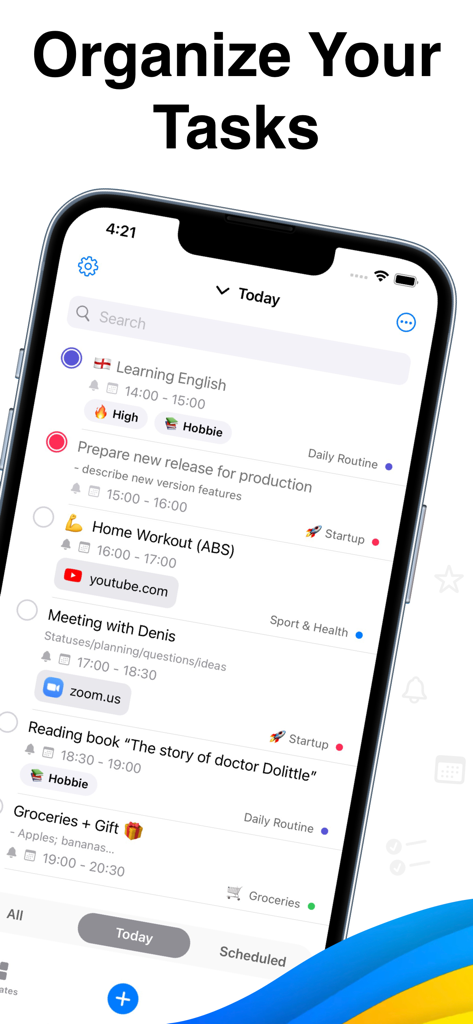
A smartphone showing an organized list of tasks and schedules for Notion.
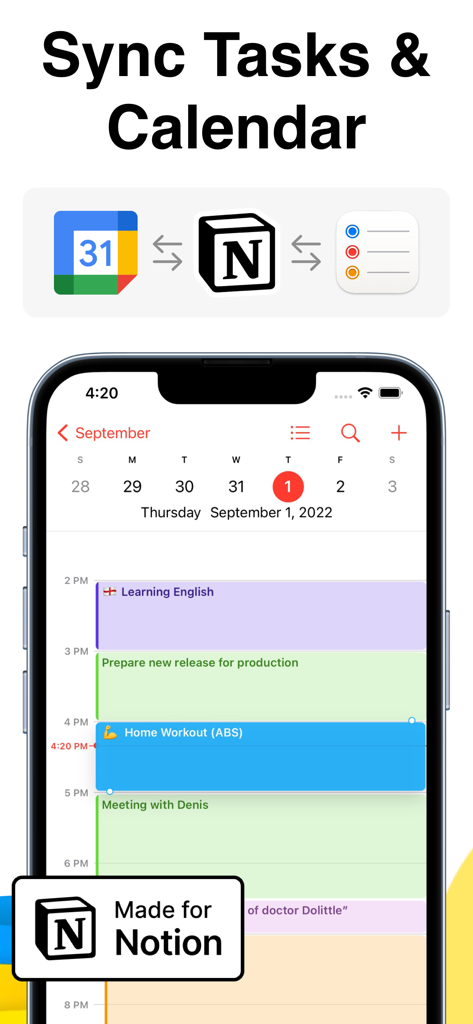
To-Do List and Tasks for Notion app interface showing calendar synchronization
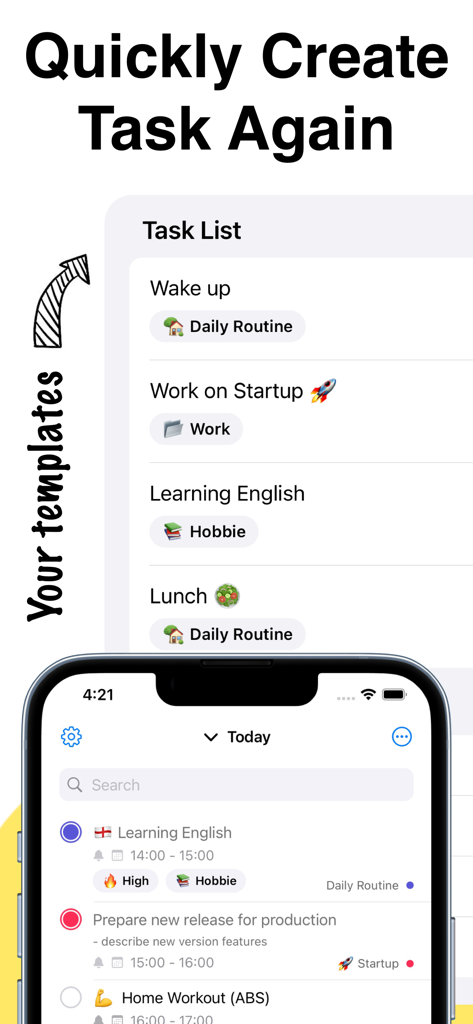
Mobile app interface showing task templates and a daily to-do list for Notion
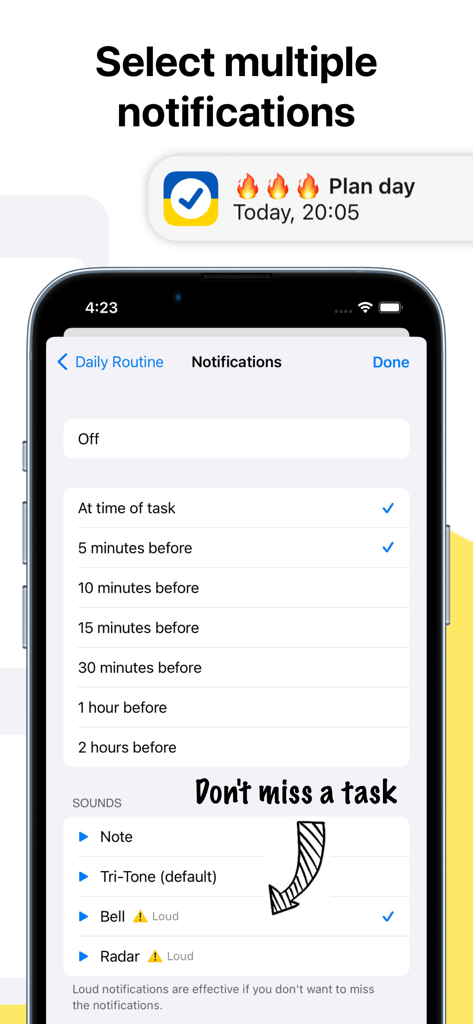
Notification settings screen for Notion task app showing multiple reminder options and sounds
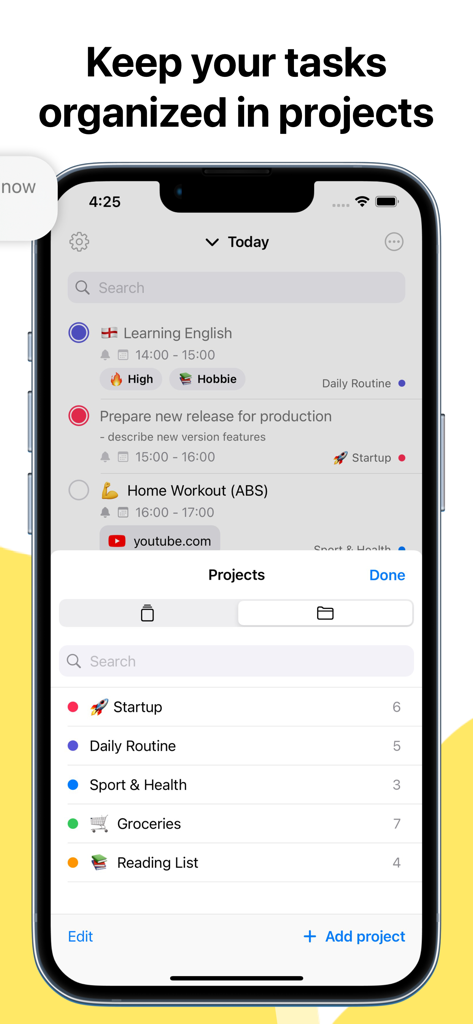
Interface of a task manager app for Notion showing tasks organized into project folders
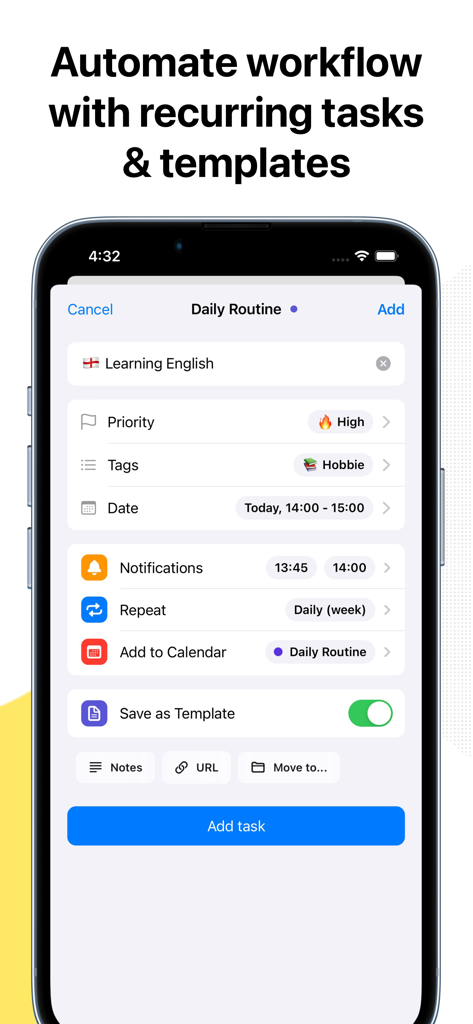
Mobile app interface for creating recurring tasks and templates with Notion integration.
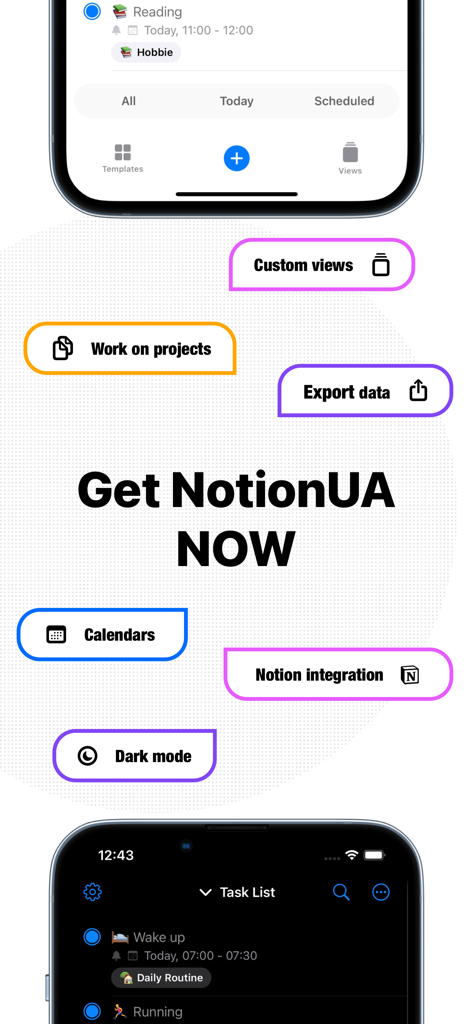
Promotional screen for Notion task app highlighting dark mode and calendar integrations
Description
Download
More Like This
Top-ranked apps in the same category

ChatGPT
OpenAI OpCo, LLC

Google Gemini
Google LLC

Grok
X.AI Corporation

Gmail - Email by Google
Google LLC

千问 - 阿里最强大模型官方AI助手
Shanghai Zhixin Puhui Technology Co., Ltd.

Google Drive
Google LLC

Microsoft Authenticator
Microsoft Corporation

Google Sheets
Google LLC

Google Docs
Google LLC
This page is not an official page of the app or its developer, but an independent editorial publication created for informational and commentary purposes. Unless expressly stated otherwise, neither the app nor its developer is affiliated with, endorsed by, sponsored by, authorized by, or otherwise officially connected with MWM, Apple, Google Play, the app publisher, or the app's developer, and nothing on this page implies that the app was developed using MWM's services. Any trademarks, logos, screenshots, and other content remain the property of their respective owners.