
This page is not an official page of the app or its developer, but an independent editorial publication created for informational and commentary purposes. Unless expressly stated otherwise, neither the app nor its developer is affiliated with, endorsed by, sponsored by, authorized by, or otherwise officially connected with MWM, Apple, Google Play, the app publisher, or the app's developer, and nothing on this page implies that the app was developed using MWM's services. Any trademarks, logos, screenshots, and other content remain the property of their respective owners.

Torque Pro : OBD2 Car Scanner
Stop guessing and start saving. Take control of your car's health with AI-powered mechanic insights, instant check engine light clearing, and professional-grade performance tracking for every drive.
Downloads
40K+User Rating
Total Ratings
500Publisher
Category
UtilitiesLocales
1Latest Version
3.3.39Size
90.9 MBFirst Released
Jun 13, 2024Take Full Control of Your Vehicle’s Health
From instant AI-powered diagnostics to real-time performance tracking, get professional-grade insights that save you time and money at the mechanic.
AI-Powered "Check Engine" Clarity
No more cryptic codes. Our AI Mechanic explains issues in plain English and provides expert repair recommendations instantly.
Real-Time Performance Dashboard
Monitor horsepower, torque, and 0-60 times with precision. Customize your digital cockpit to see exactly what matters to you.
Frequently Asked Questions
Everything you need to know about Torque Pro : OBD2 Car Scanner
What is Torque Pro: OBD2 Car Scanner?
Torque Pro: OBD2 Car Scanner transforms an iPhone into an automotive diagnostic companion. It provides comprehensive vehicle insights, AI-powered diagnostics, performance testing, and customizable dashboards for mechanics, enthusiasts, and everyday drivers.
Can Torque Pro clear a check engine light?
Yes, Torque Pro can read and clear trouble codes (DTCs) and reset the check engine light after addressing problems. This function is available directly within the app's comprehensive diagnostics features.
How does the AI Mechanic feature work in Torque Pro?
The AI Mechanic in Torque Pro provides plain-language trouble code explanations and repair recommendations. It also includes new features like full vehicle history reports, enhanced performance testing, and premium dashboard themes.
What types of vehicles are compatible with Torque Pro?
Torque Pro works with all OBD2-compliant vehicles (1996+ for US, 2001+ for EU). It is compatible with gasoline, diesel, hybrid, and many electric vehicles that are equipped with OBD2 ports.
What performance tests does Torque Pro provide?
Torque Pro offers advanced performance testing, including real-time dynamometer mode to calculate horsepower and torque curves. It also conducts 0-60 mph acceleration testing, quarter-mile estimations, and track mode for recording lap times.
Does Torque Pro require a separate OBD2 adapter?
Yes, Torque Pro requires a compatible OBD2 Bluetooth or Wi-Fi adapter (not included) connected to your vehicle's OBD port. It supports standard ELM327 and similar OBD2 adapters.
Can I customize the dashboard layout in Torque Pro?
Yes, Torque Pro offers multiple premium dashboard themes with customizable gauge layouts. Users can choose from professionally designed options such as Modern, Classic, Performance, and Minimal interfaces.
What are the subscription options for Torque Pro?
Torque Pro offers Weekly, Monthly, and Yearly Premium subscription options. Payments are charged to your Apple ID account, and subscriptions automatically renew unless auto-renewal is turned off at least 24 hours before the current period ends.
Can Torque Pro monitor custom PIDs?
Yes, Torque Pro allows users to create and monitor custom PIDs (Parameter IDs) for aftermarket sensors or specific vehicle functions. It also supports real-time graphing of these and other parameters simultaneously.
Does Torque Pro display real-time sensor data?
Yes, Torque Pro provides live sensor data with real-time updates and logging. It can display various parameters, such as RPM, vehicle speed, and throttle position, through real-time graphs and gauges.
The following screenshots and description are sourced directly from the app's official store listing and are the property of the app developer.
App Store
Screenshots
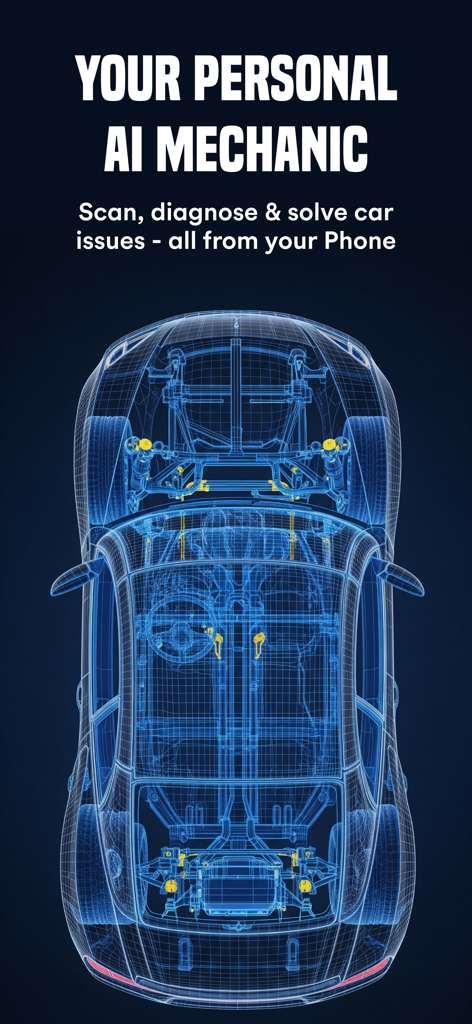
A blue wireframe car illustrating the Torque Pro AI mechanic diagnostics feature
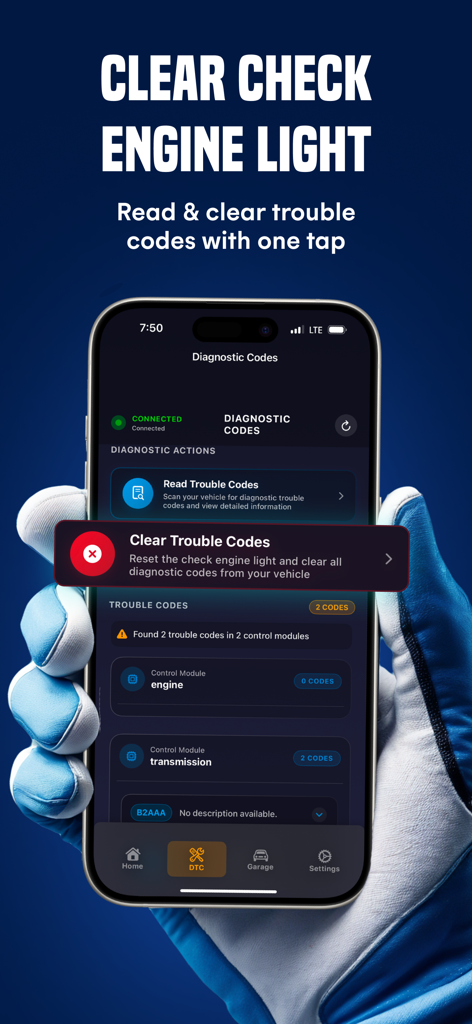
iPhone showing Torque Pro app interface to read and clear vehicle diagnostic trouble codes
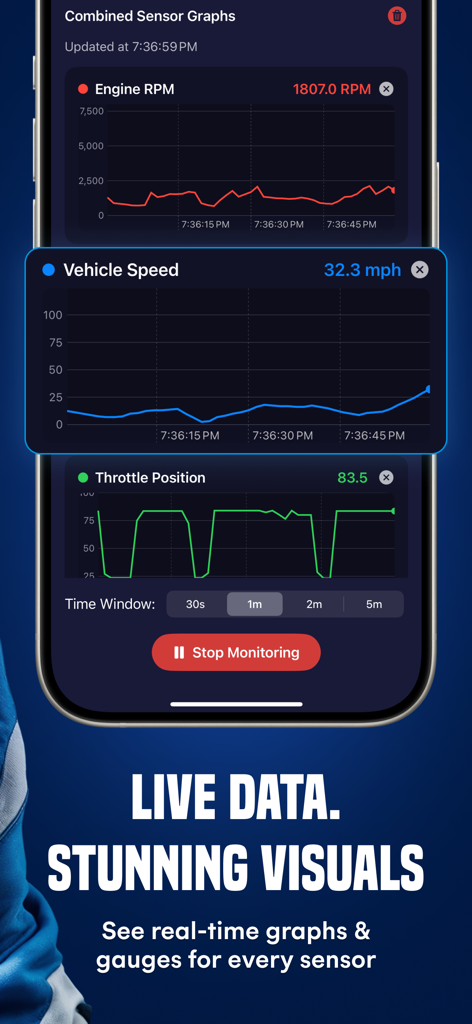
Real time sensor graphs for vehicle speed engine RPM and throttle position on a mobile device
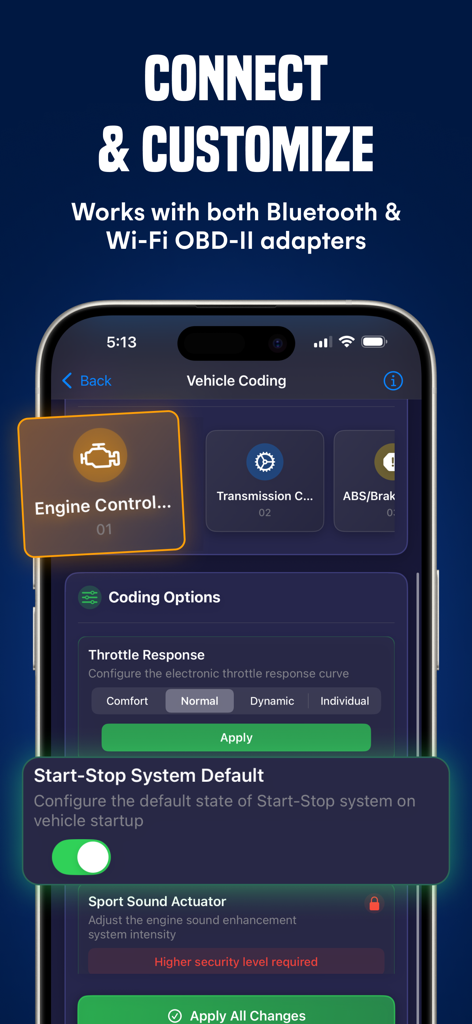
Smartphone displaying Torque Pro vehicle coding options for engine control and throttle response customization.
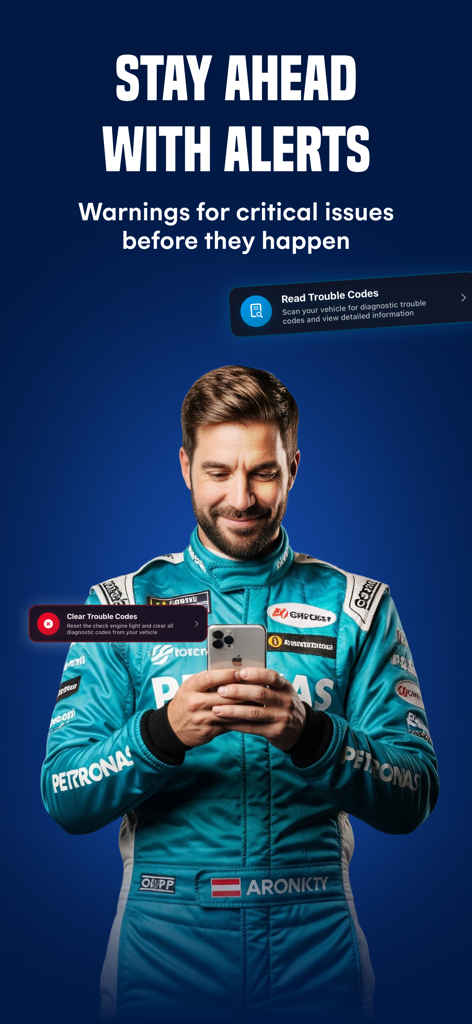
A man in a professional racing suit using the Torque Pro app on an iPhone to read and clear vehicle trouble codes
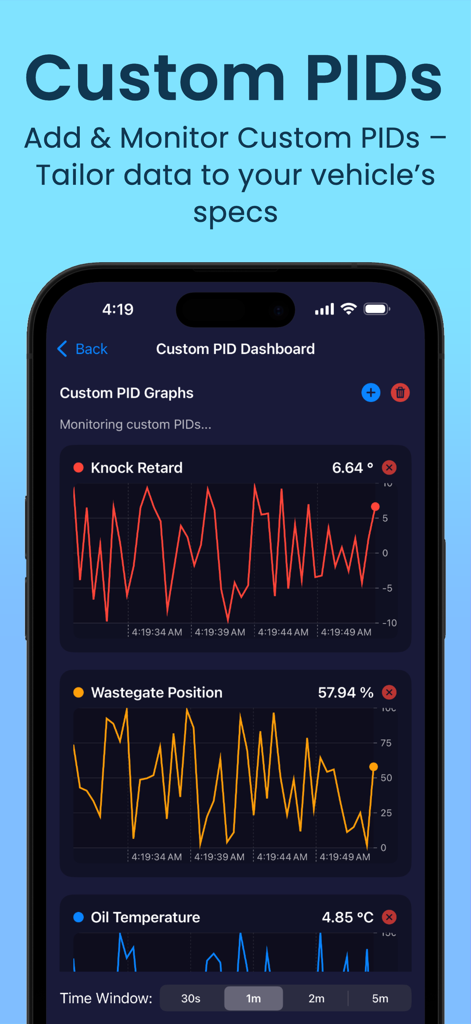
Interface of Torque Pro OBD2 Car Scanner app showing real-time graphs for custom PIDs like knock retard and oil temperature.
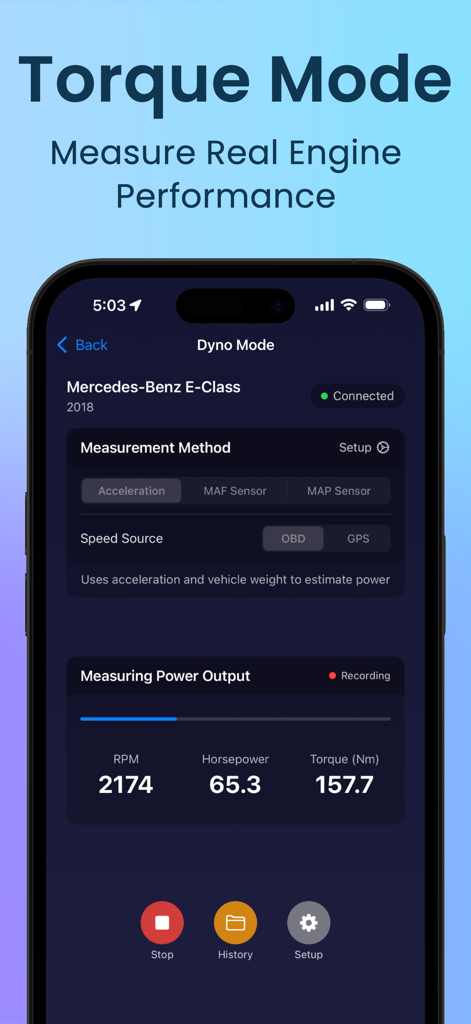
Torque Pro app showing Dyno Mode with horsepower and torque metrics
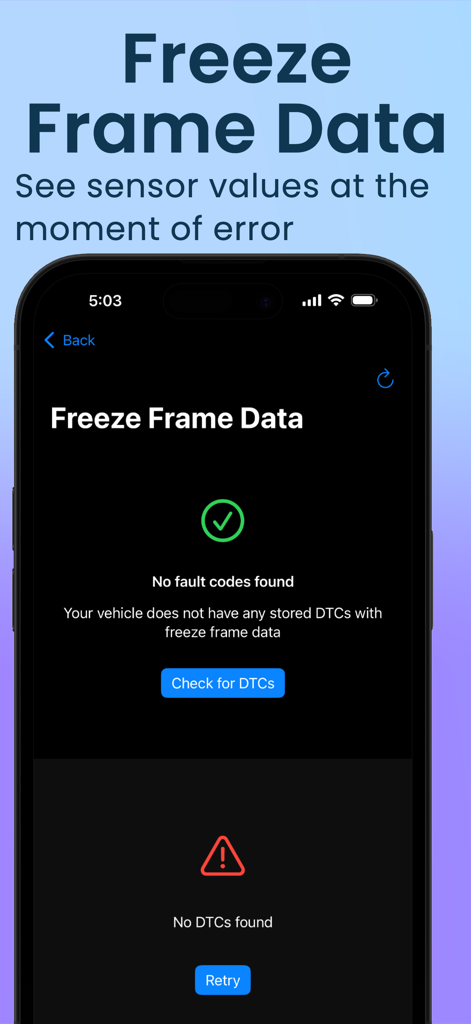
Interface of the Torque Pro app showing the Freeze Frame Data screen for vehicle diagnostics
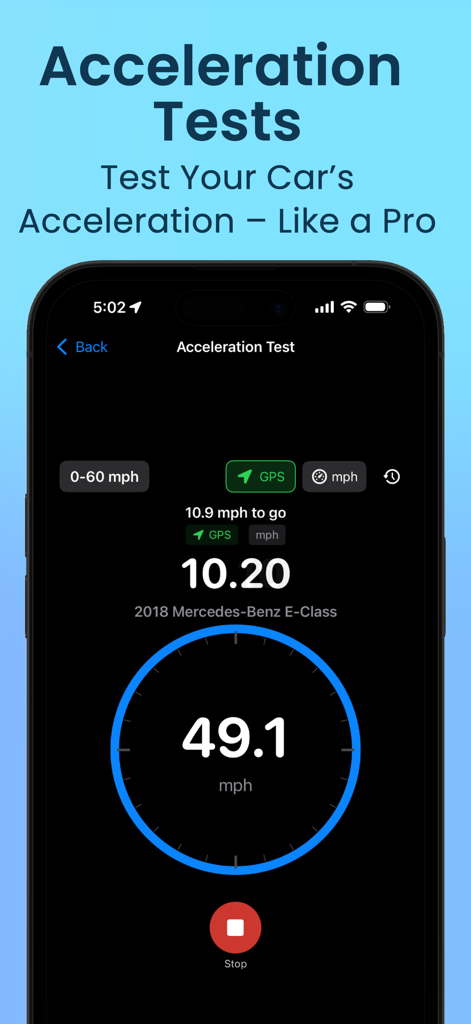
iPhone screen displaying the acceleration test feature of Torque Pro app with speed and time metrics
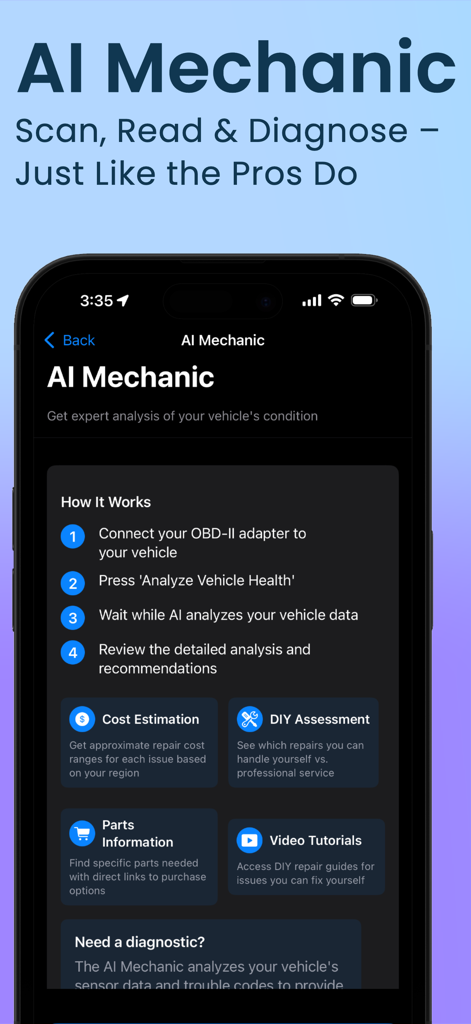
Torque Pro app AI Mechanic interface showing step by step vehicle diagnostic analysis and repair recommendations
Description
Download
More Like This
Apps with similar features and user experience

Car Scanner ELM OBD2
Stanislav Svistunov

RepairSolutions2
Innova Electronics

OBDLink
OBD Solutions LLC
Car Mate - OBD2 CAR Scanner
Ihar Katkavets

Carly — OBD2 car scanner
Carly Solutions GmbH Co KG

BlueDriver OBD2 Scan Tool
Root Four Imagination Inc.

BimmerLink for BMW and MINI
SG Software GmbH & Co. KG

FIXD OBD2 Scanner
FIXD Automotive Inc
OBD2 Scanner: Torque ELM 327
MONIQ TAP COMPANY LIMITED
This page is not an official page of the app or its developer, but an independent editorial publication created for informational and commentary purposes. Unless expressly stated otherwise, neither the app nor its developer is affiliated with, endorsed by, sponsored by, authorized by, or otherwise officially connected with MWM, Apple, Google Play, the app publisher, or the app's developer, and nothing on this page implies that the app was developed using MWM's services. Any trademarks, logos, screenshots, and other content remain the property of their respective owners.