
This page is not an official page of the app or its developer, but an independent editorial publication created for informational and commentary purposes. Unless expressly stated otherwise, neither the app nor its developer is affiliated with, endorsed by, sponsored by, authorized by, or otherwise officially connected with MWM, Apple, Google Play, the app publisher, or the app's developer, and nothing on this page implies that the app was developed using MWM's services. Any trademarks, logos, screenshots, and other content remain the property of their respective owners.


透かして清書 - 綺麗な文字で宛名書き -
No more illegible scribbles. This app grants users the power to write with impeccable clarity, transforming messy script into elegant precision.
Downloads
1M+User Rating
Total Ratings
290Publisher
Category
EducationLocales
2Latest Version
2.14.1Size
124.5 MBFirst Released
Dec 14, 2017A comprehensive evaluation of key functionalities for handwriting improvement and education.
Feature Analysis: 透かして清書 - 綺麗な文字で宛名書き -
Digital Tracing for Handwriting Practice
It allows users to input desired text, choose fonts, and adjust size, then place paper over the device screen to trace the illuminated characters, facilitating direct handwriting practice.
Practice Progress Saving
It enables users to save their practiced handwriting or illustrations from the 'Practice Mode' as image files to their photo library, facilitating progress tracking and sharing.
Interactive Practice Mode
The app includes an interactive 'Practice Mode' where users can write and erase repeatedly using their finger, stylus, or Apple Pencil, allowing for direct digital handwriting exercises.
Custom Image and PDF Tracing
Users can import images and PDF files to trace, offering flexibility to practice calligraphy, specific diagrams, or custom templates beyond standard text.
Vertical Writing Support
This tool uniquely supports vertical writing, catering to traditional Japanese calligraphy and formal document requirements such as addressing envelopes.
Custom Font Import
Users can download and import custom font files, allowing for highly personalized handwriting practice with their preferred or specific calligraphic styles.
Multi-Device & iPad Optimization
It offers full compatibility with iPads, enabling users to practice writing larger characters and benefit from a more expansive digital canvas.
Distraction-Free Tracing Mode
The app features a dedicated 'Tracing Mode' that hides advertisements, unnecessary buttons, and the status bar, while automatically adjusting screen brightness for an optimized and distraction-free practice environment.
Flexible Horizontal Writing
It provides one-tap switching to horizontal writing, making the app suitable for practicing English or other horizontal script languages, enhancing its versatility.
Customizable Button Layout
The app offers the ability to customize the main screen's button layout, enabling users to adjust placement for optimal comfort based on their dominant hand.
Frequently Asked Questions
Everything you need to know about 透かして清書 - 綺麗な文字で宛名書き -
What is the 透かして清書 app?
透かして清書 is an app designed to help users practice beautiful handwriting by tracing text through paper. It supports various features like vertical and horizontal writing, font selection, and text size adjustment.
How does the 透かして清書 app help with handwriting practice?
The 透かして清書 app allows users to input text, select a font, and adjust size. Users then place paper over the device screen to trace the translucent text, supporting both 清書モード (tracing) and 練習モード (practice).
Does 透かして清書 support vertical writing?
Yes, the 透かして清書 app supports vertical writing. It specifically notes that while many apps offer horizontal writing, 透かして清書 caters to vertical text practice, ideal for penmanship and address writing.
Can I use 透かして清書 for horizontal writing?
Yes, 透かして清書 supports horizontal writing. A dedicated horizontal writing function was added, allowing users to switch between vertical and horizontal modes with a single button. This is suitable for English text.
Does 透かして清書 allow tracing from images or PDFs?
Yes, 透かして清書 includes a feature to load images and PDF files. Users can trace various images, like smile marks or illustrations, or content from PDF documents, directly within the app.
Can users download additional fonts in 透かして清書?
Yes, 透かして清書 offers a font addition feature. Users can download font files, which require an internet connection, and utilize them exclusively within the app to personalize their handwriting practice.
Is 透かして清書 available for iPad users?
Yes, the 透かして清書 app is compatible with iPad. This allows users to practice handwriting on a larger screen, which is beneficial for both adults and children learning calligraphy.
Does 透かして清書 allow saving practiced text or illustrations?
Yes, 透かして清書 includes a save function. Users can save traced text and illustrations from the practice mode as image files to their photo album, specifically within a "透かして清書" album.
Can I customize button placement in 透かして清書?
Yes, 透かして清書 allows users to change the arrangement of buttons on the main screen. This feature enables users to place buttons on the left or right side, optimizing the layout for their dominant hand.
Is there a dedicated practice mode in 透かして清書?
Yes, 透かして清書 features a dedicated practice mode. In this mode, users can input text using their finger, stylus, or Apple Pencil, allowing for repeated writing, erasing, and unlimited practice.
How do I change the text size in 透かして清書?
透かして清書 allows users to freely adjust the text size. The app also supports resizing multiple characters simultaneously, ensuring flexibility for various handwriting practice needs.
The following screenshots and description are sourced directly from the app's official store listing and are the property of the app developer.
App Store
Screenshots
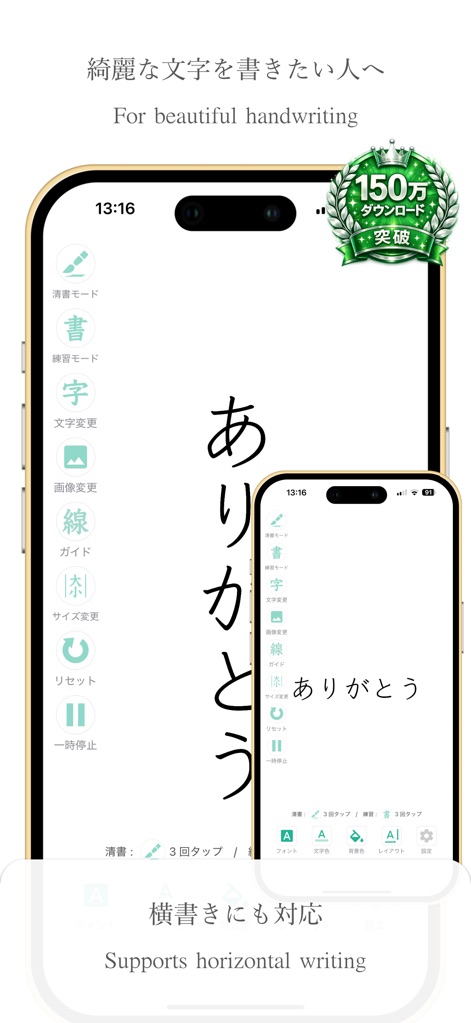
Explore the app's primary tracing interface, showcasing its intuitive sidebar navigation and impressive support for elegant vertical Japanese script.
Mastering Penmanship
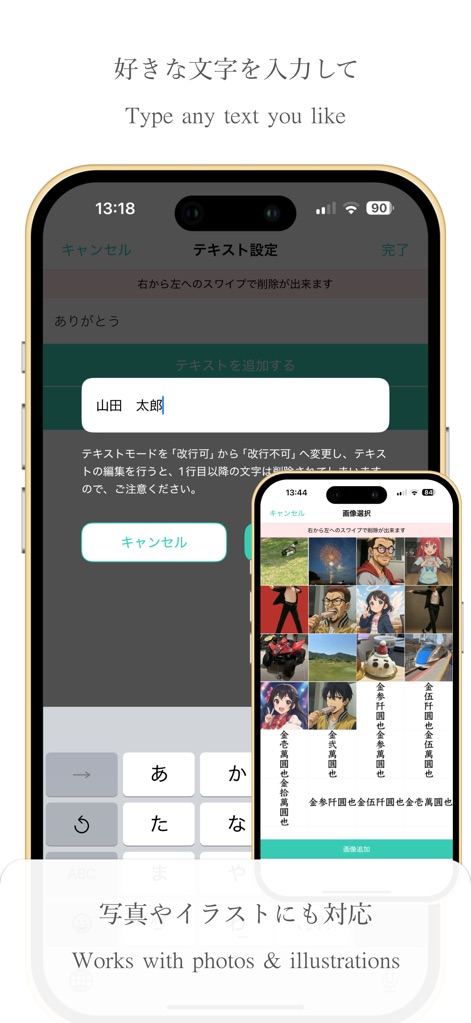
Easily input custom text for practice using the integrated text editor, and enhance your tracing experience by importing personal photos or illustrations.
Custom Text Input

Personalize your practice with a wide selection of fonts, and expand your options further by downloading additional font styles directly within the app.
Diverse Font Library
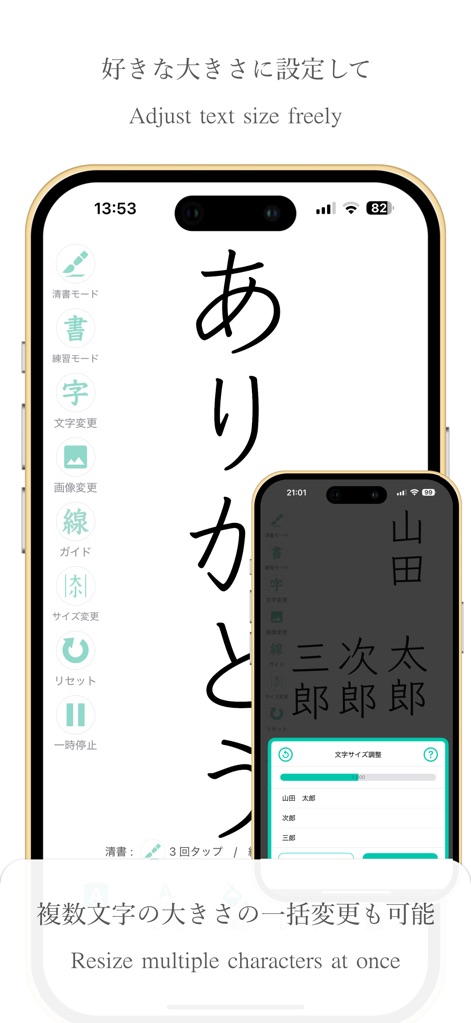
Adjust the text size with precision using the dedicated slider, and efficiently resize multiple characters simultaneously for tailored practice sessions.
Flexible Sizing Options
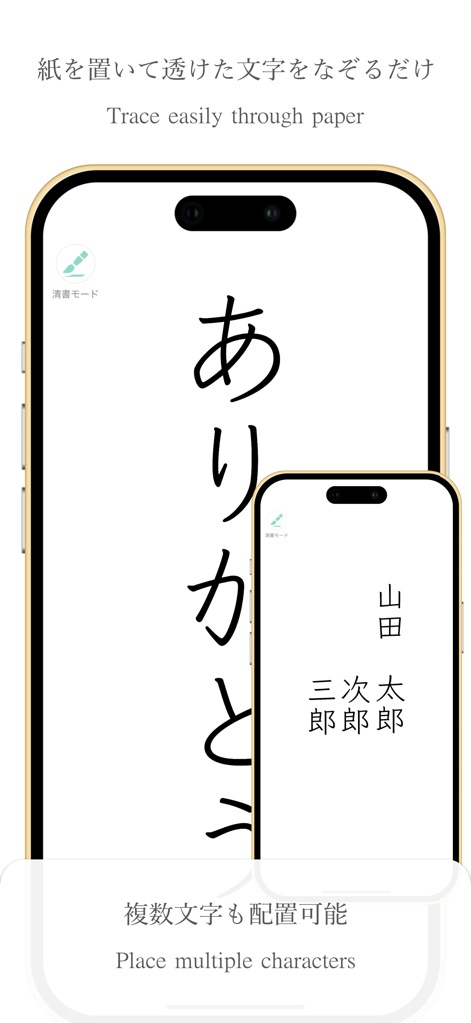
Engage the dedicated tracing mode to guide your handwriting, and freely arrange multiple individual characters for complex composition practice.
Effortless Tracing Mode

Tailor your tracing experience by changing text colors to suit your paper, and optimize the interface with adjustable button layouts for left or right-handed use.
Customizable Workspace
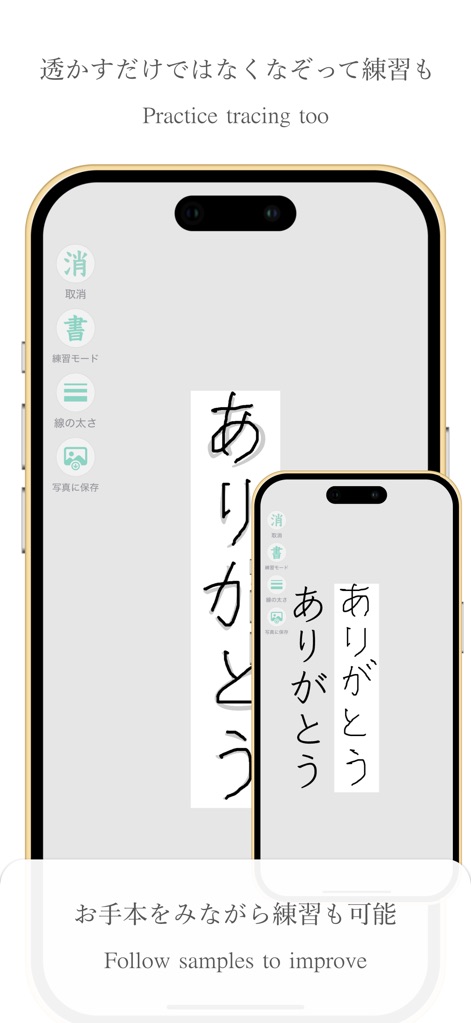
Engage in interactive practice mode, allowing users to trace over characters directly on the screen, and conveniently save their practice as images to their photo album.
Interactive Practice
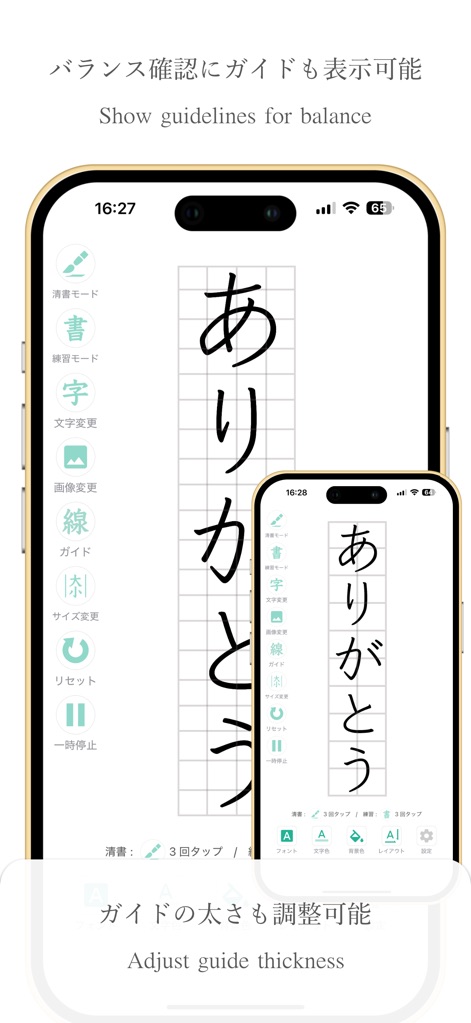
Ensure perfect balance and alignment by activating adjustable grid guidelines, and fine-tune your practice by customizing the guide thickness to your preference.
Precision Guides
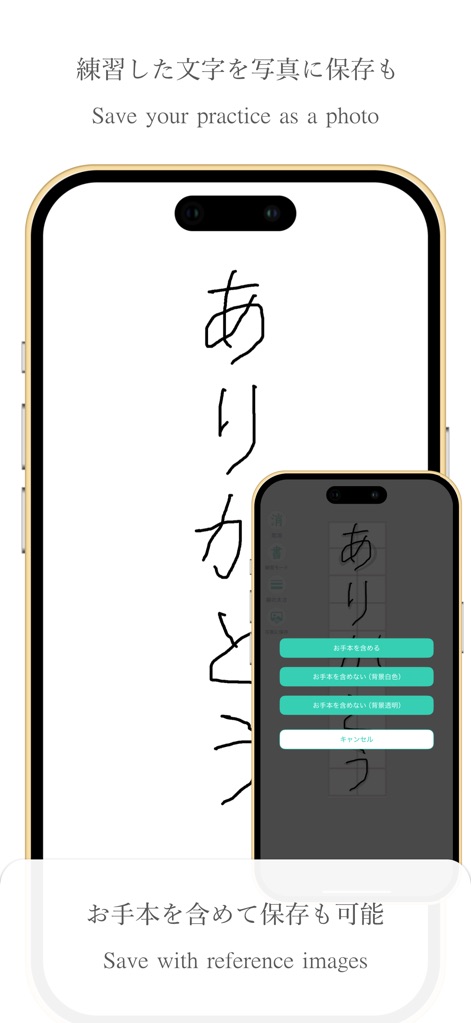
Effortlessly save your completed practice sessions as images, with flexible options to include or exclude the original reference text.
Preserve Your Progress
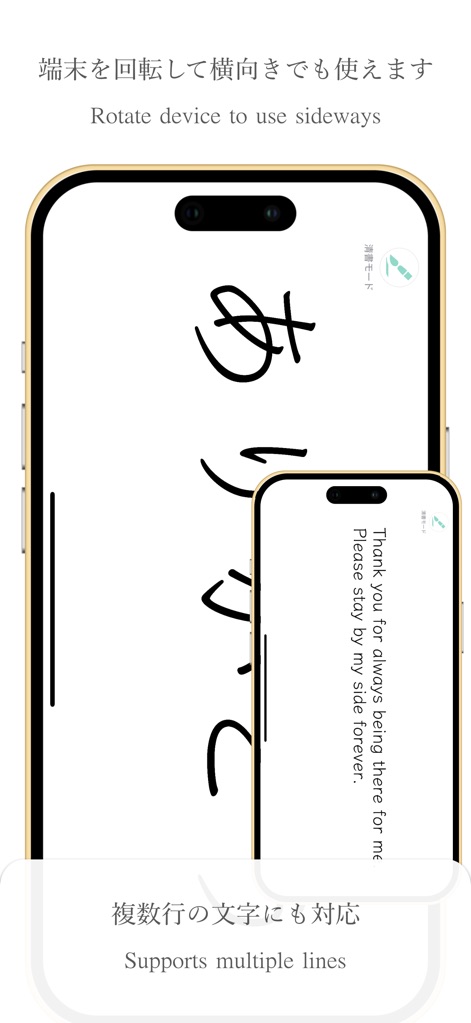
Expand your practice to horizontal text by rotating your device, and easily compose multi-line phrases in various languages, including English.
Versatile Orientations
Description
Download
More Like This
Apps with similar features and user experience

Write It! Korean
Jernung, LLC

MOJiKana: Hiragana & Katakana
Hugecore Information Technology (Guangzhou) Co.,Ltd.

Writey Cursive Handwriting
Writey B.V.
Cursive: Learn Cursive
enoiu
Cursively Handwriting Practice
ASVETA CZ s.r.o.

Calligraphy Practice · Cursive
Lidwien Veugen
宝宝学写字硬笔书法-小学生字典词典工具
森 袁
Dynamilis Handwriting Practice
School Rebound SA
LetraKid: Kids Writing Letters
Parkel Soft SRL
This page is not an official page of the app or its developer, but an independent editorial publication created for informational and commentary purposes. Unless expressly stated otherwise, neither the app nor its developer is affiliated with, endorsed by, sponsored by, authorized by, or otherwise officially connected with MWM, Apple, Google Play, the app publisher, or the app's developer, and nothing on this page implies that the app was developed using MWM's services. Any trademarks, logos, screenshots, and other content remain the property of their respective owners.