
This page is not an official page of the app or its developer, but an independent editorial publication created for informational and commentary purposes. Unless expressly stated otherwise, neither the app nor its developer is affiliated with, endorsed by, sponsored by, authorized by, or otherwise officially connected with MWM, Apple, Google Play, the app publisher, or the app's developer, and nothing on this page implies that the app was developed using MWM's services. Any trademarks, logos, screenshots, and other content remain the property of their respective owners.


Downloads
1M+User Rating
Total Ratings
1.6KPublisher
Category
LifestyleLocales
2Latest Version
2.7.3Size
105.5 MBFirst Released
Aug 4, 2019An evaluation of core functionalities enabling secure digital identity management for Japanese users.
TRUSTDOCK App Analysis: Key Features
Secure Digital Identity Verification
The app provides a secure and straightforward method for digital identity verification, utilizing government-approved documents like My Number cards.
Regulatory Compliance Adherence
This tool ensures strict adherence to Japanese regulatory frameworks, including the Act on Prevention of Transfer of Criminal Proceeds (AML) and ongoing data privacy standards.
Consent-Driven Data Sharing
It allows users to maintain control over their personal information by requiring explicit consent each time data is presented to a third party, preventing unauthorized usage.
Secure Data Deletion
It provides a secure method for data deletion, ensuring that removing the app from a smartphone also deletes associated information from the server, enhancing user privacy.
Comprehensive Activity History Tracking
The app features a function to check a comprehensive history of all identity verifications and data submissions, providing transparency and record-keeping for users.
Enhanced Device Security
It implements a mandatory screen lock mechanism upon app opening, safeguarding user data even if the smartphone is lost or falls into unauthorized hands.
Frequently Asked Questions
Everything you need to know about TRUSTDOCK
What is the primary function of the TRUSTDOCK app?
The TRUSTDOCK app facilitates safe and easy identity verification and submission of ID documents, utilizing government-approved identification like the My Number card. It also allows users to check their data submission history.
Which identification documents does the TRUSTDOCK app support for verification?
The TRUSTDOCK app supports identity verification using a My Number card and various other government-approved identification documents.
Can I check my identity verification history within the TRUSTDOCK app?
Yes, the TRUSTDOCK app allows you to register an account and check your data submission history, which includes your identity verifications.
Does TRUSTDOCK offer integration with other services?
Yes, TRUSTDOCK integrates with services like "Careefy" and "PointQuest". Users can safely and easily log in to these services using the TRUSTDOCK app.
What security measures does the TRUSTDOCK app implement?
The TRUSTDOCK app ensures security through user consent for information sharing, a screen lock mechanism on app opening, and automatic data deletion from the server upon app removal.
Is TRUSTDOCK compliant with regulatory standards?
Yes, TRUSTDOCK ensures ongoing regulatory compliance, covering privacy data, security policies, ID verification standards, and up-to-date AML policies. It is the No.1 used verification service in Japan.
Can I receive notifications regarding my identity verification status from TRUSTDOCK?
Yes, the TRUSTDOCK app sends push notifications to inform you about your identity verification status and other relevant news.
What information is typically required for identity verification using TRUSTDOCK?
Identity verification using TRUSTDOCK typically requires information such as Name, Address, Birthday, and Gender.
Does TRUSTDOCK provide a digital ID card?
Yes, TRUSTDOCK provides a digital ID card that functions as a substitute for a physical ID. It displays basic information and contacts.
Can I use my TRUSTDOCK digital ID card for authentication with linked services?
Yes, the TRUSTDOCK digital ID card supports anti-phishing passwordless authentication for linked services, simplifying the sign-in process.
The following screenshots and description are sourced directly from the app's official store listing and are the property of the app developer.
App Store
Screenshots
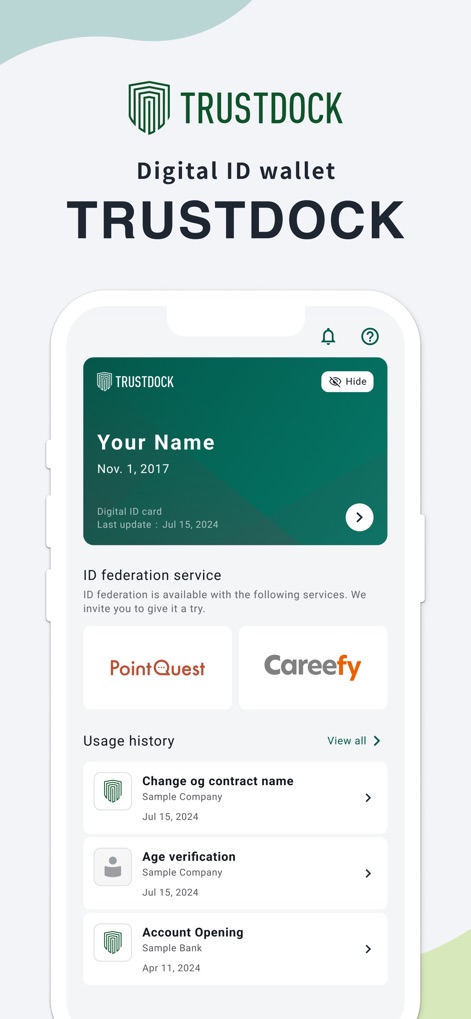
See how TRUSTDOCK provides a quick overview of a user's digital ID card and a clear usage history of verification requests.
Centralized ID Management
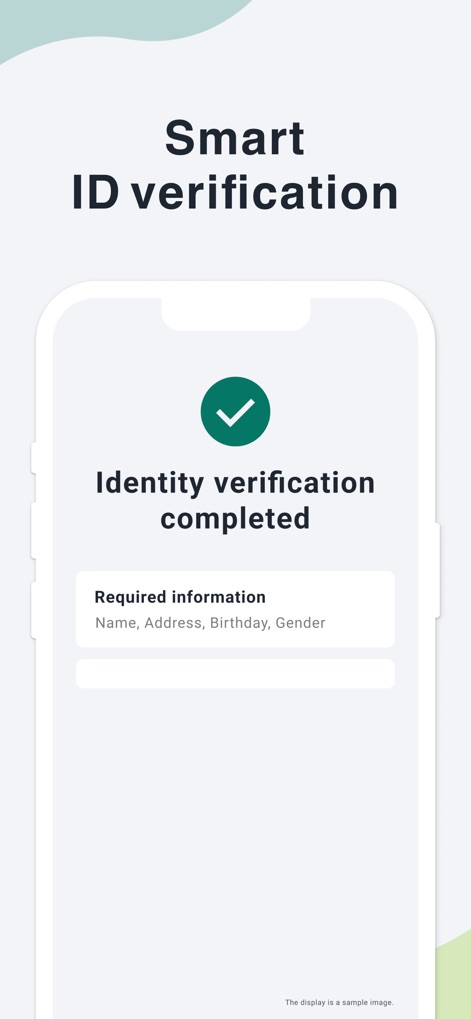
This screenshot highlights the clear "Identity verification completed" status and the summary of "Required information" for peace of mind.
Seamless Verification
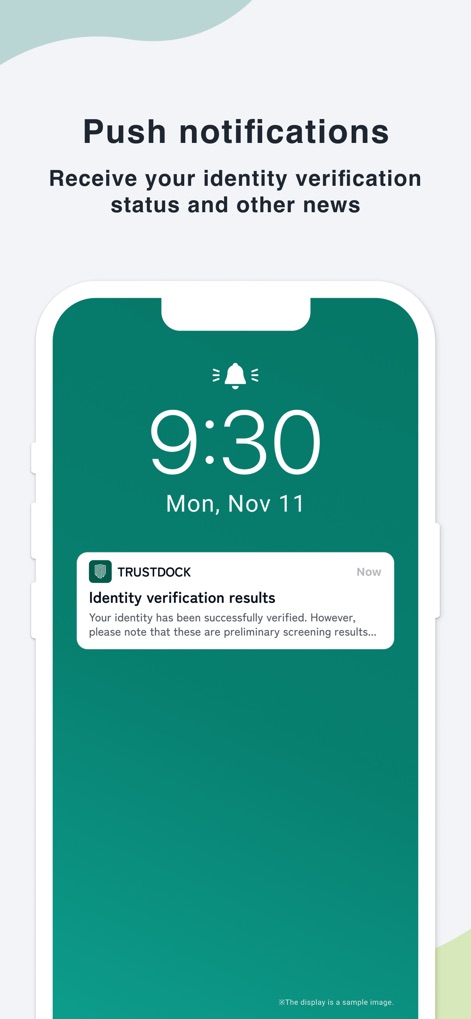
The app ensures users stay informed with "Push notifications" for "Identity verification results" delivered directly to their device.
Timely Notifications
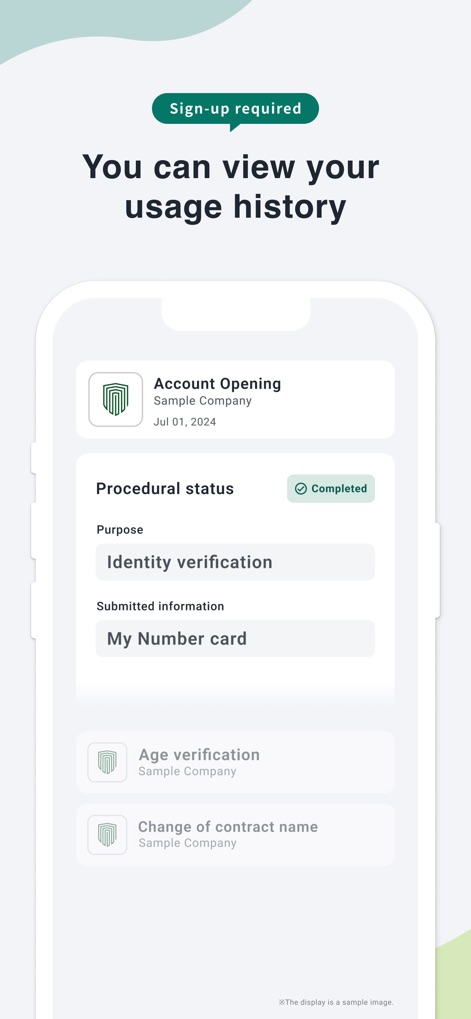
Users can easily review their detailed "Usage history", showing individual requests like "Account Opening" and their current "Procedural status".
Transparent Usage History
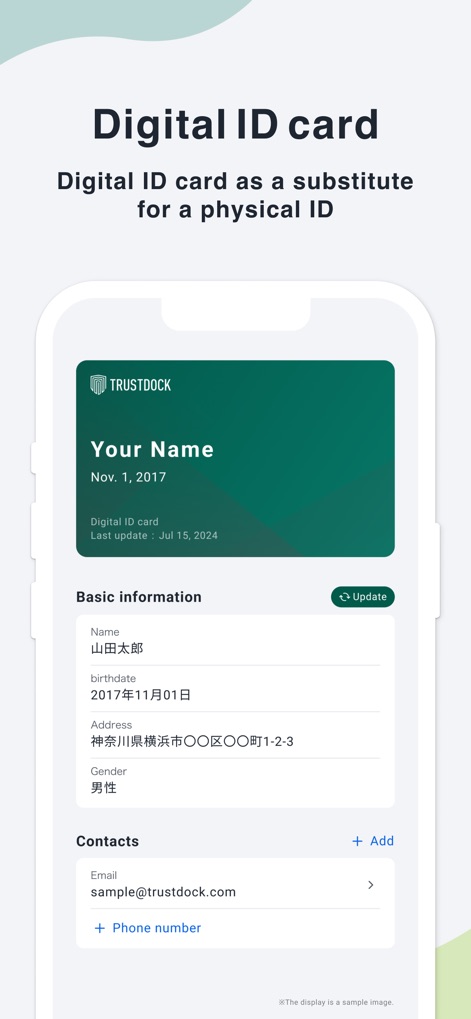
This view showcases the "Digital ID card" displaying essential personal details and options to manage "Contacts" securely.
Your Digital ID
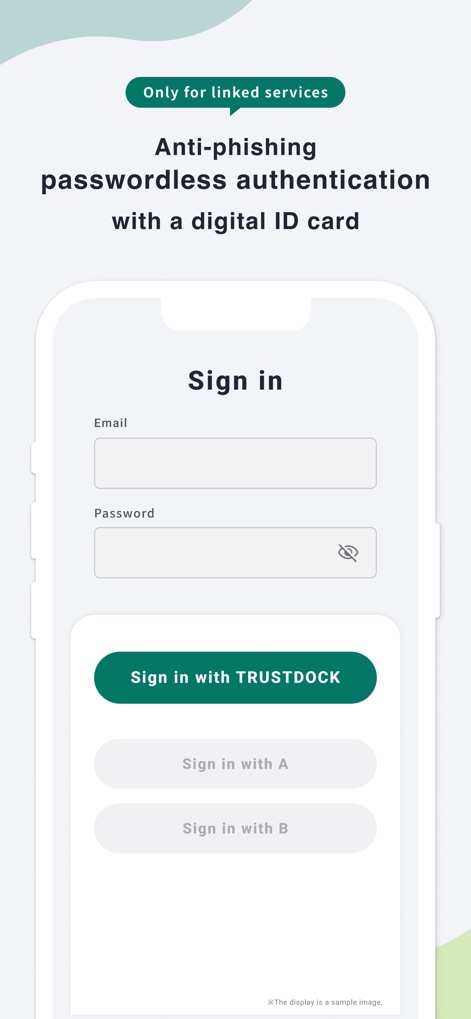
The app streamlines access to linked services with a prominent "Sign in with TRUSTDOCK" button, enhancing anti-phishing passwordless authentication.
Integrated Login
Description
Download
More Like This
Apps with similar features and user experience

itsme
Belgian Mobile ID SA

myDSS 2.0
SafeTech Ltd
SİMA - Rəqəmsal İmza
Data Processing Center of the Ministry of Communications and High Technologies

Singpass
Government Technology Agency

SoyYo - Identidad Digital
Servicios de Identidad Digital SAS

VIDaaS
valid certificadora digital ltda

TrustMe: Your Digital Identity
A3BC GROUP

Bird ID
Vault Id Solucoes em Criptografia e Identificacao Ltda ME
eDO App
Polska Wytwornia Papierow Wartosciowych S.A.
This page is not an official page of the app or its developer, but an independent editorial publication created for informational and commentary purposes. Unless expressly stated otherwise, neither the app nor its developer is affiliated with, endorsed by, sponsored by, authorized by, or otherwise officially connected with MWM, Apple, Google Play, the app publisher, or the app's developer, and nothing on this page implies that the app was developed using MWM's services. Any trademarks, logos, screenshots, and other content remain the property of their respective owners.