TslaMirror

TslaMirror

Download on App Store
Logo of TslaMirror

TslaMirror: Mirror Your iPhone Apps Directly to Your Tesla’s Screen

The ultimate solution for the tech-savvy Tesla owner. Transform your charging sessions into a high-productivity experience by casting your favorite iOS apps to the dashboard with low-latency H.265 streaming—no extra hardware required.

Download on App Store

Publisher

Wuhan TrustComputing IT Co., Ltd.

Category

Utilities

Downloads

62K+

User Rating

2.4/5

Total Ratings

200

Locales

2

Your Apps on the Big Screen

Discover the interface used by 62K+ users.
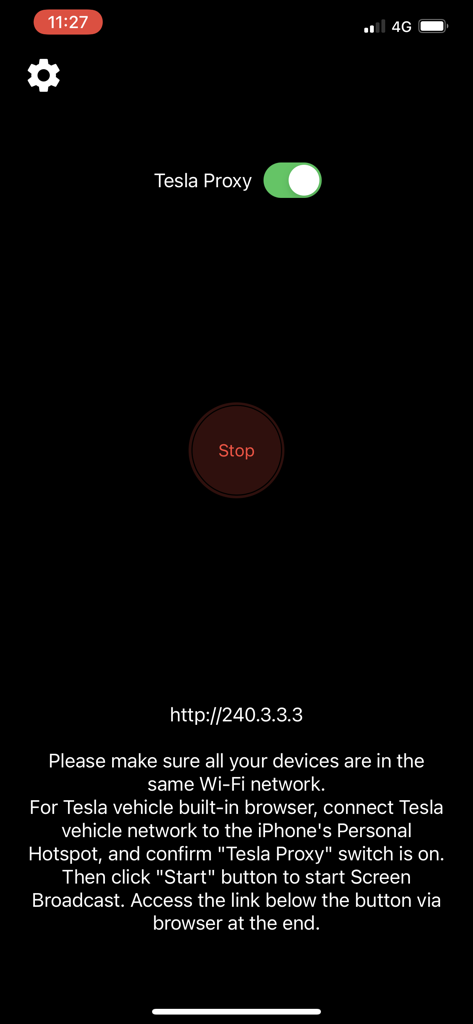
TslaMirror app interface with Tesla Proxy toggle and Start button

TslaMirror app interface with Tesla Proxy toggle and Start button

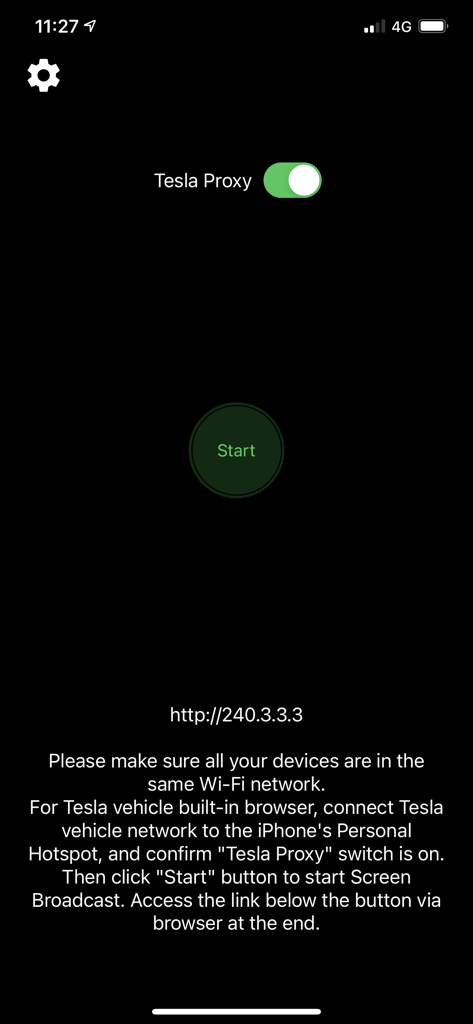
TslaMirror app interface showing the Tesla Proxy enabled and connection instructions.

TslaMirror app interface showing the Tesla Proxy enabled and connection instructions.

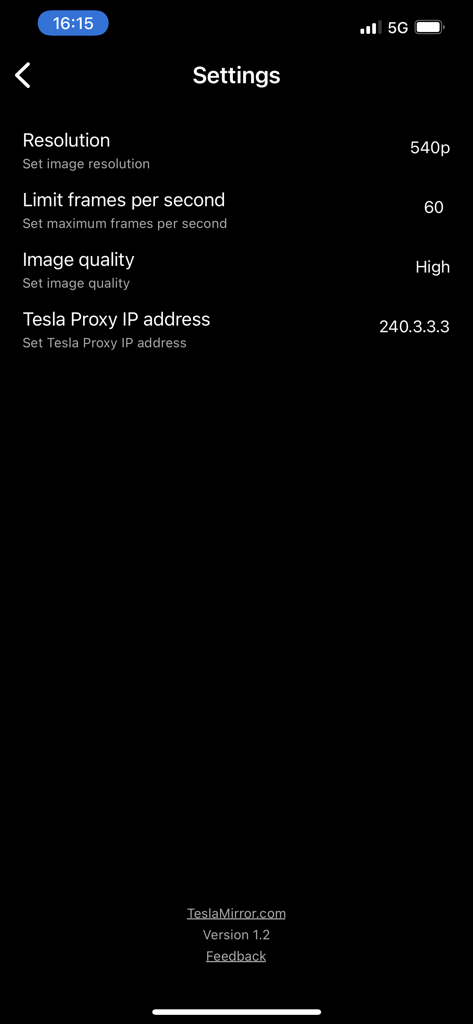
Settings menu of the TslaMirror app showing options for resolution, frame rate, and proxy IP address.

Settings menu of the TslaMirror app showing options for resolution, frame rate, and proxy IP address.

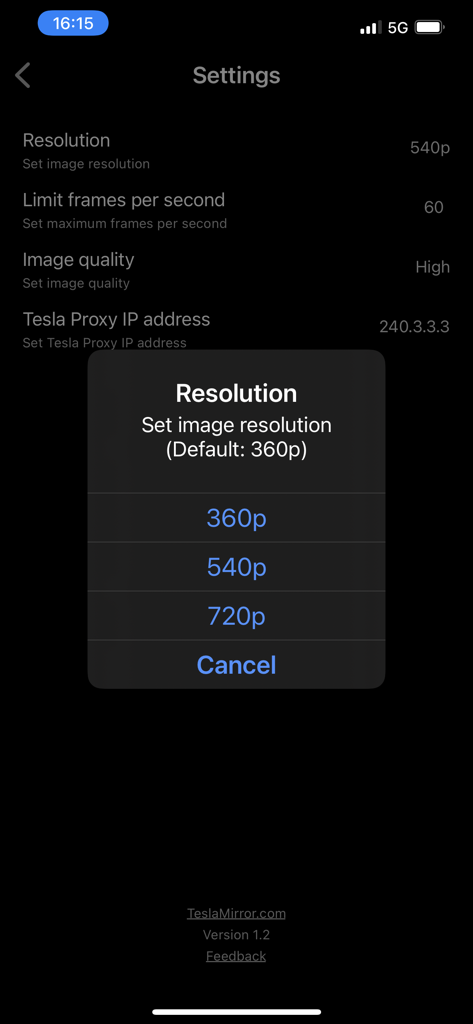
TslaMirror app settings menu with a resolution selection pop-up showing options for 360p 540p and 720p

TslaMirror app settings menu with a resolution selection pop-up showing options for 360p 540p and 720p

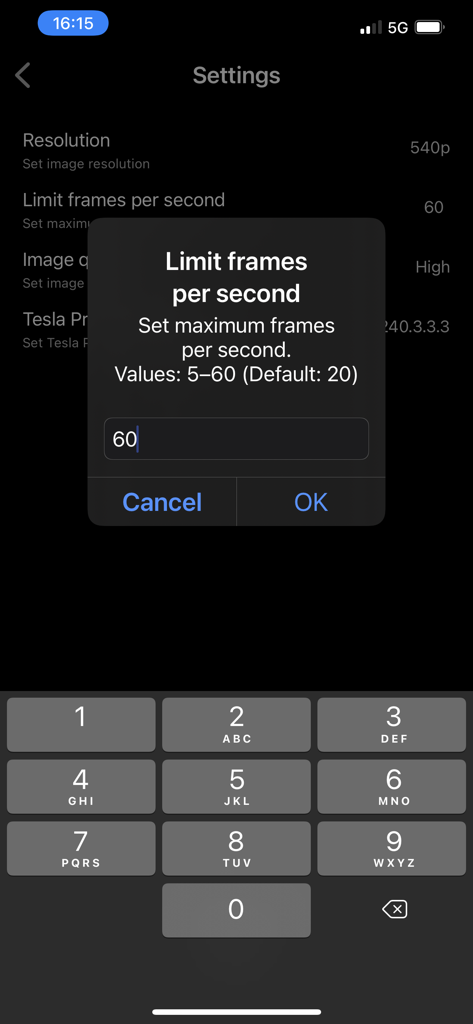
TslaMirror app settings interface for limiting frames per second

TslaMirror app settings interface for limiting frames per second

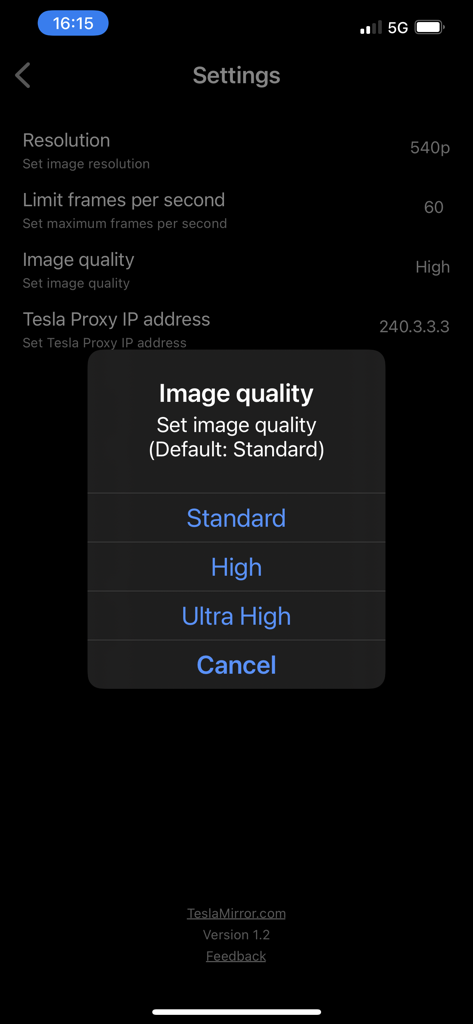
TslaMirror app settings screen showing a pop up menu to select image quality from Standard, High, or Ultra High.

TslaMirror app settings screen showing a pop up menu to select image quality from Standard, High, or Ultra High.

Unlock Your Dashboard's Potential

The tools that make this app stand out, trusted by 62K+ users.

📱

Large-Scale App Mirroring

Stop squinting at your phone. Use your Tesla’s massive 15-inch display to view your favorite iPhone apps and productivity tools while you wait at the Supercharger.

🛡️

Private & Secure Connection

Your data never leaves your personal hotspot. Enjoy a secure, direct stream to your car's browser with no external servers, no tracking, and no hidden data costs.

Optimized for Tesla Hardware

Specifically engineered for MCU2 and MCU3 systems, supporting high-fidelity H.265 streaming and up to 1080p resolution for Intel Atom and AMD Ryzen processors.

About the app

Everything you need to know about TslaMirror.

Description

One-week free trial. TslaMirror is an app designed to mirror your iPhone apps to your Tesla’s built-in browser. Instructions for the Tesla built-in browser: 1. If possible, update your Tesla’s infotainment system to the most recent version. 2. Make sure the vehicle is PARKED (0 mph / 0 km/h). 3. Connect your Tesla to your iPhone Personal Hotspot (cellular data required). MCU2 or MCU3 hardware is required: available on Model 3 and Model Y, Model S built after March 2018, Model X built after March 2018, or vehicles upgraded from MCU1 to MCU2/3. 4. Ensure the iPhone is not in Low Power Mode. Launch the TslaMirror app and toggle on “Proxy.” 5. Tap “Start,” then select “Start Broadcast” to begin screen broadcast. 6. In your Tesla’s built-in browser, go to https://TslaMirror.com 7. Pinch in the browser to zoom in or out. 8. In H.264/H.265 mode, lossless audio playback is supported in the browser. 9. In MJPEG mode, only video is mirrored. For audio, use a Bluetooth connection from your iPhone to the Tesla’s speakers. 10. Keep your iPhone unlocked; due to Screen Broadcast API limitations, locking the screen stops casting and requires restarting the broadcast. Key Features 1. No additional internet traffic is used for mirroring; traffic stays on the iPhone’s Personal Hotspot. However, while the Tesla is connected to the hotspot, the vehicle may use your cellular data for its own internet access. 2. Private: the screencast is only available to devices connected to the iPhone Personal Hotspot Wi-Fi network. 3. A 5 GHz Personal Hotspot (supported from the iPhone 12 series) is highly recommended. Do not enable “Maximize Compatibility” on iPhone 12 models; enabling it forces a 2.4 GHz hotspot. 4. H.264/H.265 mirroring recommendations: – MCU3 (AMD Ryzen): H.265 mode with 720p@60 fps recommended, as 1080p requires higher bandwidth. MCU3 supports up to 1080p@60fps (H.264 and H.265). - H.265 playback is supported only on MCU3 or newer hardware. If your browser runs on MCU3 or higher-performance hardware, we recommend choosing H.265. H.265 delivers the best video quality. – MCU2 (Intel Atom): H.264 mode with 540p@30fps recommended. FAQ 1. This is not CarPlay. 2. iOS apps that use the AVPlayer framework (e.g., Apple Music, Netflix) are not supported. 3. Netflix is not supported. Privacy/Security Notice: This app does not collect usage statistics, personal information, or analytics. On iOS 13 and later, it uses Location Services only to read the Wi-Fi network name (SSID). Location data is never stored or collected. No information is stored by us. Disclaimer: This software and documentation are not affiliated with or endorsed by Tesla, Inc. Use at your own risk. We do not guarantee proper functioning. Some features require specific vehicle options (e.g., MCU2 or newer). The app uses interfaces similar to those used by official Tesla apps, but you are responsible for any changes to your car resulting from use. Use requires the vehicle’s built-in browser. We are not liable for any damages to you, your car, or any other property in conjunction with the use of this app. Warning and Legal Disclaimer: Use only while PARKED (0 mph / 0 km/h). Local laws may restrict the use of a built-in web browser in a vehicle. Terms of Use (EULA): https://teslamirror.com/terms.html Privacy Policy: https://teslamirror.com/privacy.html

Latest Version

9.56

Size

13.1 MB

First Released

Dec 11, 2020

Unlock the Dashboard You Deserve

Join 62,000+ Tesla enthusiasts. Start your one-week free trial today and experience seamless iPhone mirroring during your next Supercharger session.

Download on App Store

App information, icons, screenshots, and descriptions displayed on this page are sourced from the Apple App Store and are the property of their respective developers. Download estimates and rankings are based on MWM's proprietary models and may not reflect actual figures. This page is provided for informational and analytical purposes only.

Believe this page infringes your intellectual property? File a dispute