Tunetag MP3 Tag Editor

Tunetag MP3 Tag Editor


Download on App Store
Logo of Tunetag MP3 Tag Editor

Tunetag MP3 Tag Editor: Professional Metadata Control for iOS

Take total command of your local music collection. Batch edit tags, update album art, and automate metadata using replacement tokens directly from the Files app—no desktop required.

Download on App Store

Publisher

Justin Xin

Category

Utilities

Downloads

13K+

User Rating

4.0/5

Total Ratings

0

Locales

2

Your Library, Perfected

Discover the interface used by 13K+ users.
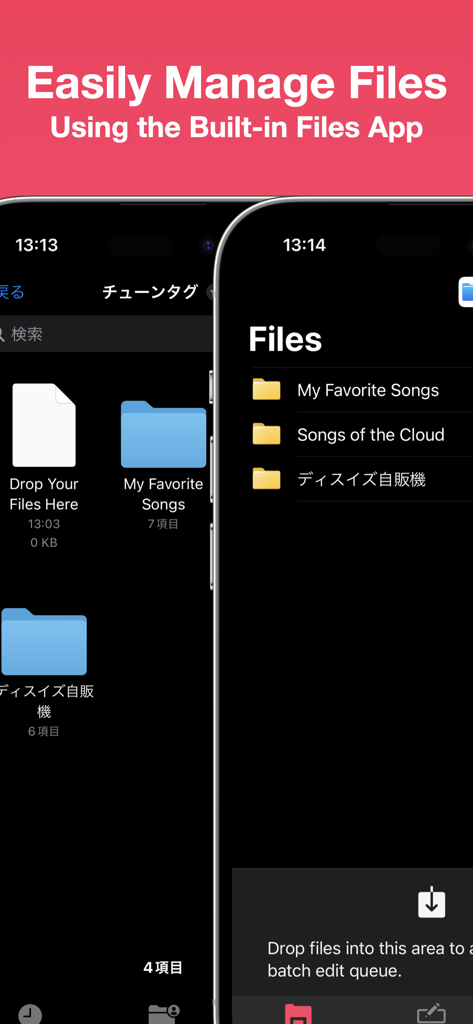
Screenshot of Tunetag MP3 Tag Editor showing integration with the iOS Files app for managing music folders

Screenshot of Tunetag MP3 Tag Editor showing integration with the iOS Files app for managing music folders

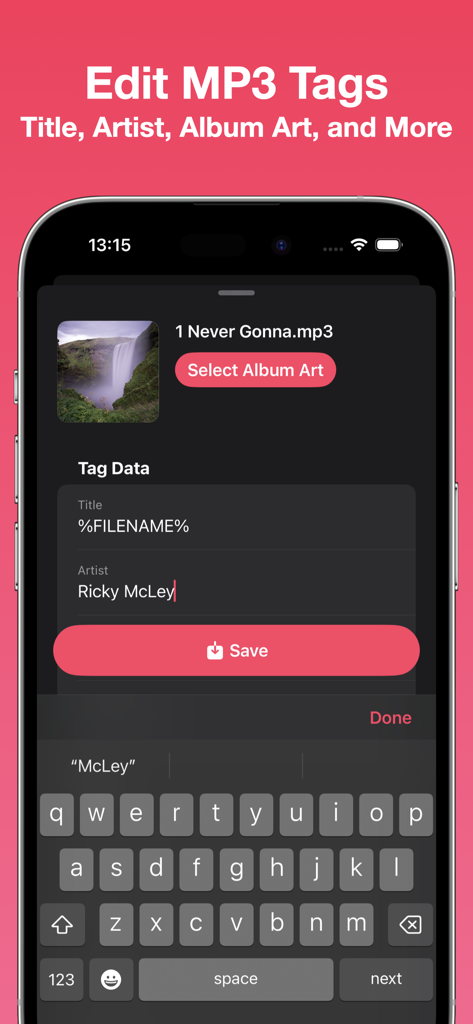
Tunetag MP3 tag editor interface for editing song metadata on iPhone

Tunetag MP3 tag editor interface for editing song metadata on iPhone

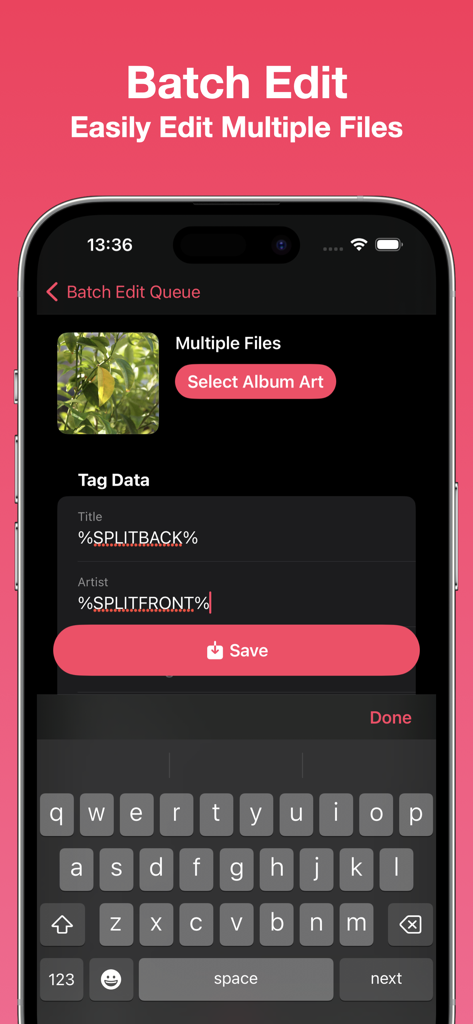
Tunetag app screen for batch editing metadata of multiple music files using automation tokens

Tunetag app screen for batch editing metadata of multiple music files using automation tokens

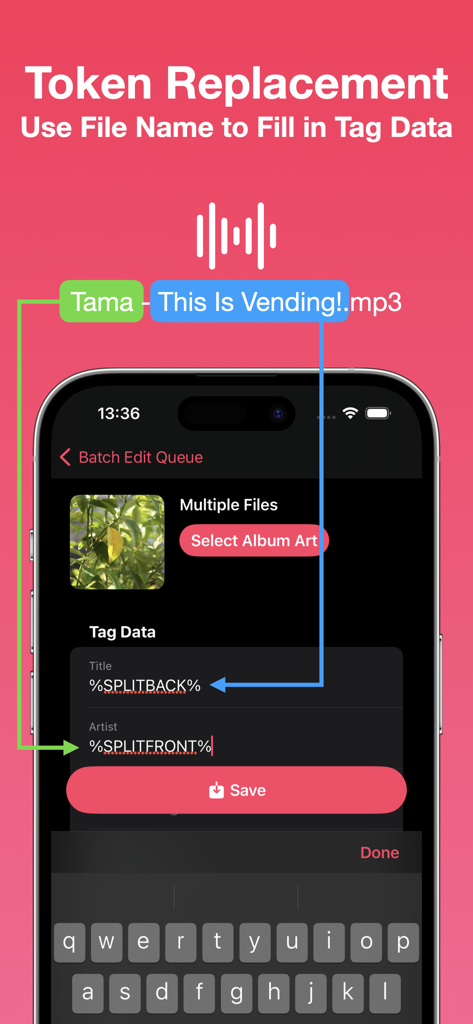
Tunetag app interface explaining how to use filename tokens to automatically fill metadata tags

Tunetag app interface explaining how to use filename tokens to automatically fill metadata tags

Perfect Your Local Music Library

The tools that make this app stand out, trusted by 13K+ users.

🏷️

Advanced Metadata Control

Edit titles, artists, and high-resolution album art with ease. Take full ownership of your media library's look and organization.

🪄

Smart Batch Automation

Save hours with replacement tokens. Automatically convert messy filenames into structured metadata across hundreds of tracks at once.

📂

Native Files Integration

Ditch the computer dependency. Access and edit MP3s directly from the iOS Files app, iCloud, or your external USB-C SSDs.

About the app

Everything you need to know about Tunetag MP3 Tag Editor.

Description

Edit your MP3 files' tags easily with Tunetag. - File Management Tunetag supports file management directly from the built-in iOS/iPadOS Files app, so you never have to fumble with share sheets or AirDrop.  Move your downloaded MP3 files directly to the Tunetag folder in the 'On My iPhone/On My iPad' folder, and Tunetag will automatically pick them up. If you're not sure where to go, simply tap the 'Open Files App' button in-app. Need to open files and folders from an external folder or drive? Use the Batch Editor to open them. - Tag Editor Tunetag supports editing the following fields in MP3 files: Title, Artist, Album, Album Artist, Year, Track Number, Genre, Composer, Disc Number. You can also select an album art to attach to your MP3 files. Additionally, you can use replacement tokens that use information from a file's file name to fill out tag data. - Batch Editor You can easily edit multiple files at one go, changing only the fields you want to change. The same replacement tokens you can use in the Tag Editor can also be used here. Have many files? Select files or a folder to add them to the Batch Editor, or long press a folder to add files recursively.  You can also drag files from the Files app directly into the Batch Editor. Note: Editing many files at once, or using large album art images may result in longer save times.

Latest Version

1.3

Size

4.4 MB

First Released

Sep 13, 2023

Perfect Your Music Library, No Desktop Required.

Join over 13,000 music collectors and power users organizing their audio collections on the go. Download Tunetag today and take full control of your metadata.

Download on App Store

App information, icons, screenshots, and descriptions displayed on this page are sourced from the Apple App Store and are the property of their respective developers. Download estimates and rankings are based on MWM's proprietary models and may not reflect actual figures. This page is provided for informational and analytical purposes only.

Believe this page infringes your intellectual property? File a dispute