
This page is not an official page of the app or its developer, but an independent editorial publication created for informational and commentary purposes. Unless expressly stated otherwise, neither the app nor its developer is affiliated with, endorsed by, sponsored by, authorized by, or otherwise officially connected with MWM, Apple, Google Play, the app publisher, or the app's developer, and nothing on this page implies that the app was developed using MWM's services. Any trademarks, logos, screenshots, and other content remain the property of their respective owners.

Turn Off the Lights for Safari
Dim the distractions and immerse yourself in your favorite videos. Experience a premium theater atmosphere with eye protection, auto-HD, and night mode built for the Safari power user.
Downloads
200K+User Rating
Total Ratings
1K+Publisher
Category
ProductivityLocales
28Latest Version
4.6.3Size
33.9 MBFirst Released
Sep 19, 2017Elevate Your Viewing Experience
Turn Off the Lights brings a professional cinema atmosphere to your Safari browser, combining distraction-free focus with advanced digital wellness tools.
Cinematic Focus Mode
One click dims the entire web page to highlight your video, eliminating distractions and creating a theater-like atmosphere instantly.
Digital Wellness & Night Mode
Safeguard your vision with advanced eye protection filters and a smart Night Mode that transforms bright websites into soothing dark themes.
Frequently Asked Questions
Everything you need to know about Turn Off the Lights for Safari
What is Turn Off the Lights for Safari?
Turn Off the Lights for Safari is a browser extension. It dims the web page background, highlighting the video player for a cinematic viewing experience. This focuses attention on your online video content.
How do I toggle the lights with Turn Off the Lights for Safari?
You can toggle the lights in Turn Off the Lights for Safari by clicking the black layer or using the keyboard shortcut Ctrl + Shift + L. The extension automatically dims the page when a video plays.
What video platforms does Turn Off the Lights for Safari support?
Turn Off the Lights for Safari supports multiple video platforms. These include YouTube, Dailymotion, Vimeo, and Twitch. The extension enhances your viewing experience across these popular sites.
Can I customize my YouTube experience with Turn Off the Lights for Safari?
Yes, Turn Off the Lights for Safari offers YouTube customizations. Features include Auto HD for setting video quality, Auto Wide for wider playback, and blocking 60 FPS for 30 FPS video quality.
Does Turn Off the Lights for Safari offer a Night Mode?
Yes, Turn Off the Lights for Safari includes a Night Mode feature. It converts all websites, such as Google Search and Wikipedia, to a personal dark mode theme to reduce eye strain.
Does Turn Off the Lights for Safari have an Eye Protection feature?
Yes, Turn Off the Lights for Safari offers an Eye Protection feature. It adds a screen tint to all websites during nighttime browsing, complete with a whitelist/blacklist filter for personalized use.
Does Turn Off the Lights for Safari prevent videos from auto-playing?
Yes, Turn Off the Lights for Safari has an AutoStop feature. This automatically prevents HTML5 videos from playing when you open a new web page, giving you complete control over media playback.
What are the main keyboard shortcuts for Turn Off the Lights for Safari?
Turn Off the Lights for Safari provides various keyboard shortcuts. Key examples include Ctrl + Shift + L to toggle lights, Alt + F10 for Eye Protection, and Alt + Up/Down Arrow to adjust opacity.
Does Turn Off the Lights for Safari provide atmosphere lighting?
Yes, Turn Off the Lights for Safari includes an Atmosphere lighting feature. This creates a subtle glow around the video player, enhancing the immersive cinematic viewing experience on any web page.
How does Turn Off the Lights for Safari enhance video quality?
Turn Off the Lights for Safari enhances video quality with its Auto HD feature for YouTube. It automatically sets videos to play in your preferred HD resolution, supporting options from 144p up to 8K.
Has Turn Off the Lights for Safari received official recognition?
Yes, Turn Off the Lights for Safari has received official recognition. It was featured as a 'Featured New App' on Product Hunt and acknowledged by Apple as a 'Standout Safari Extension.'
The following screenshots and description are sourced directly from the app's official store listing and are the property of the app developer.
App Store
Screenshots
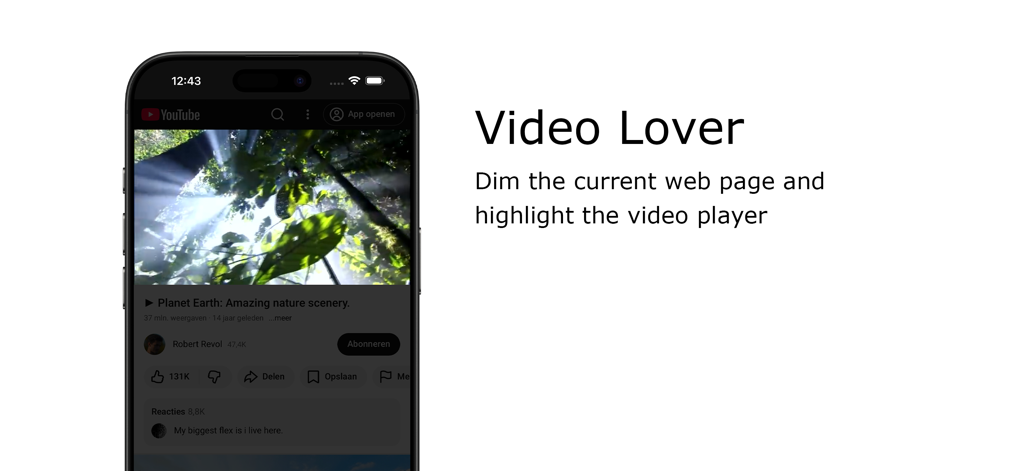
Turn Off the Lights Safari extension dimming the background to highlight a video player on an iPhone
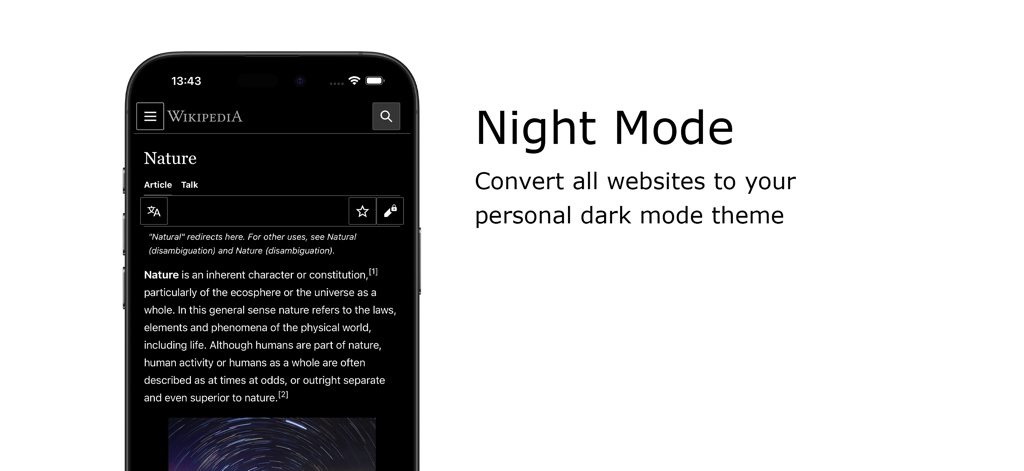
A smartphone showing Wikipedia in dark mode using the Turn Off the Lights Safari extension
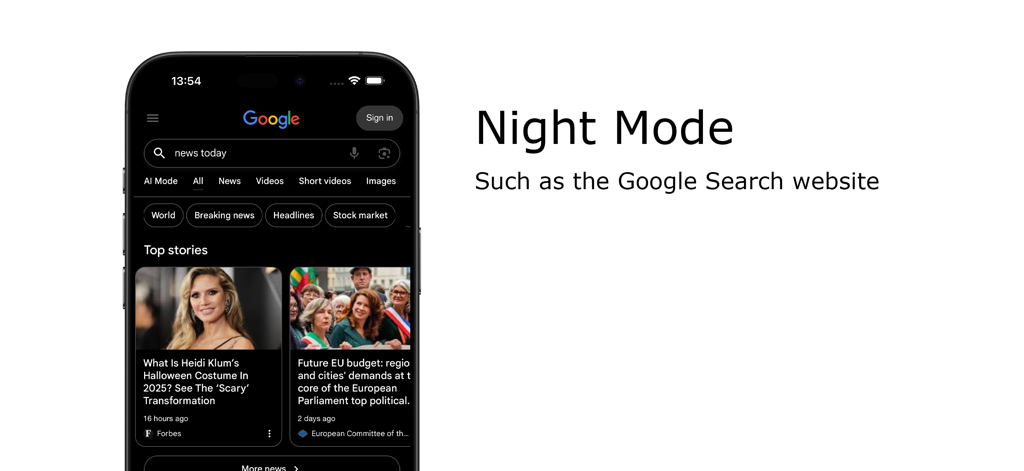
iPhone displaying Google Search in dark mode using the Turn Off the Lights Safari extension.
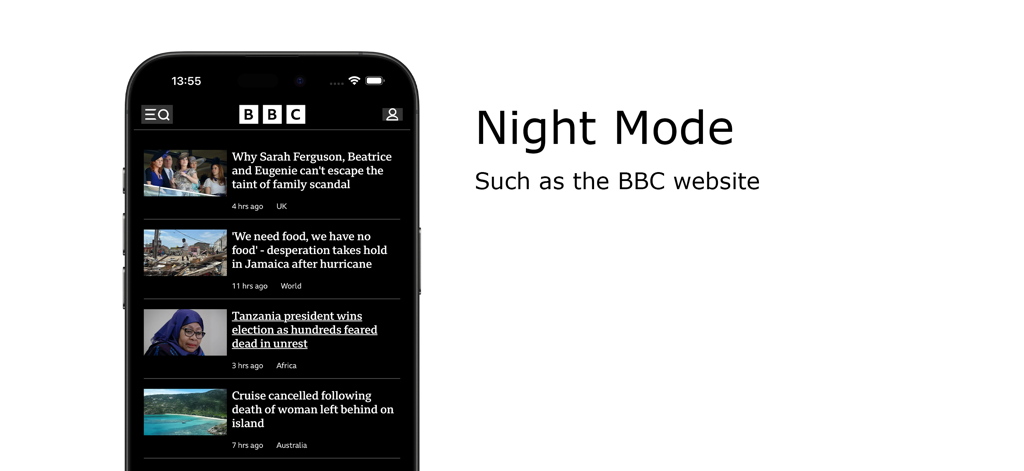
Night Mode feature of the Turn Off the Lights Safari extension showing the BBC website in dark mode on an iPhone
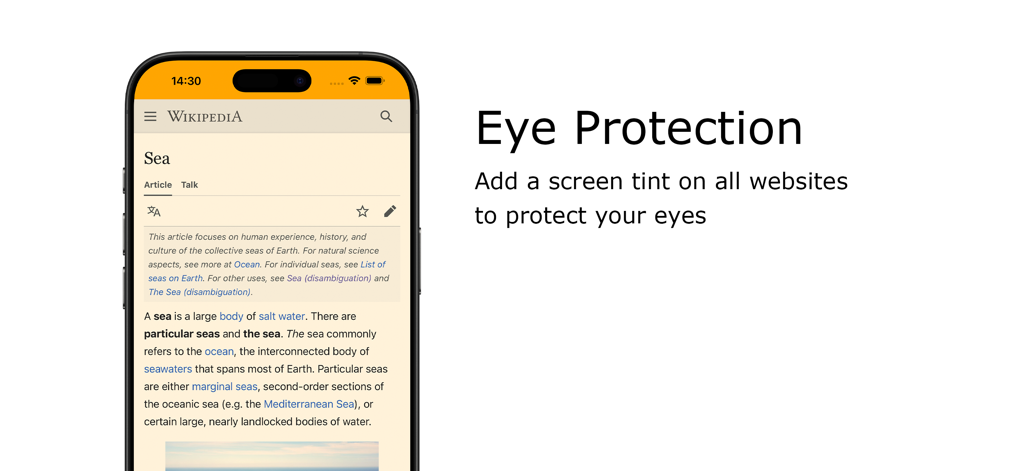
iPhone showing the Eye Protection feature with a warm screen tint on a Wikipedia page
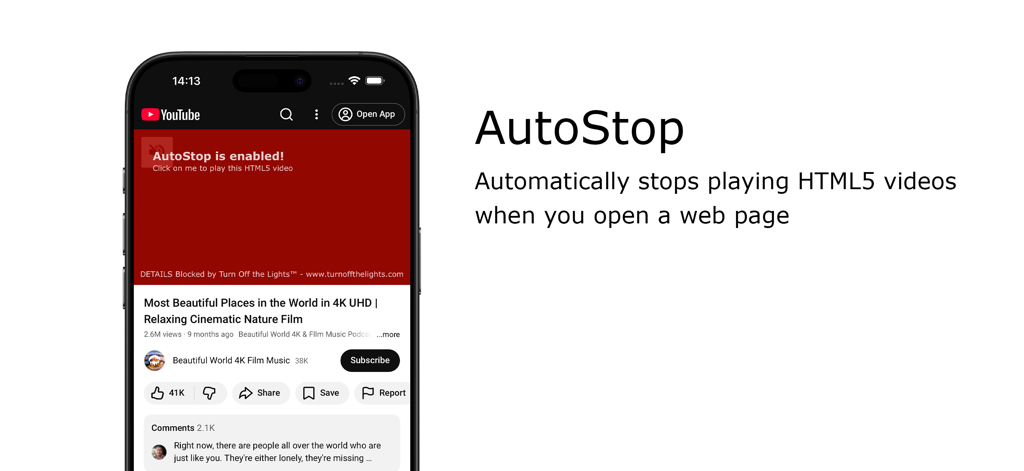
AutoStop feature in Turn Off the Lights for Safari extension blocking autoplay videos
Accolades for Turn Off the Lights for Safari extension featuring recognition from Apple and Product Hunt
Description
Download
More Like This
Top-ranked apps in the same category

ChatGPT
OpenAI OpCo, LLC

Google Gemini
Google LLC

Grok
X.AI Corporation

Gmail - Email by Google
Google LLC

千问 - 阿里最强大模型官方AI助手
Shanghai Zhixin Puhui Technology Co., Ltd.

Google Drive
Google LLC

Microsoft Authenticator
Microsoft Corporation

Google Sheets
Google LLC

Google Docs
Google LLC
This page is not an official page of the app or its developer, but an independent editorial publication created for informational and commentary purposes. Unless expressly stated otherwise, neither the app nor its developer is affiliated with, endorsed by, sponsored by, authorized by, or otherwise officially connected with MWM, Apple, Google Play, the app publisher, or the app's developer, and nothing on this page implies that the app was developed using MWM's services. Any trademarks, logos, screenshots, and other content remain the property of their respective owners.