TV Control – Universal Remote

TV Control – Universal Remote


Download on App StoreDownload on Google Play
Logo of TV Control – Universal Remote
TV Control – Universal Remote: The Smart All-in-One Hub for Your Home

Stop searching for lost remotes. Control any TV from your iPhone, type with your keyboard, and cast your favorite memories—seamlessly via WiFi.

Download on App Store

Publisher

BSOFT VIET NAM JOINT STOCK COMPANY

Category

Utilities

Downloads

1K+

User Rating

4.6/5

Total Ratings

0

Locales

23

Control at Your Fingertips

Discover the interface used by 1K+ users.
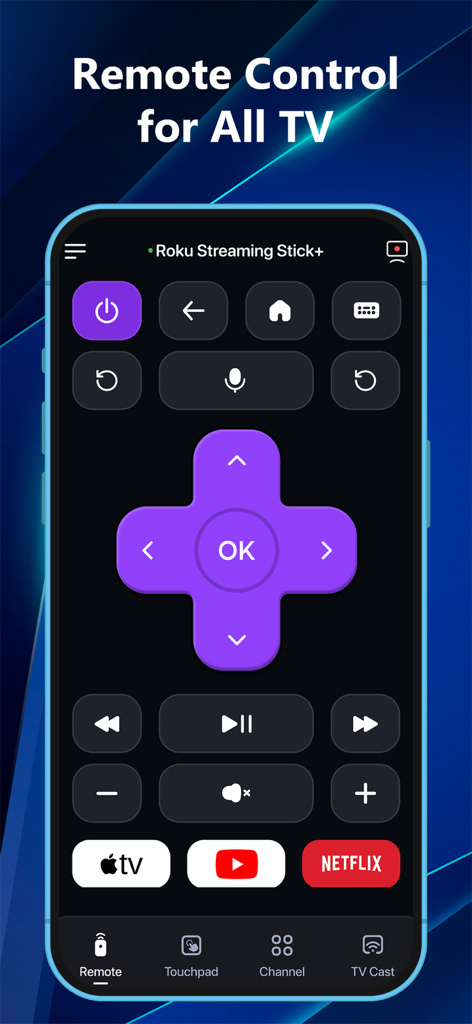
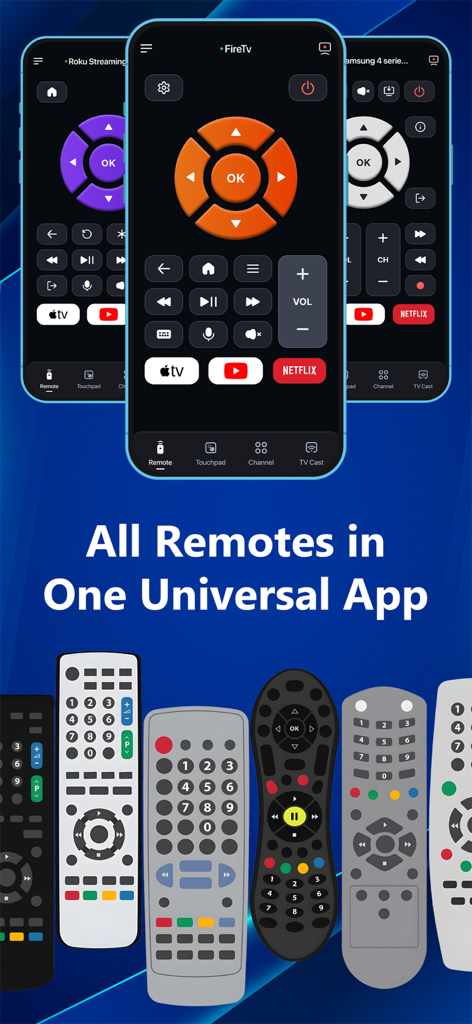
Universal TV remote app interface showing Roku control buttons and streaming shortcuts

Universal TV remote app interface showing Roku control buttons and streaming shortcuts

Universal TV remote app interface replacing multiple physical remotes on a smartphone

Universal TV remote app interface replacing multiple physical remotes on a smartphone

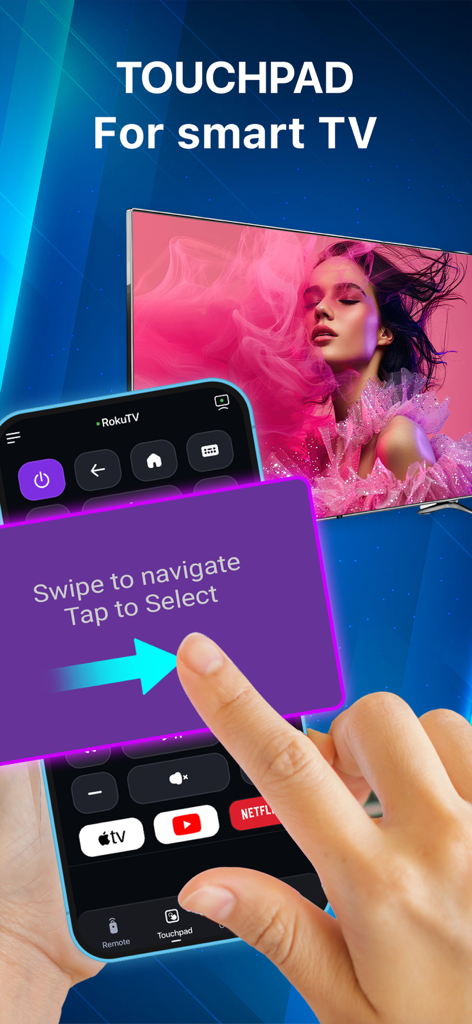
A hand using the touchpad navigation feature on a smartphone to control a smart TV

A hand using the touchpad navigation feature on a smartphone to control a smart TV

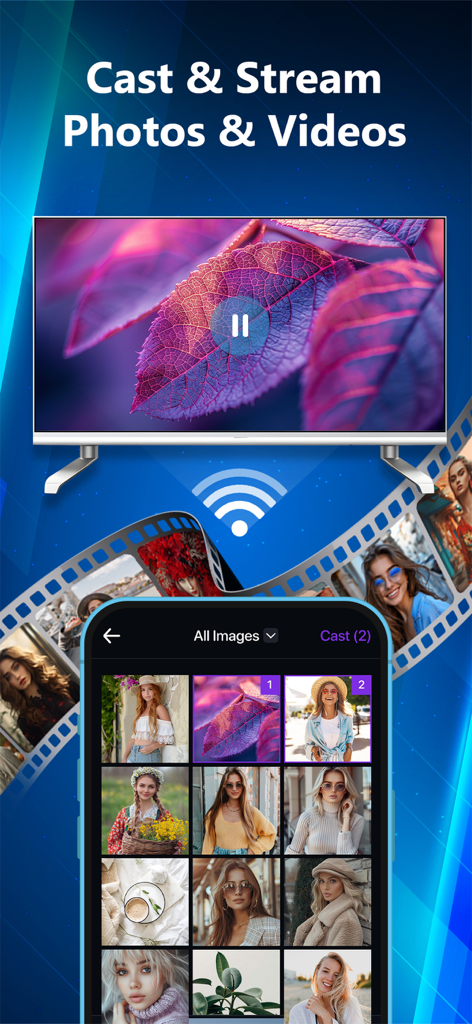
An iPhone casting a photo gallery and streaming a video to a smart TV using the universal remote app

An iPhone casting a photo gallery and streaming a video to a smart TV using the universal remote app

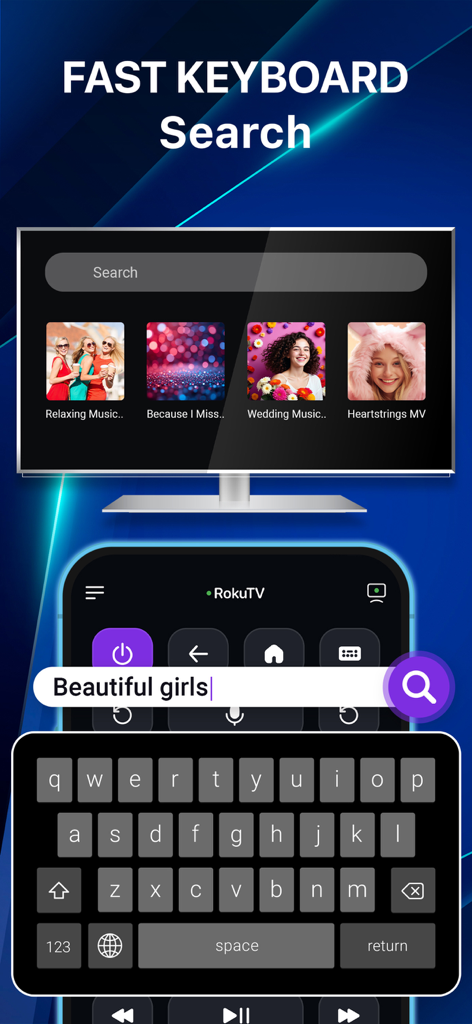
A smartphone keyboard being used to quickly search for content on a smart TV screen through the universal remote app.

A smartphone keyboard being used to quickly search for content on a smart TV screen through the universal remote app.

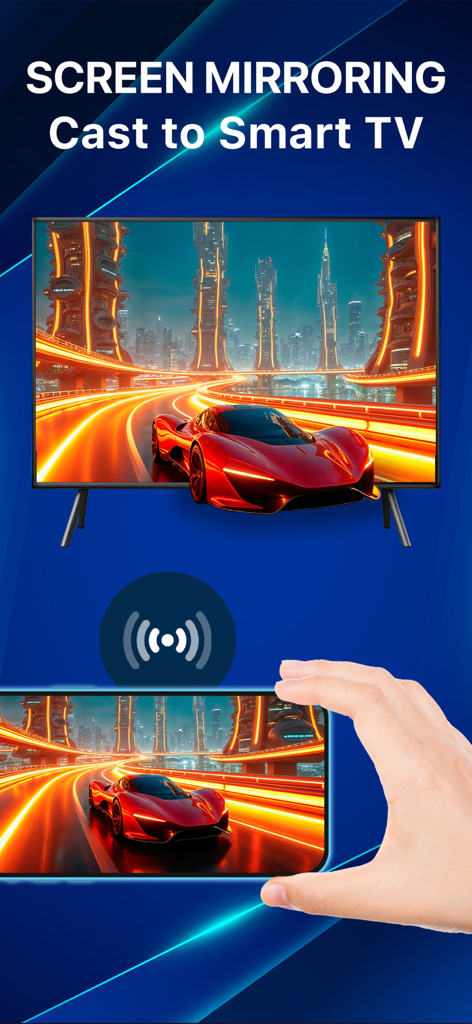
A hand holding a smartphone mirroring its screen content to a large smart TV using the universal remote app

A hand holding a smartphone mirroring its screen content to a large smart TV using the universal remote app

Master Your Home Entertainment with One App

The tools that make this app stand out, trusted by 1K+ users.

📺

Universal Brand Connectivity

Seamlessly control Samsung, LG, Roku, Fire TV, and more. One unified interface to manage every screen in your house without the clutter of physical remotes.

🖱️

Intuitive Touchpad & Keyboard

Stop the frustration of typing with arrow keys. Use your iPhone keyboard for lightning-fast searches and a smooth touchpad for precision navigation.

📲

Instant Wireless Casting

Bring your memories to the big screen. Effortlessly stream photos and videos from your camera roll to your TV in seconds with zero cables required.

About the app

Everything you need to know about TV Control – Universal Remote.

Description

TV Remote – Smart Control for All TVs. Turn your iPhone or iPad into a powerful universal TV remote! Control Samsung, LG, Roku, Fire TV, Android TV, Hisense, Sony, TCL & more — all from one smart app. No more juggling remotes. Cast, control, and mirror – effortlessly. Key Features • Universal Remote for Smart TVs Control power, volume, channels, input, and settings on Samsung, LG, Roku, Fire TV, and Android TVs. • Quick App Access Launch Netflix, YouTube, Prime Video, Hulu, TED, and CNN instantly with one tap. • Smart Touchpad Navigation Swipe and tap like a laptop trackpad — intuitive and fast. • Cast Photos & Videos Stream photos and videos from your iPhone/iPad camera roll to your TV. No cables. No setup. • Voice Control Use voice commands to search, play, pause, adjust volume, and more — hands-free. • Stable WiFi Remote Control TVs via WiFi — no line-of-sight needed. Instant response & ultra-reliable connection. • All-in-One Convenience Consolidate all your remotes into one smart app available on both iPhone and iPad. • Screen Mirroring (Coming Soon) Mirror your iPhone/iPad screen to any compatible smart TV — great for presentations, videos, or mobile games. * Works Great With: Smart TVs, streaming devices, and more. Perfect for home entertainment, travel, and presentations. * How to connect to TV Control – Universal Remote : 1. Make sure your Smart TV and your iPhone/iPad are connected to the same Wi-Fi network. 2. Open the TV Control – Universal Remote app. 3. Tap the “Tap to Connect” button at the top of the screen. 4. Choose your TV from the list of available devices. 5. Once connected, explore the available features: Remote, Touchpad, Cast, Channel, Setting Why Choose TV Remote – Smart Control? • Works with almost smart TVs & streaming devices • Seamless connection setup in seconds • All-in-one remote for your home, travel, or office • Clean, simple interface that anyone can use Download TV Control – Universal Remote now on your iPhone or iPad and take control of your viewing experience! *This app is not affiliated with or endorsed by Samsung, Roku, or any of the mentioned brands. Links to our Terms of Service and Privacy Policy can be found below: Privacy Policy: https://sites.google.com/view/btb-ios-group/ Terms of Service: https://sites.google.com/view/btb-ios-group-tos/

Latest Version

1.1.9

Size

116.0 MB

First Released

Jul 10, 2025

Ditch the Remote Clutter Today

Join thousands of users who have traded their messy coffee tables for one smart app. Take command of your Samsung, LG, Roku, and Fire TV instantly from your iPhone.

Download on App StoreDownload on Google Play
FAQ

Frequently Asked Questions

Everything you need to know about TV Control – Universal Remote

What is TV Control – Universal Remote?

TV Control – Universal Remote transforms your iPhone or iPad into a smart remote for various TVs. It controls Samsung, LG, Roku, Fire TV, Android TV, Hisense, Sony, and TCL, consolidating multiple physical remotes into one app.

How do I connect the TV Control – Universal Remote app to my television?

Connect your iPhone/iPad and TV to the same Wi-Fi network. Open the app, tap “Tap to Connect,” then select your TV from the available devices list. The connection establishes in seconds.

Which television brands are compatible with the TV Control – Universal Remote app?

The TV Control – Universal Remote app supports Samsung, LG, Roku, Fire TV, Android TV, Hisense, Sony, and TCL. It works with almost all smart TVs and streaming devices.

Does the TV Control – Universal Remote app offer voice control features?

Yes, TV Control – Universal Remote includes voice control. Users can employ voice commands to search, play, pause, and adjust volume hands-free directly through the app.

Is there a touchpad feature in the TV Control – Universal Remote app for navigation?

Yes, the TV Control – Universal Remote app features a Smart Touchpad Navigation. This allows users to swipe and tap like a laptop trackpad for intuitive and fast control.

Can I cast photos and videos from my device to my TV with TV Control – Universal Remote?

Yes, TV Control – Universal Remote enables users to stream photos and videos from their iPhone/iPad camera roll to their TV. This feature requires no cables or special setup.

Does the TV Control – Universal Remote app support screen mirroring?

Screen Mirroring is a feature coming soon to TV Control – Universal Remote. It will allow mirroring an iPhone/iPad screen to any compatible smart TV for various uses.

Does the TV Control – Universal Remote app operate using Wi-Fi connectivity?

Yes, TV Control – Universal Remote functions as a stable WiFi Remote. It controls TVs via Wi-Fi, eliminating the need for line-of-sight and providing an ultra-reliable connection.

What applications can I quickly access using the TV Control – Universal Remote app?

The TV Control – Universal Remote app provides quick access to Netflix, YouTube, Prime Video, Hulu, TED, and CNN. These can be launched instantly with one tap.

Is TV Control – Universal Remote an official application from brands like Samsung or Roku?

No, TV Control – Universal Remote is not affiliated with or endorsed by Samsung, Roku, or any other mentioned brands. It is a third-party universal remote application.

App information, icons, screenshots, and descriptions displayed on this page are sourced from the Apple App Store and are the property of their respective developers. Download estimates and rankings are based on MWM's proprietary models and may not reflect actual figures. This page is provided for informational and analytical purposes only.

Believe this page infringes your intellectual property? File a dispute