TV Remote Control · Universal

TV Remote Control · Universal

Download on App Store
Logo of TV Remote Control · Universal

TV Remote Control · Universal: The Smartest Way to Control Your TV

Tired of lost remotes and dead batteries? Turn your iPhone into a powerful, all-in-one controller for any Smart TV in your home. Simple setup, instant connection, and total control.

Publisher

TrustOneApps L.L.C-FZ

Category

Utilities

Downloads

0

User Rating

1.0/5

Total Ratings

0

Locales

1

Total Control, No Clutter

Discover the interface used by 0 users.
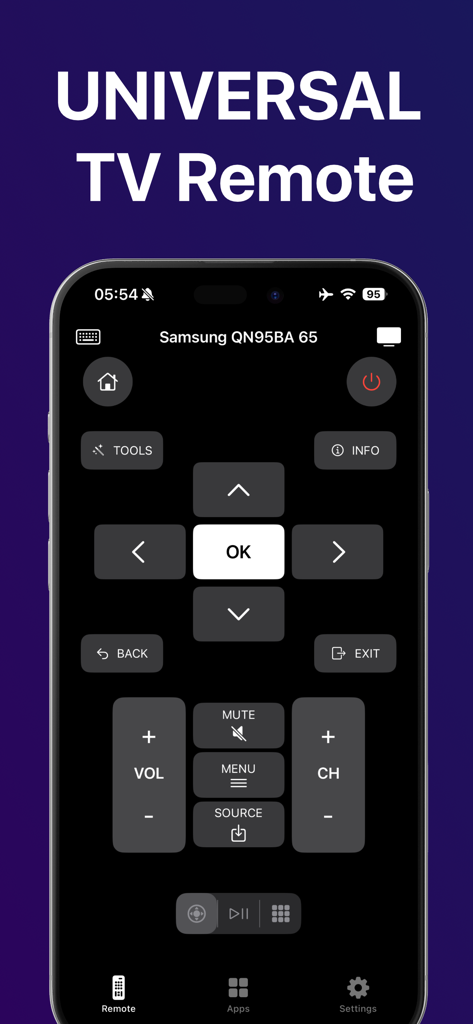
Universal TV remote app interface on iPhone with Samsung TV controls

Universal TV remote app interface on iPhone with Samsung TV controls

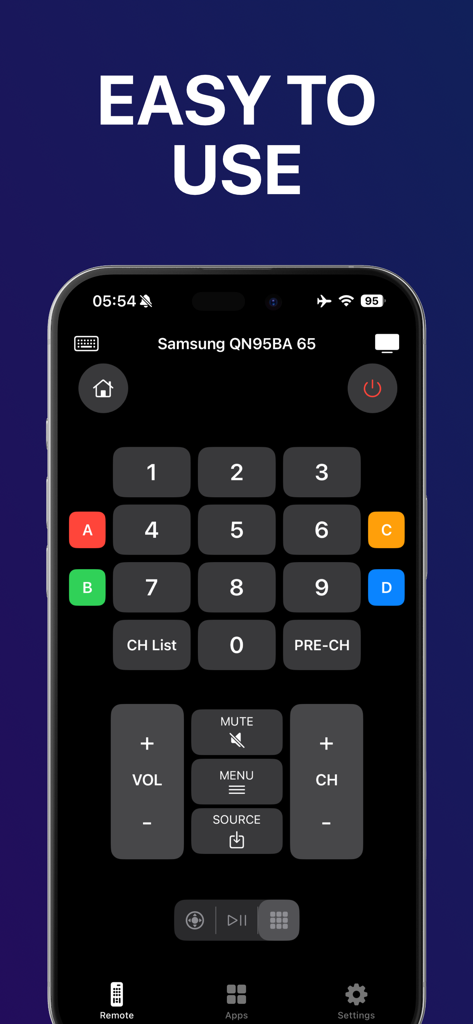
Universal TV Remote app interface on iPhone featuring a numeric keypad and volume controls for a Samsung Smart TV

Universal TV Remote app interface on iPhone featuring a numeric keypad and volume controls for a Samsung Smart TV

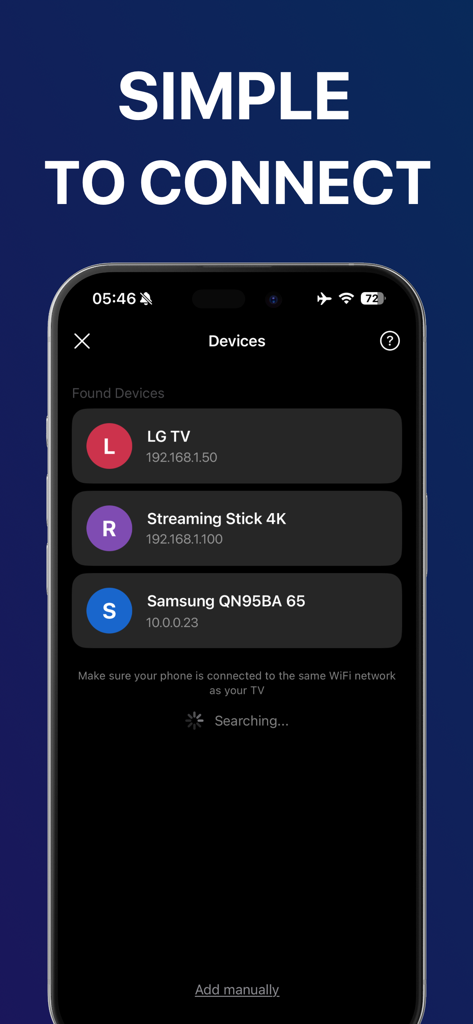
Universal TV remote app interface showing a list of discovered smart TVs and streaming devices on a local Wi-Fi network

Universal TV remote app interface showing a list of discovered smart TVs and streaming devices on a local Wi-Fi network

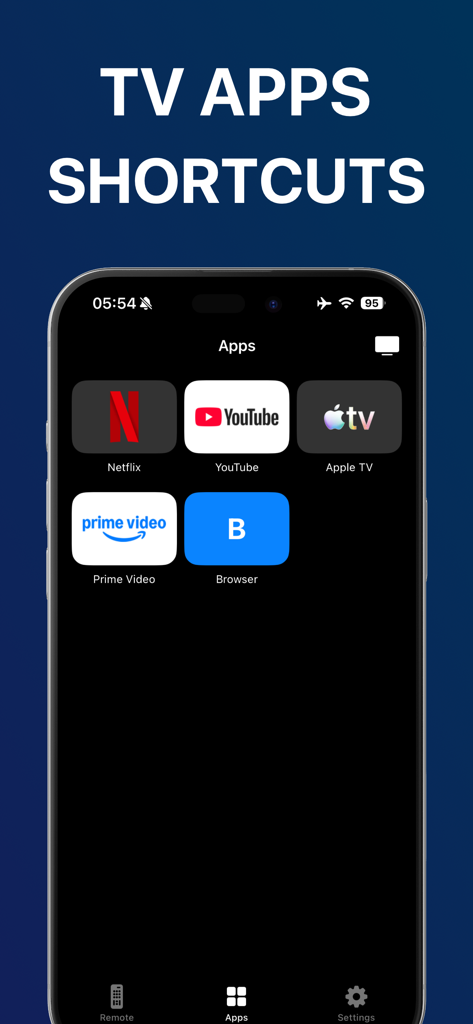
iPhone screen showing the shortcuts menu of the TV Remote Control app featuring Netflix YouTube Apple TV and Prime Video buttons

iPhone screen showing the shortcuts menu of the TV Remote Control app featuring Netflix YouTube Apple TV and Prime Video buttons

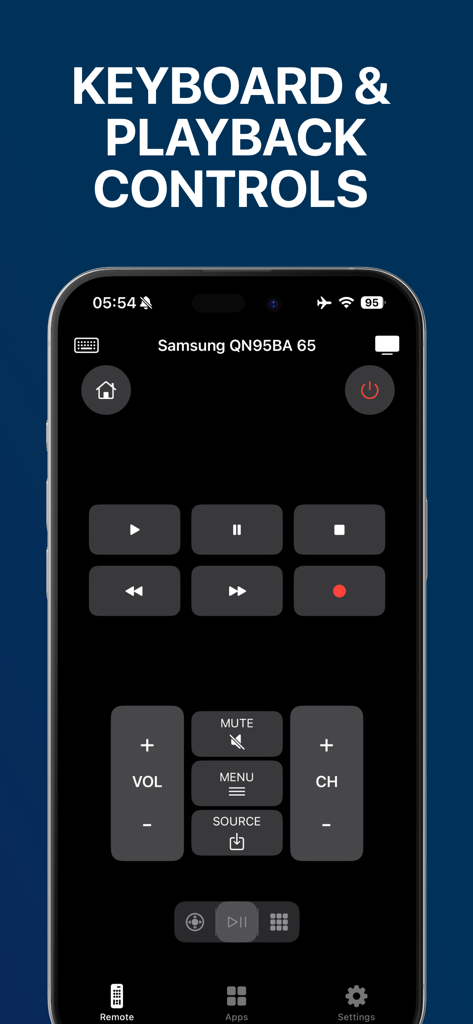
Interface of the Universal TV Remote Control app for iPhone showing playback and volume controls for a Samsung Smart TV

Interface of the Universal TV Remote Control app for iPhone showing playback and volume controls for a Samsung Smart TV

The Smartest Way to Control Your TV

The tools that make this app stand out, trusted by 0 users.

📺

Universal Brand Support

One app to rule them all. Seamlessly control Sony, LG, Samsung, and other major brands from a single interface.

Instant Wi-Fi Setup

No cables, no dongles, no hassle. Just connect to your home network and start controlling your TV in seconds.

📱

Your Remote, Always Ready

Never search for lost remotes or dead batteries again. Your iPhone is always in your hand and ready to go.

About the app

Everything you need to know about TV Remote Control · Universal.

Description

Introducing TV Remote Control · Universal – the simplest and fastest way to control your TV directly from your iPhone. Turn your phone into a smart, reliable TV remote you can use anytime, anywhere. • Instant TV Control Connect your iPhone to your TV over the same Wi-Fi network and start controlling it instantly. Change channels, adjust volume, navigate menus, and control playback in seconds. • Smart & Intuitive Interface A clean, user-friendly design makes controlling your TV effortless. Everything you need is right at your fingertips — simple, fast, and responsive. • Wide TV Compatibility Works with most popular Smart TV brands that support control via local network connection. Various operating systems are supported. One app for multiple TVs in your home. • No Extra Devices Needed No physical remote, no cables, no additional hardware. Just your iPhone and your TV — that’s it. • Always Ready When You Need It Perfect when your remote is lost, batteries are dead, or you simply prefer controlling your TV from your phone. Upgrade your daily TV experience with a tool built for speed, simplicity, and convenience. Download TV Remote Control · Universal today and take full control of your TV — effortlessly. *This application is not affiliated with, endorsed by, or sponsored by any television manufacturer. Information about the auto-renewal of subscription: - Payment will be charged to iTunes Account at confirmation of purchase; - Subscriptions are billed weekly, monthly, quarterly, or annually at the rate based on the subscription plan - Subscription automatically renews unless auto-renew is turned off at least 24 hours before the end of the current period; - The account will be charged for renewal within 24 hours before the end of the current period. The cost depends on the selected plan; - Subscriptions may be managed by the user, and auto-renewal may be turned off by going to the user’s Account Settings after purchase; Privacy Policy: https://trustoneapps.com/qr-code-privacy Terms of Use: https://trustoneapps.com/tv-remote-control-terms For any questions or inquiries, please get in touch: support@trustoneapps.com

Latest Version

1.0

Size

19.9 MB

First Released

Jan 15, 2026

Your iPhone is the Only Remote You Need

Stop searching for lost remotes or dealing with dead batteries. Download the fastest universal remote today and control every TV in your home effortlessly.

Download on App Store
FAQ

Frequently Asked Questions

Everything you need to know about TV Remote Control · Universal

What is TV Remote Control · Universal?

TV Remote Control · Universal transforms an iPhone into a smart, reliable TV remote. It enables users to control TV functions like channels, volume, menu navigation, and playback directly from their device.

How does TV Remote Control · Universal connect to a television?

TV Remote Control · Universal connects by requiring the iPhone and the TV to be on the same Wi-Fi network. The application then automatically finds and connects to compatible devices for instant control.

Is TV Remote Control · Universal compatible with various Smart TV brands?

Yes, TV Remote Control · Universal is compatible with most popular Smart TV brands. It supports control via a local network connection and works with various operating systems.

Do I need extra hardware to use TV Remote Control · Universal?

No, TV Remote Control · Universal does not require extra devices. Users only need their iPhone and a compatible TV. It functions without any physical remote, cables, or additional hardware.

Can TV Remote Control · Universal launch TV streaming apps?

Yes, TV Remote Control · Universal provides shortcuts to popular TV apps. Users can directly launch Netflix, YouTube, Apple TV, Prime Video, and a web browser from within the application.

How can I manage my TV Remote Control · Universal subscription?

Users manage their TV Remote Control · Universal subscriptions through their iTunes Account Settings. Auto-renewal can be turned off in these settings after the purchase is made.

What are the subscription billing options for TV Remote Control · Universal?

TV Remote Control · Universal subscriptions are billed weekly, monthly, quarterly, or annually. The specific rate is determined by the selected subscription plan.

What core remote functions does TV Remote Control · Universal offer?

TV Remote Control · Universal offers essential remote functions. These include changing channels, adjusting volume, navigating menus, controlling playback, and accessing power, mute, and source options.

Where is the Privacy Policy for TV Remote Control · Universal located?

The Privacy Policy for TV Remote Control · Universal is available at the provided URL: https://trustoneapps.com/qr-code-privacy. This document details the application's data handling.

Does TV Remote Control · Universal include a numeric keypad for channel input?

Yes, TV Remote Control · Universal includes a numeric keypad. This feature allows for direct channel entry in addition to standard navigation and playback controls.

App information, icons, screenshots, and descriptions displayed on this page are sourced from the Apple App Store and are the property of their respective developers. Download estimates and rankings are based on MWM's proprietary models and may not reflect actual figures. This page is provided for informational and analytical purposes only.

Believe this page infringes your intellectual property? File a dispute