
This page is not an official page of the app or its developer, but an independent editorial publication created for informational and commentary purposes. Unless expressly stated otherwise, neither the app nor its developer is affiliated with, endorsed by, sponsored by, authorized by, or otherwise officially connected with MWM, Apple, Google Play, the app publisher, or the app's developer, and nothing on this page implies that the app was developed using MWM's services. Any trademarks, logos, screenshots, and other content remain the property of their respective owners.


Twilio Authy
Compromise is constant. Twilio Authy armors your digital life, delivering an unshakeable guardian for every login, anytime, anywhere.
Downloads
12.5M+User Rating
Total Ratings
78.4KPublisher
Category
UtilitiesLocales
3Latest Version
28.4.0Size
35.6 MBFirst Released
Feb 3, 2012Twilio Authy: Key Features Analysis
An evaluation of critical functionalities enhancing digital security and user convenience.
Enhanced Security for Cryptocurrency Wallets
The app is specifically highlighted as the preferred two-factor authentication solution for protecting cryptocurrency wallets, working with trusted companies like Coinbase, CEX.IO, and BitGo.
Secure Cloud Backups
This tool provides secure cloud encrypted backups, ensuring users never lose access to their 2FA tokens even if their device is lost, using robust encryption algorithms.
Multi-Device Synchronization
It allows users to seamlessly add multiple devices to their account, automatically synchronizing all 2FA tokens across them without the need to re-scan QR codes.
Broad Account Compatibility
The app supports a vast array of major multi-factor authentication accounts, including popular platforms like Facebook, Dropbox, Amazon, and Gmail, alongside thousands of other providers, and handles 8-digit tokens.
Offline Token Generation
It generates secure 2-step verification tokens offline, enabling authentication even in airplane mode or when internet access is unavailable, eliminating reliance on SMS.
Secure 2-Step Verification Tokens
The app generates secure 2-step verification tokens directly on the user's device, adding an essential layer of security to protect accounts from unauthorized access.
Frequently Asked Questions
Everything you need to know about Twilio Authy
What is Twilio Authy?
Twilio Authy is a two-factor authentication (2FA) app that generates secure 2 step verification tokens on your device. It protects accounts from hackers by adding an additional layer of security.
Does Twilio Authy offer secure cloud backups?
Yes, Authy provides secure, cloud-encrypted backups to prevent loss of access to your 2FA tokens. It uses the same strong algorithm banks use for data protection.
Can I use Twilio Authy on multiple devices?
Yes, Authy supports multi-device synchronization. You simply add devices to your account, and all 2FA tokens automatically synchronize across them.
Does Twilio Authy generate 2FA tokens offline?
Yes, Authy generates secure 2FA tokens offline from your device. This allows you to authenticate securely even when in airplane mode or without an internet connection.
What types of accounts does Twilio Authy support for 2FA?
Authy supports most major multi-factor authentication accounts, including Facebook, Dropbox, Amazon, Gmail, and thousands of other providers. It also supports 8-digit tokens.
Is Twilio Authy a recommended 2FA solution for cryptocurrency wallets?
Yes, Authy is the preferred two-factor authentication solution for protecting Bitcoin wallets. It is the default 2FA provider for trusted companies like Coinbase, CEX.IO, and BitGo.
How can I secure the Authy app itself on my device?
You can secure the Authy app itself with a PIN, fingerprint, or face recognition. This adds an extra layer of protection for accessing your stored 2FA tokens.
The following screenshots and description are sourced directly from the app's official store listing and are the property of the app developer.
App Store
Screenshots
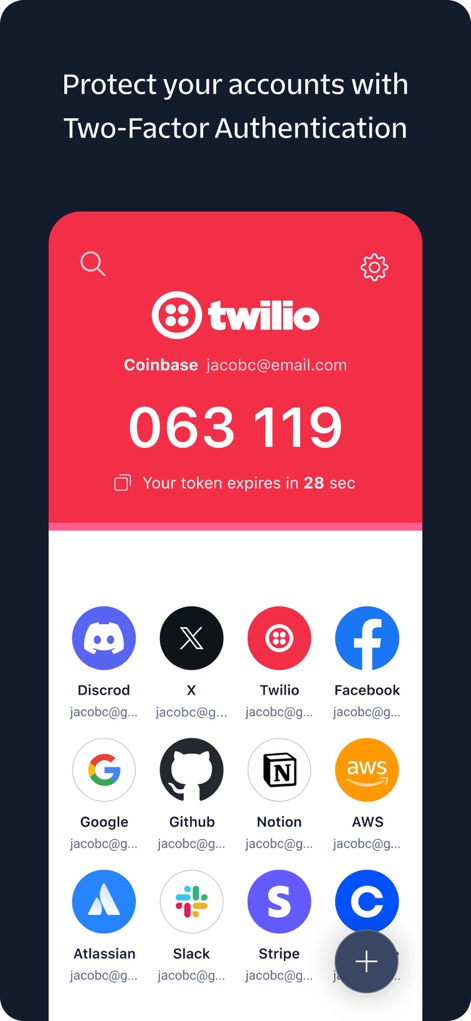
Account Protection Overview
This interface showcases the real-time token countdown for active security codes and the extensive grid of supported service icons, simplifying multi-account management.
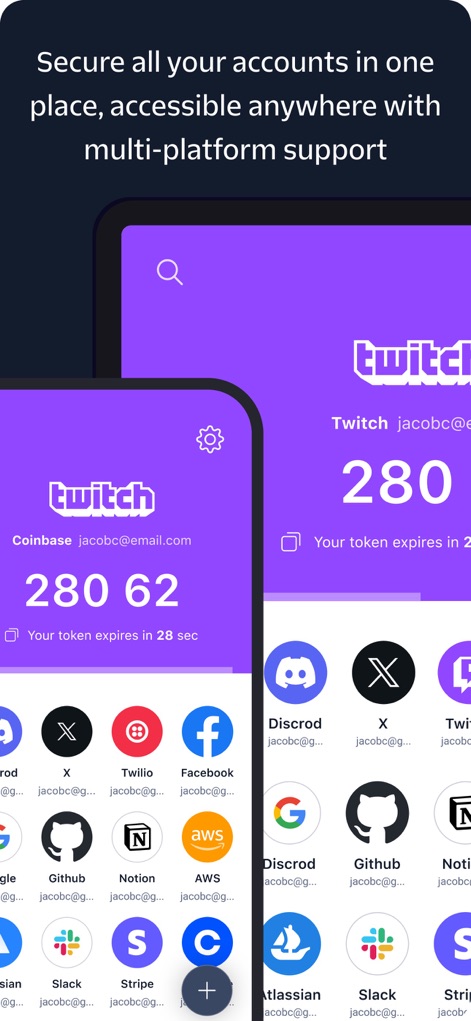
Cross-Device Access
Users can observe the seamless synchronization across side-by-side device displays, ensuring an automatically updated account list is available on all their devices.
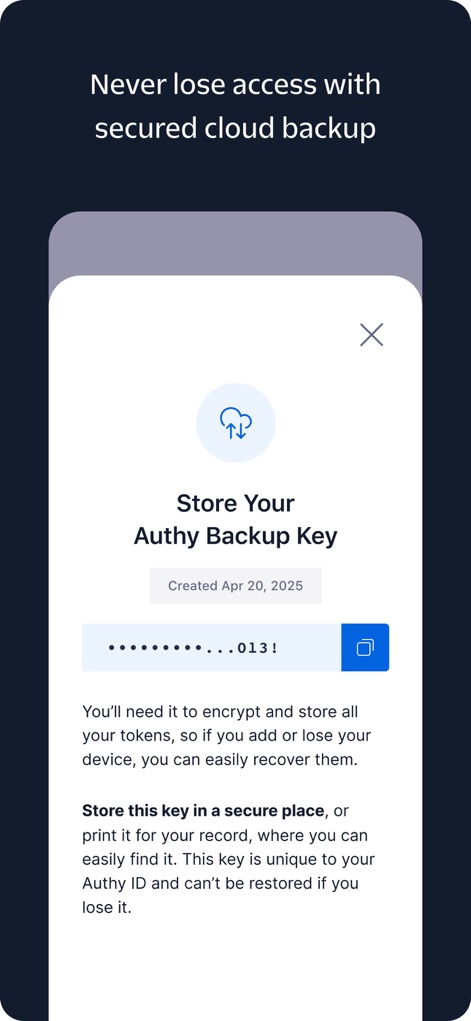
Secure Token Recovery
The app features a prominently displayed cloud backup key for encryption, complemented by clear recovery instructions to ensure users never lose access to their tokens.
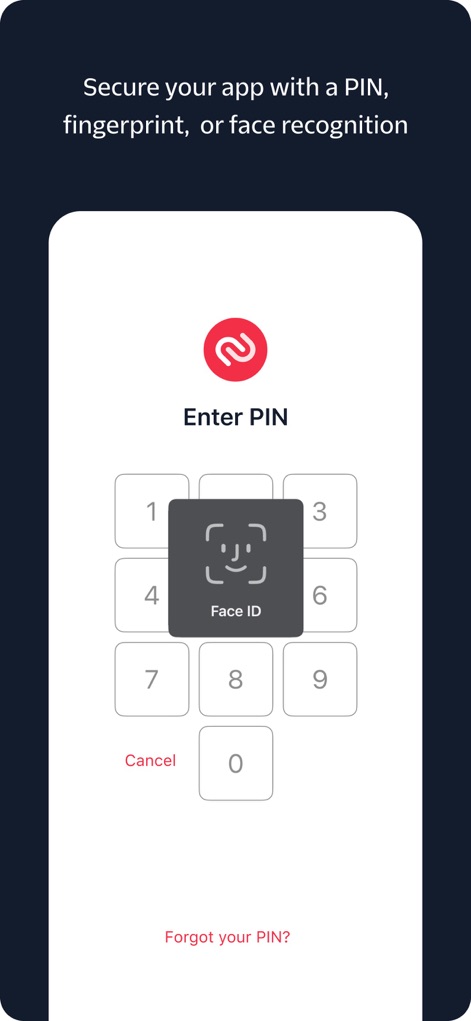
Biometric Security
The tool integrates advanced security options, evident through the Face ID integration icon and the straightforward numeric PIN pad for app access.
Description
Download
More Like This
Apps with similar features and user experience

Google Authenticator
Google LLC

Duo Mobile
Duo Security LLC

Authenticator App - 2FA &. MFA
APPLY DIJITAL HIZMETLER TICARET LIMITED SIRKETI

authenticator . app
Mustafa Uz

SafeNet MobilePASS+
Thales DIS (Singapore) Pte Ltd

Čítačka
Tatra banka, a.s.

Authenticator App - SafeAuth
Brilliant App Limited

Authenticator App - 2FA Auth
UNIVERSE DIJITAL HIZMETLER LIMITED SIRKETI

Authenticator App : Scan & 2FA
XSOFT GLOBAL LIMITED
This page is not an official page of the app or its developer, but an independent editorial publication created for informational and commentary purposes. Unless expressly stated otherwise, neither the app nor its developer is affiliated with, endorsed by, sponsored by, authorized by, or otherwise officially connected with MWM, Apple, Google Play, the app publisher, or the app's developer, and nothing on this page implies that the app was developed using MWM's services. Any trademarks, logos, screenshots, and other content remain the property of their respective owners.