
This page is not an official page of the app or its developer, but an independent editorial publication created for informational and commentary purposes. Unless expressly stated otherwise, neither the app nor its developer is affiliated with, endorsed by, sponsored by, authorized by, or otherwise officially connected with MWM, Apple, Google Play, the app publisher, or the app's developer, and nothing on this page implies that the app was developed using MWM's services. Any trademarks, logos, screenshots, and other content remain the property of their respective owners.


UBackup
Free up iPhone space instantly by backing up your photos and contacts directly to your USB drive. No storage limits, no privacy concerns, just total control.
Downloads
542K+User Rating
Total Ratings
500Publisher
Category
UtilitiesLocales
1Latest Version
1.7.1Size
101.3 MBFirst Released
Sep 19, 2023Take Complete Control of Your Storage
Stop paying for cloud subscriptions and keep your memories safe. UBackup provides a simple, physical solution to back up your photos and contacts without the monthly bill.
No More Monthly Fees
Break free from recurring iCloud costs. Use a one-time physical storage solution to save thousands of photos without ever seeing a 'Storage Full' notification again.
Private & Cloud-Free
Your photos never touch a server. By backing up directly to a USB drive, you ensure your private family moments stay in your hands and away from the internet.
Frequently Asked Questions
Everything you need to know about UBackup
What is UBackup?
UBackup is a powerful application designed to back up precious photo albums and contacts. It uses an Apple USB drive, eliminating iCloud storage limits and privacy concerns.
Does UBackup require iCloud storage for backups?
No, UBackup does not require iCloud storage for backups. It is designed to operate without iCloud's space limitations, utilizing an Apple USB drive instead.
What types of data can UBackup back up?
UBackup can back up photo albums and contacts. Additionally, it supports taking photos and videos directly to a USB flash drive and synchronizing the address book.
Does UBackup offer privacy features for user data?
Yes, UBackup provides privacy features. Users do not need to worry about privacy and security issues with their uploaded data. The app also offers a privacy password option.
How does UBackup manage data storage?
UBackup manages data storage by utilizing an Apple USB drive. This method ensures users do not face insufficient storage space issues, unlike cloud-based solutions.
Can UBackup synchronize contacts?
Yes, UBackup can easily synchronize the address book on your mobile phone to a USB flash drive. This feature ensures your contacts are backed up externally.
What is the current application version of UBackup?
The current application version of UBackup is 1.5.5. Users can find this information within the app's settings menu.
The following screenshots and description are sourced directly from the app's official store listing and are the property of the app developer.
App Store
Screenshots
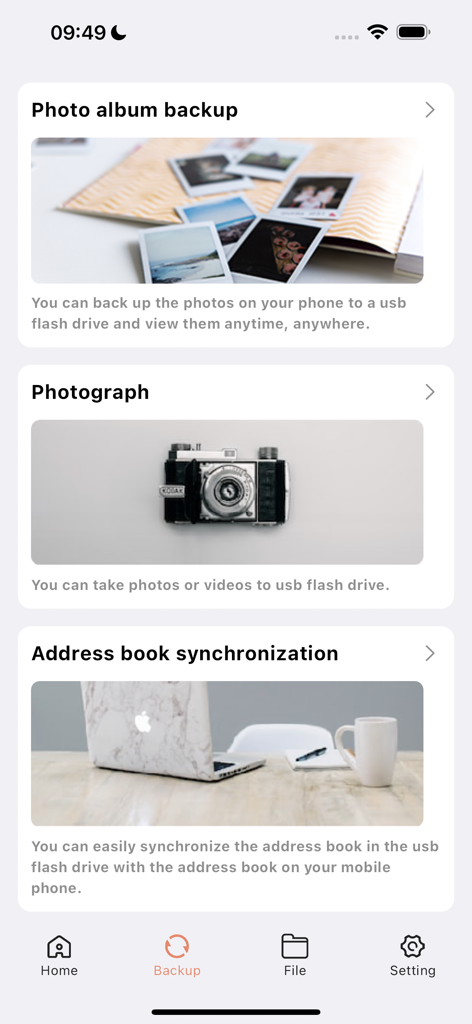
Interface of the UBackup app showing options for photo backup, camera, and contact synchronization to a USB drive.
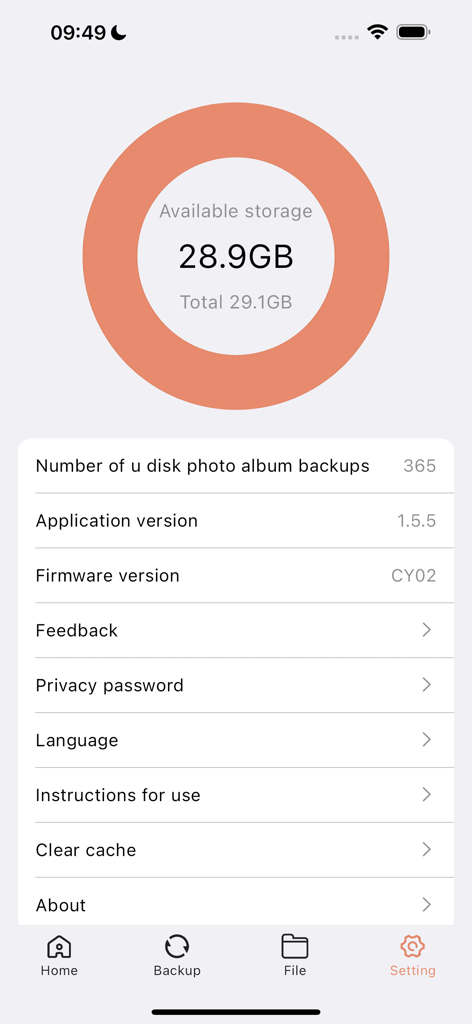
The settings menu of the UBackup app showing 28.9 GB of available storage and device backup information
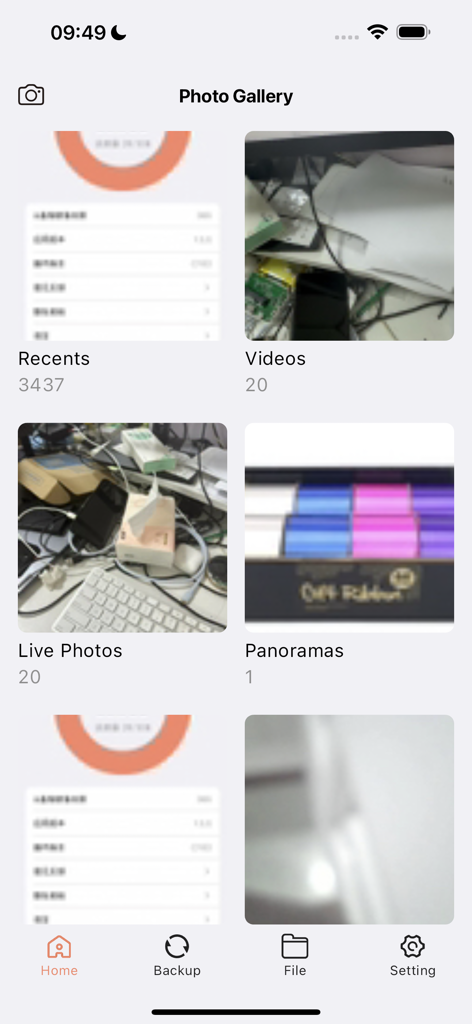
UBackup app photo gallery screen showing album categories like Recents and Videos
Description
Download
More Like This
Apps with similar features and user experience
Qubii Pro
Maktar Inc.
SanDisk Memory Zone
SanDisk Corporation

SanDisk Ixpand™ Charger
SanDisk Corporation
i-FlashDevice HD
ShenZhen 0101 Technology Co.,Ltd

Y-Disk
Shenzhen Dianzhui Culture Technology Co., Ltd.

PhotoFast ONE
ALL BOND TECHNOLOGY CO., LTD

CooDisk
天海 何

LinkBack
金铃 梁

iUSB
伟才 韦
This page is not an official page of the app or its developer, but an independent editorial publication created for informational and commentary purposes. Unless expressly stated otherwise, neither the app nor its developer is affiliated with, endorsed by, sponsored by, authorized by, or otherwise officially connected with MWM, Apple, Google Play, the app publisher, or the app's developer, and nothing on this page implies that the app was developed using MWM's services. Any trademarks, logos, screenshots, and other content remain the property of their respective owners.