
This page is not an official page of the app or its developer, but an independent editorial publication created for informational and commentary purposes. Unless expressly stated otherwise, neither the app nor its developer is affiliated with, endorsed by, sponsored by, authorized by, or otherwise officially connected with MWM, Apple, Google Play, the app publisher, or the app's developer, and nothing on this page implies that the app was developed using MWM's services. Any trademarks, logos, screenshots, and other content remain the property of their respective owners.


CooDisk
Securely manage, transfer, and backup your photos, videos, and documents without monthly cloud fees. Your files, your control, anytime and anywhere.
Downloads
781K+User Rating
Total Ratings
500Publisher
Category
UtilitiesLocales
11Latest Version
1.0.82Size
122.3 MBFirst Released
Mar 1, 2019Master Your Mobile Storage
Tired of 'Storage Full' alerts? CooDisk gives you the power to manage, transfer, and back up your digital life without monthly cloud fees.
Instant Storage Relief
Quickly move high-resolution photos and 4K videos to your external drive to free up space for new memories without deleting a thing.
Universal File Support
View and organize everything from PDFs and spreadsheets to Word docs and Keynote presentations with a familiar, desktop-grade file manager.
Frequently Asked Questions
Everything you need to know about CooDisk
What types of media files does CooDisk display?
CooDisk displays thumbnails for video, photo, and music files. It supports viewing and managing these media types directly within the application.
Does CooDisk support viewing common document formats?
Yes, CooDisk supports viewing multiple document formats. These include .keynote, .numbers, .page, .xls/.xlsx, .doc/docx, .pdf, .txt, and .ppt/.pptx files.
What file management operations can CooDisk perform?
CooDisk supports various file management operations. Users can copy, cut, delete, create, and rename files. It also facilitates data transmission between local and iStorage.
Can CooDisk play photos in a slideshow mode?
Yes, CooDisk includes a slideshow mode for photos. This feature allows users to view their image collections as a continuous presentation directly within the app.
What music playback features does CooDisk offer?
CooDisk provides music playback features including support for music artwork display, repeat mode settings, and timeline drag operations for navigation.
Does CooDisk manage both internal and external storage?
Yes, CooDisk manages both internal and external storage. The app displays available space and usage percentages for both '内部存储' (Internal Storage) and '外接存储' (External Storage).
Does CooDisk allow sharing of photos, music, and documents?
Yes, CooDisk supports sharing operations for photos, music, and documents. This allows users to easily share their media and files directly from the app.
Does CooDisk offer encryption features for the app and folders?
Yes, CooDisk provides encryption options. It includes 'App加密' (App Encryption) and '磁盘文件夹加密' (Disk Folder Encryption) to secure data within the application.
What view modes are available for files in CooDisk?
CooDisk supports both list and thumbnail view modes. Users can switch between these options to organize and browse their files according to preference.
The following screenshots and description are sourced directly from the app's official store listing and are the property of the app developer.
App Store
Screenshots
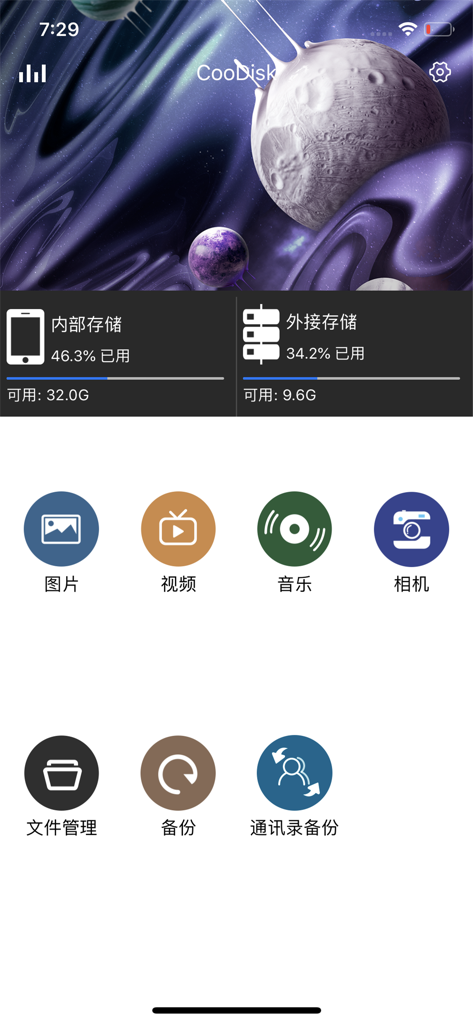
Dashboard of the CooDisk app showing available storage and file management icons

CooDisk mobile app settings menu showing options for cache language and security encryption
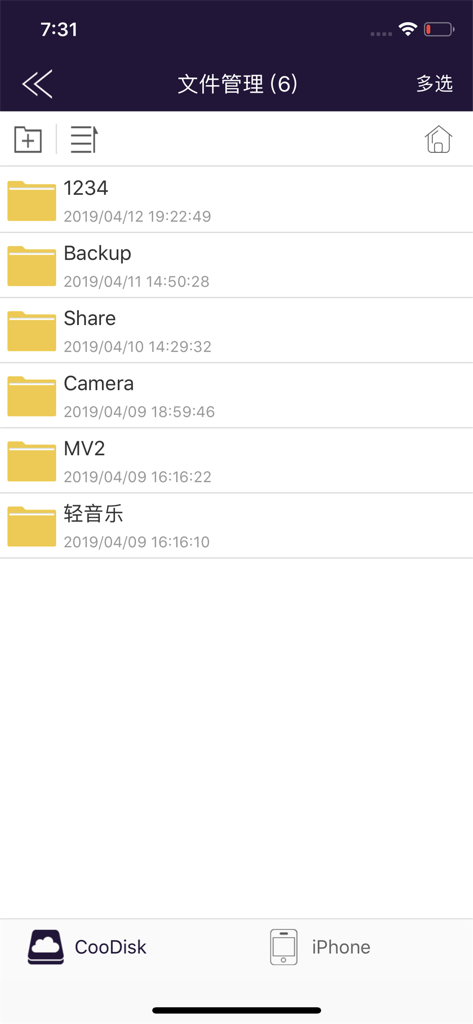
Interface of the CooDisk app displaying a list of folders for file management on iPhone
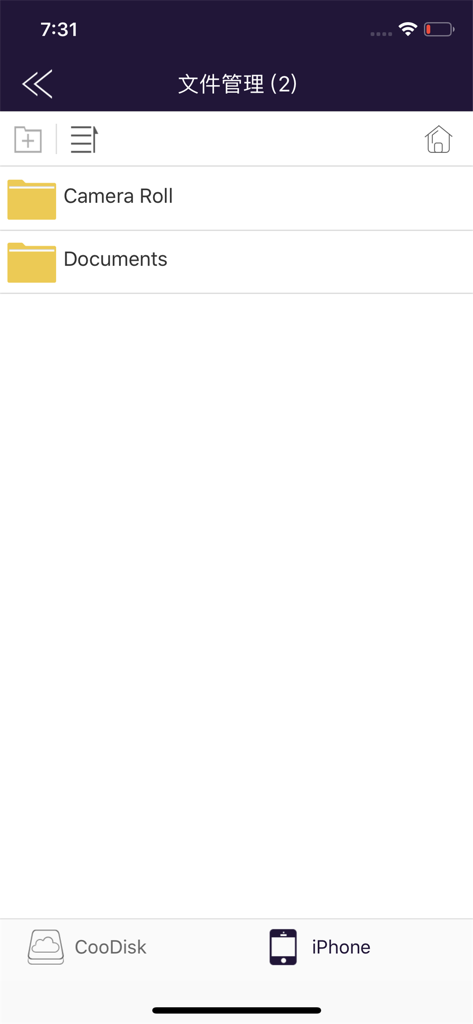
CooDisk app interface showing local iPhone storage with Camera Roll and Documents folders
Description
Download
More Like This
Apps with similar features and user experience

Qubii Pro
Maktar Inc.

SanDisk Memory Zone
SanDisk Corporation

SanDisk Ixpand™ Charger
SanDisk Corporation

UBackup
Shenzhen Dianzhui Culture Technology Co., Ltd.

i-FlashDevice HD
ShenZhen 0101 Technology Co.,Ltd

Y-Disk
Shenzhen Dianzhui Culture Technology Co., Ltd.

PhotoFast ONE
ALL BOND TECHNOLOGY CO., LTD

LinkBack
金铃 梁

iUSB
伟才 韦
This page is not an official page of the app or its developer, but an independent editorial publication created for informational and commentary purposes. Unless expressly stated otherwise, neither the app nor its developer is affiliated with, endorsed by, sponsored by, authorized by, or otherwise officially connected with MWM, Apple, Google Play, the app publisher, or the app's developer, and nothing on this page implies that the app was developed using MWM's services. Any trademarks, logos, screenshots, and other content remain the property of their respective owners.