
This page is not an official page of the app or its developer, but an independent editorial publication created for informational and commentary purposes. Unless expressly stated otherwise, neither the app nor its developer is affiliated with, endorsed by, sponsored by, authorized by, or otherwise officially connected with MWM, Apple, Google Play, the app publisher, or the app's developer, and nothing on this page implies that the app was developed using MWM's services. Any trademarks, logos, screenshots, and other content remain the property of their respective owners.


UCO mBanking Plus
Securely manage your NRE/NRO accounts, UPI payments, and investments from the USA with one integrated app. Experience the convenience of biometric login and comprehensive financial control at your fingertips.
Downloads
646K+User Rating
Total Ratings
7K+Publisher
Category
FinanceLocales
11Latest Version
4.8Size
138.1 MBFirst Released
Oct 20, 2019Banking Without Borders
Manage your Indian accounts from the USA with a powerful, integrated suite designed for the modern Non-Resident Indian.
Your Entire Bank in One App
Consolidate BHIM UPI, mPassbook, and secure banking into a single login for ultimate convenience across all your accounts.
Advanced Security Suite
Experience total peace of mind with SIM binding and biometric authentication (Face ID/Touch ID) protecting every international transaction.
Frequently Asked Questions
Everything you need to know about UCO mBanking Plus
What is UCO mBanking Plus?
UCO mBanking Plus is the official integrated mobile banking application from UCO Bank. It combines existing mobile banking, UCO Secure, UCO mPassbook, and BHIM UCO UPI features into a single app.
How do I log in to the UCO mBanking Plus app?
Yes, UCO mBanking Plus offers a single login for multiple services. It supports Touch ID/Face ID login, password-based login, and enhanced security features including SIM binding to the mobile device.
Can I transfer funds using UCO mBanking Plus?
Yes, UCO mBanking Plus allows users to perform various fund transfers. Options include Own Account Transfer, Transfer to Loan Account, Send To My Beneficiary, Quick Transfer, Repeat Transaction, and Scheduled Transactions.
Does UCO mBanking Plus allow users to apply for loans?
Yes, UCO mBanking Plus enables users to apply for various loans. Available options include Loan Against Deposit Closure, Car Loan, and viewing/tracking Home, Car, and Personal Loans.
What government scheme services are available in UCO mBanking Plus?
Yes, UCO mBanking Plus provides access to several government scheme services. These include Pension Slip Generation, TDS Certificate, Form 15G/15H Certificate, and Digilocker access.
Can I view my account statements in UCO mBanking Plus?
Yes, UCO mBanking Plus allows users to view their account statements. Options include Account View, Account Statement, Yearwise Account Statement, and UCO Passbook.
Does UCO mBanking Plus have a branch/ATM locator?
Yes, UCO mBanking Plus includes a locator feature. This allows users to find nearby branches and ATMs, enhancing convenience for banking services.
The following screenshots and description are sourced directly from the app's official store listing and are the property of the app developer.
App Store
Screenshots
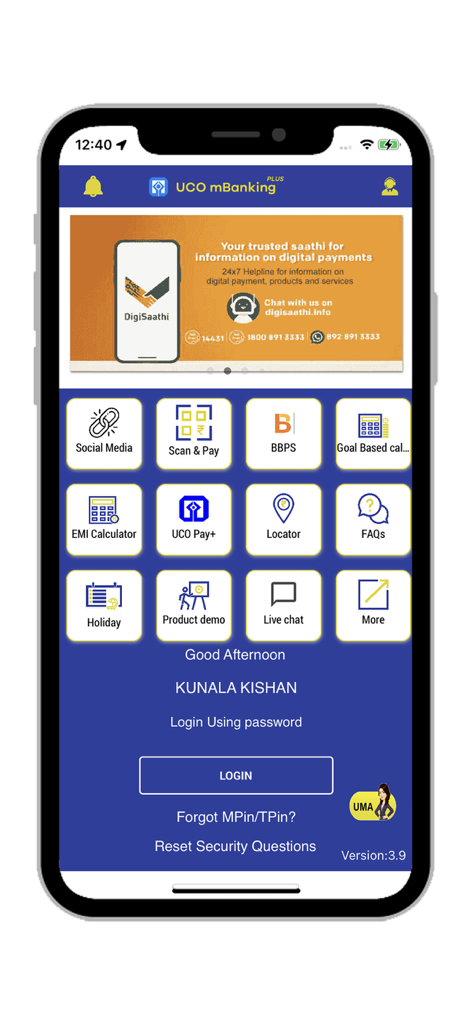
UCO mBanking Plus home screen with service icons and login button
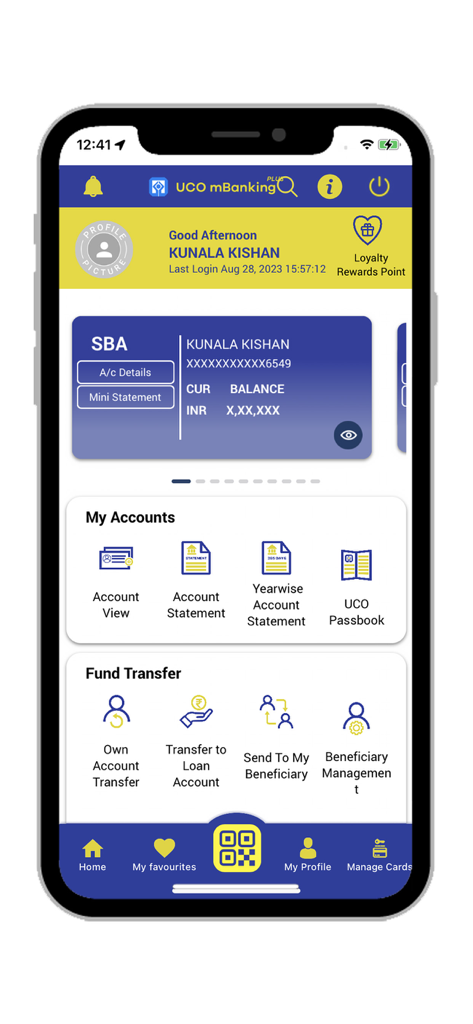
Home screen of UCO mBanking Plus app displaying account balance and banking services like fund transfers
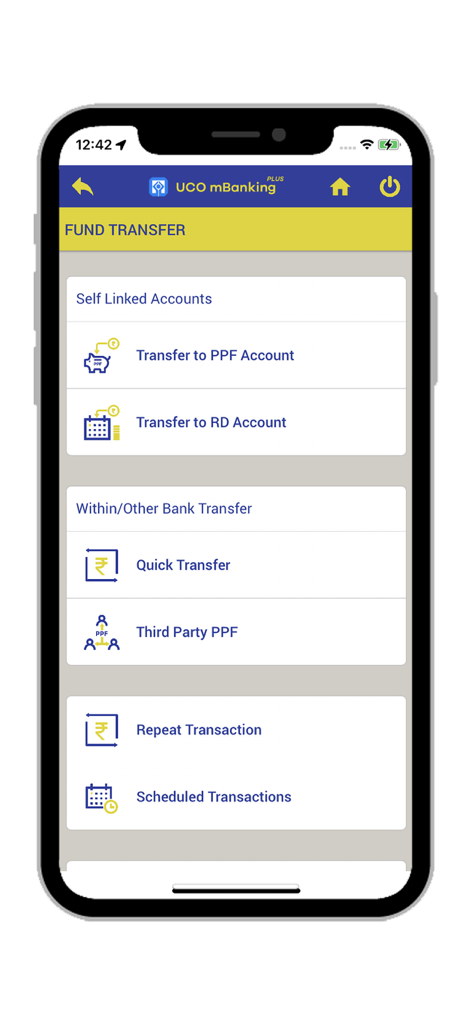
UCO mBanking Plus app fund transfer menu screen
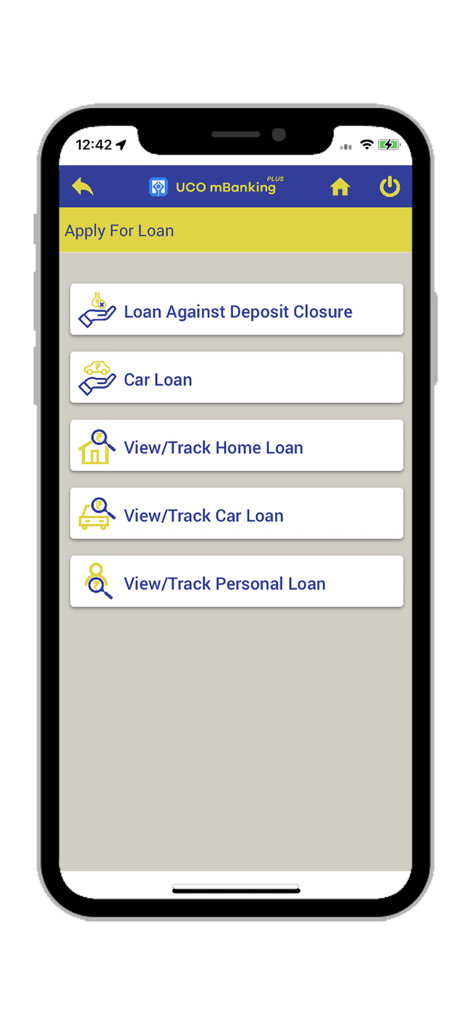
Apply For Loan screen in UCO mBanking Plus app with options for car home and personal loans
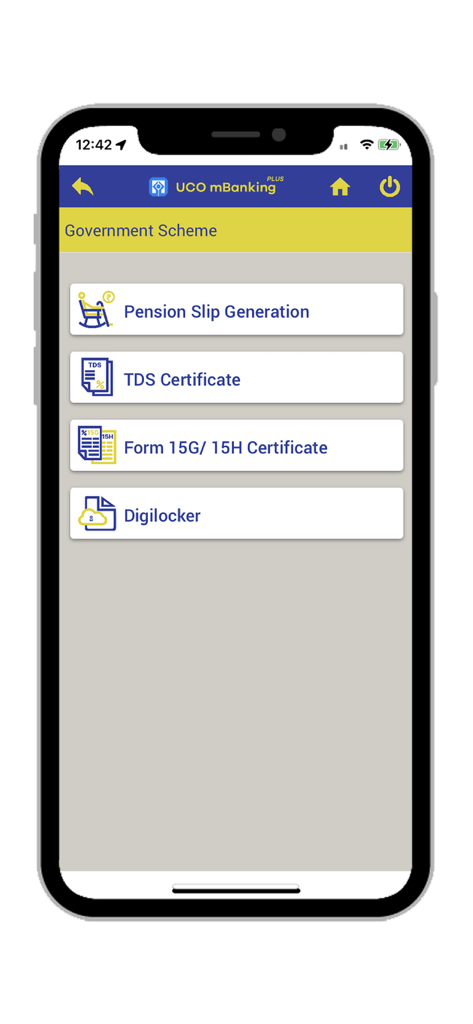
UCO mBanking Plus app screen displaying options for government schemes including pension slip generation and digilocker
Description
Download
More Like This
Apps with similar features and user experience

Enpara Bank Cep Şube
Enpara Bank Anonim Sirketi

Alinma App - تطبيق الإنماء
Alinma Bank

Huntington Mobile Banking
The Huntington National Bank, Inc

國泰世華網路銀行CUBE
Cathay United Bank

中國信託行動銀行
CTBC Bank Co., Ltd.

FNB Banking App
FirstRand Bank Limited

Riyad Bank App
Riyad Bank

CIMB OCTO MY
CIMB Bank Berhad

Regions Mobile
Regions Financial
This page is not an official page of the app or its developer, but an independent editorial publication created for informational and commentary purposes. Unless expressly stated otherwise, neither the app nor its developer is affiliated with, endorsed by, sponsored by, authorized by, or otherwise officially connected with MWM, Apple, Google Play, the app publisher, or the app's developer, and nothing on this page implies that the app was developed using MWM's services. Any trademarks, logos, screenshots, and other content remain the property of their respective owners.