UDP TCP Sender & Receiver

UDP TCP Sender & Receiver

Logo of UDP TCP Sender & Receiver

UDP TCP Sender & Receiver: Professional Network Debugging in Your Pocket

Test connectivity, send hex data, and monitor traffic with a lightweight UDP/TCP client and server. No account required—just essential, no-nonsense tools for developers and IT admins.

Publisher

Chun Yu Leung

Category

Developer Tools

Downloads

100+

User Rating

1.0/5

Total Ratings

0

Locales

1

Network Diagnostics at a Glance

Discover the interface used by 100+ users.
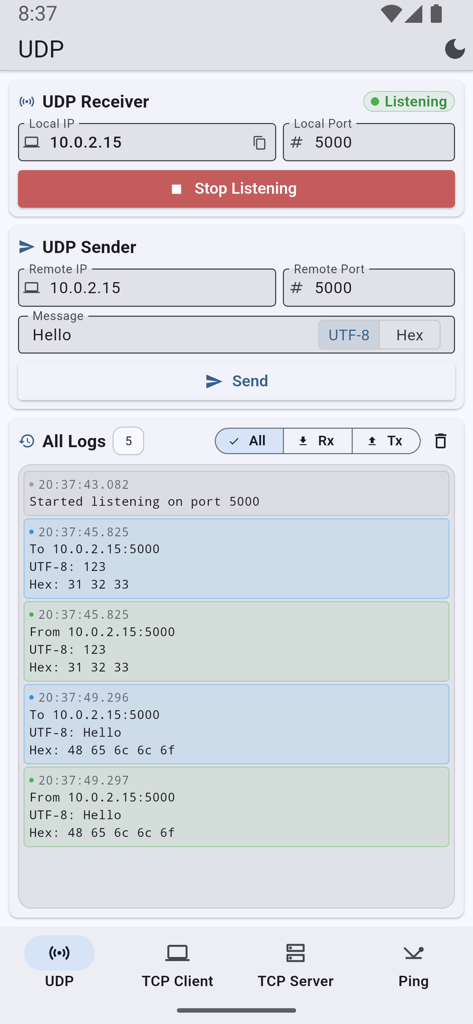
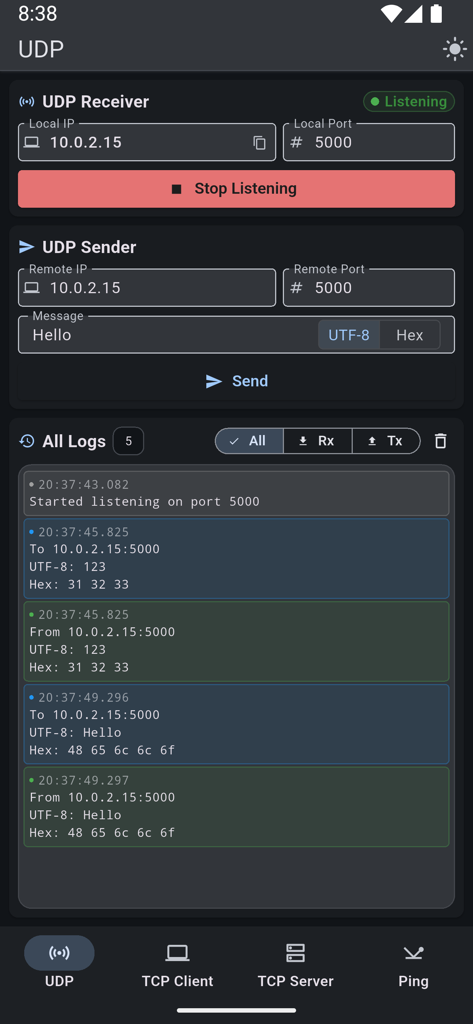
UDP sender and receiver interface with message logs showing UTF-8 and hex data

UDP sender and receiver interface with message logs showing UTF-8 and hex data

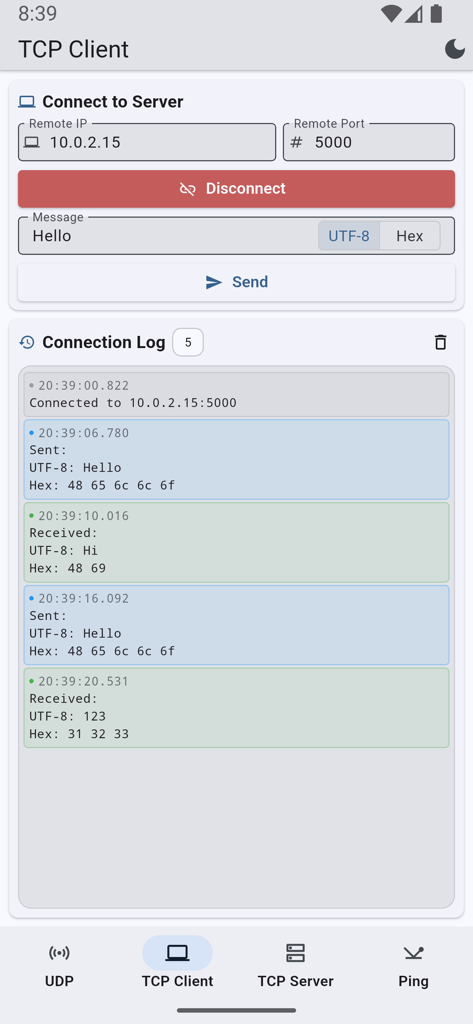
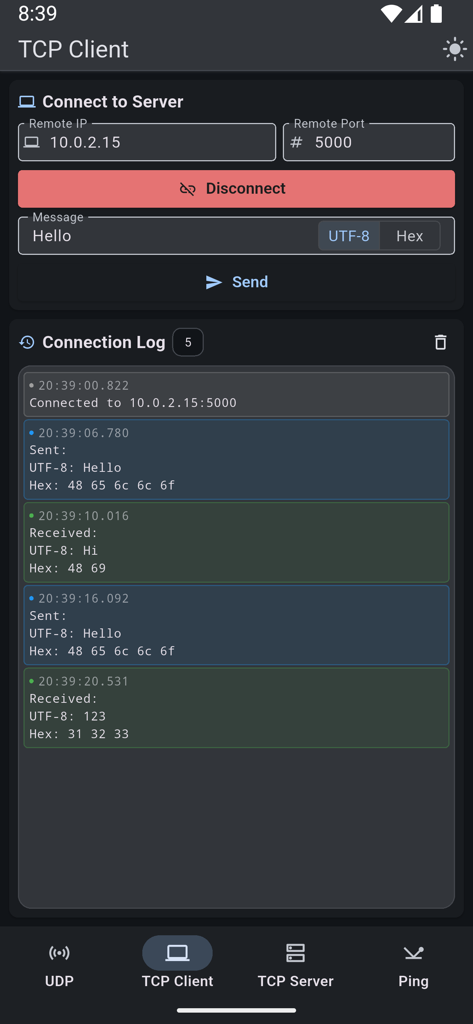
TCP Client interface showing network connection settings and detailed communication logs in text and hex formats

TCP Client interface showing network connection settings and detailed communication logs in text and hex formats

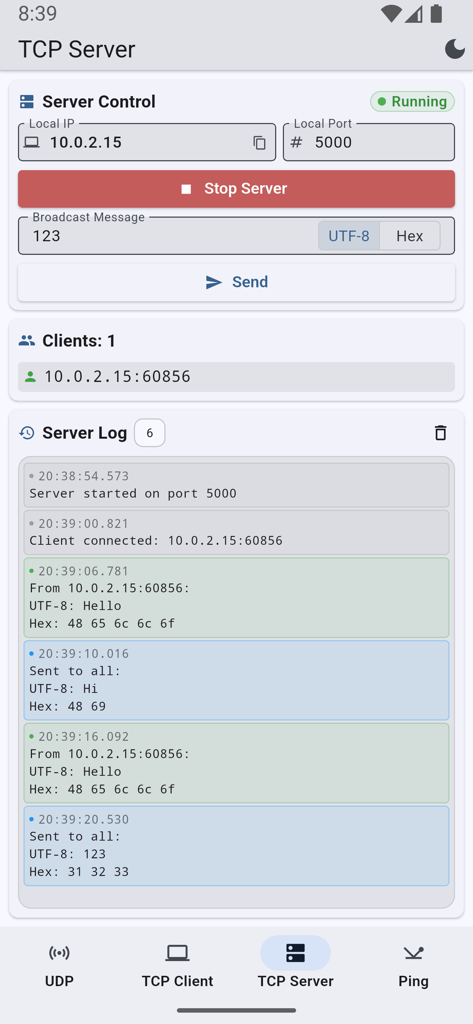
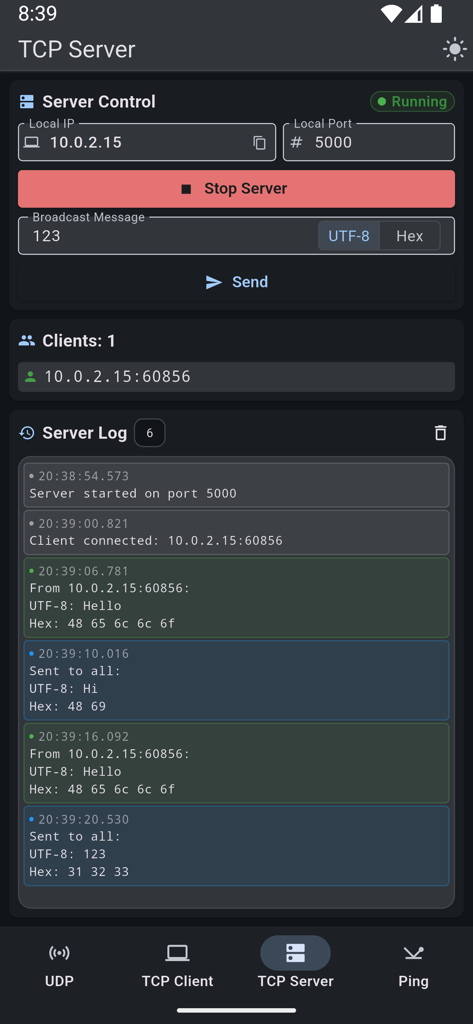
Interface of the TCP Server feature showing server control settings and detailed activity logs

Interface of the TCP Server feature showing server control settings and detailed activity logs

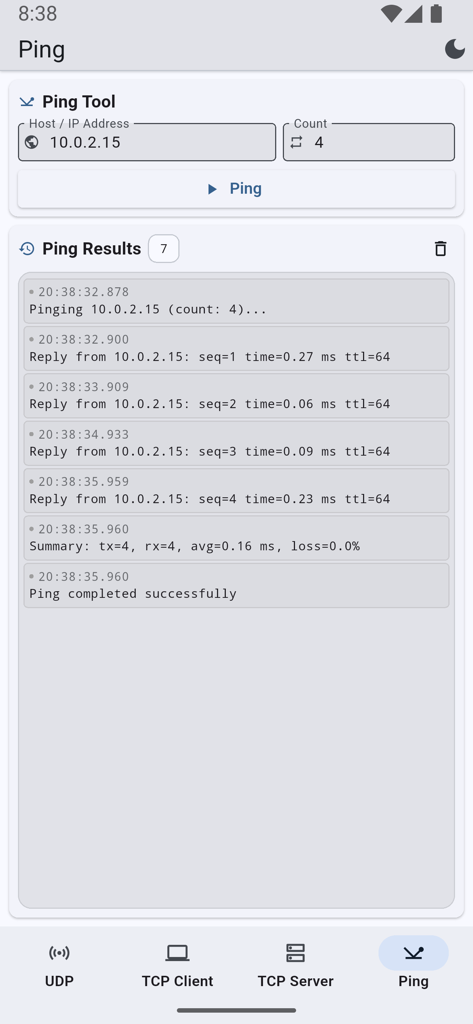
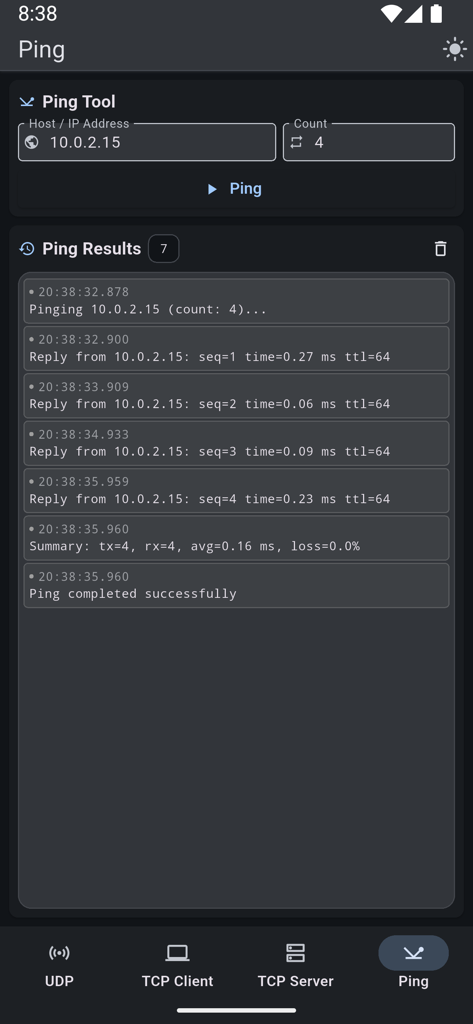
Ping tool interface showing network connectivity results and latency statistics

Ping tool interface showing network connectivity results and latency statistics

UDP Sender and Receiver app interface displaying network traffic logs and configuration

UDP Sender and Receiver app interface displaying network traffic logs and configuration

TCP Client interface showing remote IP connection and a log of sent and received messages

TCP Client interface showing remote IP connection and a log of sent and received messages

Interface of the TCP Server feature showing server controls, a connected client, and detailed communication logs in dark mode.

Interface of the TCP Server feature showing server controls, a connected client, and detailed communication logs in dark mode.

Network ping tool interface showing successful packet response times and latency statistics in dark mode

Network ping tool interface showing successful packet response times and latency statistics in dark mode

Professional Network Diagnostics in Your Pocket

The tools that make this app stand out, trusted by 100+ users.

🛠️

Complete Protocol Control

Switch between UDP and TCP to simulate clients or servers. Send and receive data instantly to verify network behavior and connectivity.

🔢

Binary & Hex Debugging

Go beyond plain text. Use the Hex toggle to inspect raw binary data, perfect for embedded systems, IoT hardware, and low-level protocol testing.

⚡

Zero-Friction Workflow

No accounts or complex setups required. Run ping tests and view filterable logs immediately to solve connectivity issues on the fly.

About the app

Everything you need to know about UDP TCP Sender & Receiver.

Description

UDP TCP Sender & Receiver puts essential network tools in your pocket. Send and receive UDP and TCP traffic, run ping tests, and see everything in clear, filterable logs—ideal for developers, admins, and anyone debugging or testing network connectivity. ► UDP • Listen on a port and receive UDP packets; your local IP is shown so others can send to you. • Send UDP messages to any IPv4 address and port. • Logs show every packet sent and received with timestamps. ► TCP Client • Connect to any host and port. • Send and receive text or hex; switch to hex mode for binary or raw data. • See connection status and all traffic in the log. ► TCP Server • Start a TCP server on a chosen port; the app shows your local IP for easy connection. • Accept multiple clients; send (broadcast) messages to all connected clients or work with individual connections. • Send and receive in text or hex with the same log view. ► Ping • Ping any host (domain or IP) to check reachability and latency. • Set the number of pings (1–100) and see results with round-trip times. ► General • Dark and light theme. • Filter logs (e.g. sent vs received) where available. • Clear logs anytime. Portrait-oriented layout for comfortable one-handed use. Built for quick network checks, prototyping, and debugging—no account required. Free to use, with ads to support development.

Latest Version

1.5

Size

23.1 MB

First Released

Feb 26, 2026

Get the No-Nonsense Toolkit for Your Pocket

Join thousands of developers and IT admins. Start testing TCP/UDP connections and debugging networks instantly—no account, no friction, just pure utility.

App information, icons, screenshots, and descriptions displayed on this page are sourced from the Apple App Store and are the property of their respective developers. Download estimates and rankings are based on MWM's proprietary models and may not reflect actual figures. This page is provided for informational and analytical purposes only.

Believe this page infringes your intellectual property? File a dispute