
This page is not an official page of the app or its developer, but an independent editorial publication created for informational and commentary purposes. Unless expressly stated otherwise, neither the app nor its developer is affiliated with, endorsed by, sponsored by, authorized by, or otherwise officially connected with MWM, Apple, Google Play, the app publisher, or the app's developer, and nothing on this page implies that the app was developed using MWM's services. Any trademarks, logos, screenshots, and other content remain the property of their respective owners.


Uhale
Finally, users get a seamless connection to loved ones, bridging distance with every shared memory. It delivers media directly to a digital frame, keeping families close.
Downloads
1M+User Rating
Total Ratings
10.7KPublisher
Category
Photo & VideoLocales
1Latest Version
4.43Size
120.0 MBFirst Released
Oct 12, 2020Evaluating core functionalities for seamless digital photo sharing.
Uhale App Feature Analysis
Seamless Photo & Video Sharing
It allows users to effortlessly send cherished photos and videos from their phone to connected digital frames, enhancing remote family connection.
Multi-User & Multi-Frame Connectivity
The app supports connecting one account to multiple frames and vice-versa, facilitating flexible sharing across various family members and devices.
Intuitive Frame Management & Setup
It provides tools to easily bind the app to a digital photo frame using an invitation or QR code, and manage the media stored on the frame.
Comprehensive Sending History & Control
The tool features a history log that displays photo sending status, allowing users to resend, withdraw, or delete records for better control.
Interactive Greeting Messages
The app provides the ability to send greeting cards or pop-up messages directly to the digital frames, adding a personal and interactive touch.
Precise Image Cropping
It allows users to adjust and target specific areas of photos before sending, ensuring the best presentation on the digital frame.
Frequently Asked Questions
Everything you need to know about Uhale
What is the Uhale APP?
The Uhale APP is an application that syncs photos and videos from your phone's album to an electronic digital photo frame. It connects frames via invitation or QR code.
How do I connect a photo frame to the Uhale app?
Users connect a photo frame to the Uhale app by binding it using an invitation code or QR code. This process enables sending photos and videos to the frame.
Can I manage photos in the frame using the Uhale app?
Yes, the Uhale app allows users to manage photos that have been successfully sent to the digital photo frame. This includes organizing and potentially editing them within the app.
What is the 'Best Wishes' feature in the Uhale app?
The Uhale app's 'Best Wishes' feature enables users to send personalized greeting cards or pop-up messages directly to their connected digital photo frames for special occasions.
Does the Uhale app support multiple photo frames or accounts?
Yes, the Uhale app supports multi-device connection. One account can bind to multiple photo frames, and one photo frame can bind to multiple Uhale user accounts.
Can I share my Uhale photo frame with family and friends?
Yes, the Uhale app offers a 'Device share' feature. This allows users to invite family or friends to share their photos and videos directly onto the owner's digital photo frame.
How many photos can I share at once with the Uhale app?
The Uhale app allows users to share a maximum of 100 photos at a time. This feature also supports customizing titles for favorite photos or videos.
What is the maximum video length supported by the Uhale app?
The Uhale app supports video clips up to 2 minutes in length. Users can share these videos to their photo frames after editing them within the application.
Can I withdraw or delete photos sent through the Uhale app?
Yes, the Uhale app's 'History' feature allows users to resend, withdraw, or delete photo records after they have been sent to the digital photo frame.
Does the Uhale app allow photo adjustment for frames?
Yes, the Uhale app includes a 'Target important areas' feature. This allows users to adjust their photos to lock in a preferred perspective before sending them to the digital frame.
The following screenshots and description are sourced directly from the app's official store listing and are the property of the app developer.
App Store
Screenshots
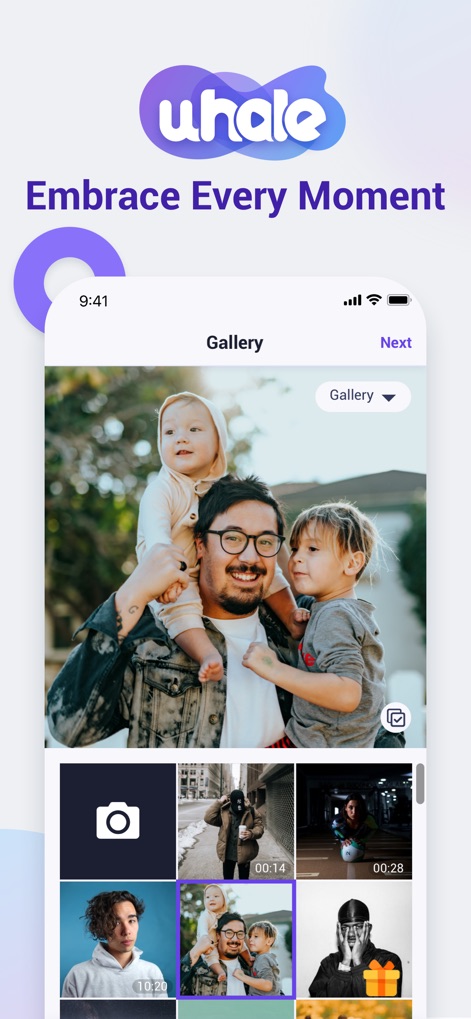
Users can easily select cherished photos from their device gallery and quickly prepare them for sharing with the prominent photo grid and the clear 'Next' button for progression.
Effortless Photo Sharing
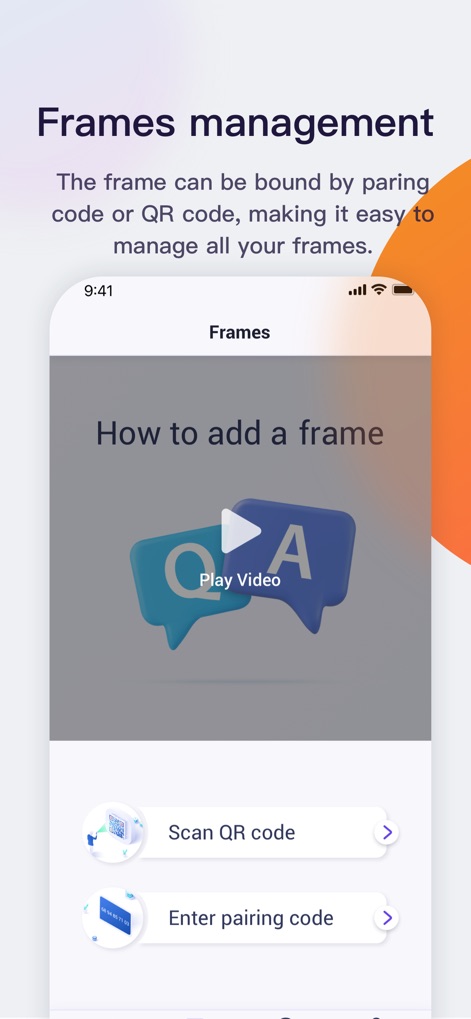
This tool simplifies connecting digital photo frames, offering options to bind a frame instantly by scanning a QR code or entering a pairing code.
Seamless Frame Setup
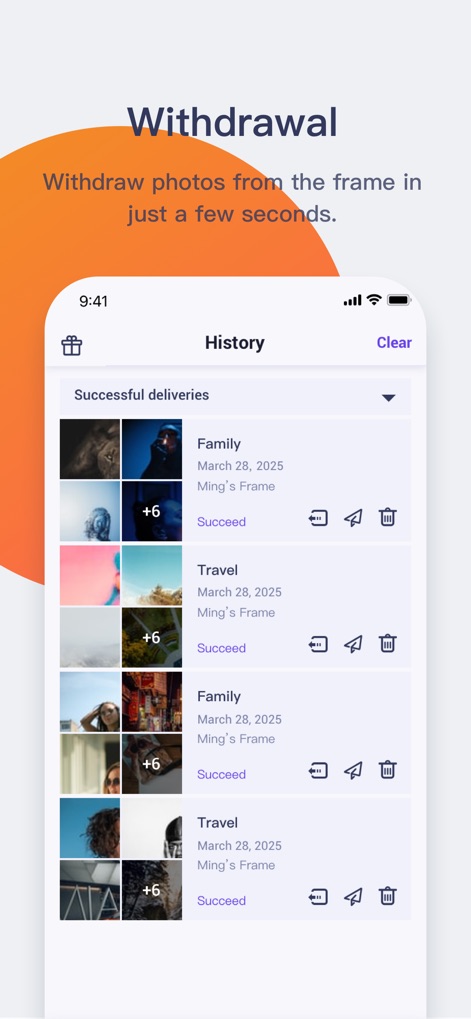
The app provides a comprehensive history log of shared memories, allowing users to effortlessly track photo sending status and manage content by withdrawing or resending items.
Complete Content Control
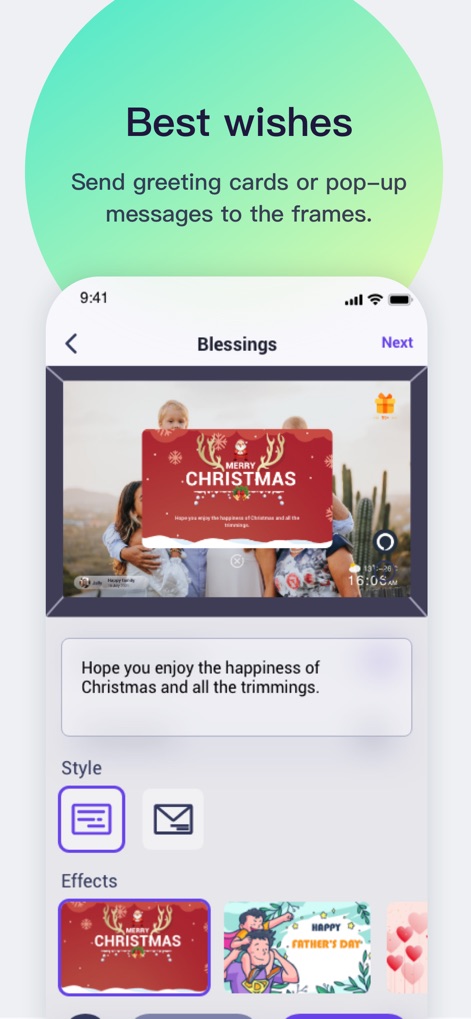
Users can send heartfelt 'Best Wishes' with customizable greeting cards and various festive 'Effects' to celebrate special occasions directly to frames.
Personalized Greetings
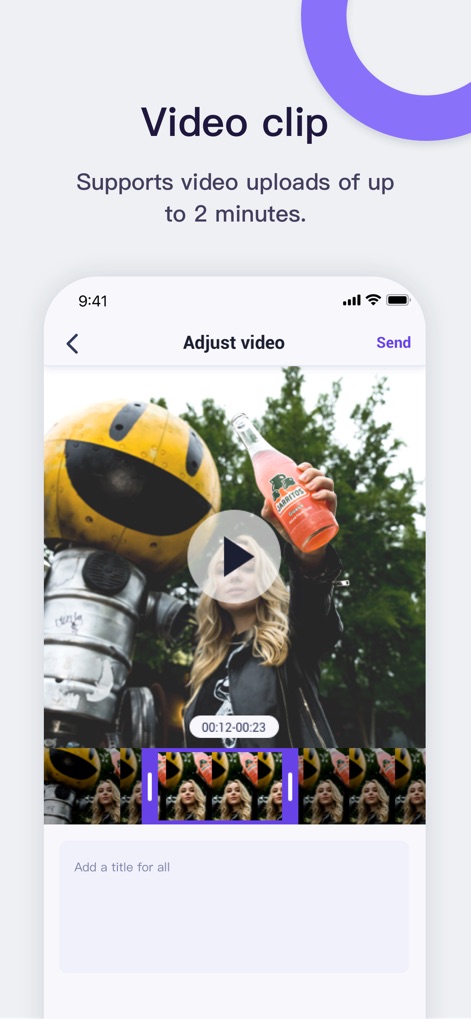
The app supports sharing dynamic video clips up to two minutes long, enabling users to precisely adjust video segments and add custom titles before sending.
Dynamic Video Memories
Description
Download
More Like This
Apps with similar features and user experience








This page is not an official page of the app or its developer, but an independent editorial publication created for informational and commentary purposes. Unless expressly stated otherwise, neither the app nor its developer is affiliated with, endorsed by, sponsored by, authorized by, or otherwise officially connected with MWM, Apple, Google Play, the app publisher, or the app's developer, and nothing on this page implies that the app was developed using MWM's services. Any trademarks, logos, screenshots, and other content remain the property of their respective owners.