Umbra - Private Vault

Umbra - Private Vault

Download on App Store
Logo of Umbra - Private Vault

Umbra - Private Vault: Military-Grade Encryption for Your Most Sensitive Files

Stop settling for security theater. Protect your photos, videos, and notes with AES-256 encryption. No subscriptions, no cloud, and no tracking—just real privacy that stays on your device.

Download on App Store

Publisher

Zaid Naim

Category

Utilities

Downloads

0

User Rating

1.0/5

Total Ratings

0

Locales

1

Security You Can See

Discover the interface used by 0 users.
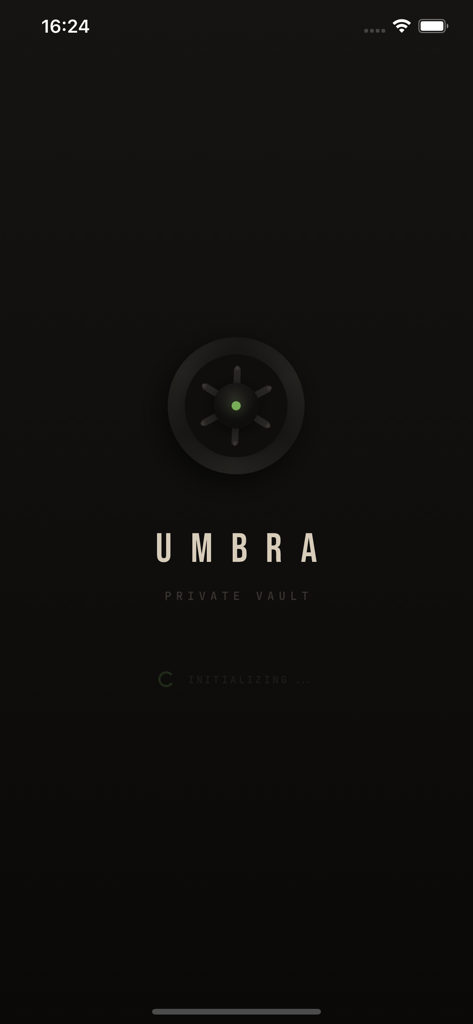
Splash screen of Umbra Private Vault app with a vault dial icon and initializing text

Splash screen of Umbra Private Vault app with a vault dial icon and initializing text

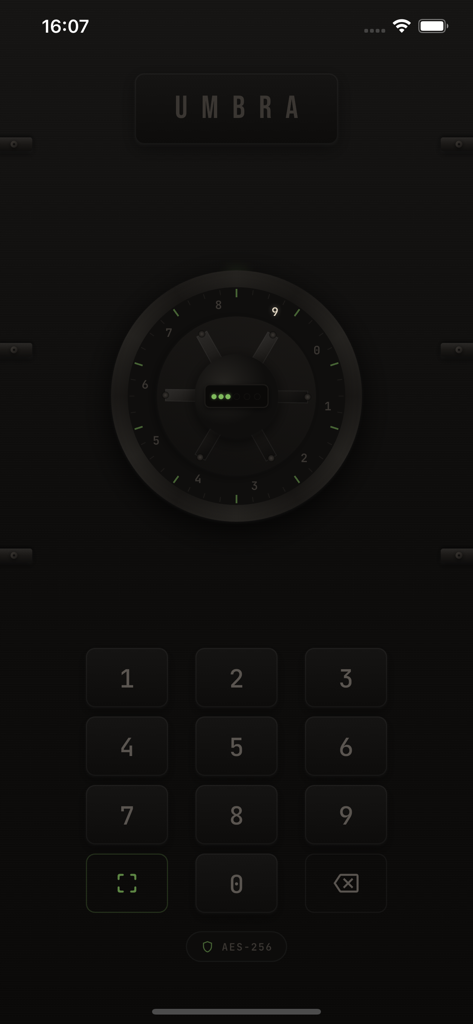
Login screen of Umbra Private Vault app featuring a secure PIN entry keypad and vault dial

Login screen of Umbra Private Vault app featuring a secure PIN entry keypad and vault dial

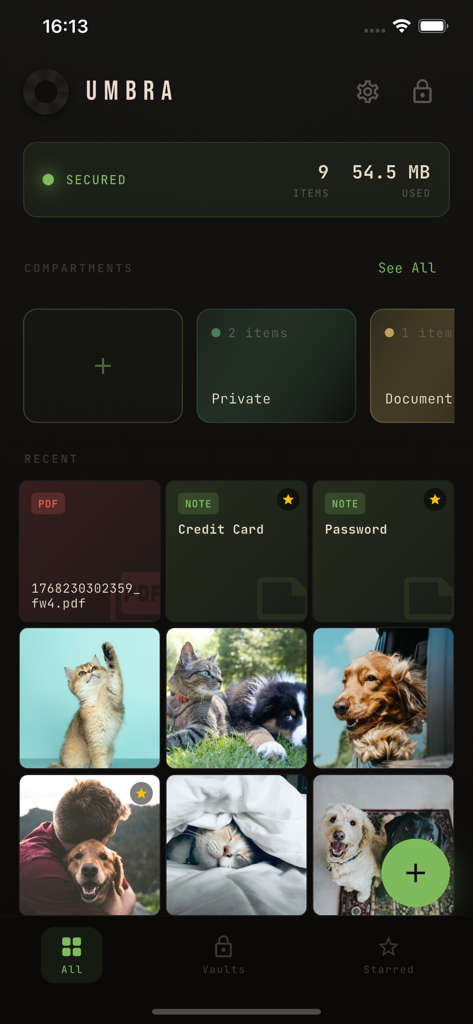
Interface of Umbra Private Vault app displaying encrypted files including photos, documents, and secure notes

Interface of Umbra Private Vault app displaying encrypted files including photos, documents, and secure notes

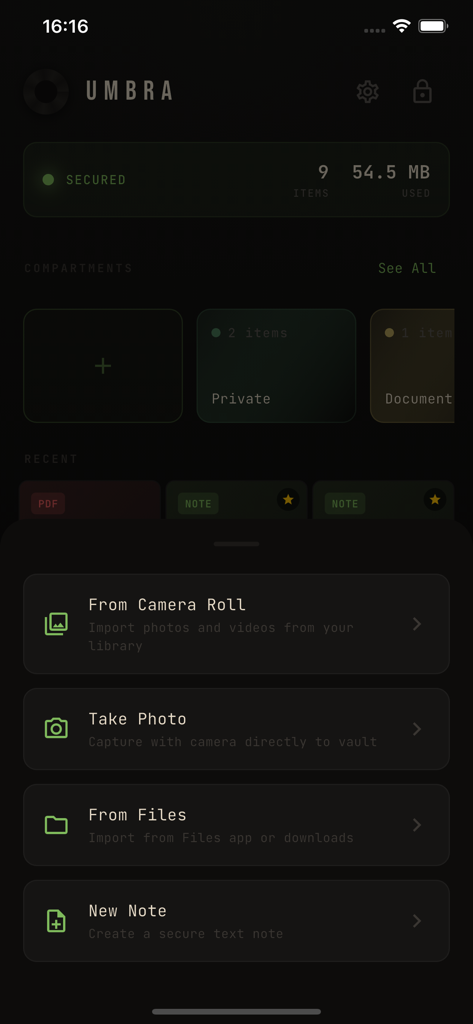
Umbra app interface showing options to import photos files and create secure notes in an encrypted vault

Umbra app interface showing options to import photos files and create secure notes in an encrypted vault

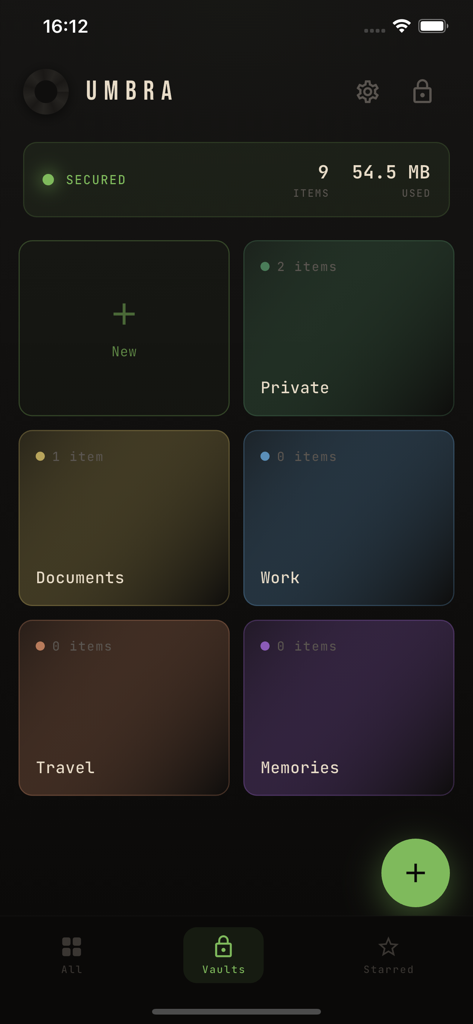
Umbra app interface showing color coded folders for organizing encrypted files and documents

Umbra app interface showing color coded folders for organizing encrypted files and documents

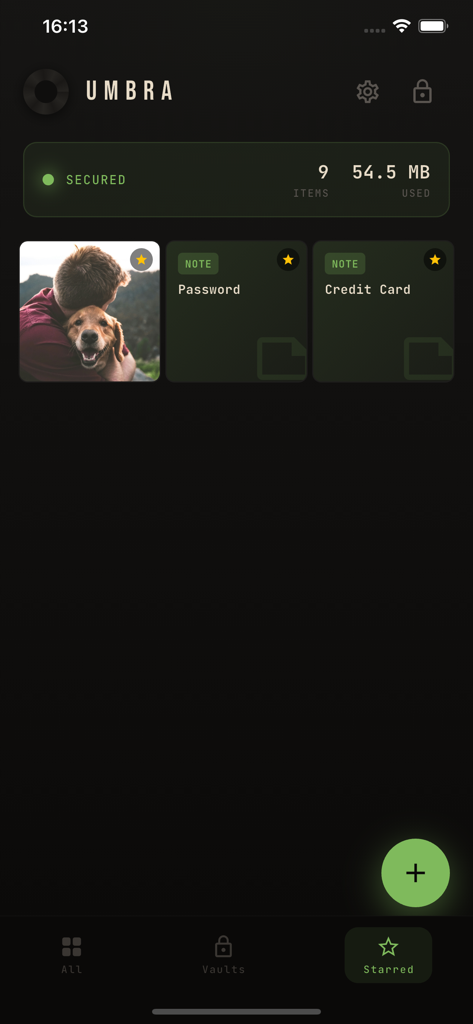
Umbra private vault interface showing starred encrypted photos and secure notes for passwords.

Umbra private vault interface showing starred encrypted photos and secure notes for passwords.

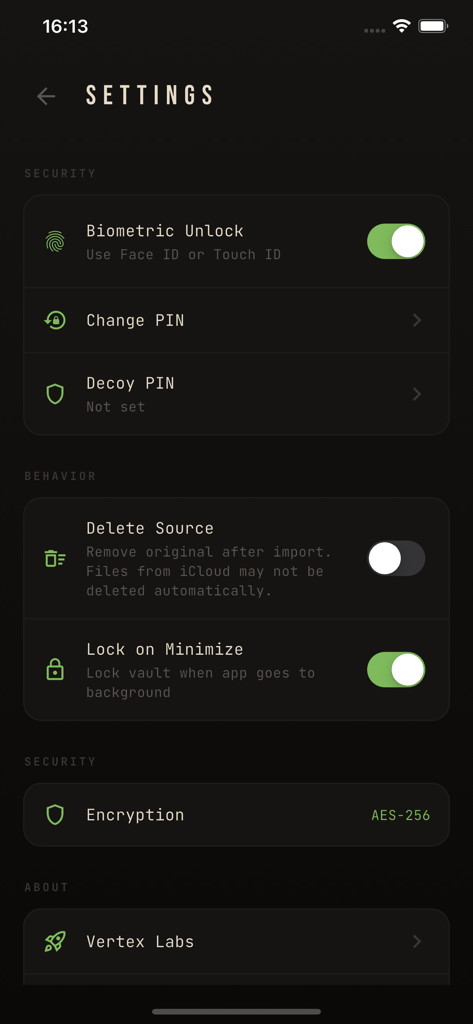
Settings screen of Umbra Private Vault showing security options like biometric unlock and AES 256 encryption

Settings screen of Umbra Private Vault showing security options like biometric unlock and AES 256 encryption

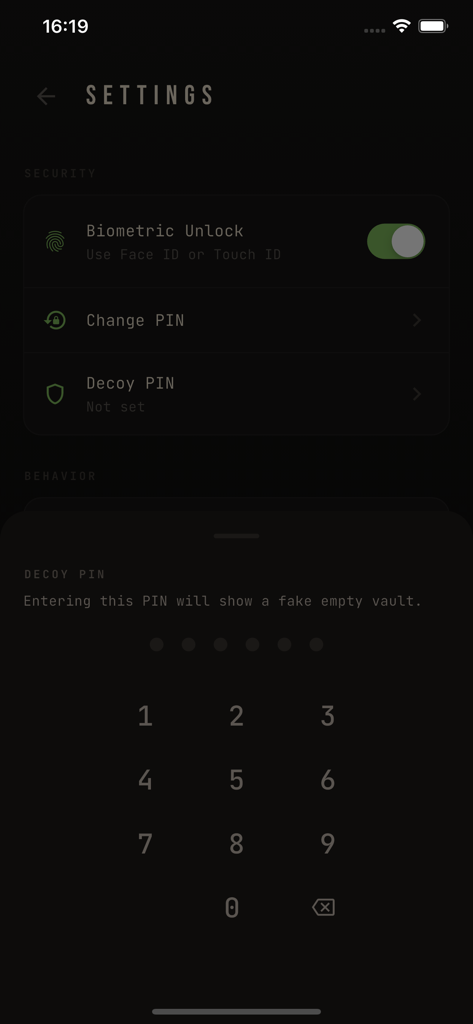
Settings screen of Umbra Private Vault app featuring decoy PIN and biometric unlock

Settings screen of Umbra Private Vault app featuring decoy PIN and biometric unlock

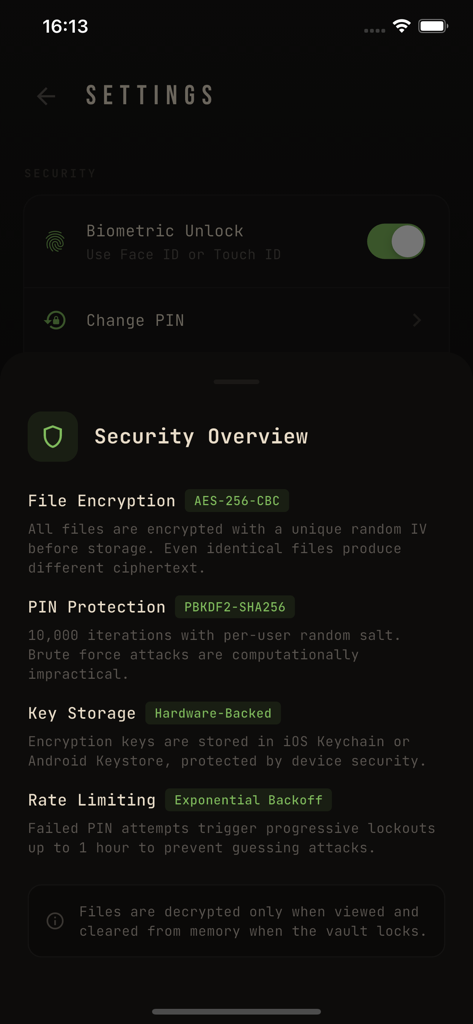
Security settings screen in Umbra showing AES-256 encryption and biometric unlock options

Security settings screen in Umbra showing AES-256 encryption and biometric unlock options

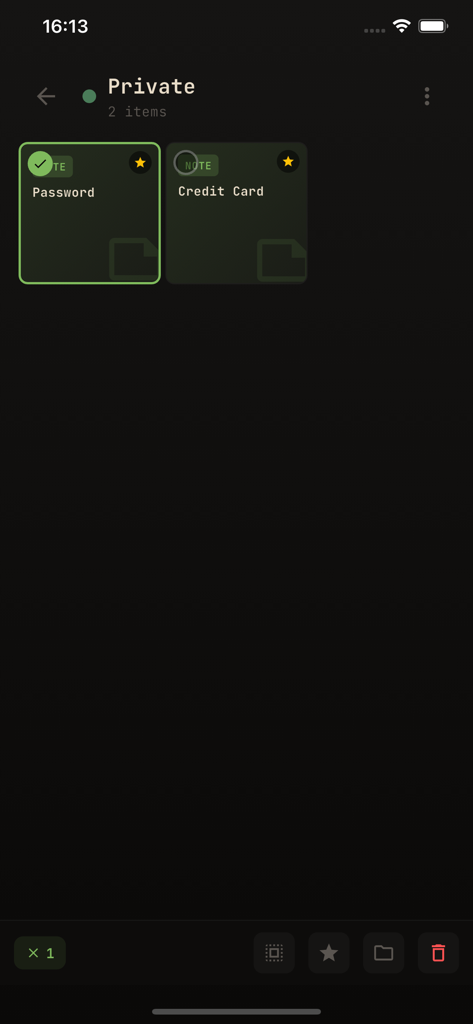
Interface of the Umbra Private Vault app showing a list of encrypted secure notes with one item selected

Interface of the Umbra Private Vault app showing a list of encrypted secure notes with one item selected

Fortify Your Digital Life

The tools that make this app stand out, trusted by 0 users.

🛡️

True AES-256 Encryption

Don't settle for security theater. While other apps merely hide files, Umbra encrypts every photo, video, and document using bank-level standards.

🎭

Discreet Decoy Mode

Protect yourself in high-pressure situations. Create a secondary vault with a different PIN to show an innocent gallery while your real files stay hidden.

💰

No Subscriptions, Ever

Take control without the monthly drain. A single one-time purchase gives you lifetime access to premium security with no ads, no tracking, and no cloud risks.

About the app

Everything you need to know about Umbra - Private Vault.

Description

Umbra is a private vault that actually encrypts your files. While other apps just hide your photos behind a PIN, Umbra uses AES-256 military-grade encryption — the same standard used by banks and governments. REAL SECURITY - AES-256 encryption protects every photo, video, and document - PIN + Face ID / Touch ID authentication - Files are encrypted at rest, not just hidden - Lock automatically when you leave the app DECOY MODE Create a secondary vault with a different PIN. If someone forces you to open the app, enter your decoy PIN and they'll see a separate, innocent vault. Your real files stay completely hidden. SECURE NOTES Write private notes directly in the vault. Perfect for passwords, personal thoughts, or sensitive information. Share via text when needed. ORGANIZE WITH COMPARTMENTS Create color-coded compartments to organize your private content. Move files between compartments, star your favorites, and keep everything sorted. WHAT YOU CAN STORE - Photos and images - Videos (any format) - Documents (PDF, Word, Excel, and more) - Private text notes BUILT DIFFERENT - No subscriptions — pay once, own forever - No cloud uploads — everything stays on your device - No accounts required — complete privacy - No ads, no tracking, no data collection Umbra was built for people who value real privacy, not security theater. Your secrets deserve actual protection.

Latest Version

1.0

Size

30.7 MB

First Released

Jan 12, 2026

Own Your Privacy, Don't Rent It

Join the privacy purists securing their data with bank-grade AES-256 encryption. One-time purchase, no subscriptions, and zero cloud tracking—ever.

Download on App Store

App information, icons, screenshots, and descriptions displayed on this page are sourced from the Apple App Store and are the property of their respective developers. Download estimates and rankings are based on MWM's proprietary models and may not reflect actual figures. This page is provided for informational and analytical purposes only.

Believe this page infringes your intellectual property? File a dispute