
This page is not an official page of the app or its developer, but an independent editorial publication created for informational and commentary purposes. Unless expressly stated otherwise, neither the app nor its developer is affiliated with, endorsed by, sponsored by, authorized by, or otherwise officially connected with MWM, Apple, Google Play, the app publisher, or the app's developer, and nothing on this page implies that the app was developed using MWM's services. Any trademarks, logos, screenshots, and other content remain the property of their respective owners.


UsTwo - Draw Together
Distance shrinks. This app gives you a shared canvas, making real-time connection feel effortless.
Downloads
25k+User Rating
Total Ratings
341Publisher
Category
LifestyleLocales
1Latest Version
1.1.1Size
58.2 MBFirst Released
Feb 24, 2026An evaluation of core functionalities driving intimate connection and creative expression for young adults and couples.
UsTwo - Draw Together: Key Features Analysis
Real-time Collaborative Canvas
The app provides a shared digital canvas where users can draw and doodle together instantly with their partner or friend, fostering spontaneous and intimate creative interaction.
Lock Screen & Home Screen Widgets
It allows users to display their shared canvas directly on their lock screen or home screen through customizable widgets, enabling quick glances and subtle interaction without opening the app.
Comprehensive Drawing Tools
This tool features a variety of drawing instruments, including pencils, erasers, shapes, lines, text, and highlighters, with adjustable stroke sizes and a full-color palette, offering extensive creative freedom.
Instant Partner Pairing
The app facilitates easy connection with a partner through a simple code, ensuring that all drawings sync instantly across devices for seamless collaborative interaction.
Daily Drawing Streaks
It encourages consistent engagement by tracking daily drawing streaks, providing a gentle reminder and motivation for partners to maintain their creative connection.
Drawing Sharing & Notifications
This tool allows users to export their collaborative drawings as images for sharing on other platforms and provides the option to send direct notifications to their partner to view new creations.
The following screenshots and description are sourced directly from the app's official store listing and are the property of the app developer.
App Store
Screenshots
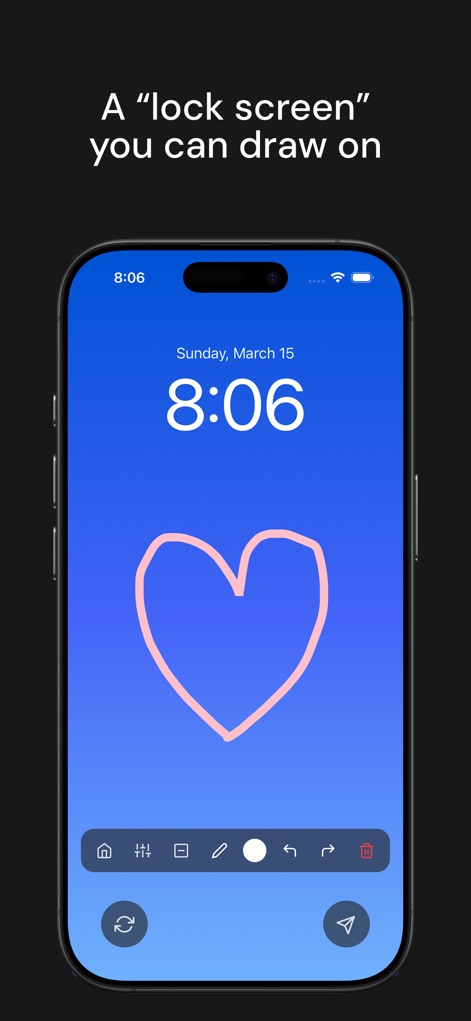
Users can transform their device's lock screen into a dynamic, interactive canvas, complete with essential drawing tools and intuitive navigation controls.
Lock Screen Canvas
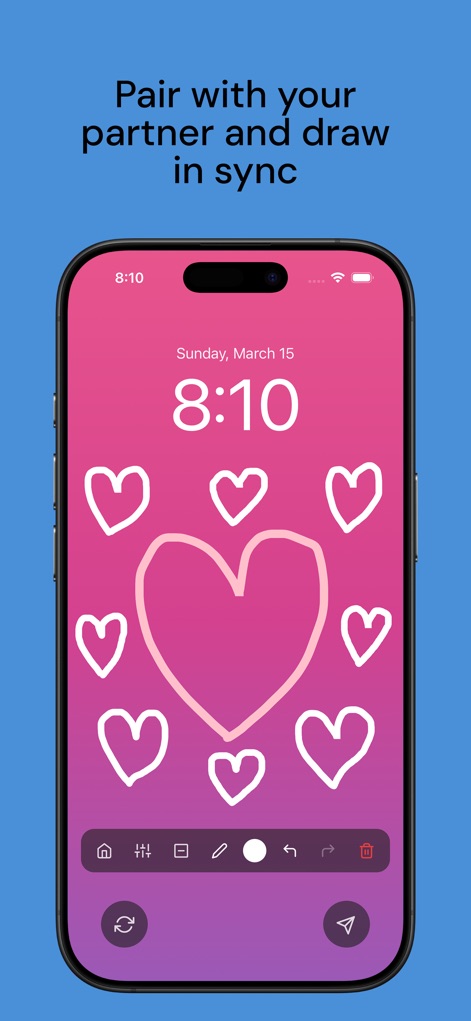
This tool facilitates real-time collaborative drawing, allowing partners to share spontaneous doodles on a vibrant, customizable gradient background.
Synchronized Doodle
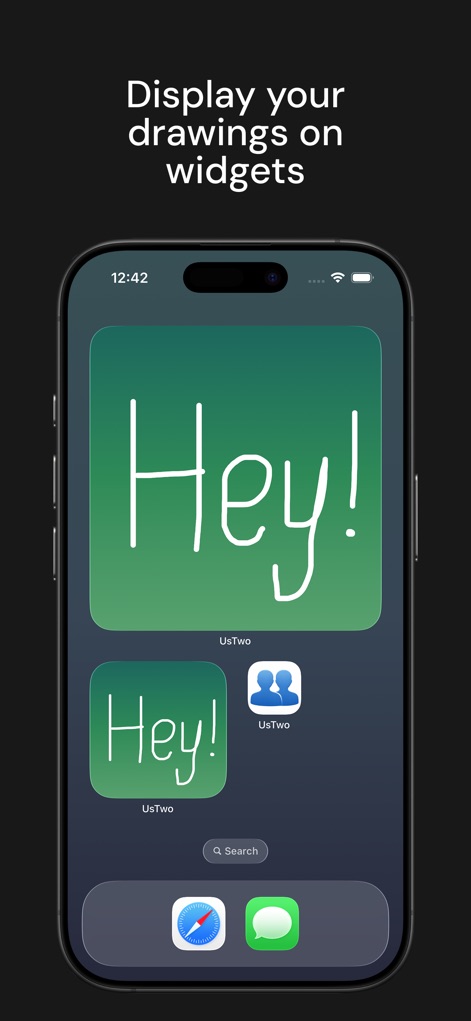
The app offers seamless integration with home screen widgets, displaying shared canvases and personal messages directly from the device interface.
Widget Integration
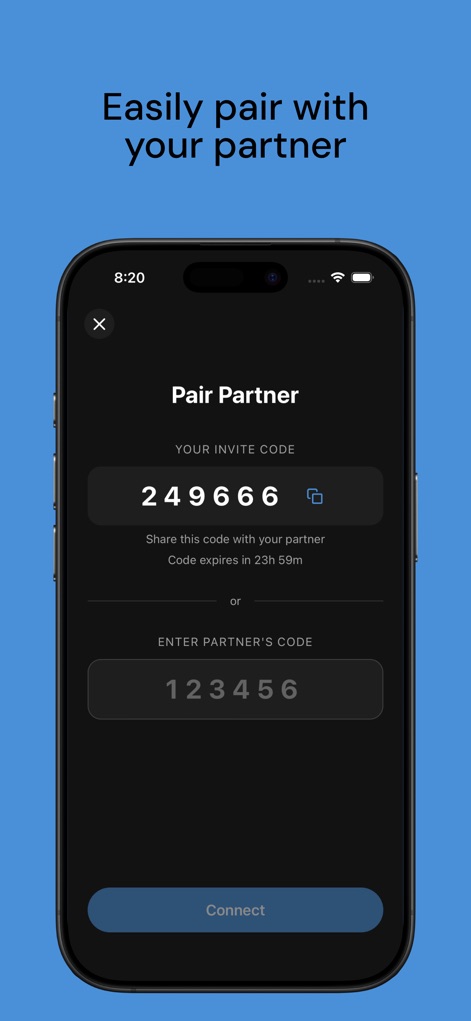
Users can quickly establish a shared drawing space by generating an invite code or entering a partner's code for immediate pairing.
Instant Connection
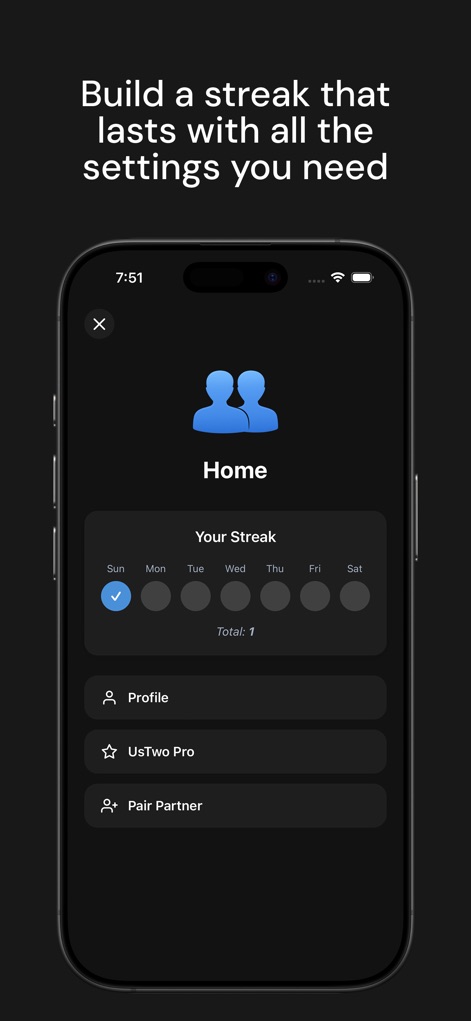
The app features a clear daily streak tracker to encourage consistent interaction, complemented by accessible profile settings for managing user preferences.
Daily Engagement
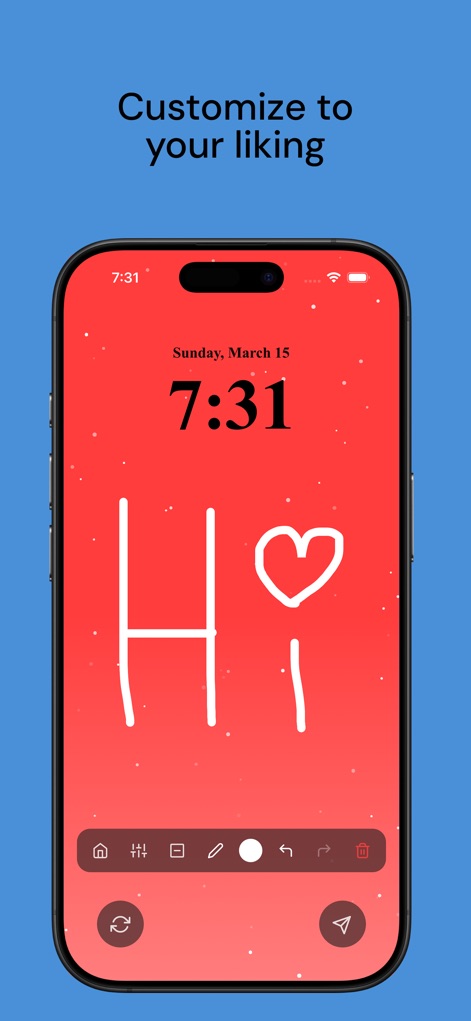
Users can infuse their shared canvas with personality by adding custom doodles and selecting a unique gradient theme for the background.
Personal Touch
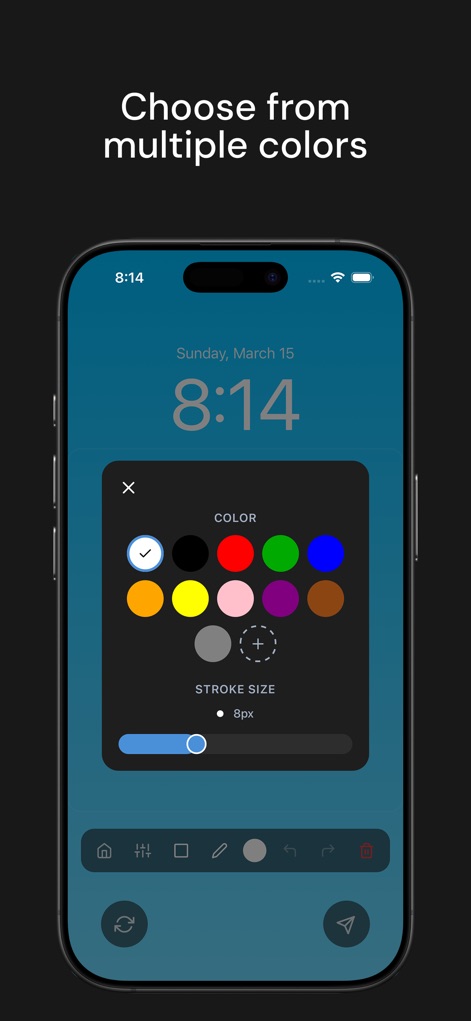
The drawing interface provides comprehensive creative control with a full color wheel selection and a precise stroke size adjustment slider.
Creative Control
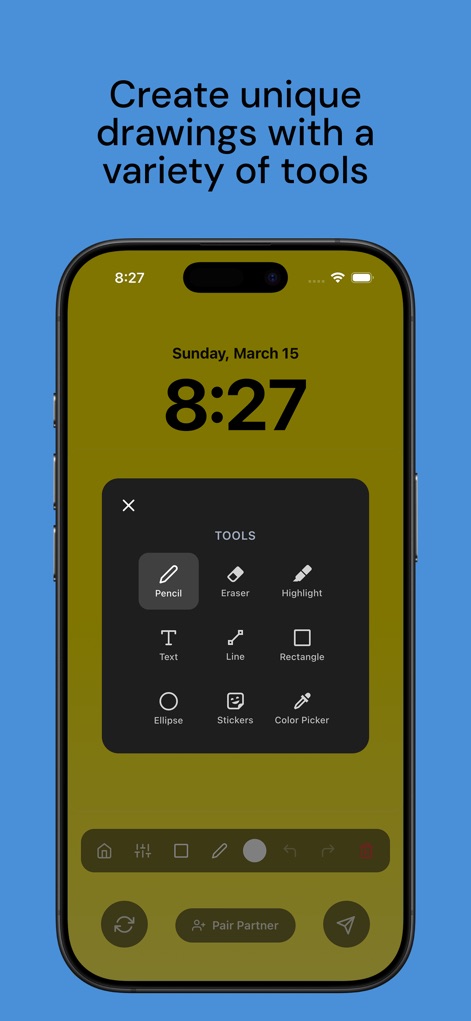
This tool offers a rich selection of drawing implements, including a versatile pencil, text options, and various geometric shapes for expressive artwork.
Expansive Tools
Description
Download
More Like This
Top-ranked apps in the same category

Pinterest, Inc.

Alipay - Simplify Your Life
Alipay (Hangzhou) Technology Co., Ltd.

美团-美好生活小帮手
Sankuai Technology Co., Ltd.

Xiaomi Home
Beijing Xiaomi Co., Ltd

Dianping: Discover Good Places
Hanhai Information Technology (Shanghai) Co.Ltd

Tinder Dating App: Date & Chat
Tinder LLC

Lemon8 - Lifestyle Community
TIKTOK PTE. LTD.

SmartThings
Samsung Electronics Co., Ltd.

小天才 电话手表-能打电话的手表
Guangdong Genius Technology Co., Ltd.
This page is not an official page of the app or its developer, but an independent editorial publication created for informational and commentary purposes. Unless expressly stated otherwise, neither the app nor its developer is affiliated with, endorsed by, sponsored by, authorized by, or otherwise officially connected with MWM, Apple, Google Play, the app publisher, or the app's developer, and nothing on this page implies that the app was developed using MWM's services. Any trademarks, logos, screenshots, and other content remain the property of their respective owners.