Valence 3D
Valence 3D
Download on App Store

This page is not an official page of the app or its developer, but an independent editorial publication created for informational and commentary purposes. Unless expressly stated otherwise, neither the app nor its developer is affiliated with, endorsed by, sponsored by, authorized by, or otherwise officially connected with MWM, Apple, Google Play, the app publisher, or the app's developer, and nothing on this page implies that the app was developed using MWM's services. Any trademarks, logos, screenshots, and other content remain the property of their respective owners.


Logo of Valence 3D
Download on App Store

Valence 3D

Unleash your creativity with a powerful, one-time purchase 3D design suite. From LiDAR room scans to path-traced renders, build professional-grade assets anywhere without the subscription fatigue.

Key Figures

Downloads

52K+

User Rating

4.2/5

Total Ratings

300

Publisher

Hi-Rez, Inc

Category

Graphics & Design

Locales

13

Latest Version

1.3.9

Size

193.6 MB

First Released

Mar 14, 2024
Features

Professional 3D Design, Anywhere

Valence 3D brings desktop-grade modeling tools to your iPad and iPhone, optimized for professional workflows and total creative freedom.

Desktop-Class Precision

Harness a full suite of pro tools including Boolean operations, knife cuts, and sub-division modeling specifically refined for Apple Pencil and touch.

LiDAR to AR Workflow

Turn physical spaces into digital assets with LiDAR scanning and instantly preview your creations in the real world using integrated AR and USDZ exports.

The following screenshots and description are sourced directly from the app's official store listing and are the property of the app developer.

App Store

Screenshots
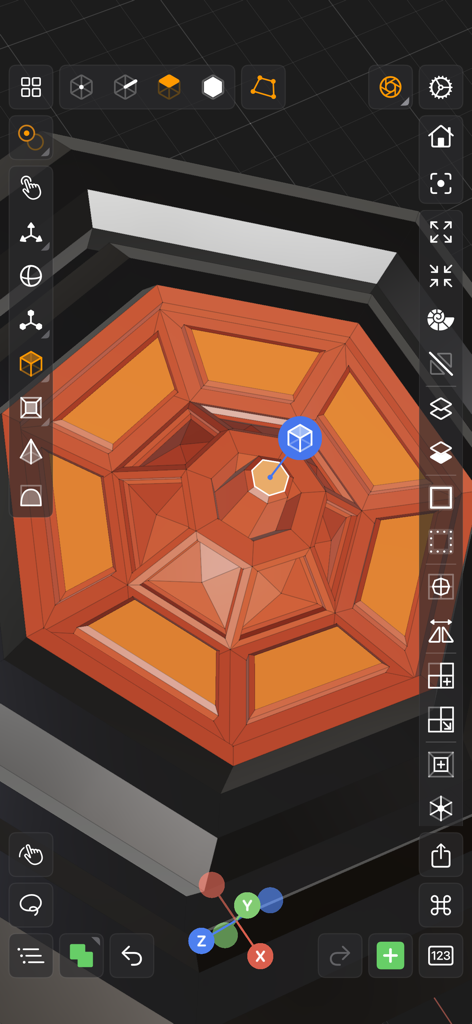
Valence 3D - Valence 3D mobile modeling interface showing professional tools and an orange geometric structure

Valence 3D mobile modeling interface showing professional tools and an orange geometric structure
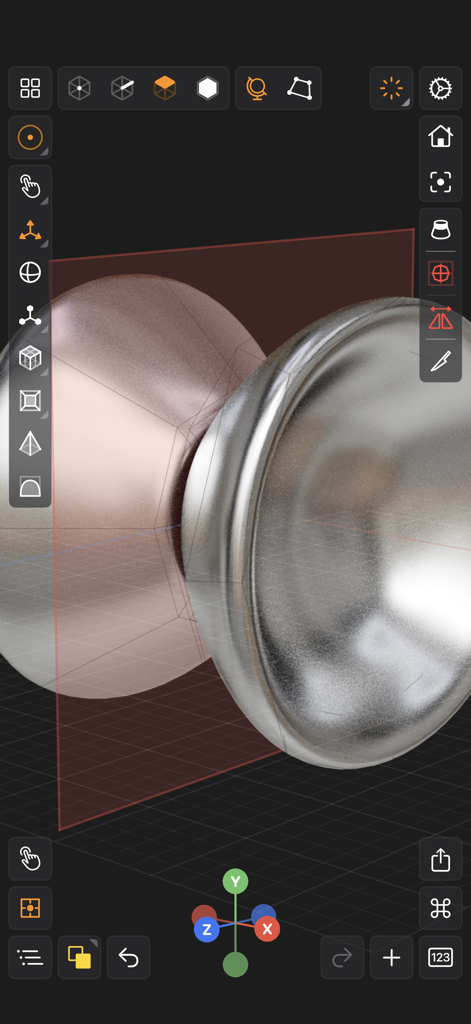
Valence 3D - Valence 3D app interface displaying professional 3D modeling with a metallic object and transformation tools
Valence 3D app interface displaying professional 3D modeling with a metallic object and transformation tools

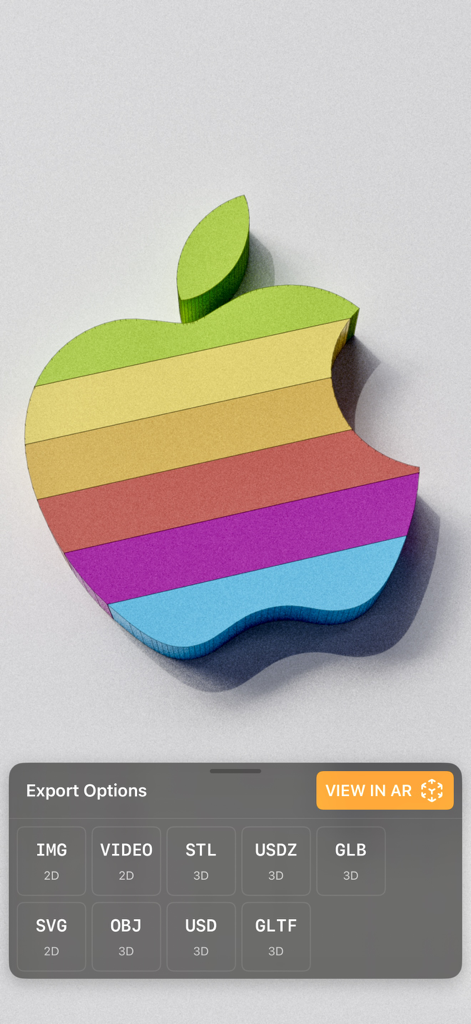
Valence 3D - 3D rainbow Apple logo model displayed in Valence 3D with various export options and a View in AR button
3D rainbow Apple logo model displayed in Valence 3D with various export options and a View in AR button

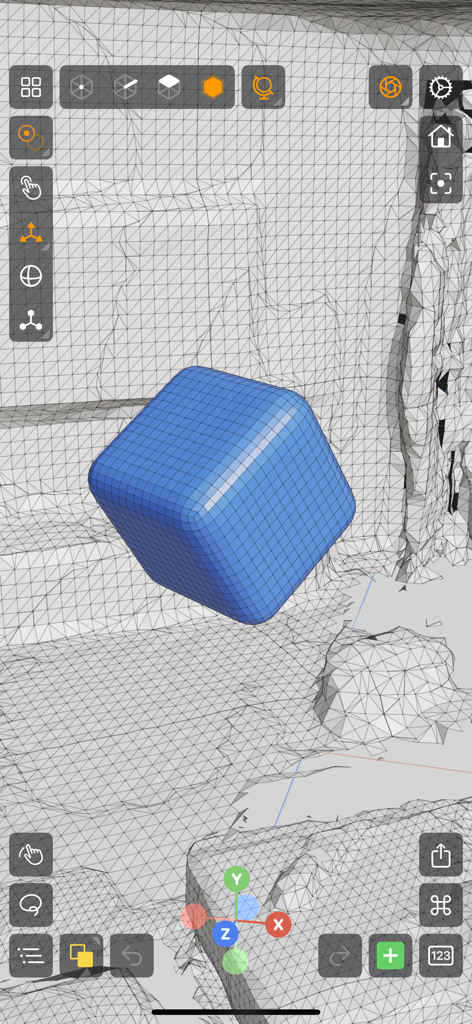
Valence 3D - Valence 3D app interface showing a blue rounded cube being modeled within a wireframe environment

Valence 3D app interface showing a blue rounded cube being modeled within a wireframe environment
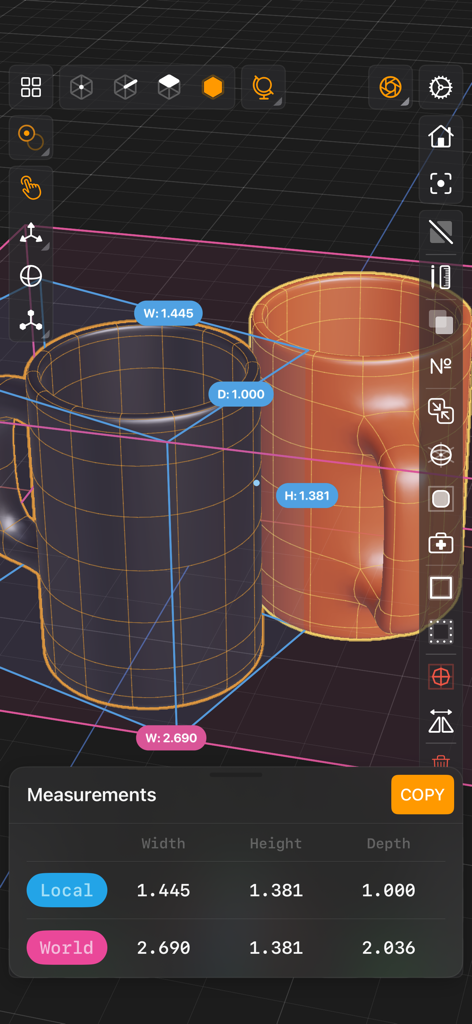
Valence 3D - Valence 3D app interface showing measurement tools on two 3D mugs
Valence 3D app interface showing measurement tools on two 3D mugs

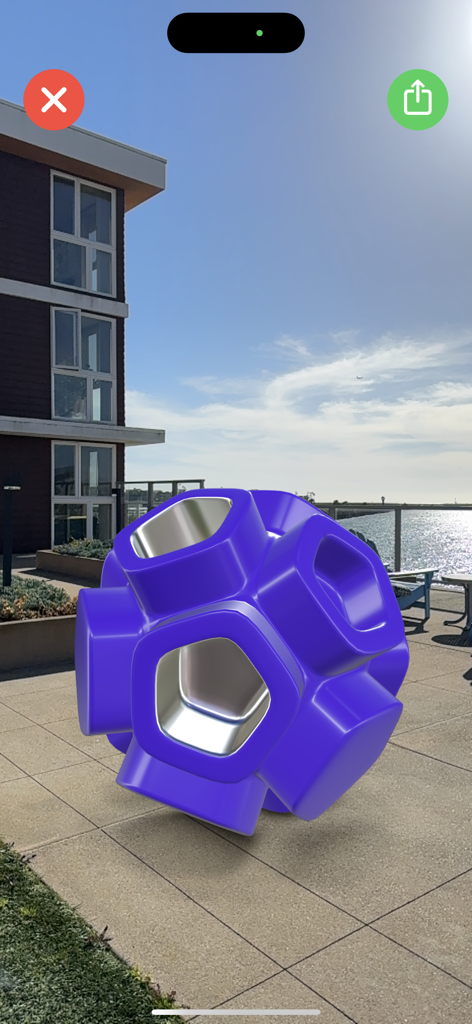
Valence 3D - A purple 3D geometric model rendered in augmented reality on an outdoor patio using Valence 3D.
A purple 3D geometric model rendered in augmented reality on an outdoor patio using Valence 3D.

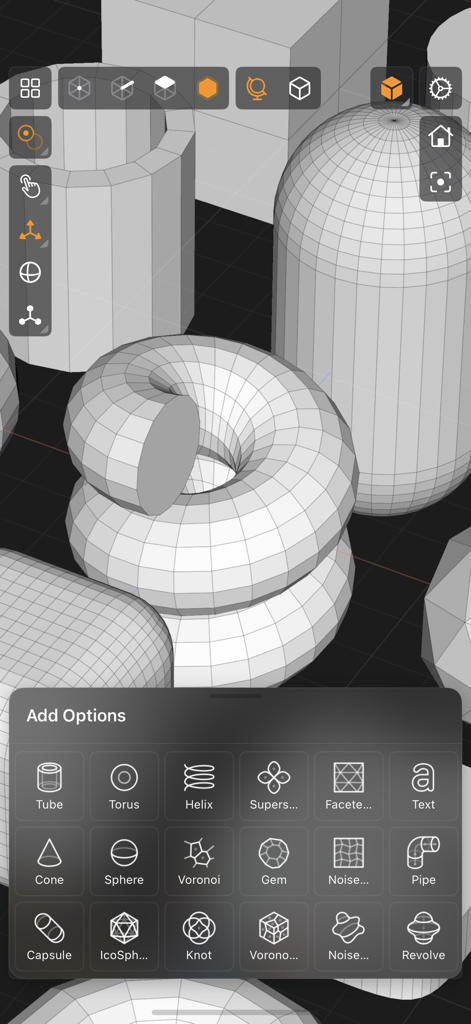
Valence 3D - A screenshot of the Valence 3D app interface showing a menu of 3D primitive shapes and wireframe models in a viewport
A screenshot of the Valence 3D app interface showing a menu of 3D primitive shapes and wireframe models in a viewport

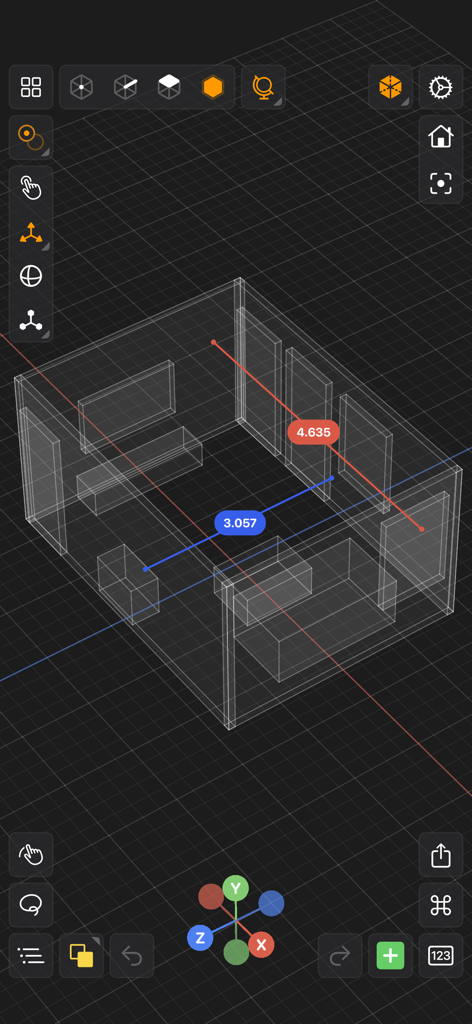
Valence 3D - A 3D wireframe room model with measurement callouts in the Valence 3D app interface
A 3D wireframe room model with measurement callouts in the Valence 3D app interface

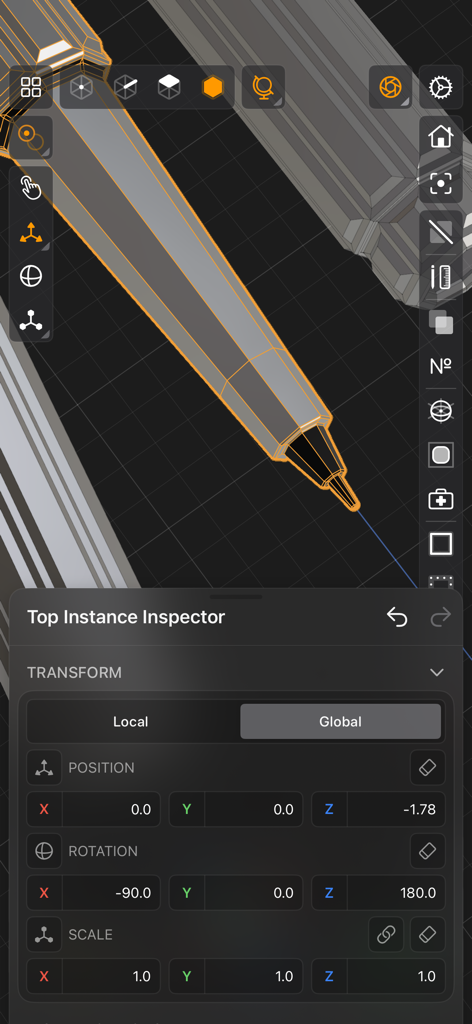
Valence 3D - Valence 3D mobile interface showing the transform inspector panel with position, rotation, and scale settings for a 3D stylus model.
Valence 3D mobile interface showing the transform inspector panel with position, rotation, and scale settings for a 3D stylus model.

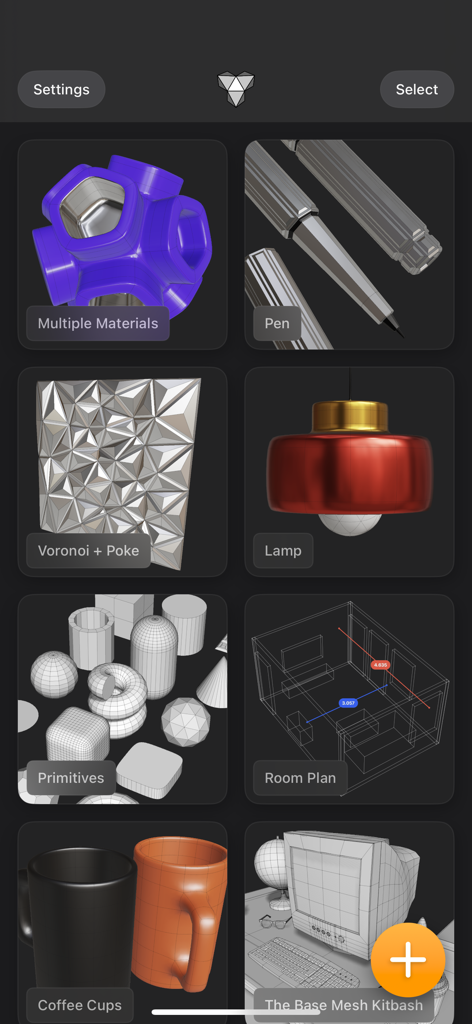
Valence 3D - Valence 3D app interface showing a gallery of various 3D modeling projects including a lamp, coffee cups, and a room plan.

Valence 3D app interface showing a gallery of various 3D modeling projects including a lamp, coffee cups, and a room plan.

Description

Valence 3D is a new powerful, beautiful & easy-to-use 3D modeler & design tool built from the ground up for iPad & iPhone. No matter whether you're learning 3D modeling for the first time or a professional working in design, construction, gaming, web dev, digital fabrication, architecture, or spatial computing, Valence 3D has what you need to get started! CREATE, IMPORT, EDIT & EXPORT 3D MODELS • 25 primitive shapes are built-in & ready to help you start modeling: plane, box, sphere, squircle, rounded box, arc, circle, cylinder, tube, cone, capsule, torus, icosphere, pipe, revolve, helix, voronoi, text, super shape, noise surfaces, torus knot, faceted gem & tube. • Import existing models, reference images, lidar scans and room plans • Imports: OBJ, STL, USD, USDZ • Exports: PNG, SVG, OBJ, STL, USD, USDZ, GLTF, GLB • Knife tool to create complex and detailed geometry • Move, Rotate, & Scale gizmos make it easy to transform nodes, faces, edges & vertices • Powerful modeling gizmos for extruding, insetting, beveling, poking, creasing & cutting • Multiple selection & automatic loop selection help accelerate your modeling • Tap on one of the gizmo handles to bring up an input field for precise transformations & mesh operations • Robust snapping & alignment commands • Selection operations: grow, shrink, select shell & deselect • Mesh operations: duplicate, instance, set / center pivot, trim by plane, boolean, apply transform & subdivide • Face operations: separate, combine, bridge, extract, poke, collapse, delete, dissolve, harden & soften • Edge operations: extrude, insert vertex, collapse, dissolve, bridge, harden & soften • Vertex operations: insert edge, dissolve, delete & merge • Non-destructive & configurable mesh modifiers: mirror & subdivision • Apply complex transformations using different gizmo pivot points & orientations EASILY NAVIGATE & STAY IN FLOW WHILE DESIGNING • Carefully crafted & fully optimized for iPhone & iPad • Designed to minimize cognitive overload by only showing tools & commands that are contextually relevant • Easily navigate to any part of your model by dragging and pinching: two finger pinch to zoom and roll, and one finger drag to rotate • Pop into the standard orthographic views by tapping one of the handles of the orientation gizmo • Use two & three finger tap gestures to undo & redo • Select components by dragging or using the rectangular selection mode • Your work is saved automatically every two minutes and every time you go back to the gallery • Get an overview of your scene’s structure from the Outliner • Long press on a node in the Outliner to easily rename, duplicate, instance, delete, parent & reorder any object in your scene • Precisely adjust any node’s position, rotation & scale with the Inspector • Adjust material properties, display & modifier options with the Inspector STAY ORGANIZED ACROSS ALL YOUR DEVICES • Preview, share, duplicate, delete & rename your models from the gallery • iCloud syncing keeps all your models up to date, private & accessible across all your devices PREVIEW, MEASURE, & RENDER YOUR CREATIONS • 6 powerful rendering modes: Matcap, Modeling, Wireframe, Physically Based, X-Ray & Path Traced • Export renders in any aspect ratio & scale • Preview your model in AR in two taps • Export your scene as a USDZ & be confident it’ll look consistent on all Apple devices • Tweak your model’s material & see changes in real-time • Tweak-able scene settings: camera field of view, background type, blurriness, intensity & rotation • Get model measurements in one click • Add persistent dimensions between any two surfaces in your scene PURCHASE & COMPATIBILITY • One time purchase unlocks both iPhone & iPad versions • Apple Pencil supported on select iPads • 120 FPS supported on devices with ProMotion displays • Path Tracing is supported on iPads with M series chips & iPhones with A15 Bionic & later • Lidar Scan & Room Plan is supported on devices with a lidar sensor

Download

Download on App Store

This page is not an official page of the app or its developer, but an independent editorial publication created for informational and commentary purposes. Unless expressly stated otherwise, neither the app nor its developer is affiliated with, endorsed by, sponsored by, authorized by, or otherwise officially connected with MWM, Apple, Google Play, the app publisher, or the app's developer, and nothing on this page implies that the app was developed using MWM's services. Any trademarks, logos, screenshots, and other content remain the property of their respective owners.