Vector Calculator Plus

Vector Calculator Plus


Download on App Store
Logo of Vector Calculator Plus

Vector Calculator Plus: Solve, Visualize, and Master Vector Addition Instantly

The essential tool for STEM students and educators to calculate magnitude and direction, generate custom vector graphs, and export high-quality images for lab reports and lesson plans.

Download on App Store

Publisher

Heng Jia Liang

Category

Utilities

Downloads

300

User Rating

1.0/5

Total Ratings

0

Locales

1

Visualize Every Vector

Discover the interface used by 300 users.
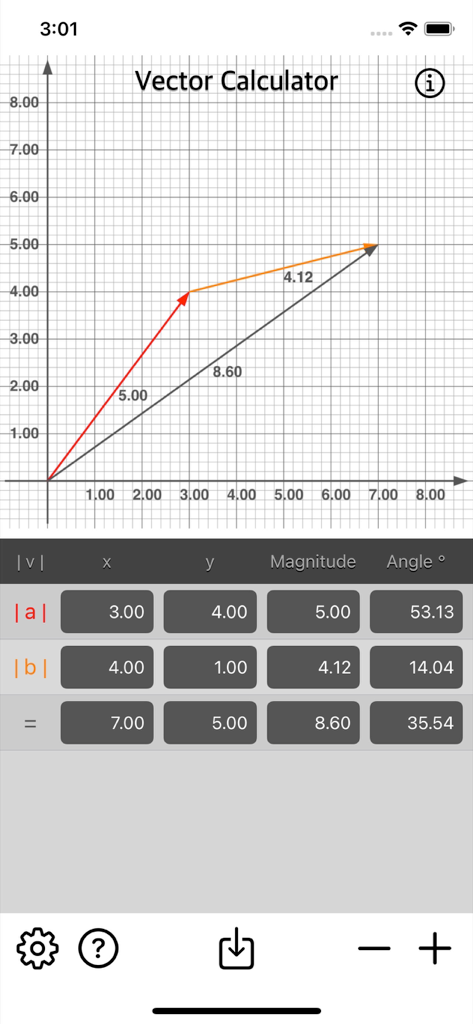
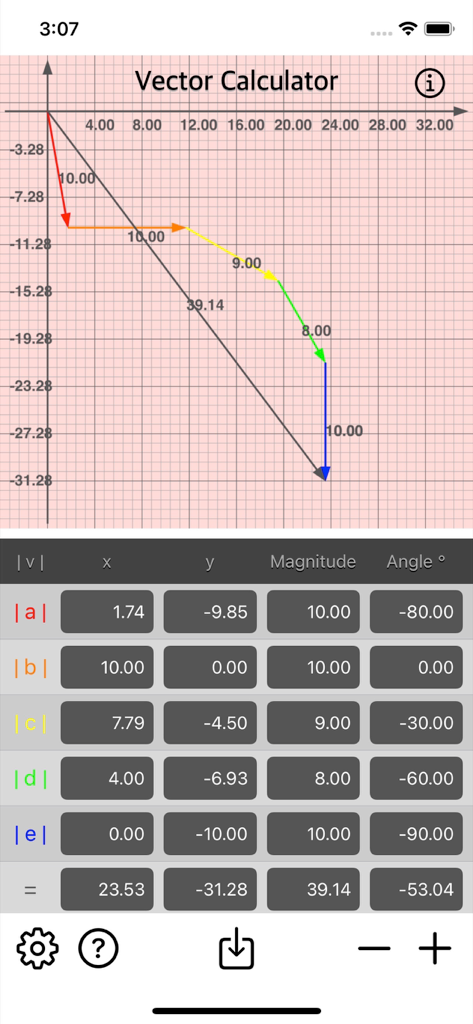
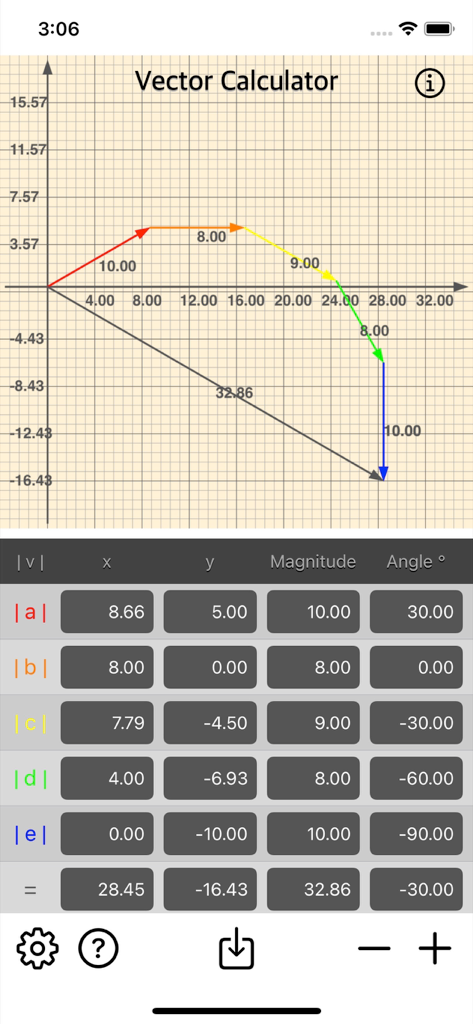
Mobile app interface for Vector Calculator Plus displaying a vector addition graph and data table

Mobile app interface for Vector Calculator Plus displaying a vector addition graph and data table

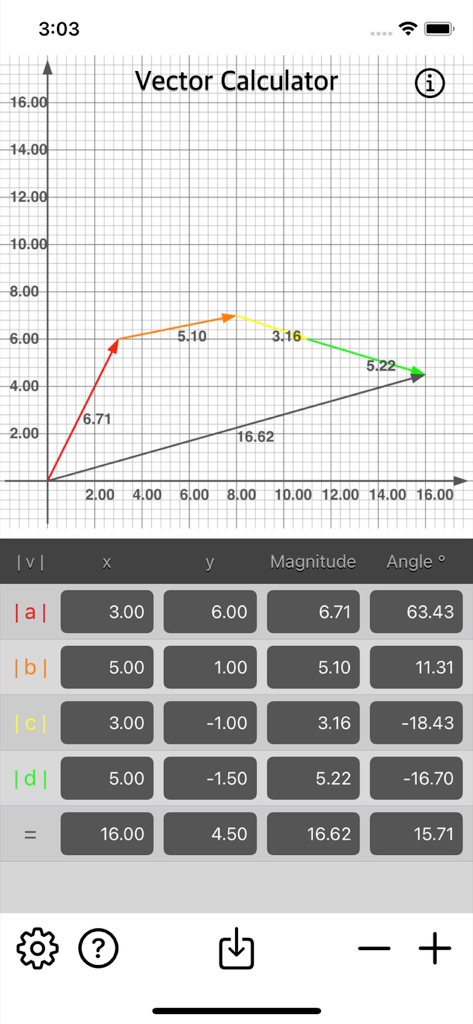
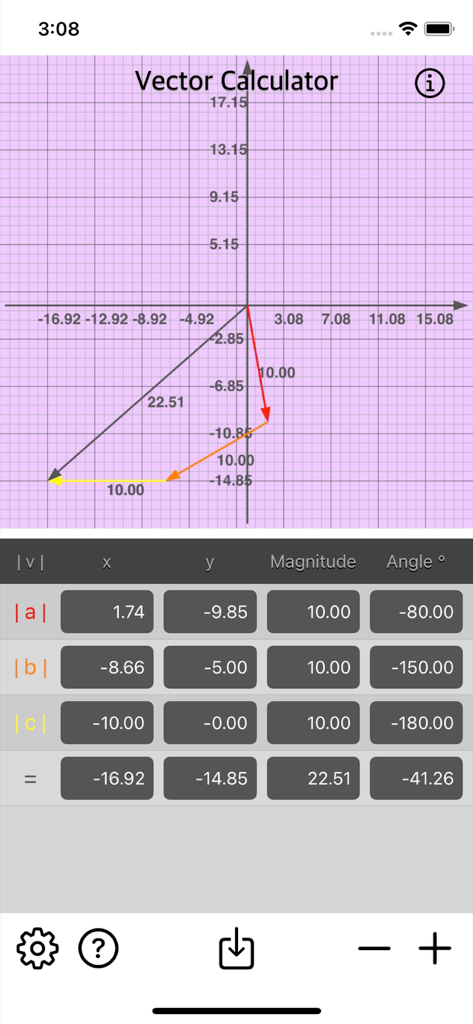
Interface of Vector Calculator Plus displaying a vector addition graph and a table of magnitude and angle calculations

Interface of Vector Calculator Plus displaying a vector addition graph and a table of magnitude and angle calculations

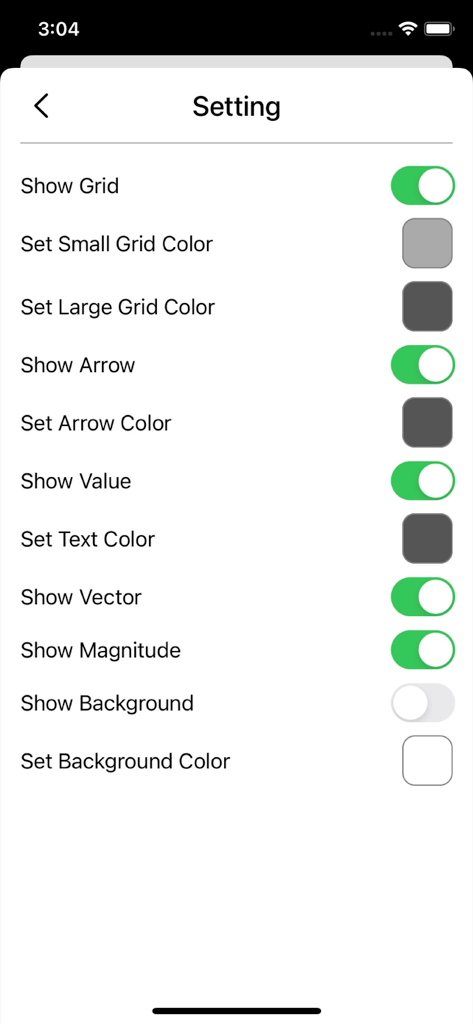
Settings screen of the Vector Calculator Plus app showing customization options for the vector graph appearance including grid and arrow colors.

Settings screen of the Vector Calculator Plus app showing customization options for the vector graph appearance including grid and arrow colors.

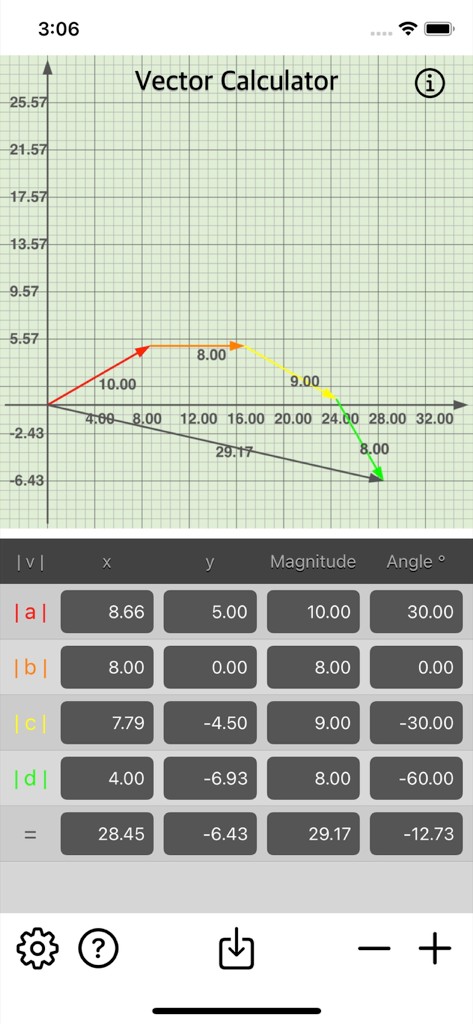
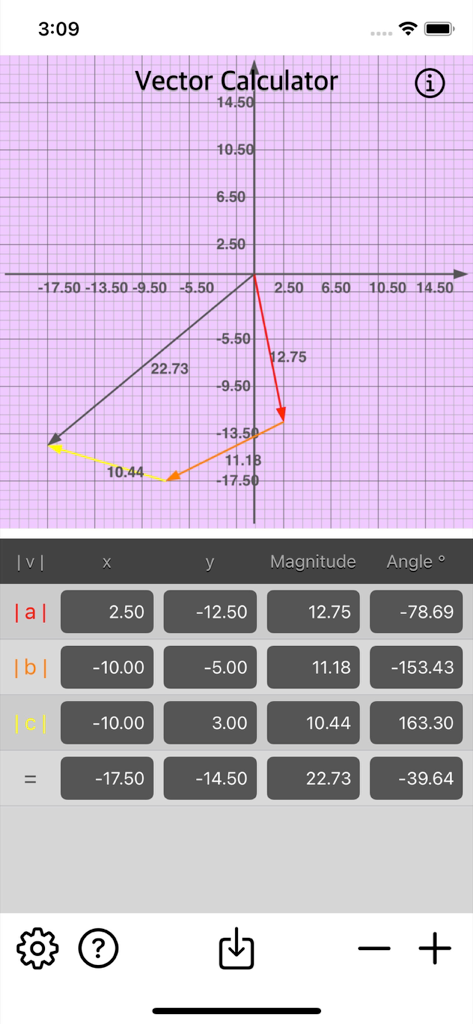
Vector Calculator Plus app showing a grid graph with vector addition and a data table of magnitudes and angles

Vector Calculator Plus app showing a grid graph with vector addition and a data table of magnitudes and angles

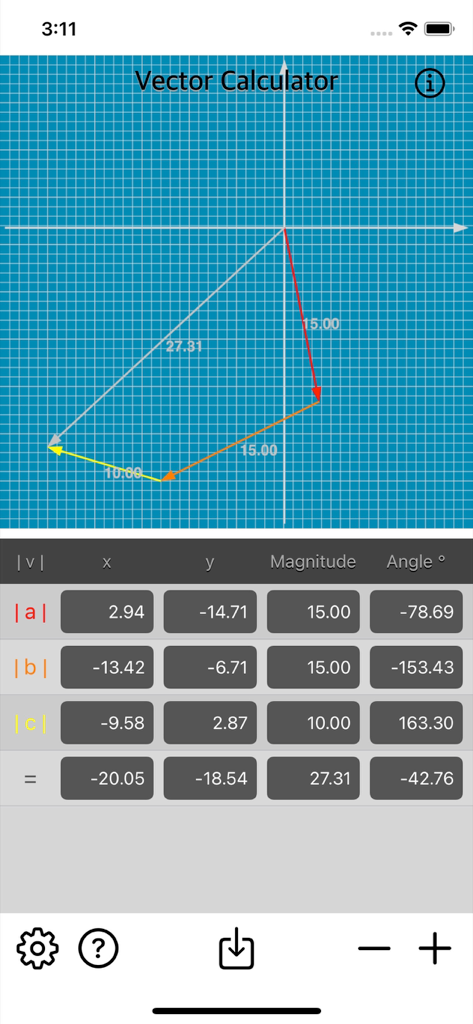
Interface of the Vector Calculator Plus app showing multiple vectors added on a coordinate grid and a table with their x, y, magnitude, and angle components.

Interface of the Vector Calculator Plus app showing multiple vectors added on a coordinate grid and a table with their x, y, magnitude, and angle components.

Graphical representation and calculation table for vector addition in the Vector Calculator Plus app.

Graphical representation and calculation table for vector addition in the Vector Calculator Plus app.

Vector Calculator Plus app interface showing a coordinate grid with plotted vectors and a data entry table for x y magnitude and angle values.

Vector Calculator Plus app interface showing a coordinate grid with plotted vectors and a data entry table for x y magnitude and angle values.

Interface of Vector Calculator Plus showing a plotted vector graph on a coordinate plane with a calculation table for magnitudes and angles.

Interface of Vector Calculator Plus showing a plotted vector graph on a coordinate plane with a calculation table for magnitudes and angles.

Vector Calculator Plus displaying a vector addition graph and coordinate data table

Vector Calculator Plus displaying a vector addition graph and coordinate data table

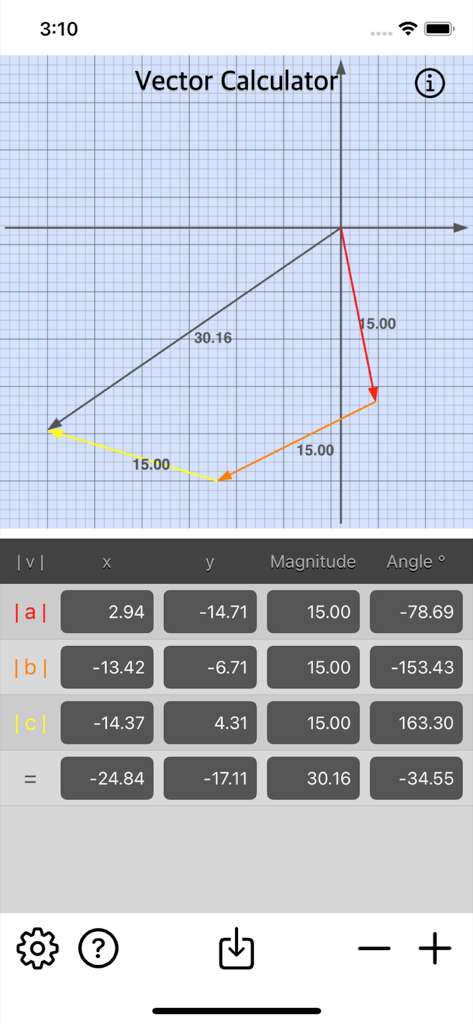
Vector Calculator Plus app interface displaying multiple vectors on a blue grid with a calculation table

Vector Calculator Plus app interface displaying multiple vectors on a blue grid with a calculation table

Master Vector Physics Instantly

The tools that make this app stand out, trusted by 300 users.

📐

Real-Time Visual Graphing

Instantly generate vector diagrams using the parallelogram law to visualize forces and motion in 2D space.

⚙️

Flexible Input Options

Calculate sums using X/Y coordinates or magnitude and angle—perfectly aligned with AP Physics and Engineering textbooks.

📁

Export for Lab Reports

Save high-quality vector images directly to your camera roll to enhance your digital notes, assignments, or teaching materials.

About the app

Everything you need to know about Vector Calculator Plus.

Description

Vector Calculator is math calculator to find vector addition fast and easy. Vector Calculator give operation of adding two or more vectors together into a vector sum. The parallelogram law gives the rule for vector addition of two or more vectors. Features: • Instant vector calculation. • Add multiple vector by x, y, magnitude or angle. • Vector Image is generated upon calculation. • Save Vector Image into camera roll. • Option to show/hide Grid, Indicator, Label, Vector Label or Magnitude Label for Vector Graph. • Option to enable/disable Background for Vector Graph. • Option to set Background Colour for Vector Graph. A Vector has magnitude [size] and direction. No matter which order you add them, you will get the same result. Magnitude of a Vector: The magnitude of a vector is shown by two vertical bars on either side of the vector |a| Adding Vectors: Vectors can add by adding the x parts and adding the y parts: Example: add the vectors a = (2,3) and b = (4,5) |a+b| = |a| + |b| |a+b| = (2,3) + (4,5) = (2+4,3+5) = (6,8) Common examples of vectors are force and velocity. Both force and velocity are in a particular direction. The magnitude of the vector would indicate the strength of the force or the speed associated with the velocity. Vector Calculator is useful for math teachers, educator, or anyone who want to prepare vector math material for teaching. Also for students who need to learn more detail or understanding of math vector addition operation. Thanks for your support and do visit nitrio.com for more apps for your iOS devices.

Latest Version

1.1

Size

1.1 MB

First Released

Jun 21, 2022

Ready to Visualize Your Vector Calculations?

Join the STEM students and educators simplifying their physics and math workflows. Download the essential tool to solve, graph, and export vectors in seconds.

Download on App Store

App information, icons, screenshots, and descriptions displayed on this page are sourced from the Apple App Store and are the property of their respective developers. Download estimates and rankings are based on MWM's proprietary models and may not reflect actual figures. This page is provided for informational and analytical purposes only.

Believe this page infringes your intellectual property? File a dispute