
This page is not an official page of the app or its developer, but an independent editorial publication created for informational and commentary purposes. Unless expressly stated otherwise, neither the app nor its developer is affiliated with, endorsed by, sponsored by, authorized by, or otherwise officially connected with MWM, Apple, Google Play, the app publisher, or the app's developer, and nothing on this page implies that the app was developed using MWM's services. Any trademarks, logos, screenshots, and other content remain the property of their respective owners.


Video Collage App
Social feeds are drowning in mediocrity. This app grants users the power to effortlessly sculpt captivating video memories, instantly elevating their online presence.
Downloads
500k+User Rating
Total Ratings
6.3KPublisher
Category
Photo & VideoLocales
2Latest Version
1.4.6Size
26.3 MBFirst Released
Oct 19, 2020An analytical overview for social media enthusiasts and casual content creators.
Key Features of Video Collage App
Easy Sharing
The app allows users to effortlessly share their creations with friends and followers across social media platforms.
Instant Preview
This tool features an instant preview function, allowing users to see their collage in real-time as they create it.
Aesthetic Customization
The app provides options for beautiful patterns, colors, and video backgrounds for frames, enhancing the visual appeal of collages.
Customizable Layouts
This tool features a variety of adjustable layouts, enabling users to arrange their videos creatively within a collage.
High Resolution Export
The app provides high-resolution output, ensuring that shared video collages maintain excellent visual quality.
Background Music Integration
The app provides the ability to add euphonious background music, enriching the emotional impact of the video collages.
Frequently Asked Questions
Everything you need to know about Video Collage App
What is the Video Collage App?
The Video Collage App transforms memories into video collages. It allows users to combine multiple videos into one stunning collage, perfect for sharing on social media platforms like Instagram and Facebook.
Does the Video Collage App offer adjustable layouts for video collages?
Yes, the Video Collage App provides various adjustable layouts for creating video collages. Users can select from numerous grid options to arrange their videos effectively.
Can I add background music to my video collages in the Video Collage App?
Yes, the Video Collage App enables users to add euphonious background music to their video collages. The app offers a selection of tracks to enhance the overall video experience.
What video editing features does the Video Collage App include?
The Video Collage App includes several video editing features. Users can crop, filter, and change the speed of individual videos within their collages for precise customization.
How are payments handled for premium plans in the Video Collage App?
Payments for premium plans in the Video Collage App are charged to the iTunes Account upon purchase confirmation. All premium plans are subject to auto-renewal at the end of each billing period.
How do I cancel my premium subscription for the Video Collage App?
To cancel a premium plan, users must do so at least 24 hours before the period ends to avoid nonrefundable auto-renewal. Manage cancellations through your Apple Account Settings.
Where can I find the Privacy Policy for the Video Collage App?
The Privacy Policy for the Video Collage App is located at http://intuitive.studio/videoCollage/privacy/. This document outlines the app's data handling practices and user rights.
Does the Video Collage App allow customization of collage backgrounds?
Yes, the Video Collage App allows users to customize collage backgrounds. Options include various beautiful patterns, colors, and video backgrounds for frames, as shown in the app.
The following screenshots and description are sourced directly from the app's official store listing and are the property of the app developer.
App Store
Screenshots

Explore the app's diverse collection of adjustable layouts, enabling users to effortlessly structure their video collages with various grid patterns.
Layout Selection Mastery

Users can personalize their collages with beautiful patterns and vibrant color options for the video background, adding a unique aesthetic touch.
Background Artistry

Control the narrative flow with sequential playback, as users can easily reorder numbered video segments within their collage for dynamic storytelling.
Sequential Storytelling
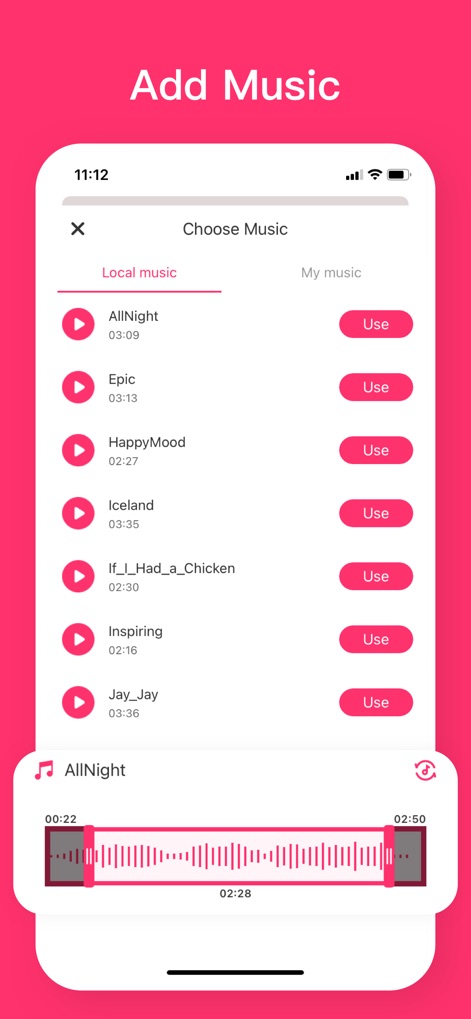
Enhance collages with euphonious background music, precisely timed using the detailed waveform display for optimal audio-visual synchronization.
Sonic Enhancement
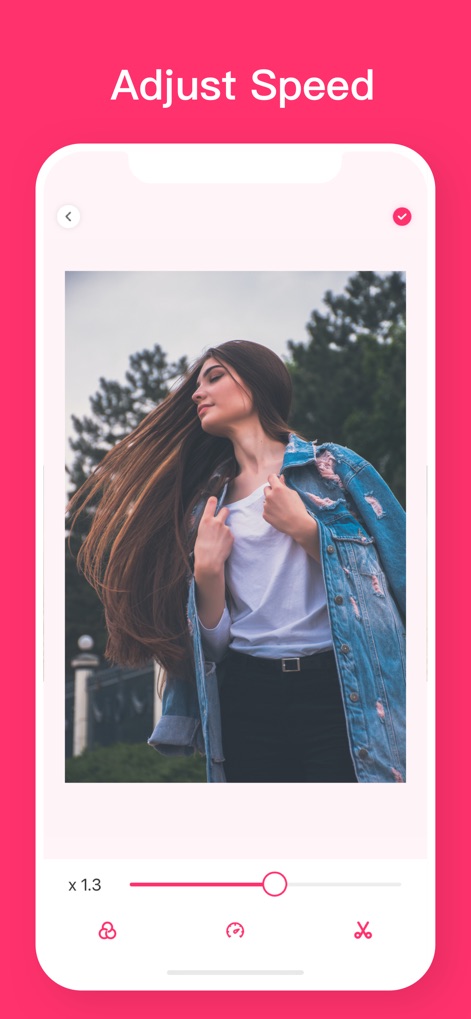
Users can fine-tune their video clips with precise speed adjustments, utilizing the intuitive slider to achieve dramatic slow-motion or accelerated effects.
Dynamic Speed Control
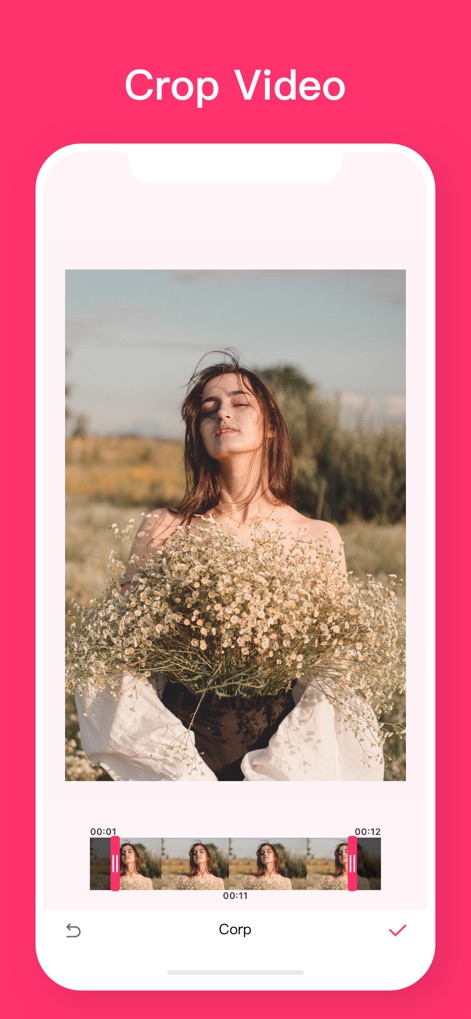
The app empowers users to crop videos precisely, selecting desired segments using the interactive timeline slider for perfect framing.
Refined Video Cropping

Transform video aesthetics with a range of artistic filters, easily applied through various visual filter presets for instant mood enhancement.
Creative Visual Filters

Users can adjust layouts freely, dragging cell borders and utilizing intuitive sliders to precisely modify the proportions of each video segment.
Layout Customization

Create versatile video collages by selecting from different aspect ratio options, clearly presented as visual icons for optimal platform compatibility.
Flexible Aspect Ratios
Description
Download
More Like This
Apps with similar features and user experience

VEED Shorts: AI videos
VEED Ltd

AI Video Maker - Renderforest
Renderforest LLC

Slideshow Creator -MovieStudio
立瑗 胡

Filmigo Video Maker & Editor
VIDEOSHOW PTE. LTD.

Slideshow Maker Video & Photo
Honk Honk Punch Pty Ltd

Quick Slideshow Maker + Music
Zipo Apps Ltd.

Salad Video -Video Editor
ChengDu PinGuo Technology Co., Ltd.

Story Swag - Quick Reels
Slider LLC

StoryWave - Video Maker
UNSTATIC LTD
This page is not an official page of the app or its developer, but an independent editorial publication created for informational and commentary purposes. Unless expressly stated otherwise, neither the app nor its developer is affiliated with, endorsed by, sponsored by, authorized by, or otherwise officially connected with MWM, Apple, Google Play, the app publisher, or the app's developer, and nothing on this page implies that the app was developed using MWM's services. Any trademarks, logos, screenshots, and other content remain the property of their respective owners.