Video Collage - Collage Maker

Video Collage - Collage Maker

Download on App Store
Logo of Video Collage - Collage Maker

Video Collage - Collage Maker: Create Stunning Video Stories in Minutes

Bring your memories to life by combining photos and videos with your favorite music. Design beautiful, social-ready collages in seconds and share your best moments with friends and family.

Download on App Store

Publisher

out thinking private limited

Category

Photo & Video

Downloads

868K+

User Rating

4.4/5

Total Ratings

6K+

Locales

1

Moments in Motion

Discover the interface used by 868K+ users.
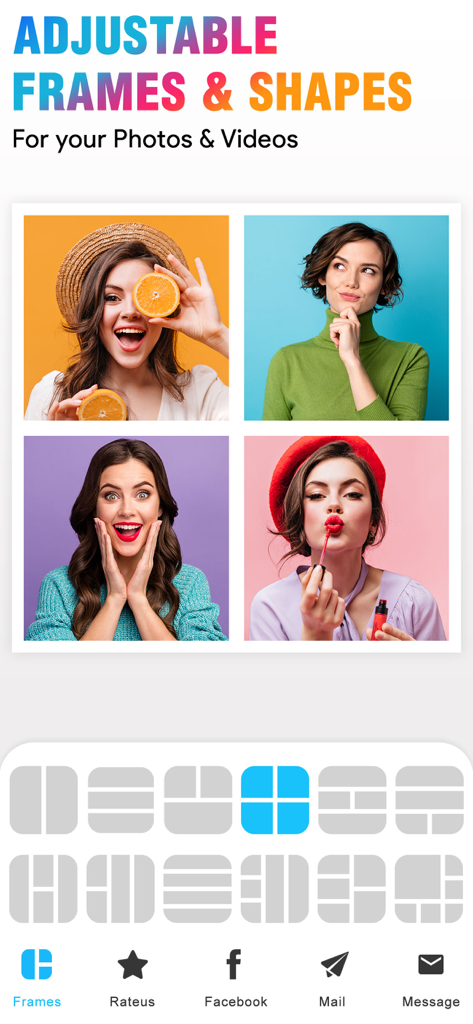
Mobile app interface showing a 4-photo grid collage and various layout frame options for photos and videos

Mobile app interface showing a 4-photo grid collage and various layout frame options for photos and videos

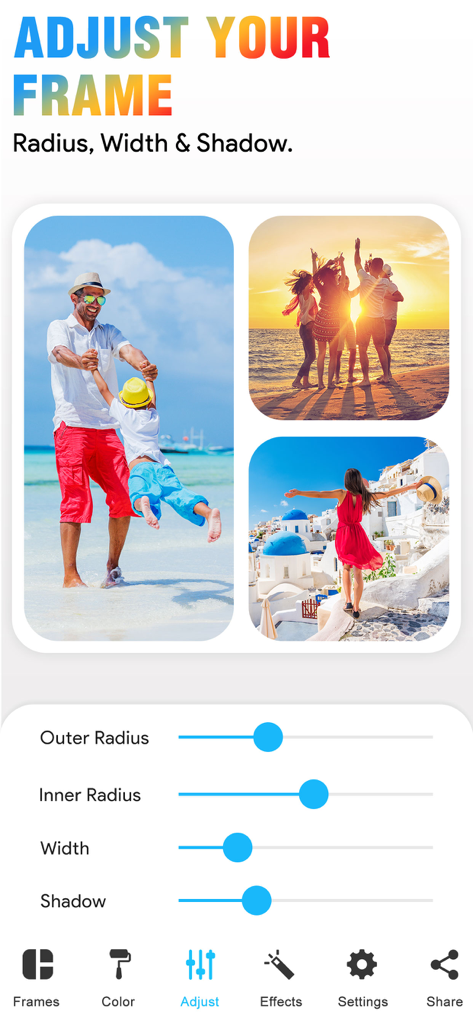
Interface of the Video Collage Maker app showing sliders to customize frame radius width and shadow for a photo collage

Interface of the Video Collage Maker app showing sliders to customize frame radius width and shadow for a photo collage

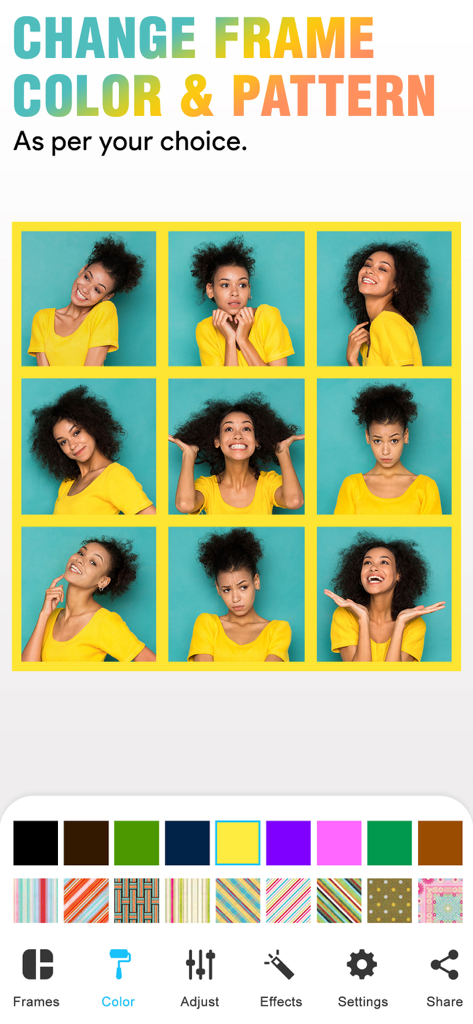
A 3x3 photo grid in the Video Collage app featuring tools to change the border color and pattern

A 3x3 photo grid in the Video Collage app featuring tools to change the border color and pattern

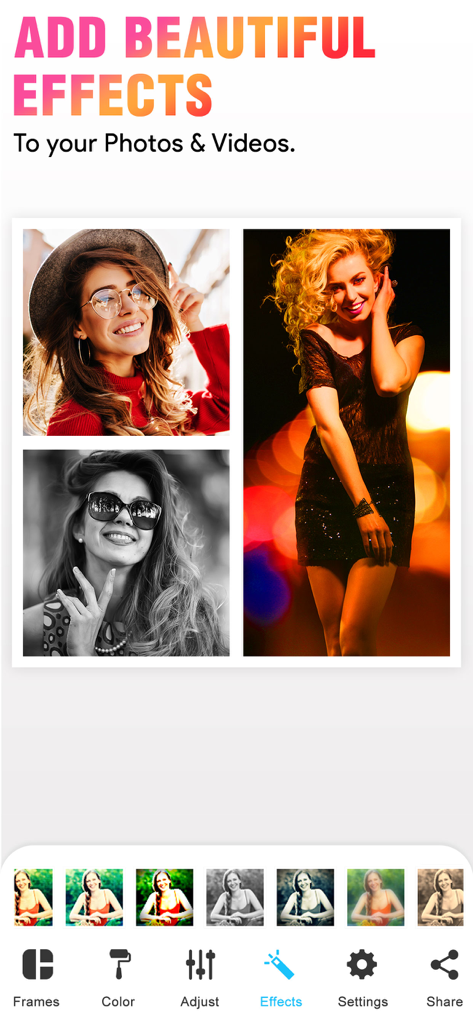
A mobile interface for adding artistic effects and filters to a photo and video collage layout.

A mobile interface for adding artistic effects and filters to a photo and video collage layout.

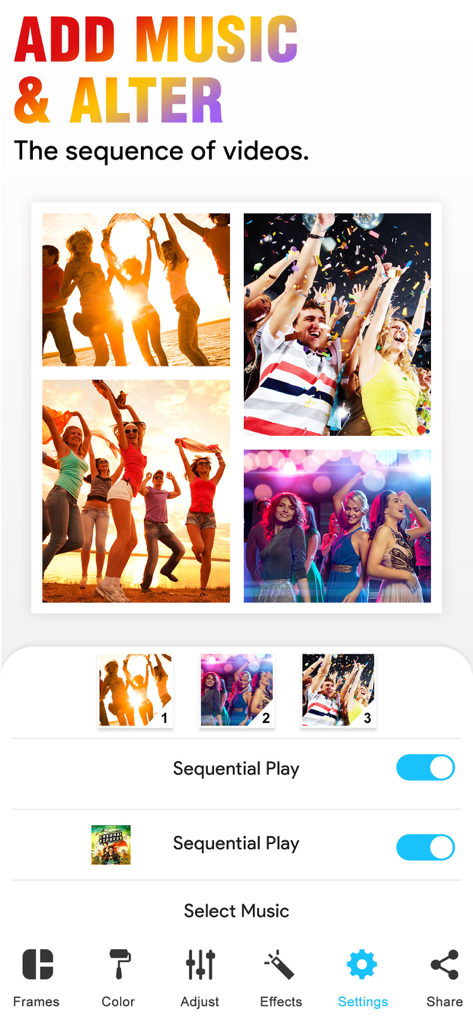
User interface showing how to add music and change video sequence in the Video Collage app

User interface showing how to add music and change video sequence in the Video Collage app

A lifestyle photo collage within the Video Collage app with social sharing buttons at the bottom

A lifestyle photo collage within the Video Collage app with social sharing buttons at the bottom

Create Stunning Stories in Minutes

The tools that make this app stand out, trusted by 868K+ users.

🎬

Mix Photos & Videos

Why choose? Blend your favorite clips and snapshots together in over 50 adjustable frames for a truly dynamic memory.

🎵

Set the Perfect Vibe

Bring your creations to life by adding your own music. Customize colors and patterns to match your unique aesthetic perfectly.

✨

Ready for Your Feed

No editing skills required. Create and share your masterpiece directly to Instagram or TikTok while the moment is still fresh.

Review Analysis

Insights from user reviews.

Sentiment Score

14%
Negative

Summary

This mobile app receives overwhelmingly negative feedback from users. A primary concern is its aggressive monetization strategy, with many essential features locked behind paywalls and numerous reports of unexpected charges or 'scam' free trial practices. Users frequently encounter critical bugs such as app crashes during saving, videos playing with unwanted slow motion or upside down, and a pervasive issue where sound is lost from videos. Furthermore, the app is criticized for its limited customization options, poor export quality, and overall lack of functionality, leading many to label it 'useless' or a 'waste of time', despite a small handful of reviews expressing general satisfaction.

Common Themes

Pricing & Premium Features(17)
App Functionality & Performance(13)
Limited Customization(7)
Billing & Refund Problems(6)
Video Playback Problems(6)
General Satisfaction(6)
Sound Issues(5)
Saving & Exporting Issues(5)

About the app

Everything you need to know about Video Collage - Collage Maker.

Description

With our Video Collage App, you can easily create beautiful Photo and Video Collage in few minutes. All you need to do is, just choose the photo or video to create a collage, add extra effects to your Photos/videos, add music of your own choice and Save that Video. You can also easily share your photo collage or video collage to social networking sites like Facebook, Instagram or you can also share by using Email with our inbuilt option. Key Features of our Video Collage App 50 Collage Frames to create a beautiful Photo/video collage (in the Free version some frames are not available) * Easily adjustable frames * You can add your own Music to your Video collage or Photo collage * Enhance Video Collage Frame by adding patterned background * You can add color to frames * Add Effects to photos or videos * Easily share your video collage with our inbuilt social sharing option * Option to Save your Photo/video collage to Photo album Instruction To Use ******************* 1. Click on the frame button to select your frame. 2. Tap on the screen to add photo/video to Frame. 3. Click on the color button to change frame color and pattern. 4. Adjust your frame width, inner and outer radius by selecting a setting option. 5. Add music from your music library to video using the video settings option. 6. Once you are done with all editing can play video preview by clicking on the Preview button. 7. Finally it's time to share your masterpiece with your friends. So click on the Share button. 8. Download it and make your collage of Video and image with a simple touch. If you are looking for a free app to combine videos into one video, then our VideoCollage is one app you can try. You don’t need any video editing software to join multiple videos into one video. Our simple & free collage maker app will do this job for you. One of the best things about our video and picture collage app is, you can use our app as a photo collage maker or as a video collage app. In one app you will get 2 app features! So you don’t need any video/photo collage app anymore. Once you are done with your collage video you can easily share that collage with your friends by Email, Facebook, or on Instagram site. Subscription Terms - Subscribe to get unlimited video collage app access to all features. - Upon confirmation of purchase, the payment will be charged to the iTunes account. - Until you turn off the auto-renew at least 24 hours before the end of the current. period it will be automatically renewed. - If you decide to turn off auto-renewal, you can turn it off maybe by going to account settings after purchase. -The renewal amount will be charged from the account within 24 hours before the end of the current period. -As per the policy, cancellation of the current subscription is not allowed during the active subscription period. Once purchased, refunds will not be returned for any unused portion of the subscription period. Terms of use - https://www.outthinkingindia.com/terms-of-use/ Privacy policy - https://www.outthinkingindia.com/privacy-policy/ Download the video collage app now.

Latest Version

3.7

Size

107.7 MB

First Released

Oct 25, 2013

Ready to Share Your Story?

Join over 800,000 creators and turn your favorite photos and videos into stunning collages in minutes. Download now and start creating your masterpiece!

Download on App Store

App information, icons, screenshots, and descriptions displayed on this page are sourced from the Apple App Store and are the property of their respective developers. Download estimates and rankings are based on MWM's proprietary models and may not reflect actual figures. This page is provided for informational and analytical purposes only.

Believe this page infringes your intellectual property? File a dispute