Video Compressor • Resizer

Video Compressor • Resizer


Download on App Store
Logo of Video Compressor • Resizer

Video Compressor • Resizer: Reclaim Your Storage Without Losing a Pixel

Stop deleting your favorite memories. Use professional batch compression to shrink videos and photos by up to 90% while maintaining stunning 4K quality for easy sharing on social media and messaging apps.

Download on App Store

Publisher

文斌 杜

Category

Utilities

Downloads

0

User Rating

1.0/5

Total Ratings

0

Locales

2

Efficiency at Your Fingertips

Discover the interface used by 0 users.
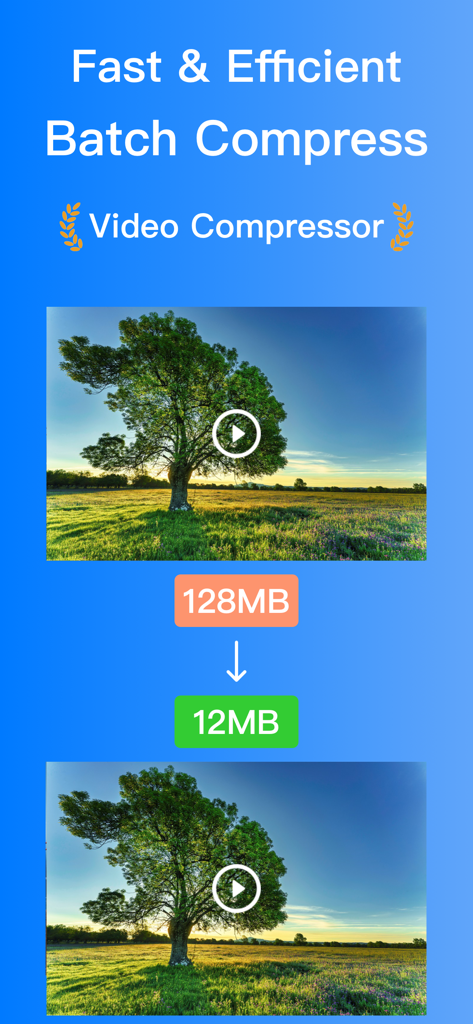
Video compressor app interface showing a video file size reduced from 128MB to 12MB.

Video compressor app interface showing a video file size reduced from 128MB to 12MB.

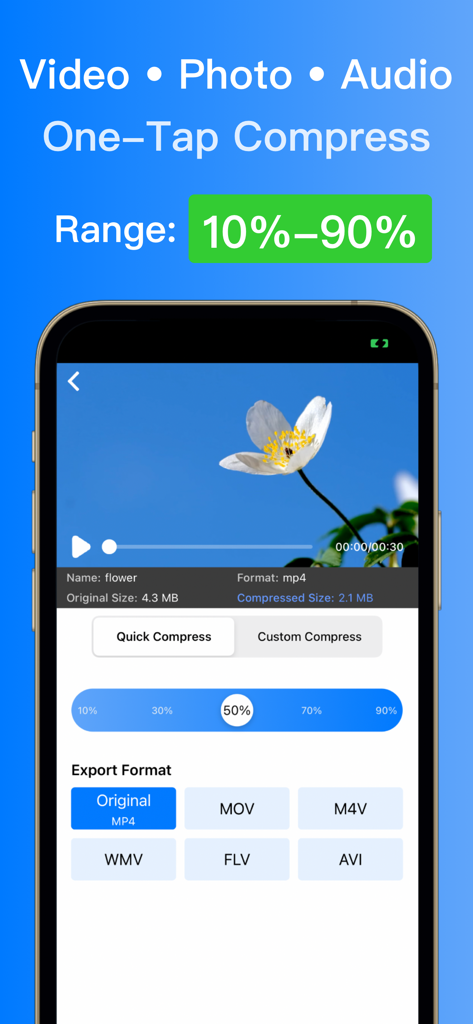
Mobile app interface showing video compression settings with a flower video preview and export format options

Mobile app interface showing video compression settings with a flower video preview and export format options

Video file management and search interface of the Video Compressor app on an iPhone.

Video file management and search interface of the Video Compressor app on an iPhone.

Maximize Space, Maintain Quality

The tools that make this app stand out, trusted by 0 users.

📉

Smart Storage Recovery

Reclaim up to 90% of your iPhone's space. Shrink massive 4K videos and HEIC photos into lightweight files while preserving stunning visual clarity.

Batch Processing Power

Stop wasting time on one-by-one edits. Select your entire camera roll and compress videos, photos, or audio files simultaneously in seconds.

📱

Optimized for Instant Sharing

Skip the "File too large" errors on Discord and WhatsApp. Quickly resize your content for lightning-fast uploads to TikTok, Instagram, and Reels.

About the app

Everything you need to know about Video Compressor • Resizer.

Description

[Video Compressor] Professional Media Compression Tool A powerful media compression tool for batch processing videos, photos, and audio files. Save up to 90% storage space while maintaining original quality. [Core Features] • Smart Batch Processing: Handle multiple media files at once • Dual Compression Modes: Quick mode & Professional mode • Flexible Compression: 10%-90% ratio adjustment • Lossless Quality: Preserve original quality [Pro Features] • Multiple Quality Levels: From 2K to smooth • Audio Optimization: Reduce size while keeping quality • Smart File Management: Search and sort options • Advanced Settings: For professional needs [Easy Features] • One-click Album Export • Real-time Preview • Re-compression Options • Batch Rename • Quick Share [Supported Formats] • Video: MP4, MOV, M4V, AVI, WMV, MKV, WebM, FLV, MPEG, 3GP • Photo: JPEG, PNG, HEIC, WebP • Audio: MP3, WAV, AAC, M4A, WMA Whether you're a casual user or professional, our tool makes media compression simple and efficient! Download now to experience ultimate compression! -------------------- Pro subscription unlocks all premium features. [Subscription Details] • Period: Monthly subscription • Payment: Purchase will be charged to iTunes Account • Cancel: Auto-renewal can be turned off in iTunes/Apple ID settings at least 24 hours before the end of the current period • Renewal: iTunes Account will be charged for renewal within 24 hours prior to the end of the current period unless auto-renewal is turned off Privacy Policy: https://sparkleios.github.io/Sparkle/VideoCompressorPrivacy.html Terms of Use: https://sparkleios.github.io/Sparkle/VideoCompressorUserAgreement.html

Latest Version

1.0.1

Size

84.7 MB

First Released

Feb 6, 2025

Ready to Reclaim Your Storage?

Download Video Compressor • Resizer today and shrink your 4K media by up to 90% without losing quality. Stop deleting memories and start creating.

Download on App Store

App information, icons, screenshots, and descriptions displayed on this page are sourced from the Apple App Store and are the property of their respective developers. Download estimates and rankings are based on MWM's proprietary models and may not reflect actual figures. This page is provided for informational and analytical purposes only.

Believe this page infringes your intellectual property? File a dispute