Video Compressor - ShrinkIt
Download on App Store

This page is not an official page of the app or its developer, but an independent editorial publication created for informational and commentary purposes. Unless expressly stated otherwise, neither the app nor its developer is affiliated with, endorsed by, sponsored by, authorized by, or otherwise officially connected with MWM, Apple, Google Play, the app publisher, or the app's developer, and nothing on this page implies that the app was developed using MWM's services. Any trademarks, logos, screenshots, and other content remain the property of their respective owners.


Logo of Video Compressor - ShrinkIt
Download on App Store

Video Compressor - ShrinkIt

Shrink video files by up to 90% without losing quality. Bypass email limits, free up gigabytes of space, and keep your content private with 100% on-device processing.

Key Figures

Downloads

2K+

User Rating

1.0/5

Total Ratings

0

Publisher

Mobin Akhter

Category

Photo & Video

Locales

1

Latest Version

1.0.6

Size

24.4 MB

First Released

Sep 2, 2025
Features

Take Control of Your iPhone Storage

Effortlessly compress your entire video library to save space and share memories faster—all while keeping your data 100% private.

Gigabytes of Space Saved

Reduce file sizes by up to 90% using smart presets. Clear the 'Storage Full' alert without deleting your favorite videos.

Send Large Files Anywhere

Bypass email and messaging limits with custom target sizes. Perfect for sharing via Gmail, WhatsApp, and Slack.

The following screenshots and description are sourced directly from the app's official store listing and are the property of the app developer.

App Store

Screenshots

Video Compressor - ShrinkIt - ShrinkIt app home screen featuring buttons to choose from gallery browse files and batch select videos for compression
ShrinkIt app home screen featuring buttons to choose from gallery browse files and batch select videos for compression

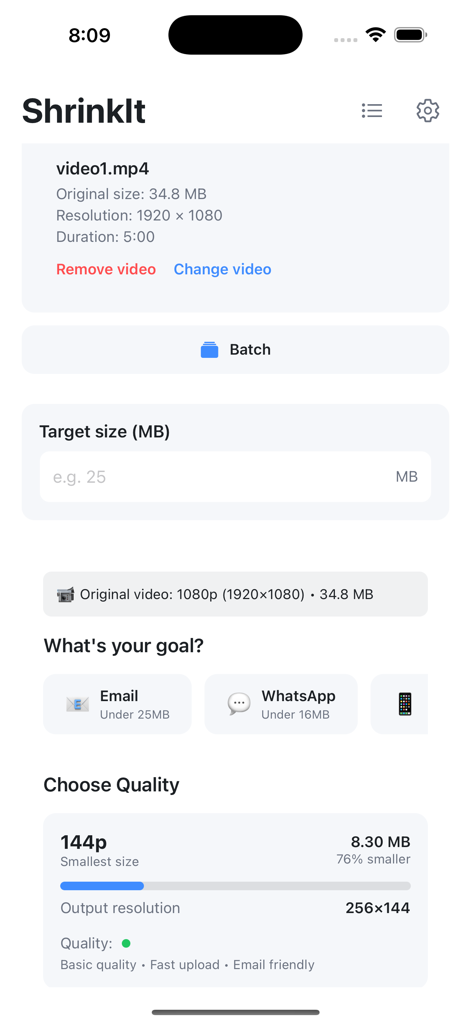
Video Compressor - ShrinkIt - Interface of the ShrinkIt app showing video compression settings including target size input and quality presets for email and WhatsApp sharing.
Interface of the ShrinkIt app showing video compression settings including target size input and quality presets for email and WhatsApp sharing.

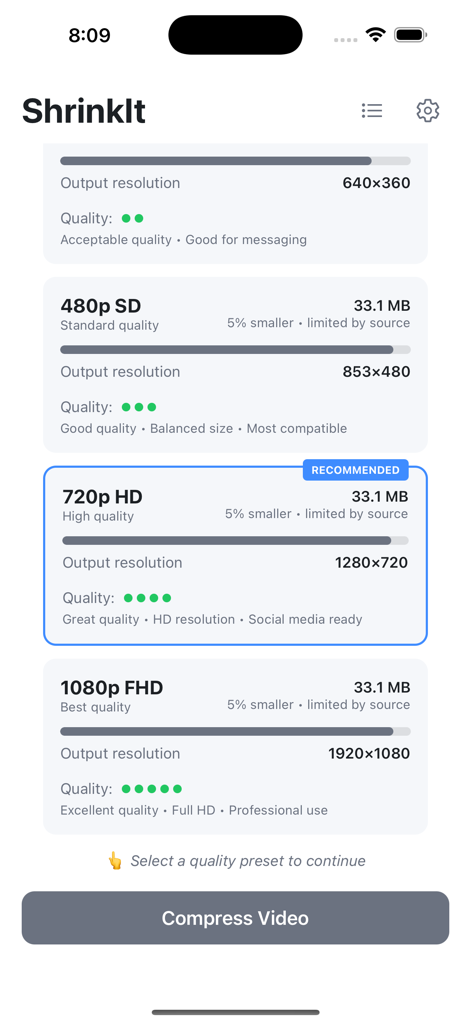
Video Compressor - ShrinkIt - Interface of ShrinkIt app displaying various video compression quality levels and resolutions
Interface of ShrinkIt app displaying various video compression quality levels and resolutions

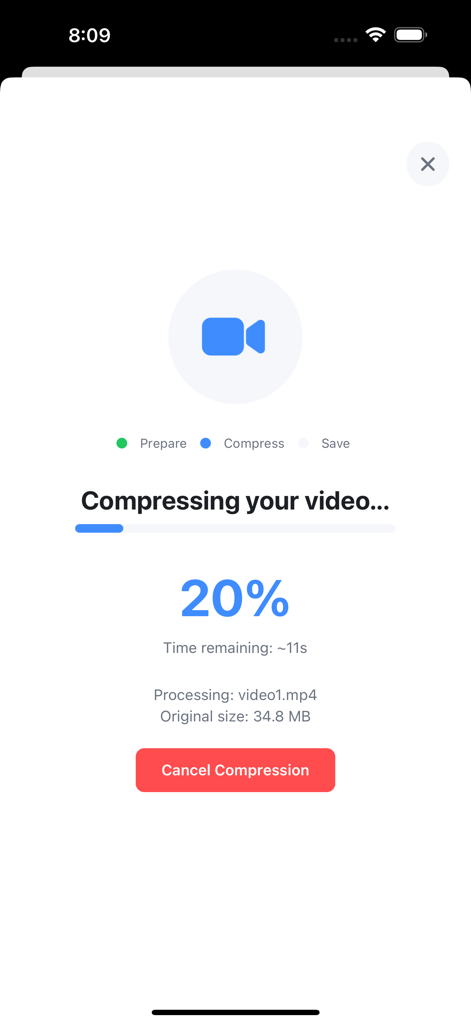
Video Compressor - ShrinkIt - ShrinkIt app interface showing a video compression progress at 20 percent
ShrinkIt app interface showing a video compression progress at 20 percent

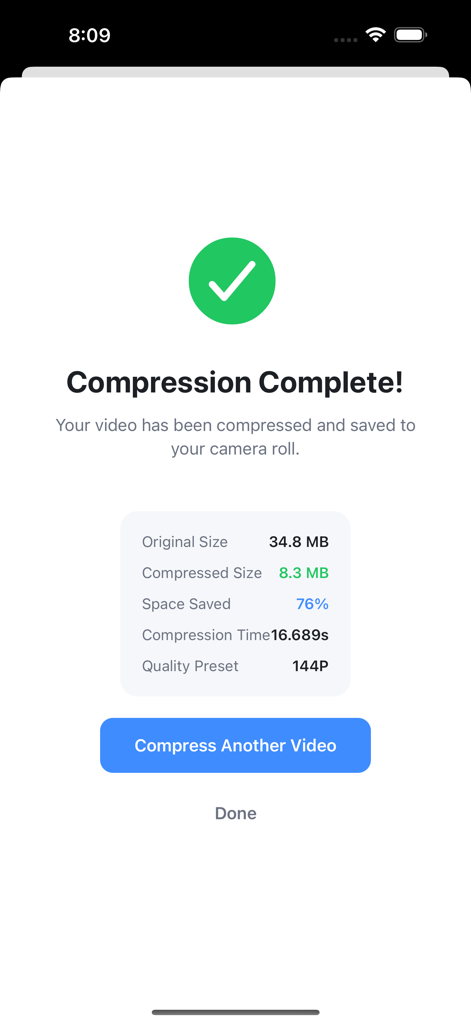
Video Compressor - ShrinkIt - A screen showing the results of a successful video compression with 76 percent storage space saved

A screen showing the results of a successful video compression with 76 percent storage space saved
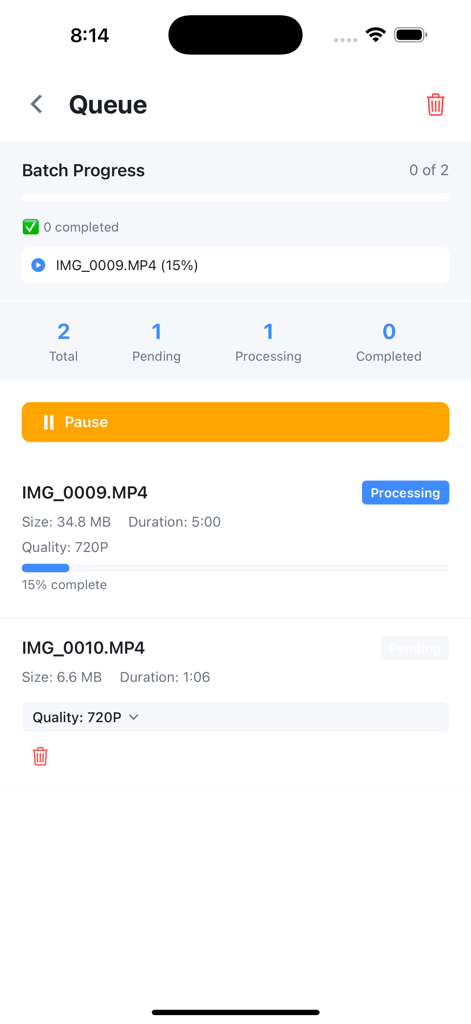
Video Compressor - ShrinkIt - The ShrinkIt app batch processing queue showing video compression progress and pending files
The ShrinkIt app batch processing queue showing video compression progress and pending files

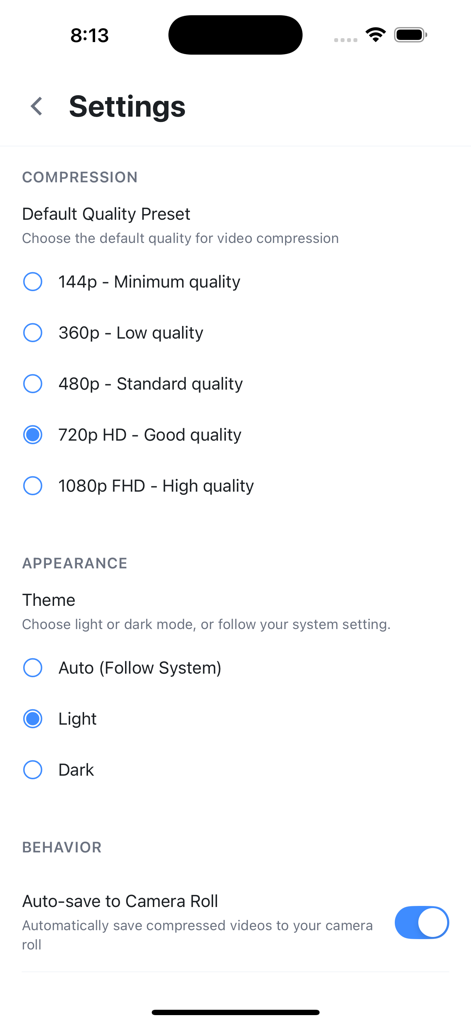
Video Compressor - ShrinkIt - Settings screen of Video Compressor ShrinkIt app showing compression quality presets and theme options

Settings screen of Video Compressor ShrinkIt app showing compression quality presets and theme options

Description

ShrinkIt is the ultimate video compressor designed to help you reclaim storage space on your iPhone. Compress videos by up to 90% while maintaining quality, perfect for freeing up space or sharing videos through email and messaging apps. KEY FEATURES Smart Video Compression Advanced compression technology reduces file sizes dramatically while preserving video quality. Choose from five quality presets or set a custom target file size. Quality Presets - 1080p Full HD: Minimal compression, maximum quality - 720p HD: Perfect balance of quality and size - 480p SD: Standard quality for everyday use - 360p: Smaller files for messaging - 144p: Maximum compression for minimal storage Target Size Control Need a specific file size? Set your target in MB and let our intelligent algorithm optimize compression settings automatically. Perfect for email attachments or platform limits. Batch Processing Queue Save time by queuing multiple videos for compression. Process your entire video library while you focus on other tasks. Track progress with detailed statistics for each video. Real-Time Progress Tracking Monitor compression progress with detailed statistics including: - Original and compressed file sizes - Space saved percentage - Compression time - Quality preset used Dark Mode Support Comfortable viewing experience with automatic dark mode that follows your system settings or can be manually controlled. Privacy First All video processing happens directly on your device. Your videos never leave your phone, ensuring complete privacy and security. No internet connection required. WHY CHOOSE SHRINKIT? Save Massive Storage Space Users typically save 60-80% of storage space after compressing their video libraries. Free up gigabytes with just a few taps. Lightning Fast Processing Optimized compression algorithms deliver fast results. What used to take minutes now takes seconds. Quality You Can Trust Smart compression maintains the best possible quality at your chosen file size. No more pixelated, unwatchable videos. Perfect For: - Freeing up iPhone storage space - Sharing videos via email (get under attachment limits) - Sending videos through WhatsApp and other messaging apps - Managing iCloud storage more efficiently - Backing up videos in smaller sizes - Anyone who records lots of video content SIMPLE WORKFLOW 1. Select videos from your photo library 2. Choose compression quality or set target size 3. Queue multiple videos for batch processing 4. Save compressed videos back to camera roll TECHNICAL DETAILS - Supports all iPhone video formats - Hardware-accelerated processing - Memory-optimized for large files - Maintains original aspect ratios - Preserves video metadata - Background queue processing STORAGE TRACKING Track your compression achievements: - Total space saved across all compressions - Number of videos compressed - Average compression ratio - Detailed history and statistics CUSTOMIZATION OPTIONS - Default quality preset selection - Auto-save to camera roll toggle - Delete original after compression option - Light/dark/auto theme modes Download ShrinkIt today and reclaim your iPhone storage. Compress videos with confidence knowing your content stays private and secure on your device. Note: ShrinkIt requires access to your photo library to import and export videos. All processing happens locally for maximum privacy and speed. WHAT'S NEW Initial Release - Version 1.0.0 Core Features: - Video compression with 5 quality presets - Custom target size compression - Batch processing queue system - Real-time compression progress - Dark mode support - Compression statistics tracking - Memory-optimized processing - Auto-save to camera roll Your feedback shapes future updates!

Download

Download on App Store

This page is not an official page of the app or its developer, but an independent editorial publication created for informational and commentary purposes. Unless expressly stated otherwise, neither the app nor its developer is affiliated with, endorsed by, sponsored by, authorized by, or otherwise officially connected with MWM, Apple, Google Play, the app publisher, or the app's developer, and nothing on this page implies that the app was developed using MWM's services. Any trademarks, logos, screenshots, and other content remain the property of their respective owners.








