Video Editor : Video Maker

Video Editor : Video Maker

Download on App Store
Logo of Video Editor : Video Maker

Video Editor : Video Maker: Create Viral Social Content Like a Pro

Transform your clips into stunning Reels and TikToks with precision editing, 500+ aesthetic stickers, and cinematic transitions—all from your iPhone or iPad.

Download on App Store

Publisher

Miraitowa Inc Limited

Category

Photo & Video

Downloads

1M+

User Rating

4.6/5

Total Ratings

11K+

Locales

8

Create Like a Pro

Discover the interface used by 1M+ users.

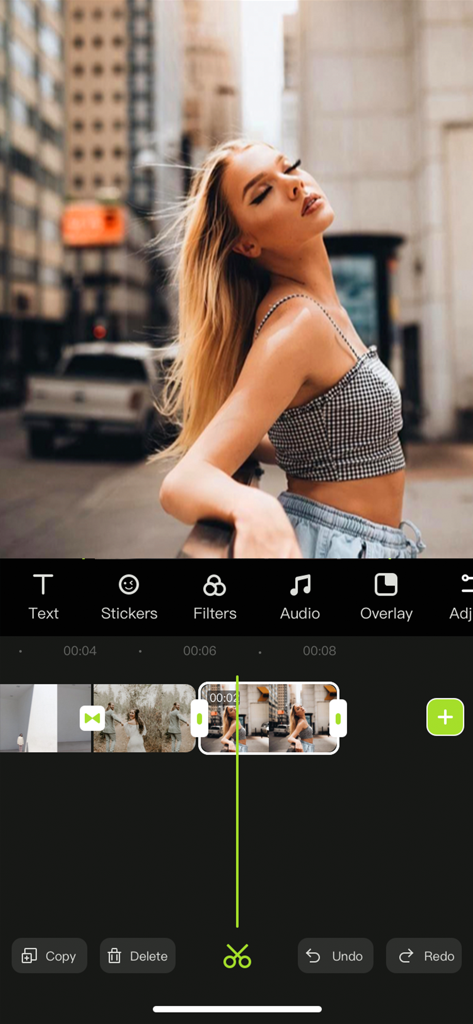
Interface of the Video Editor app showing a vertical video timeline and a preview of a young woman in an urban street setting
Interface of the Video Editor app showing a vertical video timeline and a preview of a young woman in an urban street setting

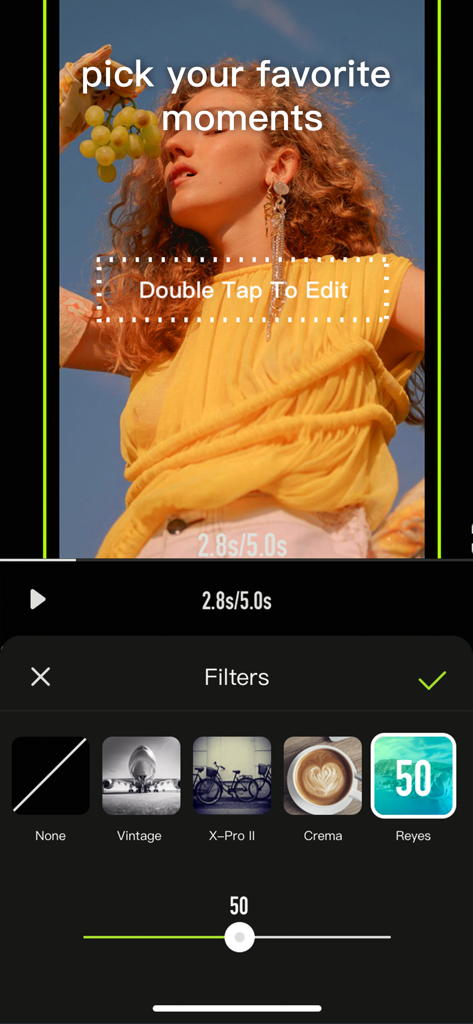
Interface of the Video Editor app showing a filter selection menu with options like Vintage and Crema applied to a lifestyle video clip.
Interface of the Video Editor app showing a filter selection menu with options like Vintage and Crema applied to a lifestyle video clip.

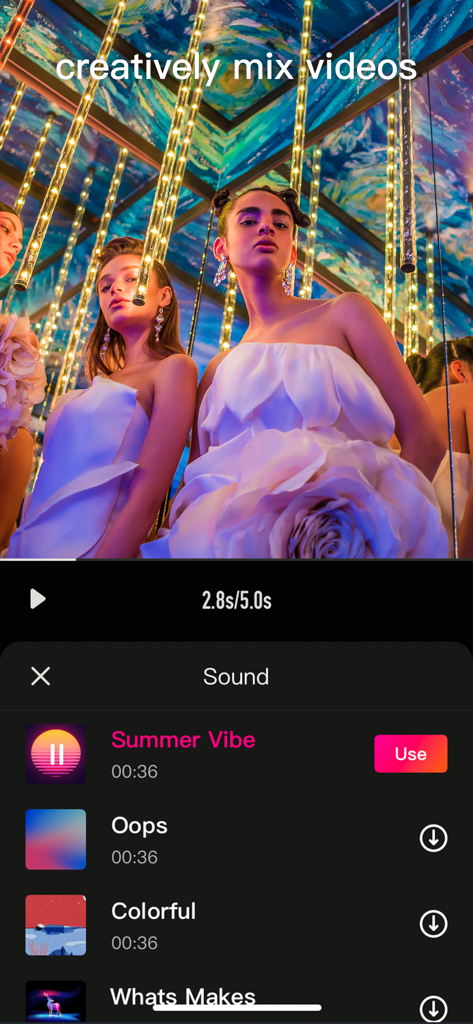
Mobile video editor interface showing a music selection menu for a social media video
Mobile video editor interface showing a music selection menu for a social media video

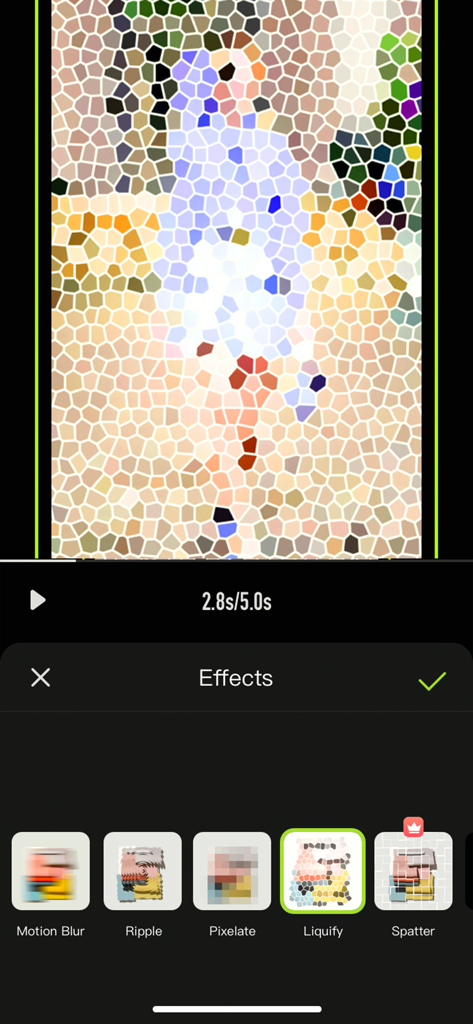
A mobile video editor interface showing special effects like liquify and pixelate for creative social media content.
A mobile video editor interface showing special effects like liquify and pixelate for creative social media content.

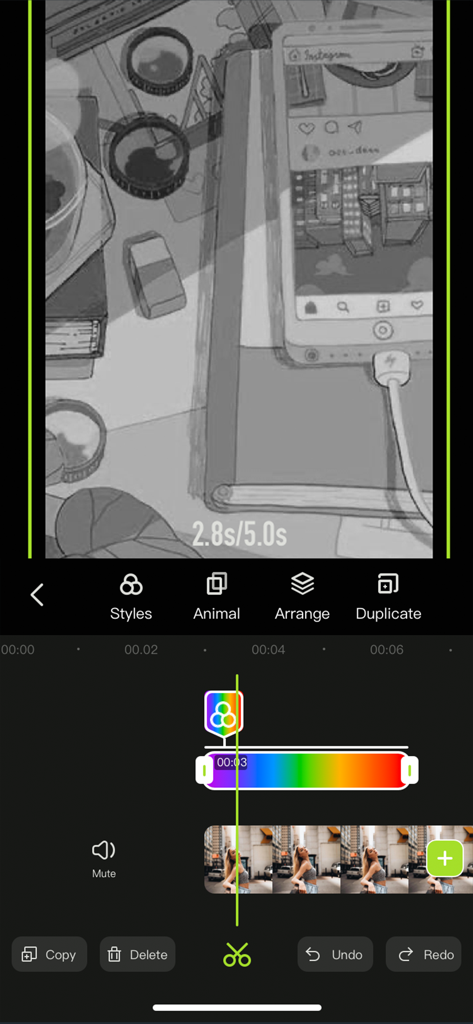
Smartphone video editing interface featuring a timeline with color filters and creative styling tools.

Smartphone video editing interface featuring a timeline with color filters and creative styling tools.

Everything You Need to Go Viral

The tools that make this app stand out, trusted by 1M+ users.

🛠️

Pro Tools, Mobile Simplicity

Master advanced features like key-framing, masking, and color cutout with intuitive touch controls. Get the desktop-quality look on your iPhone in minutes.

Massive Aesthetic Library

Access 500+ trending stickers, cinematic filters, and unique fonts. Everything you need to match the latest visual trends and elevate your personal brand.

📱

Built for Social Success

Instantly resize for TikTok, Reels, or YouTube Shorts. Extract trending audio from any video and add professional voice-overs to tell your story your way.

Review Analysis

Insights from user reviews.

Sentiment Score

32%
Negative

Summary

This mobile app receives mixed feedback, with many users praising its ease of use and robust video editing capabilities, making it a viable option for beginners and those needing a lightweight editor. However, the user experience is significantly hindered by an aggressive paywall and a contentious subscription model, leading to numerous complaints about unexpected charges after free trials and difficulties canceling. Frequent bugs, glitches, and stability issues are also major concerns, including app crashes, data loss, corrupted files, and problems saving or exporting edited videos. Notably, multiple reviews point to version-specific bugs where features like custom music and GIF integration have disappeared or malfunctioned, even on the paid version, following updates.

Common Themes

Video Editing Capabilities(6)
Ease of Use(5)
App Performance & Size(2)
Saving & Exporting(2)
Subscription & Pricing Model(1)
Bugs & Stability(1)
Advertisements(1)

About the app

Everything you need to know about Video Editor : Video Maker.

Description

Videoeditor is an easy-to-operate video making App on your iPhone, iPad. Whether you are a professional or an amateur, you can find the fun of video editing in Videoeditor. Videoeditor has powerful editing functions and a massive material library (such as pictures, videos, music, sound effects, stickers, etc.), which greatly reduces the creation threshold while adding creativity to the video. Let’s start creating! Here's what Videoeditor can do for you: Powerful video editing functions - Upload materials from your phone album - Adjust the brightness, contrast, saturation and other parameters of the clips - Add the entry/exit animation of the material. - Pick color and cut out - Add a mask to hide part of the layer - Video splitting and trimming - Adjust layer order - Sound extraction from video - Record your voice and add to video - Multiple sound equalizer solutions - Adjust the speed of the video - Video reverse - Freeze the key-frame of the clip - Intuitive time-line with frame-by-frame precision scaling - Replace material while retaining editing operations - Shortcut operations for video editing (Redo/Undo/Delete/Copy/Mute) Abundant resources to inspire creativity - 500+ featured stickers of different kinds - Choose photos/videos from third-party material libraries for creation - Pleasant background music - Various sounds of nature contained in sound effect library - Various filters to beautify your video - A variety of selected fonts to choose from - Various special effects to increase the fun of the video - Various transition allow natural switching between clips and clips Various adjustment operations for the canvas - A variety of canvas sizes to choose from for better display on social media - Custom canvas background (Solid color / blur) Multiple video saving options - Multiple resolutions to meet different needs - Different frames per second options to adjust the smoothness of the video ***Some features may require in-app purchases. ------------ SUBSCRIPTION PRICING & TERMS VideoEditor is free to download. Pro Subscription gives you unlimited access to all our featured functions and selected materials. Premium Features: - Access to ALL featured filters - Access to ALL resource libraries (including fancy fonts, stickers, sound effects, music) - A variety of cool transitions - Animation effects - Unlock all masks - Audio extraction - Video reverse & freeze - Color cutout - Multiple video saving options - VideoEditor offers two auto-renewing subscription options: $6.99/Month OR $29.99/Year (including 3 days free trial). - These prices are for United States customers. Pricing in other countries may vary, and actual charges may be converted to your local currency depending on the country of residence. - Payment will be charged to your iTunes Account at confirmation of your subscription - Subscription automatically renews unless auto-renew is turned off at least 24-hours before the end of the current period - The account will be charged for renewal within 24-hours prior to the end of the current period, and at the cost of the chosen package - Any unused portion of a free trial period, if offered, will be forfeited when the user purchases a subscription to that publication, where applicable. - Your subscription automatically renews unless you turn off in Account Settings 24+ hours before the end of the billing period. - You can turn off auto-renew at any time from your iTunes account settings, but refunds will not be provided for any unused portion of the term. Read our Term of Use at: https://s3.us-west-2.amazonaws.com/s3.videocut/page/agreement.html Read our Privacy Policy at: https://s3.us-west-2.amazonaws.com/s3.videocut/page/privacy.html

Latest Version

1.1.7

Size

113.4 MB

First Released

Jul 28, 2021

Ready to Create Your Next Viral Hit?

Join over 1 million creators who use VideoEditor to transform their ideas into trending content. Download now and start building your digital influence today.

Download on App Store

App information, icons, screenshots, and descriptions displayed on this page are sourced from the Apple App Store and are the property of their respective developers. Download estimates and rankings are based on MWM's proprietary models and may not reflect actual figures. This page is provided for informational and analytical purposes only.

Believe this page infringes your intellectual property? File a dispute