Video Maker - Slideshow Editor
Download on App Store

This page is not an official page of the app or its developer, but an independent editorial publication created for informational and commentary purposes. Unless expressly stated otherwise, neither the app nor its developer is affiliated with, endorsed by, sponsored by, authorized by, or otherwise officially connected with MWM, Apple, Google Play, the app publisher, or the app's developer, and nothing on this page implies that the app was developed using MWM's services. Any trademarks, logos, screenshots, and other content remain the property of their respective owners.


Logo of Video Maker - Slideshow Editor
Download on App Store

Video Maker - Slideshow Editor

The easiest way to transform your family memories into professional-quality videos with music and animations. No editing skills required—simply select your photos, pick a theme, and share the magic with your loved ones in minutes.

Key Figures

Downloads

880K+

User Rating

4.0/5

Total Ratings

50K+

Publisher

pixel force private limited

Category

Photo & Video

Locales

1

Latest Version

2.0.19.4

Size

84.3 MB

First Released

Jun 23, 2014
Features

Celebrate Your Life’s Biggest Moments

The easiest way to turn your photo library into beautiful, high-quality movies that tell your family’s story without the steep learning curve.

One-Tap Video Magic

No editing experience required. Simply select your favorite photos and let our smart editor create a professional-looking movie for you instantly.

Music for Every Memory

Add the perfect soundtrack from our extensive library of themes or use your own songs to make your birthday and vacation videos truly unforgettable.

The following screenshots and description are sourced directly from the app's official store listing and are the property of the app developer.

App Store

Screenshots
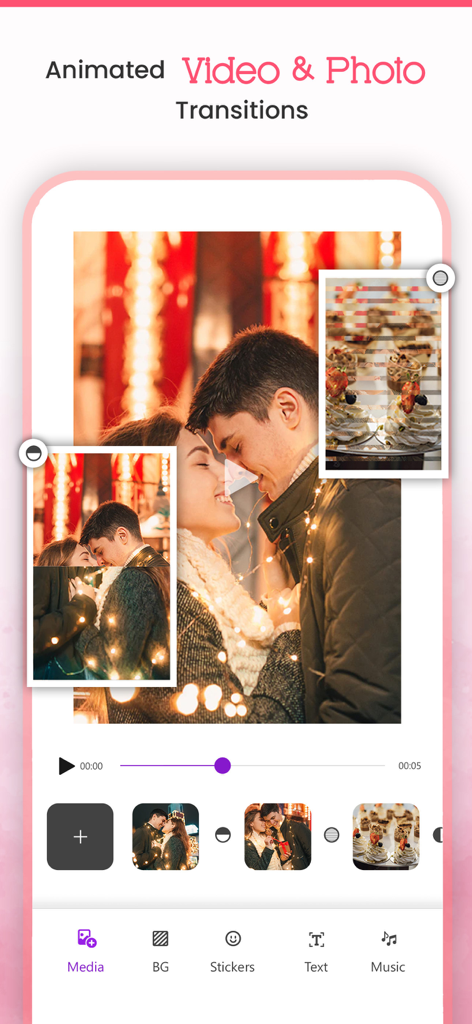
Video Maker - Slideshow Editor - User interface of Video Maker app featuring photo slideshow editing with animated transitions.
User interface of Video Maker app featuring photo slideshow editing with animated transitions.

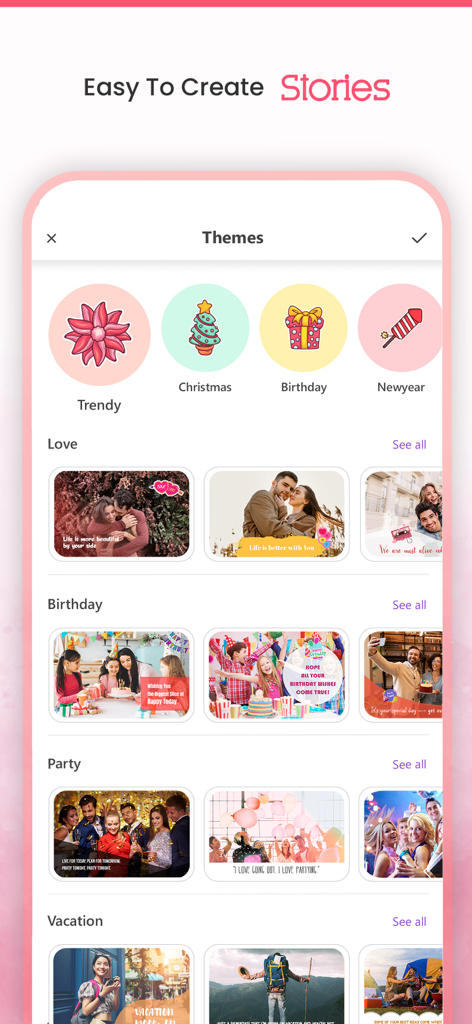
Video Maker - Slideshow Editor - Interface of the Video Maker app showing various slideshow themes for birthdays and holidays
Interface of the Video Maker app showing various slideshow themes for birthdays and holidays

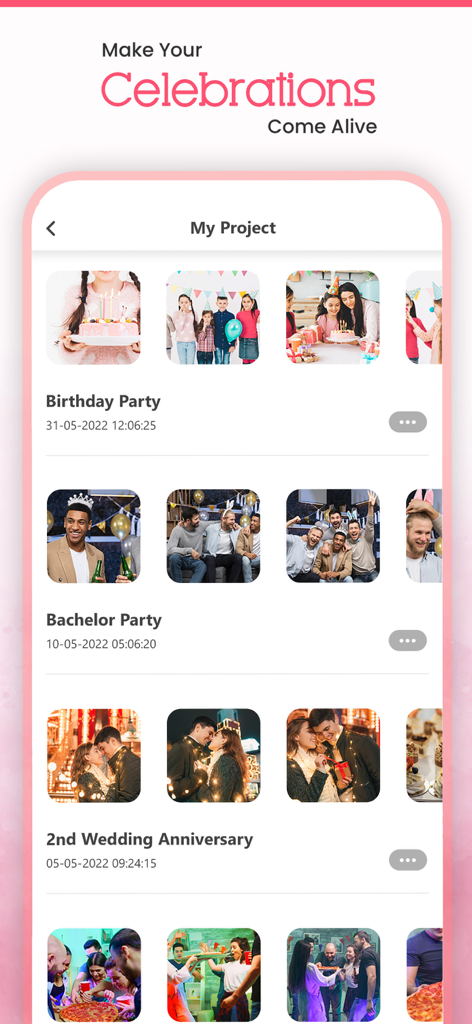
Video Maker - Slideshow Editor - Mobile app interface showing a list of saved photo slideshow projects for birthdays and anniversaries.

Mobile app interface showing a list of saved photo slideshow projects for birthdays and anniversaries.

Video Maker - Slideshow Editor - Mobile app interface showing solid and gradient background options for video slideshows
Mobile app interface showing solid and gradient background options for video slideshows

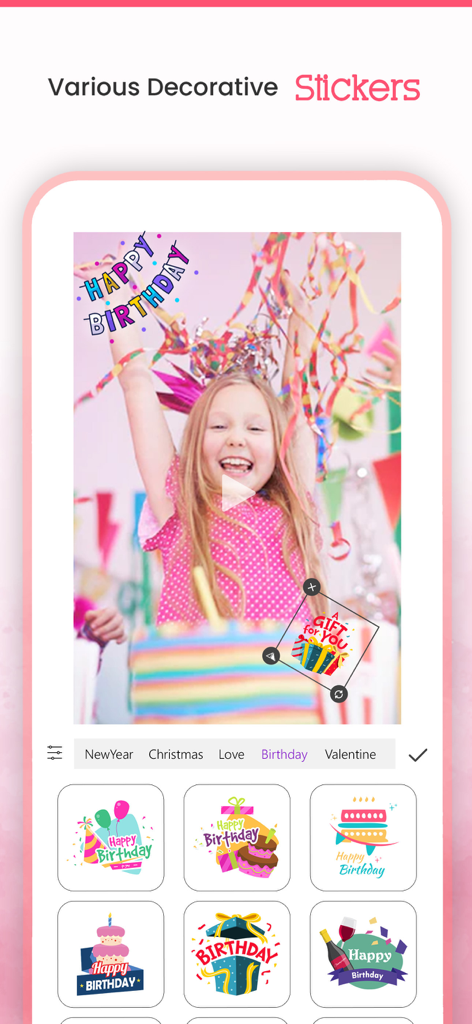
Video Maker - Slideshow Editor - Decorative birthday stickers selection menu in the Video Maker Slideshow Editor app interface.

Decorative birthday stickers selection menu in the Video Maker Slideshow Editor app interface.

Description

VideoMaker App will turn your photos into sensational movies by adding beautiful animations and music to it for Free. It allows you to select the Theme/effects and Audio of your Choice, and allows you to create & Share your Stunning Video. It's never been easier to make video from images/photos by choosing one of our video effects and music from our library or choose your ownsong/Music of your choice to make most beautiful video out of your photos, and Share that amazing movements with your Friends using our inbuilt Social Sharing option. Key Features:- * Create Stunning Video from your Photos * Add our in-built movie Themes and make your albums with your photos * Add Animated backgrounds to your video * Add Music from our in-built library * You can choose song or music of your own choice if you wish * You can arrange the images according to your choice * Add Title to your Video/Photo * Option to choose photos from your camera roll * In-built option to share your Awesome video with social networking sites * You can share on Facebook, Instagram, email, YouTube, Viddy etc Steps to create your movie 1. Select Create Project and select your Aspect Ratio and all photos from your album. 2. Add your Favourite transition. 3. Select your background, background 4. Select animation transition 5. Select music from music library or from our app. 6. Add effects to photos. 7. Enter your movie title. 8. Click on done button to create your movie. 9. Share with your friends(supports Facebook,Instagram, email,YouTube ,Viddy etc). Or You can use our huge collection of Themes and make movie with photos and videos too. How Does VideoMaker App Works? You don't need be a video editor at all to use this app. Just use our app as a movie maker. VideoMaker app will analyze your photos and focus on users automatically and creates a professional looking movie from photos that you have selected. It will give you an option to select effect and music according to your Choice/mood and make your video even more interesting/Compiling. RESTORE:You can restore your paid in app purchases without paying again. Follow these steps 1. Open the app 2. Click on Top Right to open the Premium window 3. Click on RESTORE to re-activate your in app purchases again 4. DONE Video Maker Premium Subscription========================== 1. Enjoy professional video maker & slideshow tools with Pro-Level Features & Amazing Members-Only Benefits. 2. Get unlimited access to all premium Slideshow maker Themes 3. Get unlimited access to all premium filters and tools 4. Patterns, colors, Stickers and Fonts 5. Get rid of ads and watermark 6. Get access to all movie style Photo and video transitions. • Subscriptions may be managed by the user and auto-renewal may be turned off by going to the user's Account Settings after purchase • Any unused portion of a free trial period, if offered, will be forfeited when the user purchases a subscription to that publication, where applicable Subscription plans: 1. USD $20.99/6 Months 2. USD $3.99/Week 3. USD $30.99/Year with 3 days Free Trial Subscriptions automatically renew unless they are turned off at least 24 hours before the end of the current period in account settings. Renewals are charged within 24-hours preceding the end of the current period. Payment is charged to iTunes Account at confirmation of purchase. Subscriptions are managed by the user. Terms of Service: http://206.189.130.170/ps_tc.html Privacy: http://206.189.130.170/ps_privacy.html

Download

Download on App Store

This page is not an official page of the app or its developer, but an independent editorial publication created for informational and commentary purposes. Unless expressly stated otherwise, neither the app nor its developer is affiliated with, endorsed by, sponsored by, authorized by, or otherwise officially connected with MWM, Apple, Google Play, the app publisher, or the app's developer, and nothing on this page implies that the app was developed using MWM's services. Any trademarks, logos, screenshots, and other content remain the property of their respective owners.








