Video Player - PIP and more
Download on App Store

This page is not an official page of the app or its developer, but an independent editorial publication created for informational and commentary purposes. Unless expressly stated otherwise, neither the app nor its developer is affiliated with, endorsed by, sponsored by, authorized by, or otherwise officially connected with MWM, Apple, Google Play, the app publisher, or the app's developer, and nothing on this page implies that the app was developed using MWM's services. Any trademarks, logos, screenshots, and other content remain the property of their respective owners.


Logo of Video Player - PIP and more
Download on App Store

Video Player - PIP and more

Play any format, stream from your cloud, and master your viewing experience with pro-grade controls and advanced Picture-in-Picture.

Key Figures

Downloads

12K+

User Rating

4.4/5

Total Ratings

300

Publisher

Jonathan Bui

Category

Photo & Video

Locales

2

Latest Version

4.0.3

Size

57.1 MB

First Released

Feb 22, 2022
Features

Take Full Control of Your Video Library

The ultimate player for multitaskers and power users. Stream anything, anywhere, while doing everything else.

Seamless Picture-in-Picture

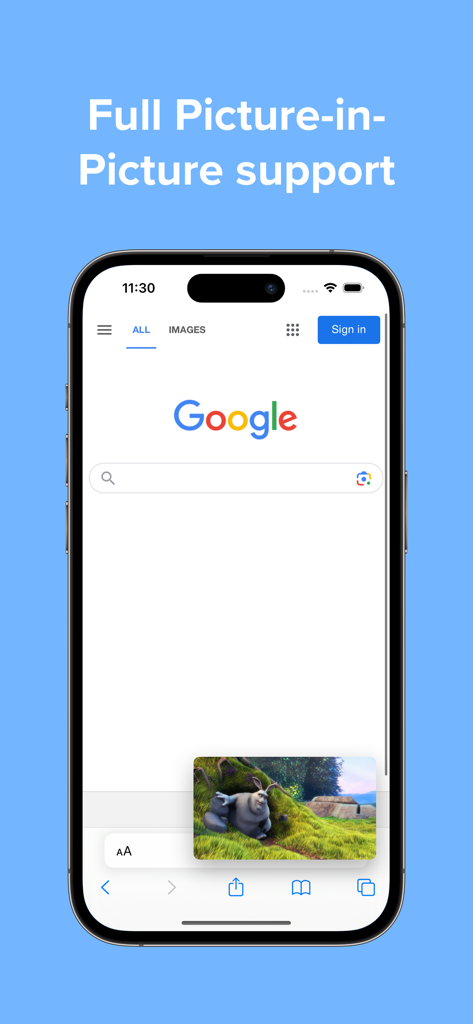
Keep watching while you message, work, or study. Adjust subtitle size within the PIP window for perfect readability.

Play Every Format, Zero Hassle

Break through the Apple format wall. Play MKV, AVI, AV1, and 4K HDR files instantly without annoying conversions.

The following screenshots and description are sourced directly from the app's official store listing and are the property of the app developer.

App Store

Screenshots
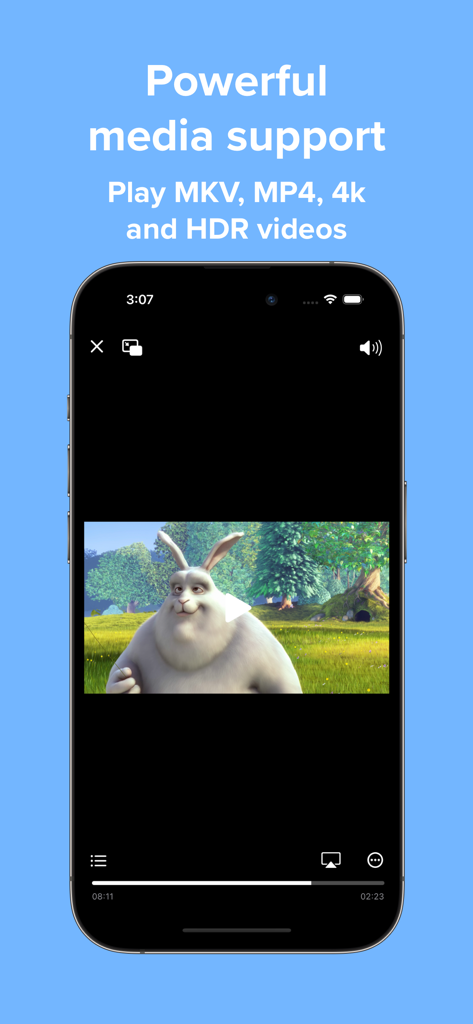
Video Player - PIP and more - iPhone screen showing Video Player app playing a 4K HDR video with support for MKV and MP4 formats

iPhone screen showing Video Player app playing a 4K HDR video with support for MKV and MP4 formats
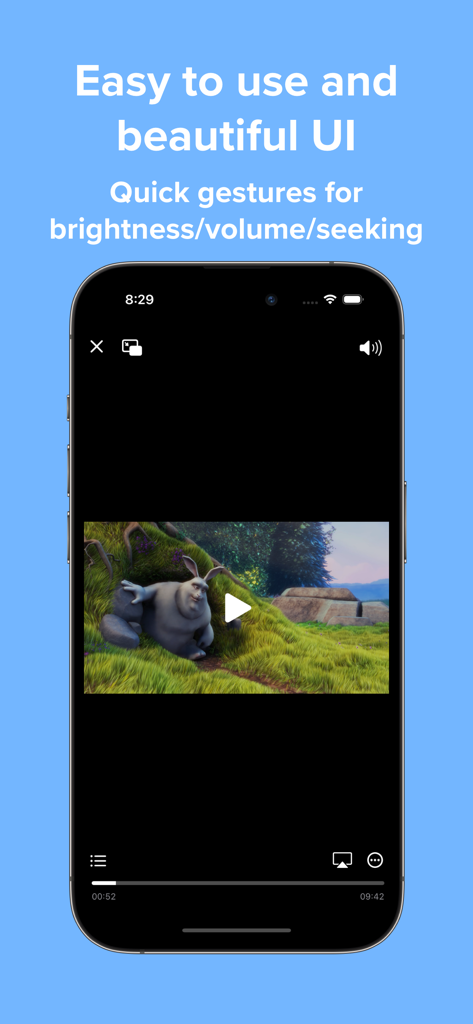
Video Player - PIP and more - Interface of the Video Player app featuring gesture controls for volume and brightness
Interface of the Video Player app featuring gesture controls for volume and brightness

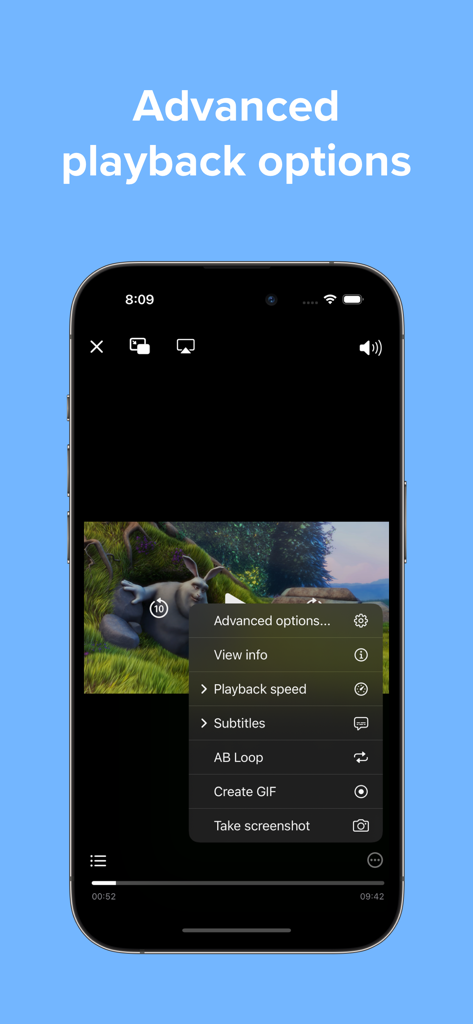
Video Player - PIP and more - iPhone screen showing advanced playback options including GIF creation and AB loop in Video Player app
iPhone screen showing advanced playback options including GIF creation and AB loop in Video Player app

Video Player - PIP and more - Smartphone screen showing the picture-in-picture feature of the video player app while using a web browser.
Smartphone screen showing the picture-in-picture feature of the video player app while using a web browser.

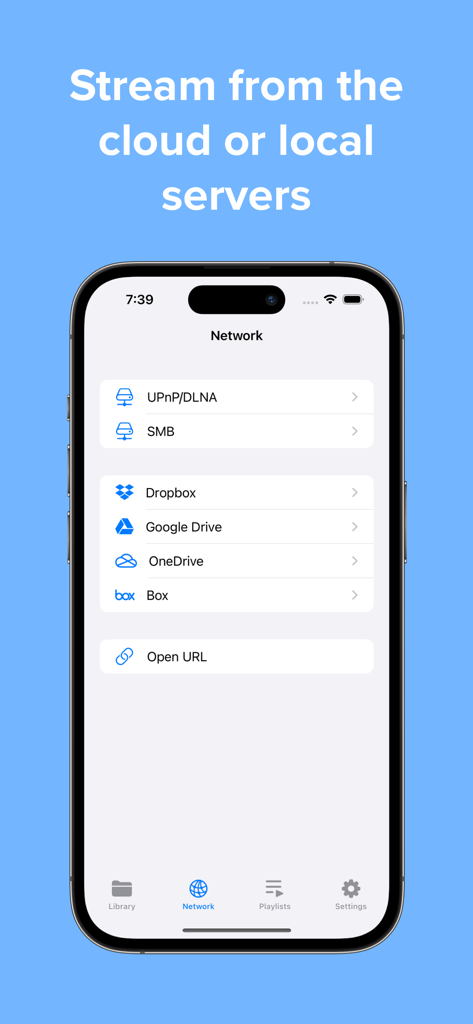
Video Player - PIP and more - App interface for streaming videos from local servers and cloud storage like Google Drive and Dropbox.

App interface for streaming videos from local servers and cloud storage like Google Drive and Dropbox.

Video Player - PIP and more - iPhone and television screen playing a video simultaneously via AirPlay or Chromecast.
iPhone and television screen playing a video simultaneously via AirPlay or Chromecast.

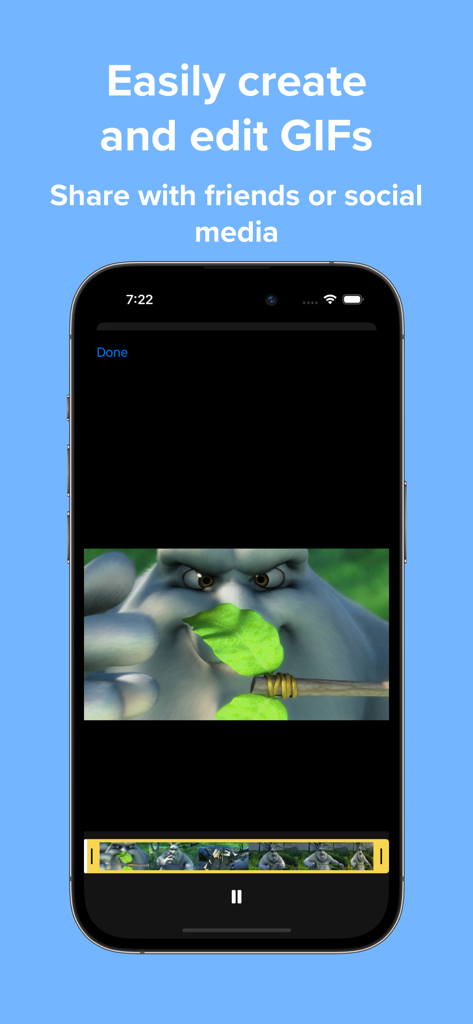
Video Player - PIP and more - Interface of the Video Player app showing the tool to create and edit GIFs from videos

Interface of the Video Player app showing the tool to create and edit GIFs from videos

Description

Play a variety of videos with powerful features such as Picture-in-Picture all wrapped in an easy-to-use interface. FEATURES Versatile media support Play a variety of popular media codecs such as H264, H265, AV1, VP8, and VP9 and file formats such as AVI, MP4, WEBM, MKV. 4K and HDR playback is also supported. Home Page Easily add videos to the home page with no importing or copying required. Or open directly from the Files app. Interface Watch videos in a player with an interface that looks native to iOS. When you need it advanced options are just a tap away. Gestures Control playback position, brightness, and volume with a swipe of your finger. Picture-in-picture Continue watching even while multitasking with Picture-in-Picture. Adjust the size of subtitles automatically to make it easier to read. Subtitles Full subtitle rendering is supported even in Picture-in-Picture. Add external subtitle files to your videos. Customize subtitle options like font, size, and color. And easily search for and download subtitles from OpenSubtitles without leaving your video. Advanced features Play video on your television with AirPlay. Adjust audio to your liking with a 10-band audio equalizer. Change playback speed. Repeat the same section of video with A-B Loop. Copy text from your video when paused with Live Text on supported devices. UPGRADE TO PRO Subscribe to Pro monthly or yearly or purchase a lifetime upgrade to unlock all the following features: UI enhancements Change to a minimal player interface, and show chapter markers in the progress bar. Recents Access all your recently played videos at the top of the home page. Playlists Create and edit playlists, and enable shuffle and repeat playback options. Download videos Download your favorite videos directly to watch offline later. Even download subtitles when available. Servers and cloud services Stream videos directly from supported cloud services such as Dropbox, Google Drive, OneDrive, and Box. Stream videos directly from your local servers using SMB, Emby, and Jellyfin. Screenshots and GIFs Take screenshots in full resolution and save them to your photo library. Create and edit GIFs up to 15 seconds in length. Passcode lock Protect your videos from prying eyes with a passcode lock, and use Touch ID or Face ID to unlock. Chromecast Cast videos up to 1080P to the big screen with Chromecast. Support indie development Help support future updates! ================================================ Information about Video Player Pro subscriptions: Monthly and yearly subscriptions are available. Payment will be charged to your iTunes account upon confirmation of purchase. Your subscription will automatically renew unless auto-renew is turned off at least 24 hours before the end of the subscription period. Terms of use: https://www.apple.com/legal/internet-services/itunes/dev/stdeula/ Privacy policy: https://jonbui.com/privacy.html

Download

Download on App Store

This page is not an official page of the app or its developer, but an independent editorial publication created for informational and commentary purposes. Unless expressly stated otherwise, neither the app nor its developer is affiliated with, endorsed by, sponsored by, authorized by, or otherwise officially connected with MWM, Apple, Google Play, the app publisher, or the app's developer, and nothing on this page implies that the app was developed using MWM's services. Any trademarks, logos, screenshots, and other content remain the property of their respective owners.








