
This page is not an official page of the app or its developer, but an independent editorial publication created for informational and commentary purposes. Unless expressly stated otherwise, neither the app nor its developer is affiliated with, endorsed by, sponsored by, authorized by, or otherwise officially connected with MWM, Apple, Google Play, the app publisher, or the app's developer, and nothing on this page implies that the app was developed using MWM's services. Any trademarks, logos, screenshots, and other content remain the property of their respective owners.


Video Retouch:Object Removal
Unwanted elements vanish. This app puts the power to reshape your video reality directly in your hands.
Downloads
250k+User Rating
Total Ratings
2.5KPublisher
Category
Photo & VideoLocales
2Latest Version
1.9Size
37.7 MBFirst Released
Oct 18, 2018An evaluation of core functionalities provided by Video Retouch:Object Removal for content enhancement.
Key Capabilities Analysis
Seamless Object Removal
The app provides advanced tools for seamlessly removing unwanted objects, distractions, or imperfections from video footage, ensuring a clean and professional look.
Effortless Object Selection
It allows users to easily select objects for removal by simply painting over the desired area, making the editing process straightforward and accessible.
Rapid Processing
This tool features rapid processing capabilities, allowing objects to disappear quickly from videos, saving users valuable editing time and enabling faster content creation.
Direct Social Sharing
The app enables direct sharing of edited videos to various social media platforms, facilitating quick distribution of enhanced content to target audiences.
The following screenshots and description are sourced directly from the app's official store listing and are the property of the app developer.
App Store
Screenshots

The app enables users to easily identify objects like the golden retriever, marking them with a clear pink overlay for removal.
Target Unwanted Elements

Witness the immediate transformation as the selected object vanishes, leaving a seamlessly restored background in the cobblestone street.
Flawless Removal

Users can precisely outline figures, such as the person in this street scene, using the intuitive highlighting interface.
Select and Erase
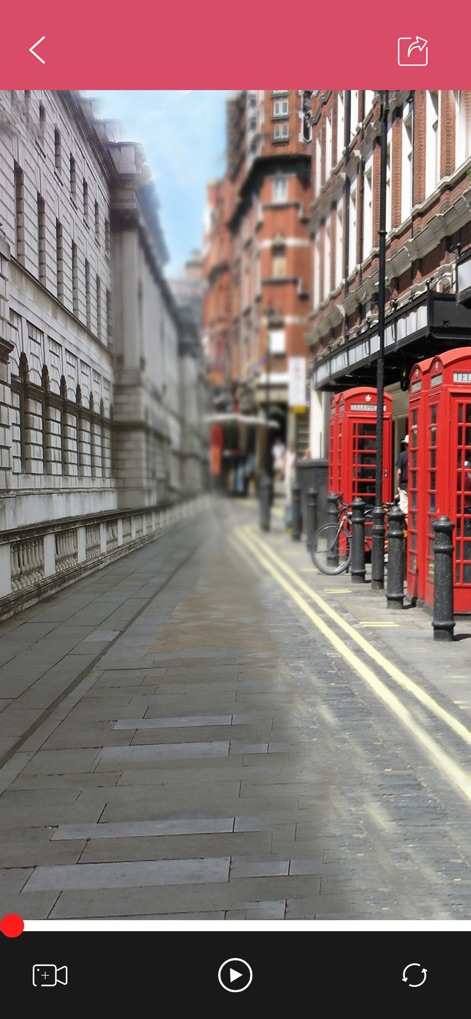
Observe the power of this tool as it removes the highlighted individual, resulting in an uncluttered view of the street.
Clean Scene Creation

This tool presents a clear before-and-after comparison of object removal, controlled by an easy-to-use 'SIZE' slider for accuracy.
Precision Eraser

Explore diverse 'CREATIVE SPLIT SCREEN' options, offering users versatile layout presets for dynamic video presentation.
Creative Layouts

The app facilitates 'CUSTOM EDITING SUBTITLES', allowing precise text input and styling for enhanced video storytelling.
Custom Subtitles

Enhance videos with 'MUSIC SOUND', guided by the visual waveform and integrated playback controls for rhythmic editing.
Perfect Audio Sync

The app ensures 'HD LOSSLESS VIDEO' saving, confirming successful exports with a clear completion message and video playback option.
Export High Definition
Description
Download
More Like This
Top-ranked apps in the same category

CapCut: Photo & Video Editor
BYTEDANCE PTE. LTD.

Instagram, Inc.

YouTube
Google LLC

Canva: AI Photo & Video Editor
Canva Pty Ltd

快手
Beijing Kwai Technology Co., Ltd.

Snapchat
Snap, Inc.

Edits: Video Editor
Instagram, Inc.

Google Photos: Backup & Edit
Google LLC

Meta AI - Vibes & AI Glasses
Meta Platforms, Inc.
This page is not an official page of the app or its developer, but an independent editorial publication created for informational and commentary purposes. Unless expressly stated otherwise, neither the app nor its developer is affiliated with, endorsed by, sponsored by, authorized by, or otherwise officially connected with MWM, Apple, Google Play, the app publisher, or the app's developer, and nothing on this page implies that the app was developed using MWM's services. Any trademarks, logos, screenshots, and other content remain the property of their respective owners.