
This page is not an official page of the app or its developer, but an independent editorial publication created for informational and commentary purposes. Unless expressly stated otherwise, neither the app nor its developer is affiliated with, endorsed by, sponsored by, authorized by, or otherwise officially connected with MWM, Apple, Google Play, the app publisher, or the app's developer, and nothing on this page implies that the app was developed using MWM's services. Any trademarks, logos, screenshots, and other content remain the property of their respective owners.

Video Up! Video Editor & Maker
True creative control on a phone used to be an oxymoron. Video Up! delivers it. Users gain instant mastery over AI-enhanced edits and dynamic visuals, transforming raw clips into polished narratives for any platform.
Downloads
12.5M+User Rating
Total Ratings
212.7KPublisher
Category
Photo & VideoLocales
30Latest Version
2.5.1Size
271.0 MBFirst Released
Apr 29, 2022Video Up! Video Editor & Maker: Feature Analysis
An evaluation of key functionalities designed for dynamic content creation and social media engagement.
Seamless Social Media Export
The app enables unlimited sharing and saving, allowing users to effortlessly export their high-resolution videos directly to popular social media platforms like TikTok, Instagram, and YouTube, or save them to their device gallery.
Advanced AI-Powered Editing
The app provides a powerful and intuitive video editor, enhanced with AI capabilities, allowing users to customize videos with intelligent tools, visual effects, and advanced animations.
Comprehensive Clip Manipulation
This tool offers comprehensive editing functionalities, including precise trimming, cropping, cutting, speed adjustments, text overlays, and automatic caption generation, alongside advanced layering and object manipulation for creative control.
AI-Powered Image Generation
It provides an innovative AI Text-to-Image feature that transforms textual descriptions into striking visuals, allowing users to effortlessly insert AI-generated images and illustrations into their videos.
Extensive Music & Sound Library
It allows users to seamlessly integrate music and sound, offering a vast library of 5,000+ built-in songs, the option to import personal tracks, and tools for voiceovers and sound effects, crucial for engaging content.
Ready-to-Use Templates
This tool features a diverse collection of video templates, including intros, outros, and transitions, enabling users to quickly start projects and personalize them with custom fonts, colors, and layouts, ensuring efficiency and style.
Frequently Asked Questions
Everything you need to know about Video Up! Video Editor & Maker
Does Video Up! use AI to generate images for videos?
Yes, Video Up! incorporates an AI video editor to insert AI-generated images and illustrations. Users describe their desired visuals, and the app instantly creates them.
Can Video Up! automatically generate captions for my videos?
Yes, Video Up! instantly generates captions to narrate video content. This feature assists users in adding text overlays efficiently to their video projects.
What kind of music library does Video Up! offer?
Video Up! includes a library of over 5,000 built-in songs. Users can also import custom tracks, extract audio from clips, and add voiceovers or sound effects.
How does Video Up! handle background removal in videos?
Video Up! provides a chroma key feature for creatively changing video backgrounds. This tool enables users to build custom visuals and enhance their scenes.
Does Video Up! provide templates for video creation?
Yes, Video Up! offers beautiful templates, including intros, outros, and transitions, for instant use. Users can personalize fonts, colors, and layout quickly.
Which social media platforms can I export videos to from Video Up!?
Video Up! supports direct export to TikTok, Instagram, YouTube, and WhatsApp. Users can save their final videos in high resolution to their device gallery.
Can I adjust the playback speed of videos in Video Up!?
Yes, Video Up! allows users to speed up or slow down video playback. This feature provides flexibility for dynamic adjustments within their video editing projects.
Is Video Up! suitable for creating different types of video content?
Yes, Video Up! is an all-in-one editor capable of creating high-quality videos, reels, slideshows, and movies. It serves as a comprehensive tool for various content needs.
The following screenshots and description are sourced directly from the app's official store listing and are the property of the app developer.
App Store
Screenshots
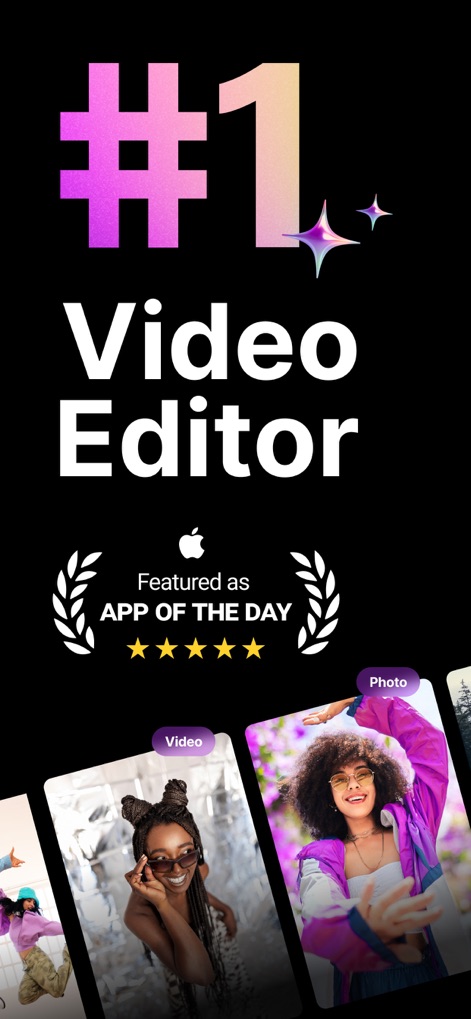
Top-Tier Editing Hub
This tool showcases its recognition as "App of the Day" and highlights the intuitive selection of video and photo assets for new projects.

AI Visual Generation
Users can explore the AI video editor by inputting text prompts and instantly generating unique images and illustrations for their content.

Precision Editing Tools
The app demonstrates core editing functions, allowing users to merge clips and precisely crop and resize their video canvas for optimal framing.

Instant Creative Starts
This tool offers a variety of "Quick Templates," providing pre-designed structures for common video themes like "Hiking Vlog" and "Fashion" to jumpstart projects.

Effortless Auto-Captions
The app simplifies content creation with its "Auto-Captions" feature, automatically generating text overlays for speech and offering custom text editing options.

Dynamic Text Overlays
Users can easily "Add text" to their videos, positioning and customizing text elements like the "SPORT" overlay to enhance visual storytelling.

Audio Library & Voice
This tool provides an extensive "Music & voice-overs" library, categorized into genres like "Trending Now" and "Cinematic," enabling rich audio integration.

Visual Effects Palette
The app enables users to "Apply effects & filters" with a visual comparison slider and offers various editing options at the bottom, including media, text, and effects.

Smart Background Removal
This tool features intelligent "Remove backgrounds" functionality, allowing users to isolate subjects with chroma key and offers options like "Split" and "Reverse" for further manipulation.

Master Video Speed
Users can precisely "Adjust video speed" using intuitive curve controls and select from preset speed effects such as "Montage" and "Bullet" for dramatic impact.
Description
Download
More Like This
Apps with similar features and user experience

Edits: Video Editor
Instagram, Inc.

VLLO- Video Editor, Vlog Edits
vimosoft

YouCut - AI Video Editor
SHANTANU PTE. LTD.

必剪-B站官方出品
Shanghai Bilibili Animation Co.,Ltd

剪影 - 视频剪辑 & 卡点影集制作
Shanghai Jian Ji Software Technology Co., Ltd

Videoshop - Video Editor
Jajijujejo Inc.

VDIT - Video Maker & Editor
ImgBase, Inc.

Video Editor with Music・VidLab
Onelight Apps CY Ltd

Video Maker-movie maker&Editor
Changsha Fugui Bamboo Network Technology Co., Ltd.
This page is not an official page of the app or its developer, but an independent editorial publication created for informational and commentary purposes. Unless expressly stated otherwise, neither the app nor its developer is affiliated with, endorsed by, sponsored by, authorized by, or otherwise officially connected with MWM, Apple, Google Play, the app publisher, or the app's developer, and nothing on this page implies that the app was developed using MWM's services. Any trademarks, logos, screenshots, and other content remain the property of their respective owners.